
1. はじめに
XTOOL D6は、プロ、DIY愛好家、そしてホームメカニック向けに設計された、ポータブルでパワフルなOBD2スキャナー兼車両メンテナンスソリューションです。車両システム全体を網羅した包括的な診断機能に加え、15種類の必須リセット機能を備え、車両を最適な状態に保ちます。このマニュアルでは、効果的な使用方法について詳しく説明しています。
2. 箱の中身
- XTOOL D6 スキャンツール
- OBD2ケーブル
- 充電用Type Cケーブル
- クイックガイド
- テクニカル サポート情報
3. 主な特徴
- 包括的な全システム診断: エンジン、トランスミッション、ABS、エアバッグなどの車両システムへのフルアクセス。
- 15つの必須リセット機能: オイル ライトのメンテナンス、スロットルの再学習、EPB (パーキング ブレーキのリセット)、TPMS のリセット、SAS キャリブレーション、インジェクターのコーディング、ABS ブリーディング、ギアボックスのマッチング、サスペンションの調整、クランク センサーの再学習が含まれます。
- CAN FDプロトコルとFCA AutoAuthサポート: 追加のケーブルを必要とせず、2018 年以降の FCA 車両を含む最新の車両と互換性があります。
- リアルタイムのライブデータ監視: 正確な分析のために最大 4 つの動的データ グラフを同時に表示します。
- ユーザーフレンドリーなインターフェース: クリアな視認性を実現する 5.45 インチの高解像度タッチスクリーン (1440x720)。
- 無料の生涯アップデート: サブスクリプション料金なしで、Wi-Fi アップデートを通じて最新機能にアクセスできます。
- バッテリー巻tageディスプレイ: 車両の電気システムをリアルタイムで監視します。
- スマートオートVIN: 車両の VIN を自動的に識別して診断を高速化します (すべての車両で機能するとは限りません)。
- 組み込みDTCライブラリ: 障害コードを簡単に解釈するのに役立ちます。
- 耐久性に優れたデザイン: シリコングリップと強化ケーブルを採用し、長寿命を実現。
- 幅広い車両互換性: 1996年以降に製造されたOBDII搭載車両に対応し、90以上のブランドをカバーしています。
4. 仕様
| 特徴 | 詳細 |
|---|---|
| ブランド | Xツール |
| オペレーティング·システム | リナックス |
| ディスプレイ解像度 | 1440x720 |
| アイテム重量 | 1.76ポンド |
| ストレージ | 32GB(拡張可能) |
| バッテリー容量 | 3150mAh |
| 充電ポート | タイプC |
| 接続性 | Wi-Fi、OBD2ケーブル |
| サポートされているプロトコル | CAN FDを含むほとんどのOBDIIプロトコル |
5.セットアップガイド
5.1 初回電源投入と接続
1. 付属のタイプ C ケーブルを使用して、XTOOL D6 が十分に充電されていることを確認します。
2. 車両の OBD2 ポートを見つけます。通常は運転席側のダッシュボードの下にあります。
3. OBD2 ケーブルを XTOOL D6 に接続し、車両の OBD2 ポートに接続します。
4. 車両のイグニッションをオンにします(特定の機能によって指示されない限り、エンジンを始動しないでください)。
5. XTOOL D6 は接続すると自動的に電源がオンになりますが、手動で電源をオンにすることもできます。
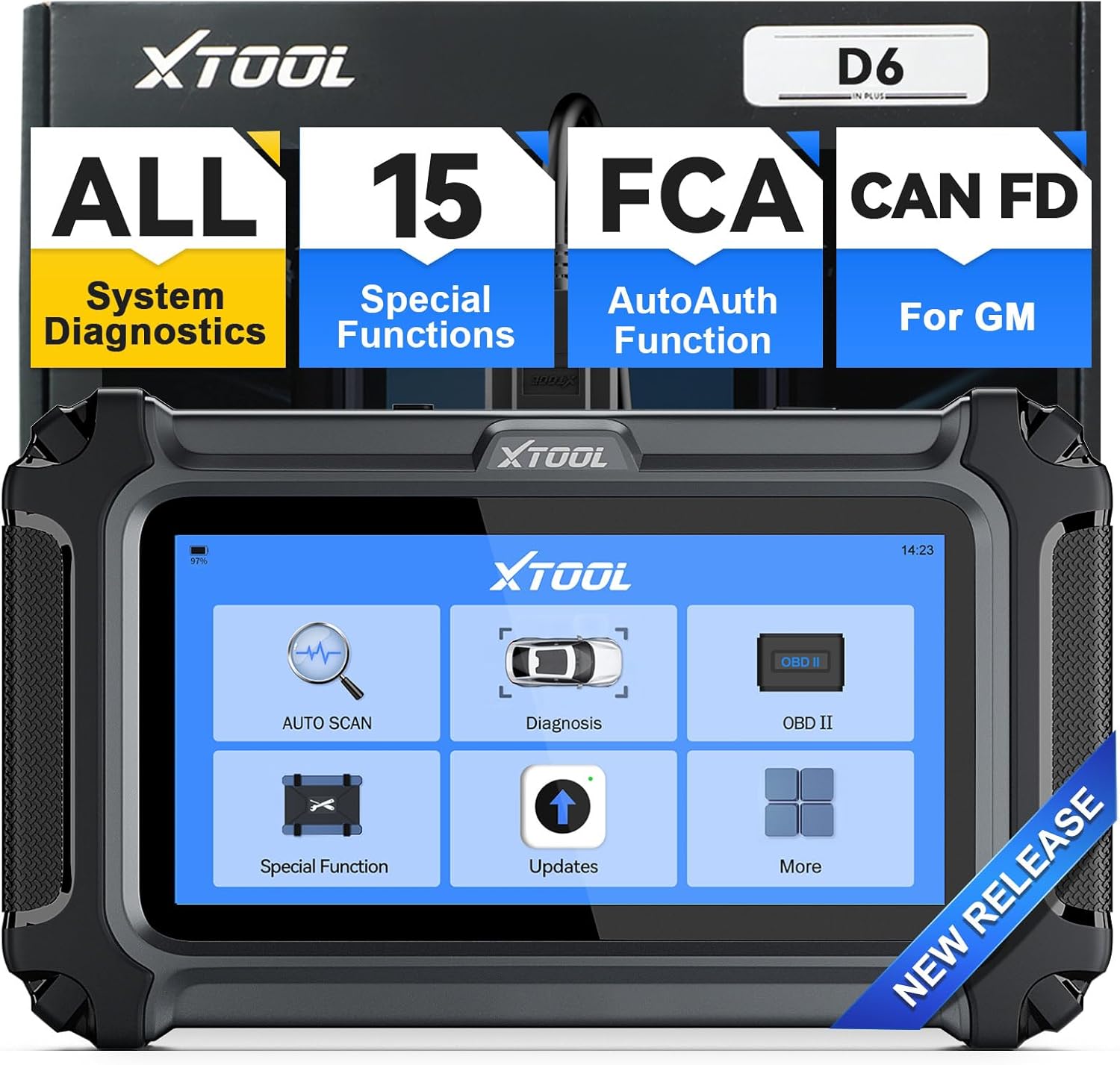 画像: 操作準備が整ったメイン メニュー インターフェイスを表示する XTOOL D6 デバイス。
5.2ソフトウェアアップデート
XTOOL D6は、Wi-Fi経由で無料の生涯アップデートを提供しています。最新の機能と車両との互換性を確保するために、ソフトウェアを定期的にアップデートすることをお勧めします。
- メインメニューから「アップデート」を選択します。
- デバイスを安定した Wi-Fi ネットワークに接続します。
- 画面上の指示に従って、利用可能なアップデートをダウンロードしてインストールします。
 画像: XTOOL D6 の更新インターフェイスが表示され、ワンクリックのオンライン更新機能が強調されています。
5.3言語設定
デバイスには英語の言語オプションが組み込まれています。他の言語をご希望の場合は、XTOOLのカスタマーサービスまでお問い合わせください。
- メインメニューから「設定」に移動します。
- ご希望の言語を選択するには、「言語」を選択してください。
- ご希望の言語が利用できない場合は、ご希望の言語とともにシリアル番号 (S/N) を xtoolofficial@hotmail.com に送信し、言語の変更をリクエストしてください。
6. 操作手順
6.1一般的なナビゲーション
XTOOL D6は、見やすいタッチスクリーンインターフェースを備えています。タッチスクリーンを使用してメニューを操作し、機能を選択します。メインメニューから主要な診断機能に素早くアクセスできます。
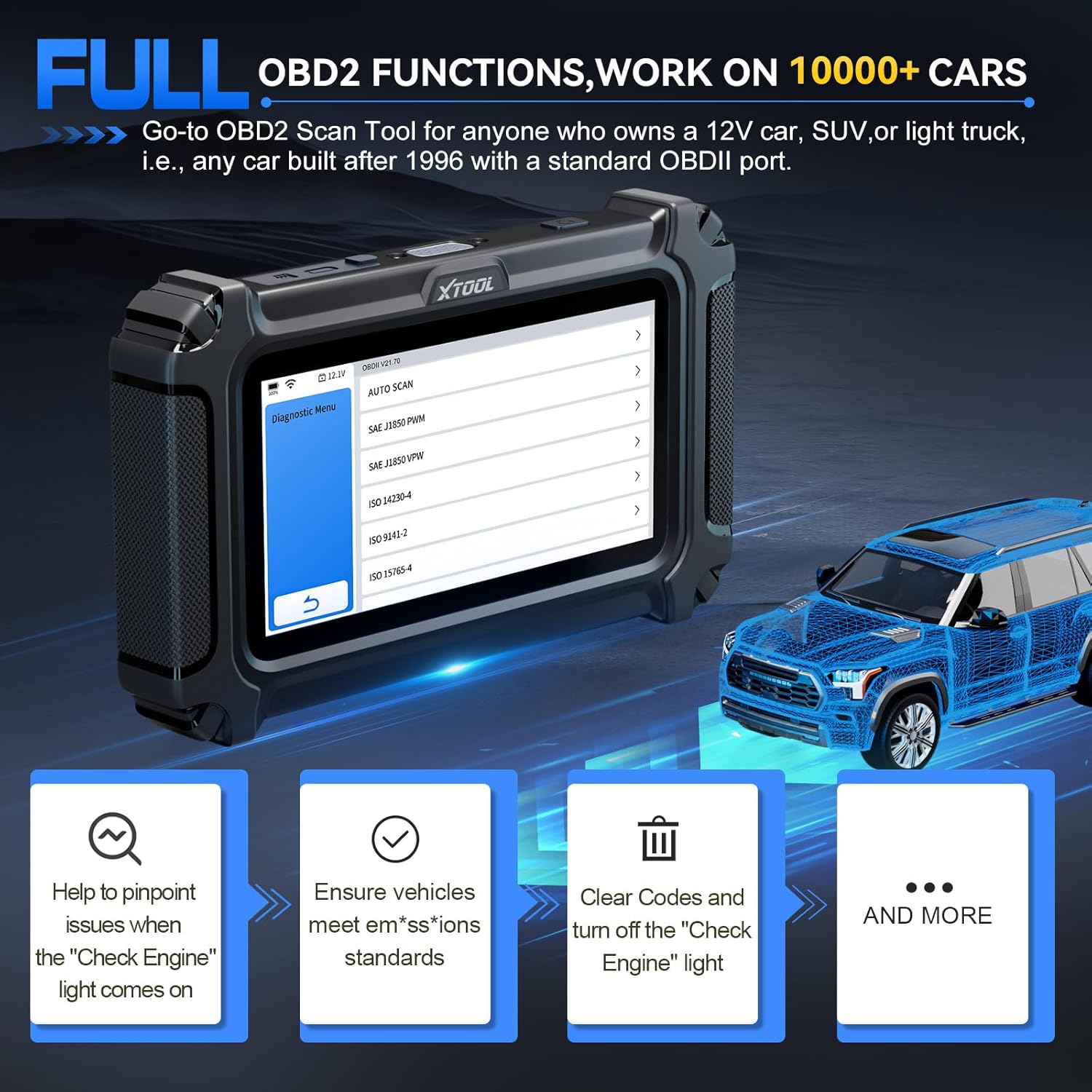 画像: さまざまな診断タスクの明確なナビゲーション オプションを表示する XTOOL D6 インターフェース。
6.2 すべてのシステム診断
この機能を使用すると、エンジン、トランスミッション、ABS、エアバッグなど、車両内のすべての利用可能なシステムにアクセスして診断できます。
- メインメニューから「診断」または「自動スキャン」を選択します。
- ツールは車両を自動的に識別するか(AutoVIN がサポートされている場合)、手動で選択するように要求します。
- 接続すると、診断トラブルコード(DTC)の読み取りとクリアが可能になります。 view ライブデータや車両情報にアクセスします。
 画像: XTOOL D6が全システム診断を実行しており、コード読み取り能力を示している。 view ライブデータ、ECU 情報にアクセスします。
6.3 特殊機能(15 リセットサービス)
D6は、様々な車両メンテナンス作業に必要な15種類のリセット機能を備えています。これらのオプションにアクセスするには、メインメニューから「スペシャル機能」を選択してください。
- オイルランプリセット: オイル交換後にオイルサービスライトをリセットします。
- EPB(電子パーキングブレーキ)のリセット: 電子パーキングブレーキシステムをリセットします。
- TPMSリセット: タイヤ空気圧監視システムのセンサーをリセットします。
- SAS(ステアリングアングルセンサー)キャリブレーション: ステアリング角度センサーをキャリブレーションします。
- インジェクターコーディング: 新しいインジェクター番号を ECU にコード化します。
- ABSブリーディング: ABS ブレーキのブリーディングを実行してブレーキの感度を回復します。
- スロットル再学習: 清掃または交換後にスロットル ボディを新しい位置に適合させます。
- ギアボックスマッチ: トランスミッション制御ユニットを適応させます。
- サスペンション調整: 車両のサスペンション システムを調整します。
- クランクセンサーの再学習: クランクシャフト位置センサーを再学習します。
- ヘッドライト調整: ヘッドライトの設定を調整します。
- ウィンドウの初期化: パワーウィンドウを初期化します。
- 車両の互換性に応じてさらに異なります。
 画像: スロットル再学習や ABS ブリーディングなどの 15 個の必須メンテナンス機能を備えた XTOOL D6。
6.4 ライブデータモニタリング
様々なセンサーからのリアルタイムのライブデータストリームを監視します。これにより、断続的な問題の診断や修復の検証に役立ちます。
- 「診断」を選択して車両に接続した後、「ライブデータ」を選択します。
- 比較分析のために、最大 4 つのデータ ストリームを同時に表示できます。
 画像: XTOOL D6 は複数のライブ データ ストリームをグラフィカルに表示し、リアルタイムの監視と分析を可能にします。
6.5 DTCの定義
組み込みの DTC ライブラリは診断トラブル コードの定義を提供し、外部リソースを必要とせずに車両の問題を理解するのに役立ちます。
- DTCが読み取られたら、コードを選択して view その定義と潜在的な原因。
6.6バッテリーVol。tageディスプレイ
D6にはリアルタイムのバッテリー残量計が搭載されていますtag車両の電気システムを監視するディスプレイで、予期しないモジュールの故障を防止します。
- バッテリー容量tage は通常、デバイス画面の上部バーに表示されます。
6.7 診断レポート
診断レポートを保存して共有し、車両のパフォーマンスとメンテナンスの履歴を追跡します。
- 診断スキャンを完了したら、レポートを「保存」または「共有」するオプションを探します。
7. 特定操作:スロットルボディの再学習
スロットルボディの清掃または交換後、適切なエンジンアイドリングとレスポンスを確保するために、この手順は非常に重要です。XTOOL D6はこのプロセスを簡素化します。
7.1 前提条件
- XTOOL D6 が車両の OBD2 ポートに正しく接続されていることを確認します。
- 車両のイグニッションをオンにします(エンジンはオフ)。
- 車両バッテリー容量tageは少なくとも11.5Vでなければなりません。
- エンジンにはアクティブな故障コードがないはずです。続行する前に、既存のDTCをクリアしてください。
- 手順中はアクセルペダルを踏まないでください。
- すべての電気機器およびアクセサリ(ラジオ、ライト、エアコンなど)の電源をオフにします。
- エンジンは動作温度(暖まった状態)になっている必要があります。
7.2 ステップバイステップの手順
- XTOOL D6 メインメニューから、「特殊機能」を選択します。
- 「スロットルマッチング」または「スロットル再学習」を選択します。
- リストから車両のメーカーを選択してください。ツールは車両の認識を試みます。
- 画面に表示されている前提条件を確認してください。「OK」を押して続行してください。
- デバイスが接続され、診断プログラムが初期化されます。
- スロットルボディのリセットを行う際に、特定のチャンネルを選択するよう求められる場合があります。正しいチャンネルについては、車両のサービスマニュアルまたはオンラインリソースを参照してください(例:Skoda Fabiaの場合、タイプ1、060チャンネルなど)。
- 正しいチャンネルを選択すると、スロットルボディの再学習プロセスが開始されます。リセット処理中は、スロットルボディからクリック音やブザー音が聞こえる場合があります。このプロセスは通常1分以内で完了します。
- プロセスが完了したら、XTOOL D6 のすべてのメニューを終了します。
- 車のエンジンを始動してください。リセットが成功した場合、エンジンはすぐに始動し、通常通りアイドリング状態になります。
- XTOOL D6をOBD2ポートから取り外します。
- スロットルレスポンスとエンジン性能の向上を確認するために、車両を短時間試乗することをお勧めします。
ビデオ:XTOOL診断ツールを使用してスロットルボディの再学習を実行する詳細なデモンストレーション。ビデオでは、デバイスの接続、特殊機能メニューの操作、スロットルマッチングオプションの選択、前提条件の確認、リセットプロセス中のスロットルボディの物理的な動きの観察について説明しています。
8. メンテナンス
- 清潔に保ちます: 柔らかく乾いた布でデバイスを拭いてください。刺激の強い化学薬品や研磨剤入りの洗剤の使用は避けてください。
- 適切に保管してください: 損傷を防ぐために、使用していないときは XTOOL D6 を元のパッケージまたは保護ケースに入れて保管してください。
- ソフトウェアアップデート: 最適なパフォーマンスと互換性を確保するために、セクション 5.2 で説明されているようにソフトウェア アップデートを定期的に実行してください。
- バッテリーのケア: 頻繁に使用しない場合でも、バッテリーの状態を維持するために定期的にデバイスを充電してください。
9。 トラブルシューティング
- デバイスの電源が入っていない: デバイスが完全に充電されているか、イグニッションがオンの状態で車両のOBD2ポートに接続されていることを確認してください。OBD2ケーブルに損傷がないか確認してください。
- 通信エラー: OBD2ケーブルがデバイスと車両のポートの両方にしっかりと接続されていることを確認してください。車両のイグニッションがオンになっていることを確認してください。可能であれば、車両固有の問題を排除するために別の車両で試してください。
- 機能が動作しない: 車両のモデルと年式が、実行しようとしている特定の機能と互換性があることを確認してください。保留中のソフトウェアアップデートがないかご確認ください。
- 誤った読み取り/DTC: 車両のVINが正しく識別されていることを確認してください。システム全体をスキャンして、包括的な情報を入手してください。view.
- 物理的耐久性: XTOOL D6は堅牢な設計です。落下試験の動画では、衝撃にも耐え、動作を継続する能力が実証されており、優れた物理的耐久性を示しています。
動画:落下試験によるXTOOL D6の耐久性のデモンストレーション。デバイスが複数回落下しても動作を続ける様子が映し出されており、その堅牢な構造が際立っています。
10. 保証とサポート
XTOOL は、2 年間の保証と継続的な技術サポートで製品をサポートします。
- 保証: XTOOL D6にはご購入日から2年間の保証が付いています。保証請求の際は、購入証明書を保管してください。
- テクニカルサポート: 技術的な問題、質問、サポートについては、XTOOLテクニカルサポートまでお問い合わせください。 xtoolofficial@hotmail.com.
- オンラインリソース: 公式XTOOLをご覧ください web追加のリソース、FAQ、製品情報については、こちらのサイトをご覧ください。