
製品終了view
The Mesqool CR1025 Digital Alarm Clock is a versatile bedside device combining multiple functions. It features a clear LED display, Bluetooth 5.0 connectivity for audio streaming, a digital FM radio with station presets, dual USB charging ports (Type-C and USB-A), and an adjustable night light. Designed for convenience, it includes a 5-level dimmer for display brightness, adjustable volume, 12/24-hour format, snooze function, and battery backup to retain settings during power outages。
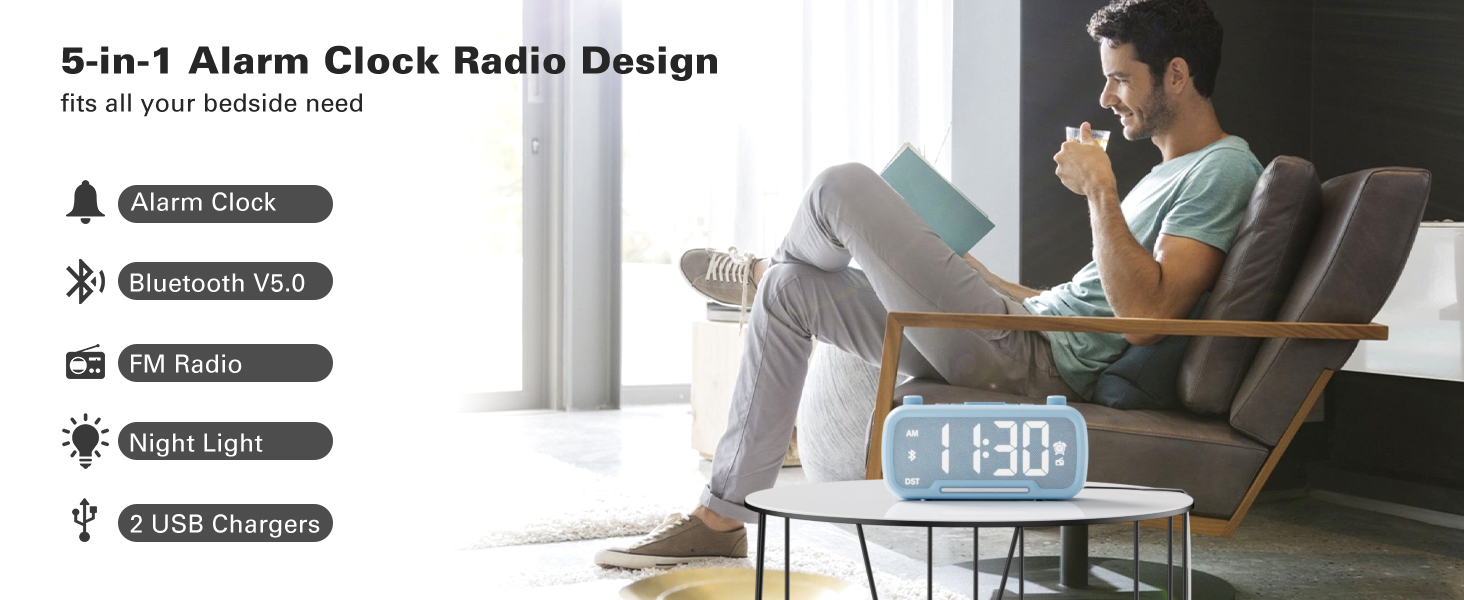
Image: The Mesqool CR1025 Digital Alarm Clock showcasing its 5-in-1 features: Alarm Clock, Bluetooth V5.0, FM Radio, Night Light, and 2 USB Chargers.
セットアップ手順
1. 電源接続
- Connect the provided AC adapter to the clock and plug it into a standard wall outlet. The clock requires AC power for primary operation.
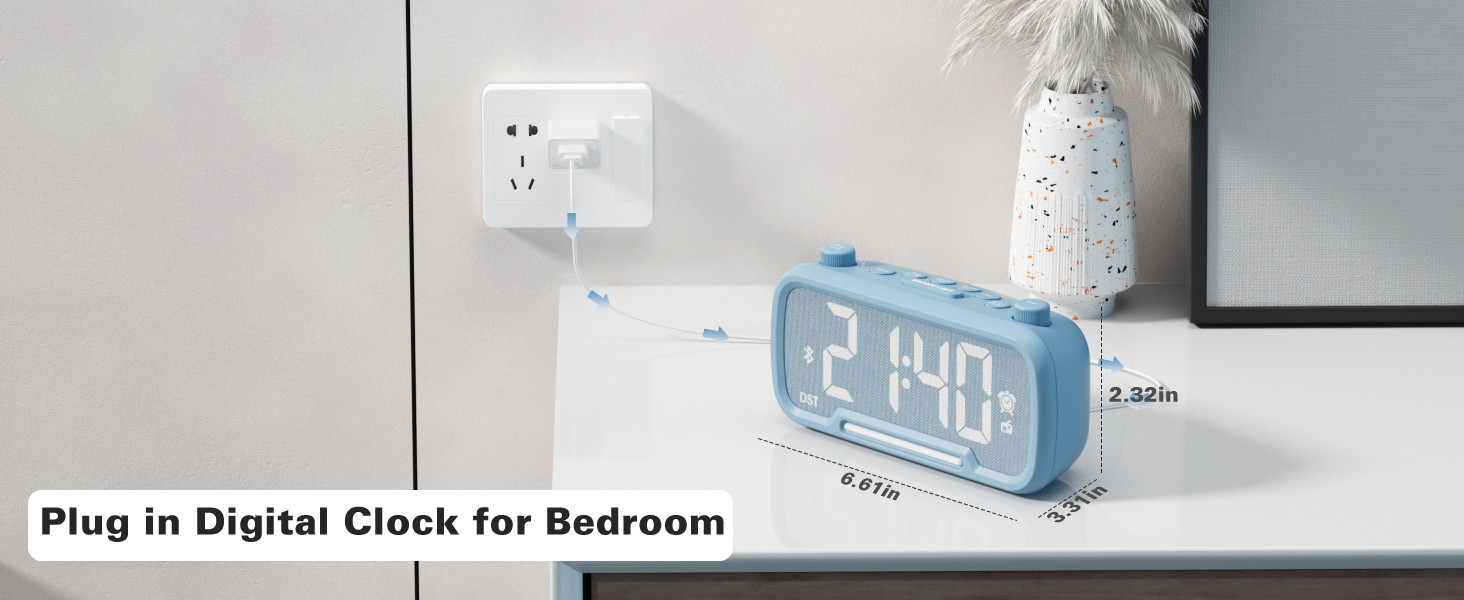
Image: The Mesqool CR1025 Digital Alarm Clock connected to a wall outlet via its power adapter, illustrating the power connection.
2. バッテリーバックアップ
- The clock includes a CR2032 battery for backup. This battery preserves time and alarm settings during a power outage, but the display will not be lit.
3.時間設定
- を押す 時間12/24 ボタンを一度押します。時間の数字が点滅します。
- Rotate the left knob (Sleep Timer/Vol) to adjust the hour.
- を押す 時間12/24 もう一度ボタンを押します。分の数字が点滅します。
- Rotate the right knob (Scan) to adjust the minute.
- を押す 時間12/24 もう一度ボタンを押して確定し、時間設定を終了します。
Video: Demonstrates how to set the time, adjust the 12/24 hour format, and activate/deactivate DST mode on the alarm clock.
4 / 12時間形式
- を押し続けます 時間12/24 button for 2 seconds to switch between 12-hour and 24-hour time formats.
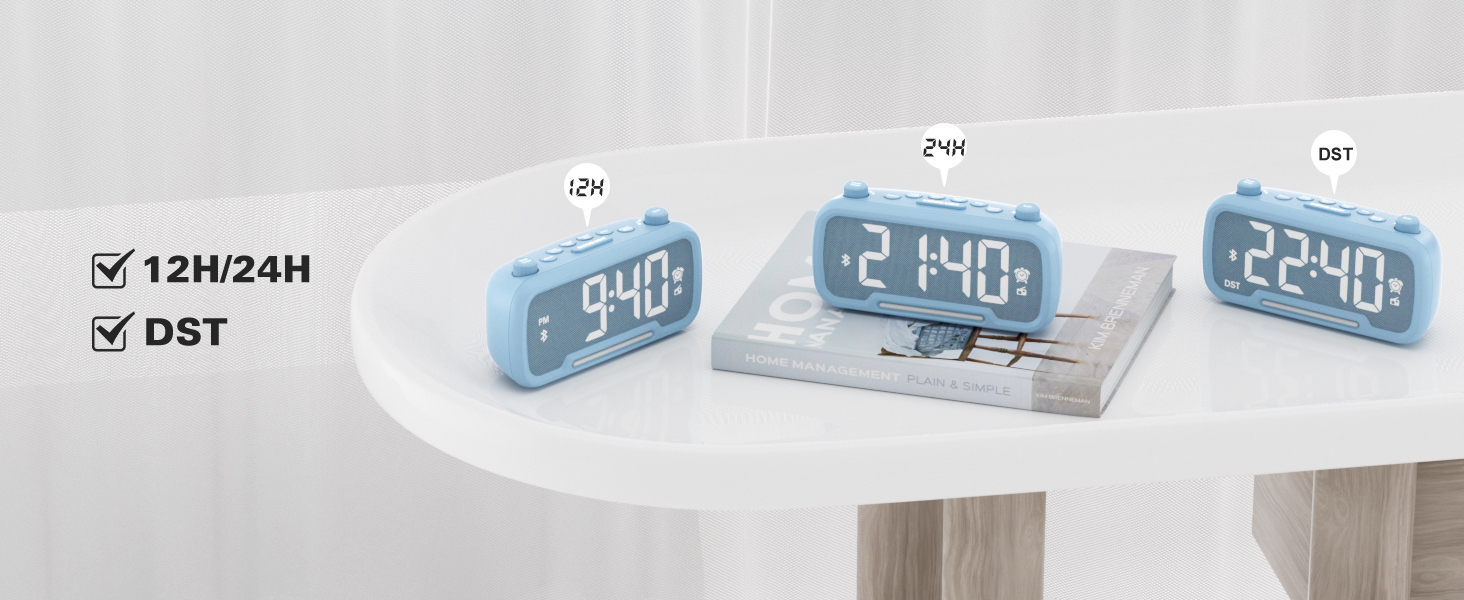
Image: The clock display showing both 12-hour (PM) and 24-hour time formats, along with the DST indicator.
5. 夏時間(DST)モード
- を押す 調光器 DST button to enter or exit DST mode. When active, the DST indicator will appear on the display.
- Refer to the video above for a demonstration of DST mode activation.
操作手順
1. Bluetoothスピーカー
- を押す パワーモード button repeatedly until "bt" appears on the display, indicating Bluetooth mode. The Bluetooth icon will flash.
- On your device, search for "CR1025" in the Bluetooth settings and pair.
- Once connected, the Bluetooth icon will stop flashing.
Video: Demonstrates how to activate Bluetooth mode and pair with a device.

Image: Illustrates the Bluetooth 5.0 speaker functionality, showing the clock connected to a smartphone playing music.
2. FMラジオの操作
- を押す パワーモード ディスプレイにラジオアイコンが点灯し、FMラジオモードを示すまで、ボタンを繰り返し押します。
- 自動スキャン: を押す スキャン button to automatically search and store up to 20 stations.
- 手動検索: 回転する スキャン knob to browse frequencies manually.
- プリセットの保存: ステーションを保存するには、 プリセットペア button for 2 seconds. The display will show "P01", "P02", etc. Rotate the スキャン knob to select a preset number, then press プリセットペア もう一度保存します。
- 音量を調整: Turn the left knob (Sleep Timer/Vol) to adjust the volume (16 levels, L01-L16).
Video: Demonstrates FM radio tuning, auto-scan, and saving preset stations.

Image: The clock displaying an FM radio frequency, indicating its radio function.
3.アラーム設定
- を押し続けます アラーム ボタンを2秒間押し続けます。時間の数字が点滅します。
- Rotate the left knob (Sleep Timer/Vol) to adjust the alarm hour.
- を押す アラーム もう一度ボタンを押します。分の数字が点滅します。
- Rotate the right knob (Scan) to adjust the alarm minute.
- を押す アラーム button once more to select the alarm sound: either a buzzer or the last played FM radio station.
- Rotate the left knob (Sleep Timer/Vol) to adjust the alarm volume (L01-L16).
- を押す アラーム button again to confirm and activate the alarm. The alarm icon will appear on the display.
- アラームをキャンセルするには、 アラーム ボタンを一度押します。アラームアイコンが消えます。
Video: Demonstrates setting the alarm time, choosing alarm sound (radio or buzzer), and adjusting alarm volume.
4. スヌーズ機能
- アラームが鳴ったら、を押します スヌーズ/ライト スヌーズ機能を有効にするにはボタンを押してください。アラームは9分間一時停止し、その後再び鳴ります。
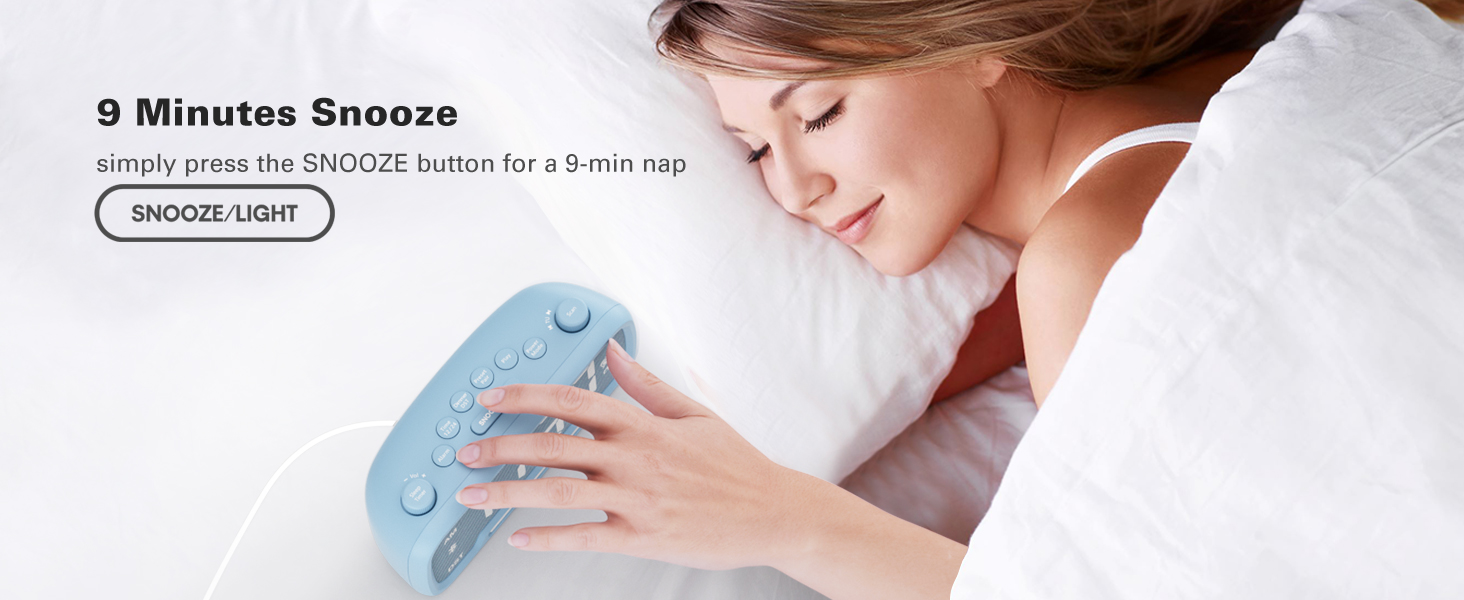
Image: A hand pressing the SNOOZE/LIGHT button on the clock, illustrating the 9-minute snooze feature.
5. Night Light & Dimmer
- ナイトライト: を押す スヌーズ/ライト ナイトライトをオンまたはオフにするボタン。
- ディスプレイ調光器: を押す 調光器 DST button repeatedly to cycle through 5 brightness levels for the main display (L01-L05).
Video: Shows how to adjust the display brightness using the dimmer function.

Image: The clock with its warm night light illuminated, providing ambient lighting.

画像: 複数 views of the clock demonstrating the five different brightness levels of its display.
6. スリープタイマー設定
- When using FM radio or Bluetooth speaker, press the スリープタイマー ボタン。
- Rotate the left knob (Sleep Timer/Vol) to select the desired duration: 15, 30, 60, 90, 120 minutes, or OFF. The device will automatically turn off after the selected time.
Video: Illustrates how to set the sleep timer for the FM radio or Bluetooth speaker.
7. USB充電ポート
- The clock features one USB-A and one Type-C charging port (5V/1A each).
- スマートフォン、タブレット、その他の USB 電源デバイスをこれらのポートに接続して充電します。
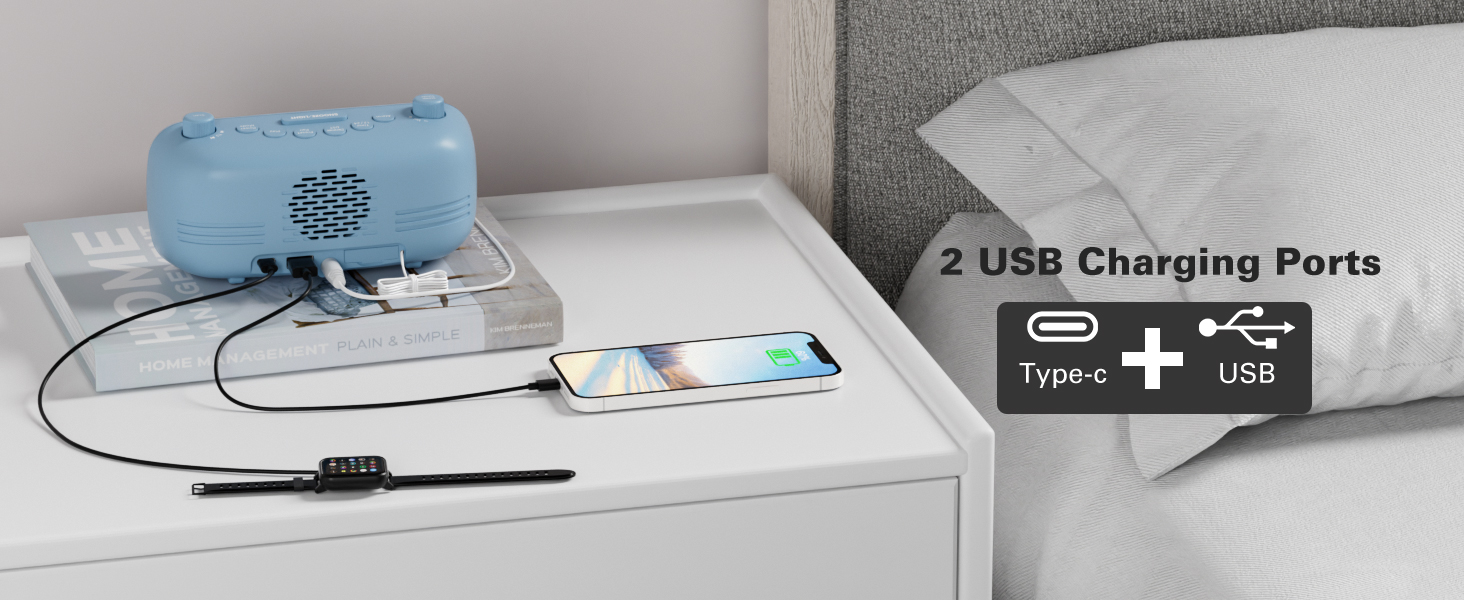
Image: The back of the clock showing the USB-A and Type-C charging ports with devices connected for charging.
メンテナンス
- クリーニング: Use a soft, dry cloth to clean the surface of the clock. Avoid abrasive cleaners or solvents.
- ストレージ: デバイスを長期間保管する場合は、電源を切り、バックアップバッテリーを取り外してください。涼しく乾燥した場所に保管してください。
トラブルシューティング
- 電源なし/ディスプレイオフ: Ensure the AC adapter is securely plugged into both the clock and a working power outlet. Check if the backup battery is correctly installed.
- アラームが鳴らない: Verify that the alarm is set and activated (alarm icon visible). Check the alarm volume level.
- FMラジオの受信状態が悪い: Extend the antenna fully. Try repositioning the clock to improve signal reception.
- Bluetooth ペアリングの問題: Ensure the clock is in Bluetooth mode and the Bluetooth icon is flashing. Make sure your device's Bluetooth is on and within range. Try restarting both the clock and your device.
- USB充電が機能しない: Ensure the clock is powered on. Check the charging cable and device for proper connection.
仕様
| 特徴 | 詳細 |
|---|---|
| ブランド | メスクール |
| モデル番号 | CR1025 |
| 色 | 青(現在の製品バリエーションによる) |
| 表示タイプ | デジタル |
| 特集 | Adjustable Brightness, Adjustable Volume, Alarm, Charging Port, Radio |
| 製品寸法 | 幅3.31インチ x 高さ2.32インチ |
| 電源 | コード式電気(ACアダプター) |
| 部屋タイプ | 寝室 |
| 材料 | プラスチック |
| アイテム重量 | 7.7オンス |
| バッテリー | 1 CR2032 battery required (included for backup) |
| 接続技術 | Bluetooth 5.0, AC adapter |
| FMラジオ範囲 | 87.5-108MHz |
保証とサポート
Mesqool products are designed for reliability and performance. For product support, troubleshooting assistance, or warranty inquiries, please contact Mesqool customer service.
Contact information can typically be found on the product packaging, the official Mesqool webサイト、または小売店を通じてご購入いただけます。