
1. はじめに
Thank you for choosing the Perlegear UL-Listed Tilting TV Wall Mount and Metal Pegboard. This manual provides comprehensive instructions for safe installation, proper operation, and effective maintenance of your new product. Please read this manual thoroughly before installation and retain it for future reference.

This image displays the complete Perlegear product package, including the tilting TV wall mount, the metal pegboard, and various hooks and cable management strips.
2. 安全情報
警告: すべての指示を読んでそれに従わなかった場合、人身傷害、物的損害が発生したり、保証が無効になったりする可能性があります。
- Do not install on drywall alone. Always mount to wood studs or solid concrete walls.
- 壁の構造がマウントおよびテレビの合計重量を安全に支えられることを確認してください。
- Do not exceed the maximum weight capacity of 132 lbs for the TV mount and 20 lbs for the pegboard.
- Each pegboard hook supports a maximum of 3.3 lbs.
- Use appropriate personal protective equipment during installation (e.g., safety glasses).
- Always use a stud finder to locate wall studs accurately.
- インストールプロセスのいずれかの部分について不明な点がある場合は、資格のある専門家にご相談ください。
- 窒息の危険を防ぐため、小さな部品はお子様の手の届かないところに保管してください。
3. パッケージ内容
Please verify that all components are present and undamaged before beginning installation. If any parts are missing or defective, contact Perlegear customer support.
- Tilting TV Wall Mount Assembly
- Metal Pegboard Panel
- 6 x Durable Plastic Hooks
- 5 x Hook & Loop Cable Management Strips
- Mounting Hardware Kit (including lag screws, wall anchors, washers, spacers, and various TV screws)
- 穴あけテンプレート
- 水準器
- 取扱説明書
4. 仕様
| 特徴 | 仕様 |
|---|---|
| ブランド | ペルレギア |
| モデル | B0DF2J84XT |
| 取り付けタイプ | 壁掛け |
| 移動タイプ | Tilt (0-8 degrees) |
| 材料 | 合金鋼 |
| TVサイズの互換性 | 37~82インチ |
| TV Mount Weight Capacity | 最大 132 ポンド (60 kg) |
| VESA互換性 | 200x100mmから600x400mm |
| Pegboard Dimensions | 16.46インチ×11.73インチ |
| Pegboard Max Load | 20ポンド(9kg) |
| Pegboard Hook Capacity | 3.3 lbs (1.5 kg) per hook |
5. セットアップとインストール
5.1 テレビの壁掛け設置
-
テレビの互換性を確認する:
Before installation, ensure your TV's screen size (37-82 inches), weight (up to 132 lbs), and VESA pattern (200x100mm to 600x400mm) are compatible with this mount. The VESA pattern refers to the four mounting holes on the back of your TV.
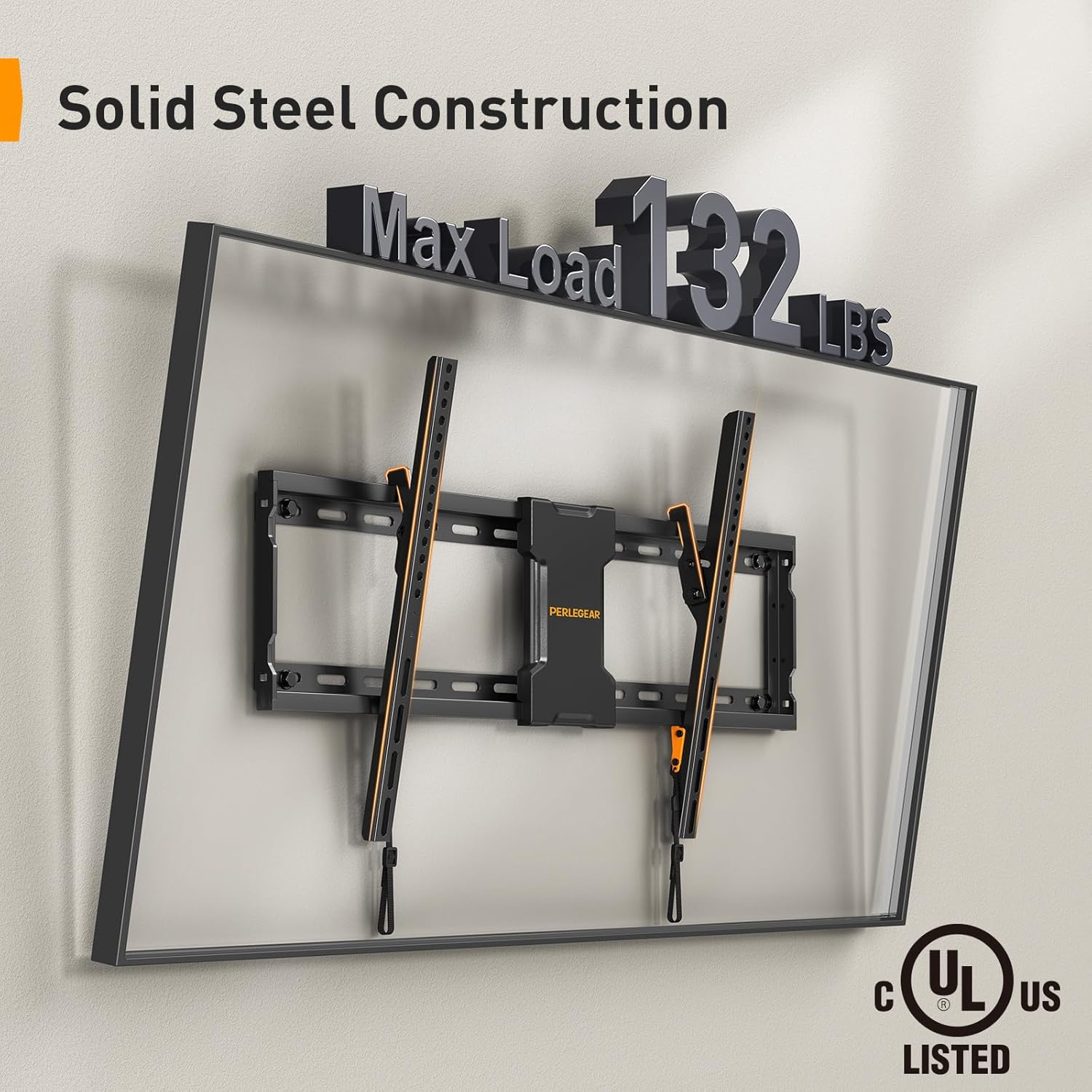
The image highlights the robust construction of the Perlegear TV wall mount, capable of supporting up to 132 pounds, and confirms its UL safety certification.
-
Determine Wall Type and Stud Spacing:
This mount is designed for installation on wood studs or solid concrete walls. Use a reliable stud finder to locate the center of your wall studs. The mount is compatible with 16-inch, 18-inch, and 24-inch stud spacing.

This visual guide illustrates the compatibility of the TV mount with common wall stud spacings, ranging from 16 to 24 inches, ensuring flexible installation options.
-
掘削場所をマークする:
Use the provided drilling template to mark the precise locations for drilling pilot holes. Ensure the template is level before marking.
-
パイロット穴をドリルで開ける:
Drill pilot holes at the marked locations. The size of the drill bit will depend on your wall type and the lag screws provided. Refer to the hardware kit instructions for specific drill bit sizes.
-
壁プレートを取り付けます。
Align the wall plate with the pilot holes and secure it to the wall using the lag screws and washers. Ensure the wall plate is firmly attached and level.
-
テレビブラケットをテレビに取り付けます。
Attach the vertical TV brackets to the back of your TV using the appropriate screws, washers, and spacers from the hardware kit. Ensure the brackets are centered and securely fastened.
-
壁プレートにテレビを掛ける:
Carefully lift the TV and hook the TV brackets onto the wall plate. Ensure the TV is securely seated on the wall plate. Engage the safety locks on the TV brackets to prevent accidental dislodgement.

This composite image demonstrates the ease of installation, featuring a handy drilling template for precise placement and illustrating the simple 3-step mounting process.
5.2 Metal Pegboard Installation
-
インストール場所を選択してください:
Select a suitable location for your pegboard, such as near your TV mount for cable management, or in a workshop, garage, or office for general organization.

The image depicts the straightforward installation process of the metal pegboard, emphasizing its hassle-free setup with standard tools.
-
マークとドリル:
Hold the pegboard against the wall at the desired height and mark the mounting holes. Drill pilot holes using an appropriate drill bit for your wall type (drywall, wood stud, or solid concrete). Use the included lag screws and wall anchors as needed.
-
Secure Pegboard:
Align the pegboard with the pilot holes and secure it firmly to the wall using the provided hardware. Ensure it is level and stable.

The image showcases the sturdy metal pegboard's capacity, indicating a maximum load of 20 pounds for the board itself, with each individual hook supporting up to 3.3 pounds.
6. 操作手順
6.1 Tilting the TV Mount
The Perlegear TV wall mount allows for a 0-8 degree downward tilt to optimize your view快適な視聴体験とグレア軽減を実現します。傾きを調整するには:
- Loosen the tilt adjustment knobs located on the side of the TV brackets.
- Carefully tilt the TV to the desired angle.
- 傾き調整ノブを締めてテレビを固定します。

The image shows the TV mount's tilting capability, allowing for an 0-8 degree downward tilt to optimize viewing angles and minimize screen glare.
6.2 Using the Metal Pegboard for Organization
The metal pegboard provides a customizable grid for organizing various items. Utilize the included hooks and hook & loop strips to manage cables and hang accessories.
- Insert the plastic hooks into the desired holes on the pegboard to hang items such as gaming controllers, headphones, or small tools.
- Use the hook & loop strips to neatly route and secure cables along the arms of your TV wall mount or directly on the pegboard. This helps prevent electrical and tripping hazards.
- The pegboard is suitable for multiple hook types, allowing for personalized organization.

This side-by-side comparison illustrates the effectiveness of the pegboard and included hook & loop strips in organizing cables, transforming a cluttered area into a neat setup.
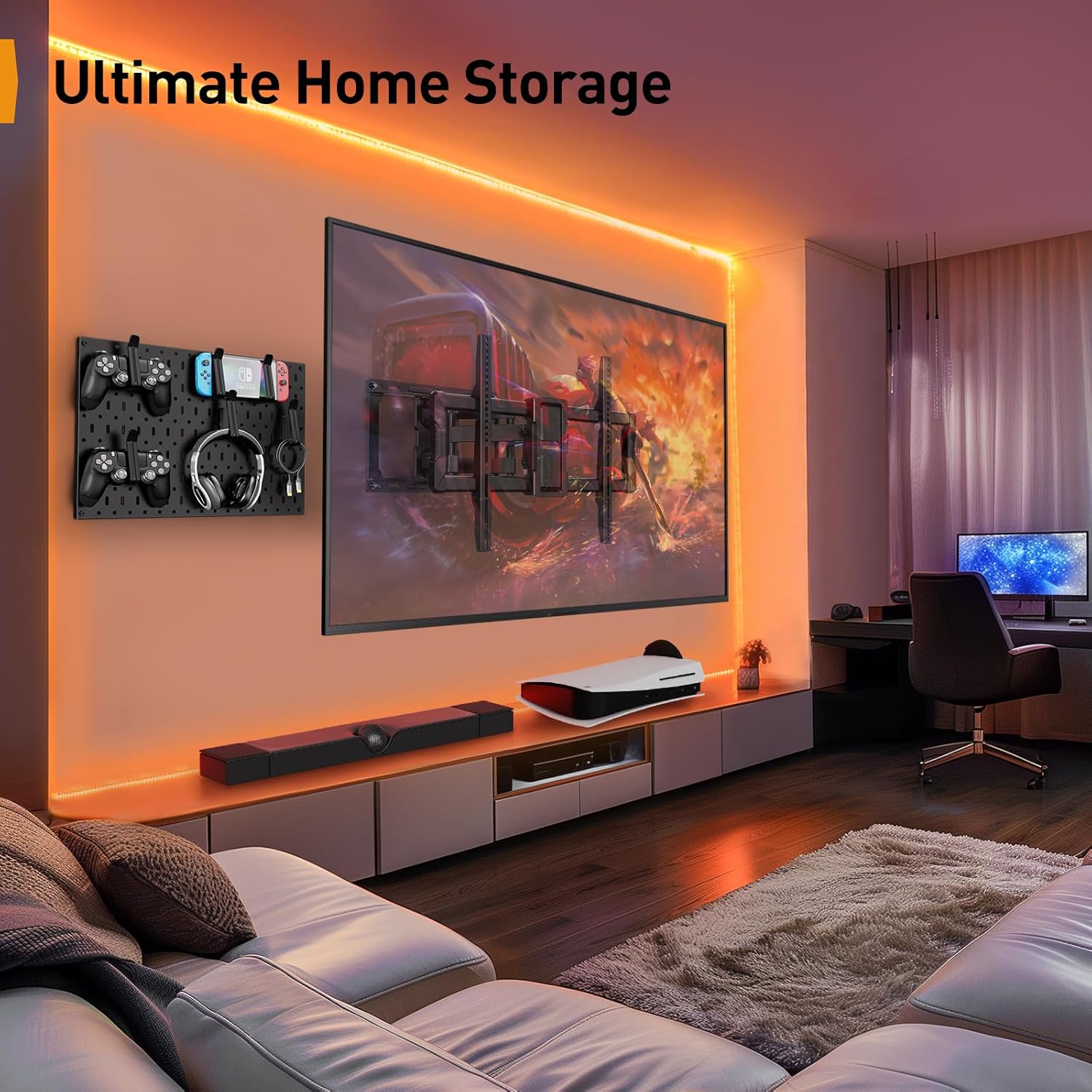
This image demonstrates the integrated use of the TV wall mount and pegboard in a modern living space, highlighting its utility for organizing entertainment accessories and optimizing space.
7. メンテナンス
Regular maintenance ensures the longevity and safe operation of your Perlegear TV wall mount and pegboard.
- すべてのネジとボルトがしっかりと締まっているか定期的に点検してください。必要に応じて締め直してください。
- Inspect the wall mount and pegboard for any signs of wear, damage, or corrosion.
- 表面は柔らかく乾いた布で拭いてください。研磨剤入りの洗剤や溶剤の使用は避けてください。
- Ensure cables are still neatly organized and not under undue tension.
8。 トラブルシューティング
インストール中またはインストール後に問題が発生した場合は、次の一般的なトラブルシューティングのヒントを参照してください。
テレビが水平ではありません:
Check the wall plate and TV brackets with a bubble level. Loosen the mounting screws slightly, adjust for level, and then retighten securely.
マウントが不安定に感じる:
Ensure all lag screws are fully tightened into the wall studs or concrete. Verify that the wall structure is adequate for the weight. Do not exceed the maximum weight capacity.
Cannot tilt the TV:
Ensure the tilt adjustment knobs are loosened before attempting to tilt. If they are too tight, they will prevent movement.
Pegboard hooks do not fit or are loose:
Ensure you are using the correct type of hooks for the pegboard holes. The included hooks are designed for a secure fit.
If problems persist, please contact Perlegear customer support.
9. 保証とサポート
Perlegear products are designed for durability and performance. For warranty information or technical support, please contact Perlegear directly.
You can reach Perlegear customer support via:
- Phone: 1-800-796-4165 (US/CA) - Monday-Friday, 8am-5pm PST
- Webサイト: www.perlegear.com
Please have your product model number (B0DF2J84XT) and purchase information ready when contacting support.