製品終了view
The OYIB S75 Wireless Earbuds are designed for an immersive audio experience with advanced features for daily use and sports activities. They incorporate Bluetooth 5.4 technology for stable connectivity, ENC noise reduction for clear calls, and an IP7 waterproof rating for durability.
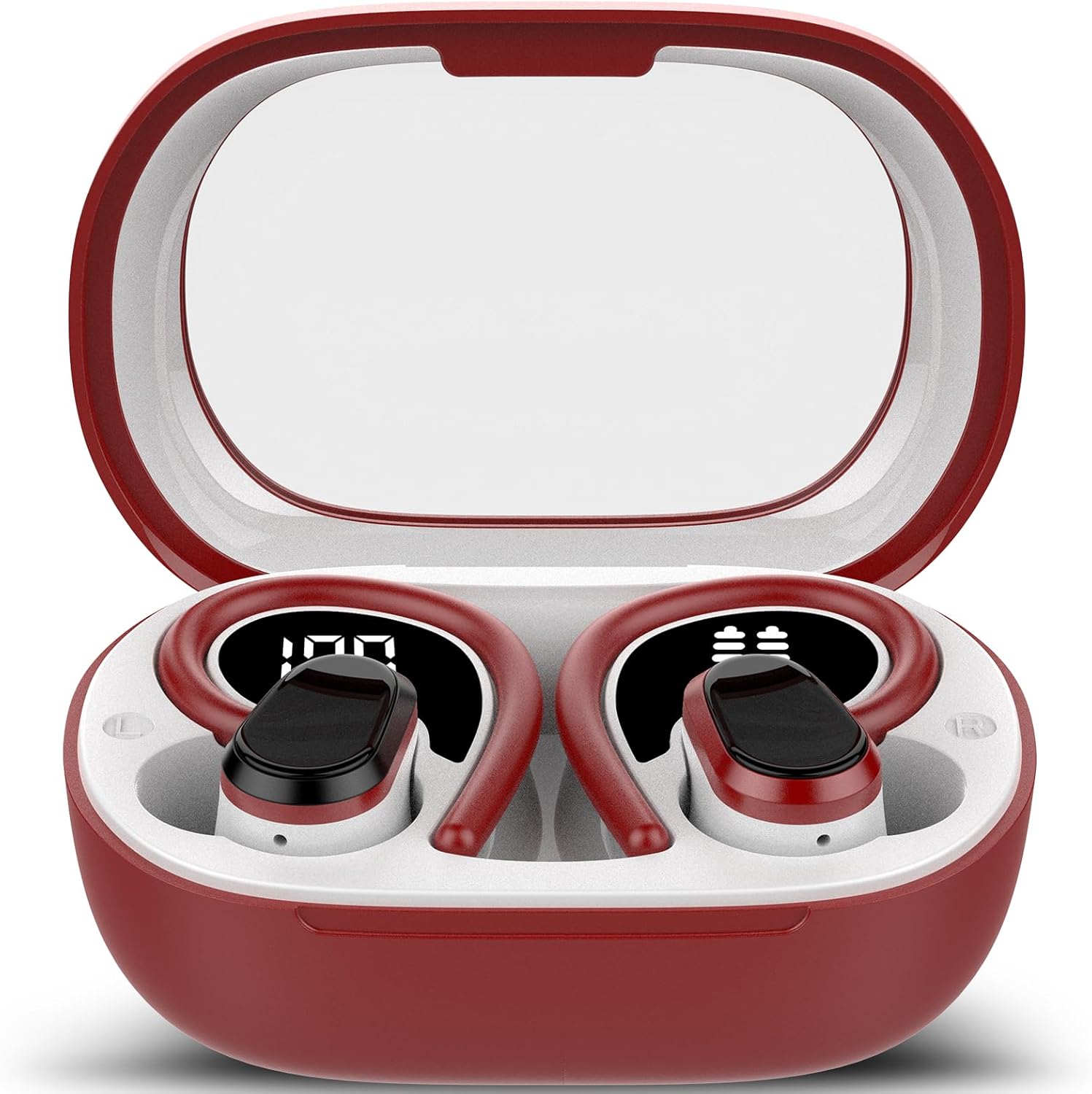
Image: OYIB S75 Wireless Earbuds in their open charging case, showcasing the red and white design. The digital displays on the earbuds indicate battery levels, with the left earbud showing '100' and the right showing a battery icon, confirming their charge status.
主な特徴
- ブルートゥース 5.4 テクノロジー: Ensures stable connection, low latency, and high-fidelity audio. Features Hall effect technology for quick pairing.
- 没入型ステレオサウンド: Equipped with 13mm three-layer graphene TPU diaphragm drivers for rich audio.
- ENCノイズ低減: Effectively filters background noise for clear calls.
- 快適で安全なフィット感: Ergonomic design with soft silicone ear hooks, suitable for various ear shapes and activities.
- IP7防水: 汗や雨にも強く、スポーツやアウトドアに最適です。
- 拡張再生: 1 回の充電で最大 10 時間、充電ケースを使用すると合計 50 時間使用できます。
- Dual Real-Time LED Display: Shows battery status of both earbuds and the charging case.
- 直感的なタッチコントロール: Easy management of music, calls, and volume.
- 幅広い互換性: Connects seamlessly with Android and iOS devices.
セットアップガイド
- 初期費用: Before first use, place both earbuds into the charging case and connect the case to a power source using a USB-C cable. Ensure the LED display indicates charging. A full charge is recommended for optimal battery life.
- 電源オン: イヤフォンは、充電ケースから取り外すと自動的に電源が入ります。
- ペアリング:
- 充電ケースを開けると、イヤホンは自動的にペアリングモードになります。
- デバイス(スマートフォン、タブレットなど)で Bluetooth を有効にします。
- 検索する "OYIB S75" or similar in the list of available Bluetooth devices.
- Select "OYIB S75" to connect. A voice prompt will confirm successful pairing.
- The earbuds utilize Hall effect technology, allowing them to quickly pair and connect to the last connected device when you open the charging case.
- イヤホンの装着: Gently place the earbuds into your ears, adjusting the silicone ear hooks to fit securely around your ear for maximum comfort and stability.
操作手順
タッチコントロール:
The OYIB S75 earbuds feature high-sensitivity touch sensors for easy control.
| アクション | 左イヤホン | 右イヤフォン |
|---|---|---|
| 再生/一時停止 | シングルタップ | シングルタップ |
| 次のトラック | ダブルタップ | ダブルタップ |
| 前のトラック | トリプルタップ | トリプルタップ |
| 音量を上げる | 該当なし | 長押し |
| 音量を下げる | 長押し | 該当なし |
| 通話の応答/終了 | シングルタップ | シングルタップ |
| 通話を拒否 | 長押し | 長押し |
| 音声アシスタントを有効にする | クアドラプルタップ | クアドラプルタップ |
バッテリー表示:
The charging case features a dual LED display that shows the remaining battery percentage of the charging case and the individual charge status of each earbud. This allows for convenient monitoring of power levels.
電源オン/オフ:
- 電源オン: 充電ケースから取り出すと、イヤホンは自動的に電源がオンになります。
- 電源を切る: イヤホンを充電ケースに戻すと、自動的に電源がオフになり、充電が開始されます。
メンテナンス
- クリーニング: Regularly clean the earbuds and charging case with a soft, dry, lint-free cloth. Do not use abrasive cleaners or solvents. Gently wipe the charging contacts on both the earbuds and the case to ensure proper connection.
- 耐水性(IP7): The earbuds are IP7 waterproof, meaning they are protected against immersion in water up to 1 meter for up to 30 minutes. While they are resistant to sweat and rain, avoid prolonged submersion in water or exposure to strong water jets. Ensure earbuds are dry before placing them back into the charging case to prevent damage.
- ストレージ: 使用しないときは、イヤホンを充電ケースに入れて、ほこりや汚れ、物理的な損傷から保護してください。直射日光や極端な温度を避け、涼しく乾燥した場所に保管してください。
- バッテリーのケア: To prolong battery life, avoid fully depleting the battery frequently. Charge the earbuds and case regularly, even if not in constant use.
トラブルシューティング
| 問題 | 考えられる解決策 |
|---|---|
| イヤホンがペアリング/接続されません。 |
|
| 音が出ない、または音量が低い。 |
|
| イヤホンが充電されません。 |
|
| 片方のイヤホンが機能しません。 |
|
仕様
| 特徴 | 詳細 |
|---|---|
| モデル名 | S75 |
| ブランド | オイブ |
| 接続技術 | ワイヤレス(Bluetooth 5.4) |
| 耳の位置 | 耳に装着 |
| フォームファクター | 耳に装着 |
| コントロールタイプ | タッチコントロール |
| 耐水性レベル | IP7防水 |
| 周波数範囲 | 20 Hz - 20,000 Hz |
| バッテリーの平均寿命(イヤホン) | 8時間(1回の充電) |
| 合計再生時間 | 最大50時間(充電ケース使用時) |
| バッテリーセルの構成 | リチウムポリマー |
| 対応デバイス | 携帯電話、タブレット |
| 含まれるコンポーネント | Charging case*1, Ear pads*3, OYIB wireless earbuds*2, User Manual |
| 区画寸法 | 9.8 x 8.9 x 3.7 cm; 100 g |
保証とサポート
For warranty information and customer support, please refer to the documentation included with your product or contact OYIB directly. The manufacturer's contact information is typically available on their official webサイトまたは製品を購入した小売店を通じて購入できます。
Manufacturer: OYIB
Place of Business: +8615658183747
さらに詳しいサポートが必要な場合は、 OYIB Store on Amazon.