
導入
This manual provides detailed instructions for the safe and effective use of your Andis 560980 Limited Edition Galaxy Envy Li Cordless Clipper and Slimline Pro Cordless Beard Trimmer Combo Kit. Please read all instructions carefully before operating the devices and retain this manual for future reference.
重要な安全情報
警告: 感電、怪我、損傷のリスクを軽減するために、常に以下の基本的な安全上の注意事項に従ってください。
- 目、皮膚、水との接触を避けてください。
- 熱源や裸火から遠ざけてください。
- 充電しながら使用しないでください。
- 清掃する前に必ずプラグを抜くか、バッテリーを取り外してください。
- 大人の監督なしに乳児や子供に使用しないでください。
- 推奨されるクリーニングおよびメンテナンス手順に従ってください。
パッケージ内容
Your Andis 560980 Combo Kit includes the following items:
- Andis Galaxy Envy Li Cordless Clipper
- Andis Slimline Pro Cordless Beard Trimmer
- Multiple Attachment Guide Combs (various sizes)
- 充電アダプター
- ブレードオイル
- クリーニングブラシ
- ブレードプロテクター

詳細な view of the accessories included with the Andis 560980 kit, showing the range of guide combs, power adapters, and lubricating oil for maintenance.
設定
1. デバイスの充電
Both the clipper and trimmer are equipped with rechargeable lithium-ion batteries, providing up to two hours of run-time. For optimal performance, fully charge the device before its first use.
- Connect the appropriate charging adapter to the device and plug it into a suitable power outlet.
- 充電インジケータライトが点灯します。
- デバイスを完全に充電します。
- The devices can also be used corded if the battery is low or for continuous operation.
2. Attaching and Removing Guide Combs
The kit includes various guide combs to achieve different cutting lengths. To attach a comb:
- デバイスの電源がオフになっていることを確認してください。
- Align the guide comb with the blade and slide it firmly into place until it clicks.
コームを取り外すには:
- デバイスの電源がオフになっていることを確認してください。
- Gently lift the back of the comb and slide it off the blade.
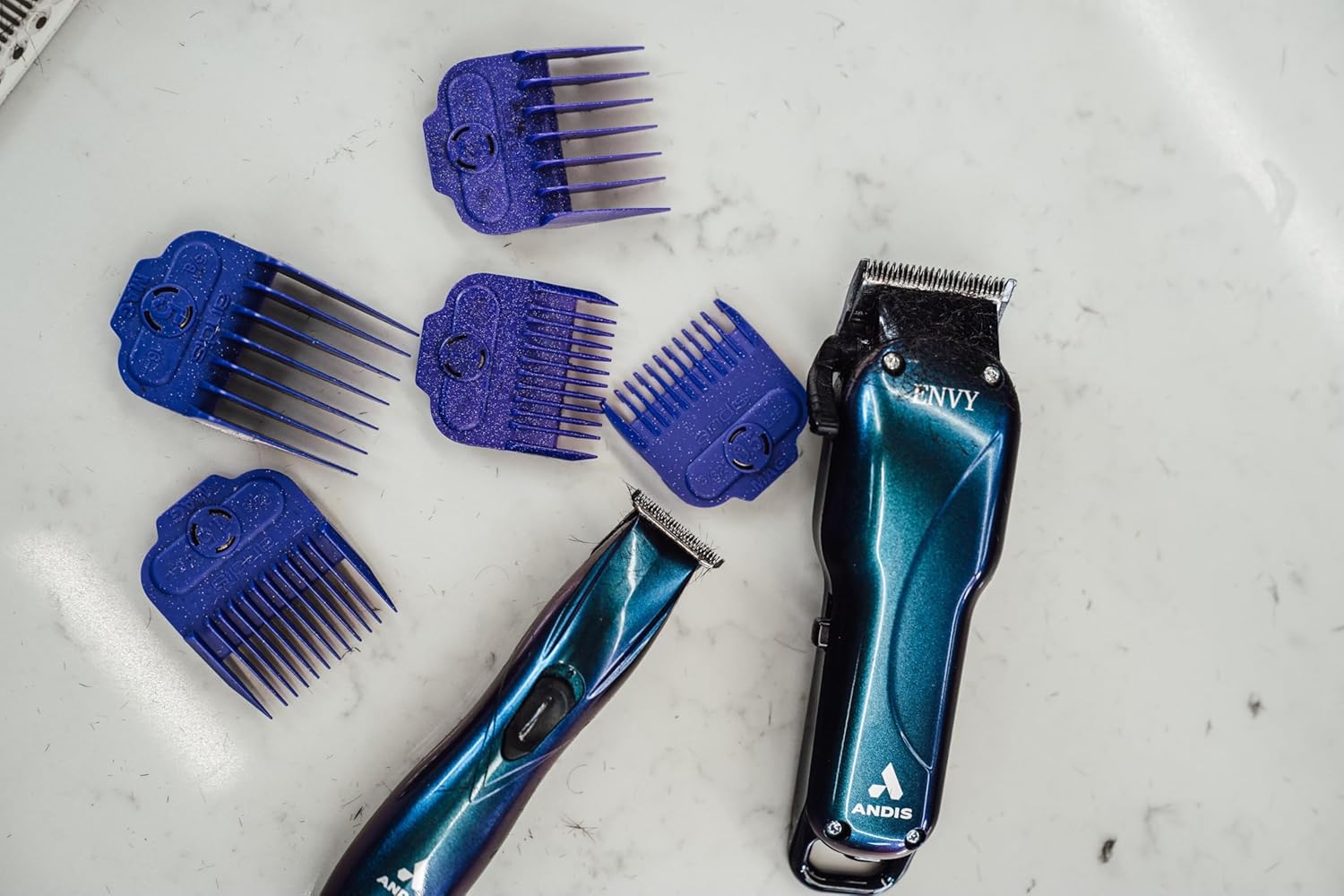
The Andis Galaxy Envy Clipper displayed with a selection of its included attachment combs, demonstrating the different cutting lengths available.
操作手順
1. Using the Clipper (Galaxy Envy Li)
The Galaxy Envy Li Cordless Clipper is designed for cutting, tapering, and fading hair. Its carbon-steel blade adjusts from 000 to 1.
- ご希望のガイドコームを選択し、しっかりと取り付けます。
- 電源スイッチを使用してクリッパーをオンにします。
- For tapers and fades, use the adjustable lever on the side of the clipper to change the blade height. The lever allows for precise adjustments between 000 (closest cut) and 1 (longer cut).
- For razor-sharp lines, the blade can be zero-gapped by a professional.
- 均等にカットするには、毛の成長方向と逆方向にバリカンを動かします。
- Turn off the clipper after use.
2. Using the Trimmer (Slimline Pro)
The Slimline Pro Cordless Beard Trimmer is ideal for trimming beards, designing, and texturizing.
- Choose the appropriate guide comb for your desired beard length or use without a comb for close trimming and detailing.
- トリマーをオンにします。
- For beard trimming, move the trimmer in the direction of hair growth for a uniform trim.
- For detailing and sharp lines, use the edge of the blade carefully.
- 使用後はトリマーの電源をオフにしてください。

A professional barber using the Andis Slimline Pro Trimmer to create intricate designs on a client's hair, highlighting its precision capabilities.
メンテナンス
1. ブレードのクリーニング
Regular cleaning ensures optimal performance and longevity of your devices.
- Turn off and unplug the device (if corded).
- 付属のクリーニングブラシを使用して、刃に付いた抜け毛を取り除きます。
- For a more thorough cleaning, detach the blades if possible and clean under running water (refer to specific device instructions for water resistance). Ensure blades are completely dry before reattaching.
2. ブレードへのオイル注入
Apply blade oil regularly to keep the blades sharp and moving smoothly.
- After cleaning, apply a few drops of the provided blade oil across the top of the blades.
- オイルを均等に分散させるために、デバイスを数秒間オンにします。
- 余分な油はきれいな布で拭き取ってください。
3. ストレージ
Store your clipper and trimmer in a cool, dry place. Use the blade protector to prevent damage to the blades when not in use.
トラブルシューティング
If you encounter any issues with your Andis devices, please refer to the following common solutions:
- デバイスの電源が入らない: デバイスが完全に充電されていることを確認してください。コード付きの場合は、電源接続を確認してください。
- 切断性能が悪い: Clean and oil the blades. Ensure blades are free of hair and debris. Blades may need sharpening or replacement if dull.
- 過熱: Ensure blades are clean and oiled. Allow the device to cool down if it feels excessively warm.
For persistent issues, please contact Andis customer support.
仕様
| 特徴 | 詳細 |
|---|---|
| モデル番号 | 560980 |
| ブランド | アンディ |
| 電源 | 電池駆動(充電式リチウムイオン) |
| 実行時間 | 最大2時間 |
| ブレード材質 | ステンレス鋼 |
| Clipper Blade Adjustment | 000 to 1 (adjustable lever) |
| 色 | Galaxy (Limited Edition) |
| アイテム重量 | 1.02キログラム(2.24ポンド) |
| 寸法 | 9.41 x 9.29 x 3.03インチ(パッケージ) |
| 対象読者 | ユニセックス - 大人 |
| 髪質 | 全て |
保証とサポート
Your Andis 560980 Combo Kit is covered by a Manufacturer’s 12-month limited warranty. Please retain your proof of purchase for warranty claims.
For product support, warranty information, or to purchase replacement parts, please visit the official Andis Store or contact their customer service directly.