
導入
Welcome to the user manual for your new realme C65 5G smartphone. This guide provides essential information to help you set up, operate, maintain, and troubleshoot your device. Please read this manual carefully to ensure optimal performance and longevity of your realme C65 5G.
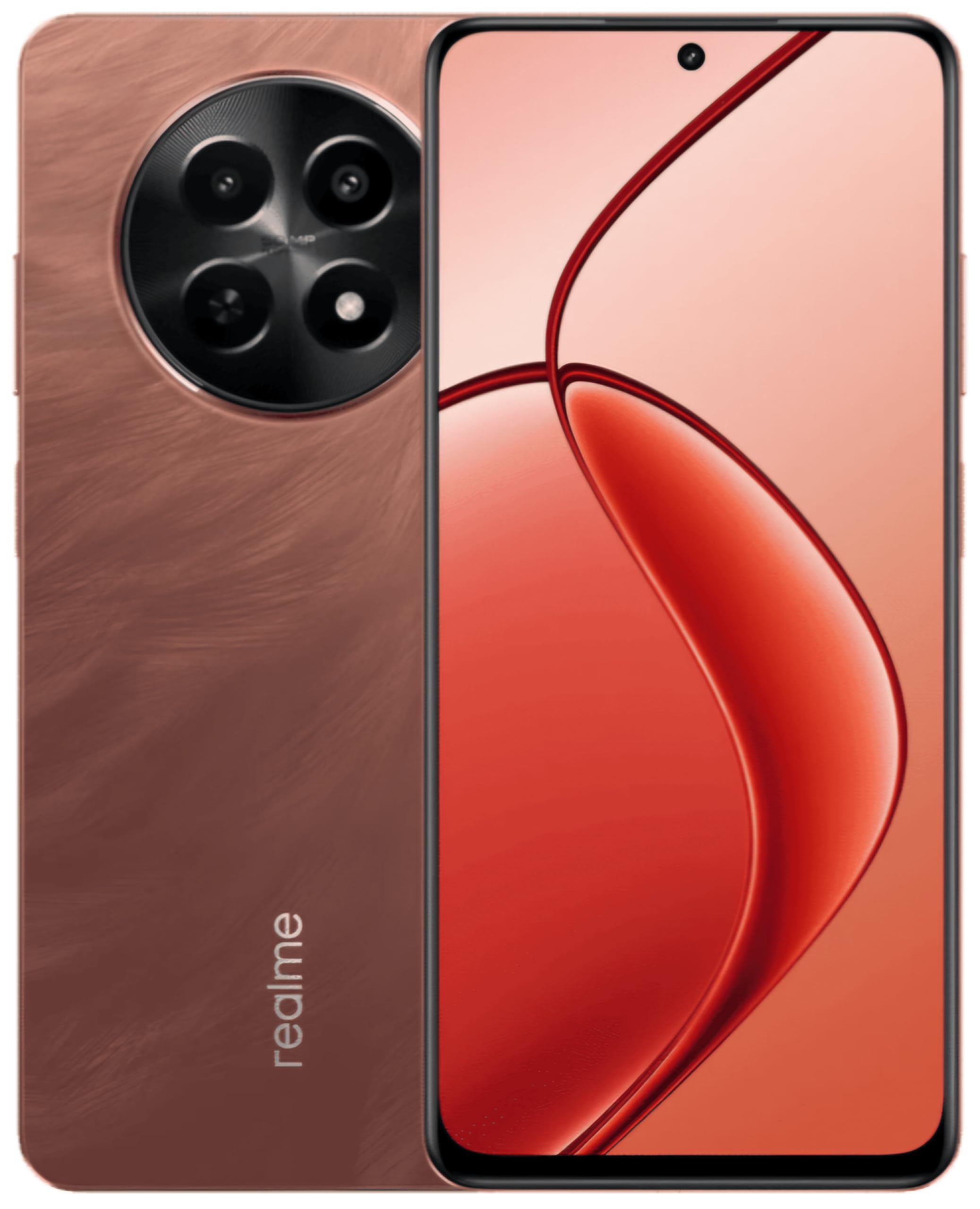
This image displays the realme C65 5G smartphone, highlighting its vibrant Speedy Red finish and the design of its screen and camera setup.
1.セットアップガイド
1.1. SIMカードとメモリカードの挿入
Your realme C65 5G supports a single Nano SIM card and a microSD card for expandable storage up to 2 TB.
- デバイスの側面にある SIM カード トレイを見つけます。
- SIM イジェクタ ツールをトレイの横にある小さな穴に挿入し、トレイが飛び出すまでゆっくりと押します。
- Place your Nano SIM card into the designated slot with the gold contacts facing down. If using a microSD card, place it in its respective slot.
- トレイがデバイス本体と面一になるまで、慎重にトレイを電話機内に押し戻します。
1.2. デバイスの電源を入れる
Press and hold the Power button (usually on the right side) until the realme logo appears on the screen. The device will then boot up.
1.3. 初期設定
Follow the on-screen prompts to complete the initial setup process. This includes selecting your language, connecting to a Wi-Fi network, setting up your Google account, and configuring security features like fingerprint recognition.
2. 操作手順
2.1. 基本的なナビゲーション
Your realme C65 5G uses a touch-sensitive display for navigation. Swipe up from the bottom to go to the home screen, swipe left or right to switch between home screens, and swipe down from the top for notifications and quick settings.
2.2. カメラの使用
The realme C65 5G features a 50MP rear camera and an 8MP front camera.
- ホーム画面またはアプリドロワーからカメラ アプリを開きます。
- 希望のモード(写真、ビデオ、ポートレートなど)を選択します。
- シャッターボタンをタップして写真を撮影したり、ビデオ録画を開始/停止します。
- 画面上のコントロールを使用して、ズーム、前面カメラと背面カメラの切り替え、フィルターの適用を行います。
2.3. 接続性
- Wi-Fi: 利用可能なネットワークに接続するには、[設定] > [ネットワークとインターネット] > [Wi-Fi] に移動します。
- ブルートゥース: 他の Bluetooth デバイスとペアリングするには、[設定] > [接続されたデバイス] > [Bluetooth] に移動します。
- モバイルデータ(5G/4G): Ensure your SIM card is active and mobile data is enabled in Quick Settings or Network & internet settings.
- USB: Connect your phone to a computer using a USB cable for file 転送または充電。
2.4.指紋認識
The device features fingerprint recognition for secure unlocking. Set up your fingerprint by going to Settings > Security > Fingerprint. Follow the instructions to register your fingerprint(s).
3. メンテナンス
3.1. デバイスのクリーニング
画面と本体の清掃には、柔らかく糸くずの出ない布をご使用ください。刺激の強い化学薬品や研磨剤の使用は避けてください。ポート部分の汚れは、柔らかいブラシで優しく取り除いてください。
3.2. ソフトウェアの更新
Regularly check for and install software updates to ensure your device has the latest features, security patches, and performance improvements. Go to Settings > About phone > Software update.
3.3. バッテリーのお手入れ
Your realme C65 5G is equipped with a 5000 mAh battery. To maximize battery life:
- 極端な温度を避けてください。
- バッテリーを頻繁に完全に消耗させないでください。
- デバイスに付属の純正充電器とケーブルを使用してください。
- バックグラウンド アプリの使用状況と画面の明るさを管理します。
4。 トラブルシューティング
4.1. デバイスの電源が入らない
Ensure the battery is charged. Connect the phone to its charger and wait a few minutes before attempting to power it on again. If it still doesn't turn on, try holding the Power button for an extended period (10-15 seconds).
4.2. アプリがクラッシュまたはフリーズする
Try force-closing the app and reopening it. If the issue persists, clear the app's cache and data (Settings > Apps > [App Name] > Storage > Clear cache/Clear data). As a last resort, uninstall and reinstall the app.
4.3. ネットワーク接続の問題
Check if Airplane Mode is off. Restart your device. Verify your SIM card is properly inserted. If using Wi-Fi, restart your router. For mobile data, ensure your plan is active and you have signal coverage.
4.4. 指紋センサーが動作しない
Ensure your finger is clean and dry. Re-register your fingerprint in the settings. If the issue continues, try restarting your device.
5. 仕様
| 特徴 | 仕様 |
|---|---|
| モデル | リアルミー C65 5G |
| ラム | 8ギガバイト |
| 内部ストレージ | 128 GB(microSD経由で最大2 TBまで拡張可能) |
| プロセッサ | メディアテック ディメンシティ 6300 |
| 画面 | 6.67 inch HD+ LCD (1604 x 720 Pixels) |
| リアカメラ | 50 MP |
| フロントカメラ | 8 MP |
| バッテリー容量 | 5000mAh |
| SIMカードタイプ | Single Nano SIM |
| 生体認証セキュリティ | 指紋認識 |
| 耐水性 | 耐水性 |
| ヘッドフォンジャック | 3.5ミリメートル |
| セルラーテクノロジー | 5G、4G |
| ワイヤレス接続 | Wi-Fi, Bluetooth, LTE |
6. 保証情報
For detailed warranty information, please refer to the warranty card included in your product packaging or visit the official realme webサイトをご覧ください。保証条件は地域や購入日によって異なる場合があります。
7. カスタマーサポート
If you encounter issues not covered in this manual or require further assistance, please contact realme customer support. You can find contact details on the official realme webサイトまたはデバイスの設定のサポート セクションからアクセスできます。
オンラインリソースについては、 Amazonのrealmeストア.
8. 公式製品ビデオ
No relevant official product videos with 'Seller' as creator type and m3u8 format were found in the provided product data for embedding.