
1.製品オーバーview
The FEELWORLD S7 is a 7-inch camera field monitor designed for professional videography and photography. It features a high-brightness 1600nit touchscreen, 12G-SDI and HDMI 2.0 inputs/outputs, and supports 4K video monitoring. Key functionalities include HDMI and SDI cross-conversion, customizable 3D LUTs, DCI-P3 cinema color gamut, and a durable aluminum housing.

Image 1.1: The FEELWORLD S7 monitor showcasing its 1600 nit high-bright display, clearly visible in sunlight conditions.
2. セットアップとインストール
2.1 パッケージ内容
パッケージにすべてのアイテムが揃っていることを確認します。
- FEELWORLD S7 Monitor
- ミニHDMIケーブル
- HDMIケーブル
- Mini Hot Shoe Mount + Hex Wrench
- F970 Dual Battery Plate
- ユーザーマニュアル
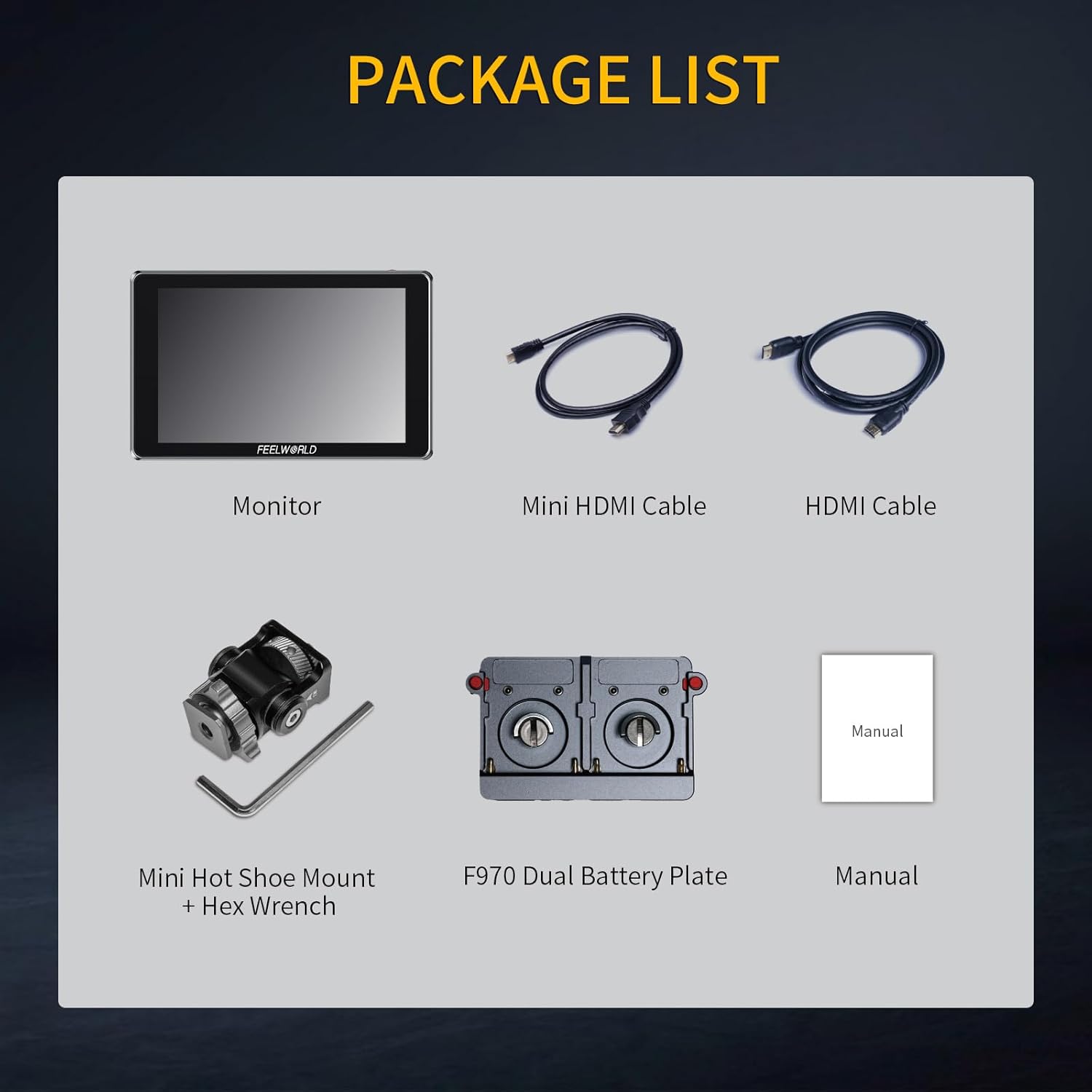
Image 2.1: All components included in the FEELWORLD S7 product package.
2.2 モニターへの電源供給
The S7 monitor can be powered via a DC input or compatible NP-F series batteries. The F970 dual battery plate supports various NP-F battery models (F970, F960, F950, F930, F770, F750, F570, F550, F530). Batteries are not included and must be purchased separately.

画像2.2:リア view of the S7 monitor illustrating the dual NP-F battery plate and DC power input port.
2.3 カメラへの接続
Connect your camera or video source to the monitor using either the 12G-SDI or HDMI 2.0 input ports. The monitor also provides corresponding output ports for signal pass-through or cross-conversion.
- HDMI入力/出力: Supports up to 4K 3840x2160P and 4K 4096x2160P resolutions.
- 12G-SDI 入力/出力: Supports up to 12Gbps transmission rate, backward compatible with 6G-SDI, 3G-SDI, HD-SDI, and SD-SDI.

画像2.3: 詳細 view of the S7 monitor's input and output ports, including 12G-SDI and HDMI connections.
3. 操作手順
3.1 タッチスクリーン操作
The S7 features a full touchscreen interface for intuitive control. Swipe gestures and taps allow for easy navigation through menus and quick adjustments to settings such as backlight brightness and zoom levels.

Image 3.1: The S7 monitor's touchscreen interface, illustrating how to freely zoom in and out on the image.
3.2 カスタム3D LUT
The monitor supports loading up to 32 sets of custom 3D LUT files via an SD card. This allows users to apply specific color profiles directly on the monitor for real-time preview of different color effects.

Image 3.2: The S7 monitor's interface for loading custom 3D LUTs from an SD card, showing various LUT previews.
3.3 Monitoring Features and Image Analysis
The S7 includes a comprehensive suite of video assist functions to optimize image processing and ensure accurate focus and exposure:
- 波形: 輝度と色度レベルを表示します。
- ベクトルスコープ: 色の彩度と色相を表示します。
- ヒストグラム: Visualizes the distribution of tones.
- ピーキングフィルター: Highlights sharp edges for focus assist.
- 偽色: Helps set proper exposure levels.
- エンベデッドオーディオ: オーディオレベルを監視します。
- Ratio Marker, Overscan, Anamorphic Mode, Exposure, Check Field, Nine Grid, Screen Marker, Pixel-to-Pixel, Image Flip, Image Freeze, Zoom-in: Additional tools for precise monitoring.

Image 3.3: The S7 monitor showcasing multiple video assist functions simultaneously, including Vectorscope, Brightness Histogram, YUV Parade, and Y Parade.
3.4 HDMI and SDI Cross Conversion
The S7 monitor features built-in signal cross-conversion capabilities. It can convert an HDMI signal to SDI, or an SDI signal back to HDMI, eliminating the need for external converters in various broadcast and live production environments.

Image 3.4: The S7 monitor facilitating SDI and HDMI cross-conversion between a camera and a larger display.
3.5 Color Gamut and HDR Monitoring
The S7 monitor covers 94.9% of the DCI-P3 cinema color gamut, ensuring accurate and vivid color reproduction. It also supports HDR monitoring with built-in HLG1, HLG2, and HLG3 types, providing enhanced dynamic range for visual effects.

Image 3.5: Comparison of a scene with HDR monitoring enabled versus disabled on the S7 monitor.
4. メンテナンス
To ensure the longevity and optimal performance of your FEELWORLD S7 monitor, follow these maintenance guidelines:
- 画面の掃除: Use a soft, lint-free cloth specifically designed for electronics screens. Gently wipe the screen to remove dust and fingerprints. Avoid using harsh chemicals or abrasive materials.
- 本体のクリーニング: Wipe the aluminum housing with a soft, dry cloth. For stubborn dirt, a slightly damp cloth can be used, ensuring no moisture enters the ports or vents.
- ストレージ: When not in use, store the monitor in a dry, cool place away from direct sunlight and extreme temperatures. Use a protective case to prevent scratches and impacts.
- ポートケア: Keep all input/output ports free from dust and debris. Avoid inserting incompatible connectors.
5。 トラブルシューティング
If you encounter issues with your FEELWORLD S7 monitor, refer to the following common troubleshooting steps:
- 電源なし:
- 電源アダプタがモニターと正常な電源コンセントの両方にしっかりと接続されていることを確認します。
- If using batteries, check that they are fully charged and correctly inserted into the battery plate.
- 電源ボタンがしっかりと押されていることを確認します。
- 信号なし表示:
- Check that the HDMI or SDI cable is securely connected to both the camera/source and the monitor.
- Confirm that the camera/source is outputting a signal and is turned on.
- Ensure the monitor's input source is correctly selected (HDMI or SDI).
- 可能であれば、別のケーブルまたはソース デバイスでテストしてください。
- Image Display Issues (e.g., distorted, incorrect colors):
- Reset the monitor to factory settings via the menu.
- Check the resolution and frame rate settings on your camera/source to ensure compatibility with the monitor.
- 3D LUT を使用している場合は、それを無効にして問題が解決するかどうかを確認してください。
- タッチスクリーンが反応しない:
- モニターを再起動します。
- 画面がきれいで障害物がないことを確認してください。
6. 仕様
| 特徴 | 仕様 |
|---|---|
| ブランド | FEELWORLD |
| モデル番号 | S7-LY-JP-US |
| 画面サイズ | 7インチ |
| 表示タイプ | IPS |
| ネイティブ解像度 | 1920×1200 |
| 輝度 | 1600ニット |
| コントラスト比 | 1200:1 |
| アスペクト比 | 16:10 |
| View角度 | 80度 |
| 応答時間 | 2ミリ秒 |
| 接続技術 | SDI、HDMI |
| HDMIポートの総数 | 2 |
| コンポーネント出力の数 | 2 |
| Picture Quality Enhancement | DCI-P3 Cinema Color Gamut, HDR Monitoring |
| アイテム重量 | 0.55キログラム |
7. 保証情報
The FEELWORLD S7 monitor comes with a 1年間の保証 from the date of purchase. This warranty covers manufacturing defects and malfunctions under normal use. Please retain your proof of purchase for warranty claims. For specific terms and conditions, refer to the warranty card included in your package or contact customer support.
8. カスタマーサポート
For technical assistance, product inquiries, or warranty claims, please contact FEELWORLD customer support. Refer to the official FEELWORLD web最新のサポート チャネルについては、当社のサイトまたは製品パッケージに記載されている連絡先情報を参照してください。