
導入
This manual provides essential information for the proper setup, operation, and maintenance of your ONN 24-inch FHD Gaming Monitor, model 100027813. Please read this manual thoroughly before using the product to ensure optimal performance and safety. This monitor is designed to deliver a high-quality gaming experience with its 1080p resolution, 165Hz refresh rate, 1ms response time, and FreeSync technology.
安全情報
モニターの損傷を防ぎ、ユーザーの安全を確保するために、常に次の安全上の注意事項を守ってください。
- 火災や感電の危険を避けるため、モニターを雨や湿気にさらさないでください。
- モニターを開けないでくださいasing. 内部にはユーザーが修理可能な部品はありません。修理はすべて資格のあるサービス担当者にご依頼ください。
- モニターが落ちないように、安定した平らな面に置いてください。
- モニター周囲の換気が適切であることを確認してください。通気口を塞がないでください。
- モニターに付属の電源アダプターのみを使用してください。
- 雷雨のときや長期間使用しない場合は、モニターを電源コンセントから抜いてください。
パッケージ内容
パッケージにすべてのアイテムが揃っていることを確認します。
- ONN 24-inch FHD Gaming Monitor
- モニタースタンド(ベースとネック)
- 電源アダプター
- DisplayPort Cable (6 ft)
- HDMIケーブル(6フィート)
- ユーザーマニュアル(このドキュメント)

Image: Retail box of the ONN 24-inch Gaming Monitor, highlighting key features like 165Hz, 1ms response time, DisplayPort, HDMI, and Adaptive-Sync.
設定
1. スタンドの組み立て
- モニターとスタンドのコンポーネントをパッケージから慎重に取り出します。
- Attach the stand neck to the stand base. Secure it with the provided screw, if applicable.
- Align the assembled stand with the mounting slot on the back of the monitor. Gently push until it clicks into place or secure with screws as per the design.
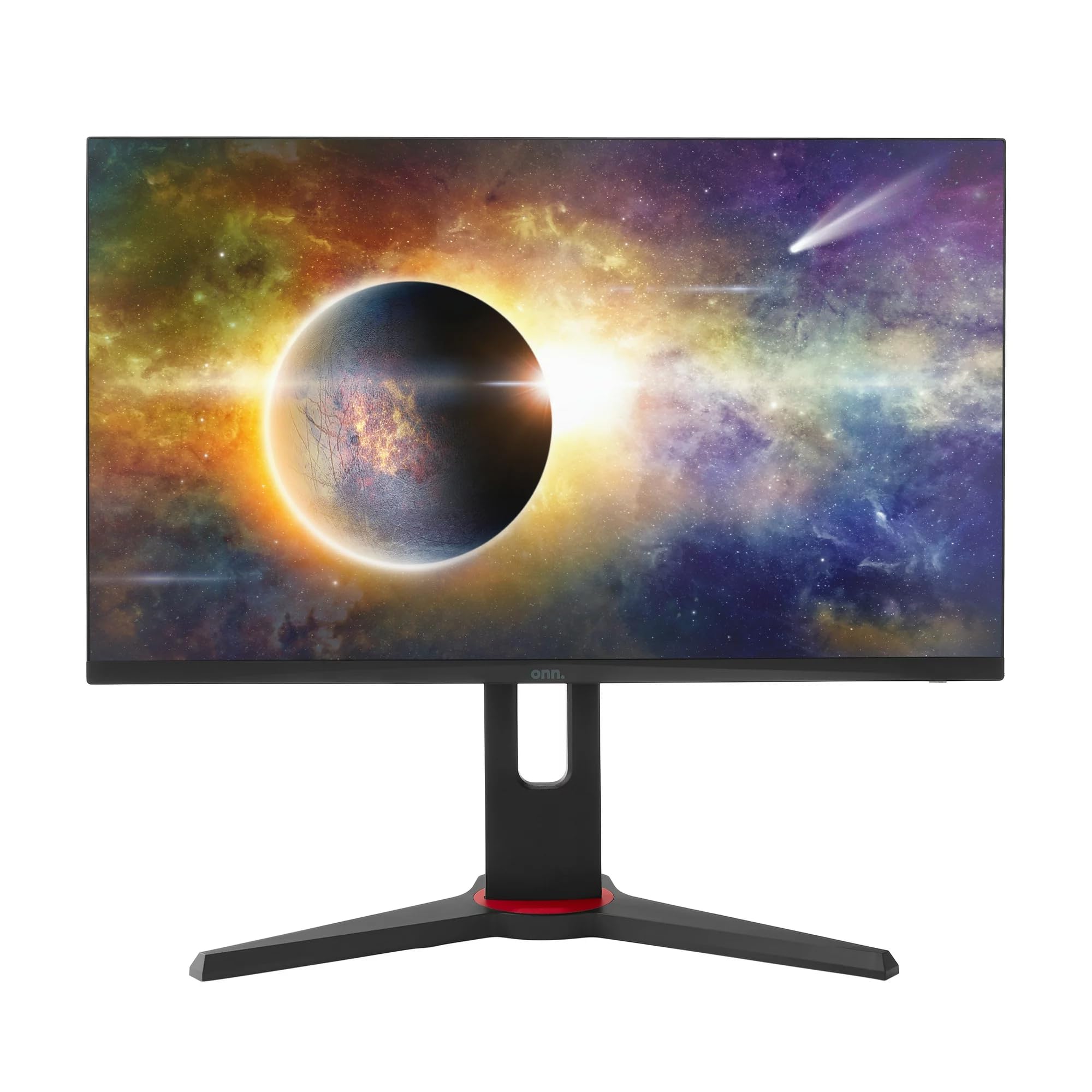
画像: 正面 view of the ONN 24-inch Gaming Monitor, fully assembled with its stand.

画像: 背面 view of the ONN 24-inch Gaming Monitor, illustrating the stand attachment and cable management area.
2. ケーブルの接続
Locate the input ports on the back of your monitor:
- 力: 電源アダプタをモニターの電源入力に接続し、次に電源コンセントに接続します。
- ビデオ入力: Connect one end of the provided DisplayPort or HDMI cable to the corresponding port on your computer's graphics card and the other end to the monitor. The monitor supports 2 HDMI inputs and 1 DisplayPort input.
- オーディオ出力(オプション): If your monitor has a 3.5mm audio jack, you can connect external speakers or headphones.

画像: クローズアップ view of the monitor's rear ports, including HDMI 1, HDMI 2, DisplayPort (DP), and power input.
3. 初回電源投入
- すべてのケーブルがしっかりと接続されていることを確認してください。
- Press the power button on the monitor (usually located on the back or bottom right).
- The monitor should display the ONN logo and then search for an input signal.
- If no image appears, ensure your computer is powered on and the correct input source is selected on the monitor (see Operating section).
オペレーティング
1. 電源のオン/オフ
電源ボタンを押すと、モニターの電源をオンまたはオフにできます。電源インジケーターランプがモニターの状態を示します(例:オンは青、スタンバイはオレンジ)。
2. オンスクリーンディスプレイ(OSD)メニューナビゲーション
Your monitor features an OSD menu for adjusting various settings. Typically, buttons on the back or bottom of the monitor control the OSD:
- メニューボタン: OSDメニューを開きます。
- ナビゲーション ボタン (上/下/左/右): メニュー オプションを移動するために使用されます。
- 選択/決定ボタン: 選択を確定するか、サブメニューに入ります。
- 終了ボタン: 現在のメニューまたは OSD を終了します。
3. 設定を調整する
OSD メニューで調整できる主な設定は次のとおりです。
- 輝度コントラスト: 全体的な輝度と明るい部分と暗い部分の差を調整します。
- 色の設定: 色温度、ガンマ、個々の RGB レベルを変更します。
- 入力ソース: HDMI 1、HDMI 2、または DisplayPort 入力を手動で選択します。
- リフレッシュレート: Ensure your graphics card and monitor are set to 165Hz for the smoothest experience. This is usually configured in your operating system's display settings.
- 応答時間: Adjust the monitor's response time setting (e.g., 1ms) for reduced motion blur in fast-paced games.
- FreeSync テクノロジー: Enable FreeSync in the OSD menu and in your AMD graphics card settings to synchronize the monitor's refresh rate with your GPU's frame rate, eliminating screen tearing and stuttering.
- 画像モード: さまざまなコンテンツに最適化されたプリセット モード (標準、ゲーム、ムービー、テキストなど) から選択します。

Image: The ONN 24-inch Gaming Monitor displayed in a typical desk setup, connected to a laptop with gaming peripherals.
メンテナンス
モニターの掃除
- 清掃する前に必ずモニターのプラグを抜いてください。
- 柔らかく糸くずの出ない布を軽く拭いてください。amp水または、研磨剤を含まない低刺激のスクリーンクリーナーで拭いてください。
- クリーナーを画面に直接スプレーしないでください。まず布にクリーナーを塗布してください。
- 強力な化学薬品、研磨パッド、溶剤の使用は避けてください。
ストレージ
モニターを長期間保管する場合は、すべてのケーブルを外し、元の梱包材(ある場合)に入れて、直射日光や極端な温度を避け、涼しく乾燥した場所に保管してください。
トラブルシューティング
モニターに問題が発生した場合は、次の一般的な問題と解決策を参照してください。
| 問題 | 考えられる解決策 |
|---|---|
| 画面に画像がありません |
|
| Image is flickering or distorted |
|
| 音が出ない(モニタースピーカー/オーディオ出力を使用している場合) |
|
| モニターが165Hzに達しない |
|
仕様
Detailed technical specifications for the ONN 24-inch FHD Gaming Monitor (Model 100027813):
| 特徴 | 仕様 |
|---|---|
| モデル番号 | 100027813 |
| 画面サイズ | 24インチ |
| 解決 | FHD 1080p (1920x1080) |
| リフレッシュレート | 165Hz |
| 応答時間 | 1ミリ秒 |
| ディスプレイ技術 | IPS |
| アダプティブ同期 | フリーシンク |
| アスペクト比 | 16:9 |
| コントラスト比 | 2000:1 |
| スクリーン表面 | Matte, Anti-glare with low blue light setting |
| 接続性 | HDMI x 2、ディスプレイポート x 1 |
| 製品寸法(奥行き×幅×高さ) | 61.3 x 11.3 x 37.3 cm |
| アイテム重量 | 6.1キロ |
| 色 | 黒 |
| 取り付けタイプ | デスクマウント |
| 具体的な用途 | Entertainment, Gaming |
保証
This ONN 24-inch FHD Gaming Monitor is a renewed product. Warranty terms and conditions for renewed products may vary. Please refer to the specific warranty information provided by the seller or retailer at the time of purchase. It is recommended to retain your proof of purchase for any warranty claims.
サポート
For technical assistance, troubleshooting beyond this manual, or warranty inquiries, please contact the retailer or the Amazon Renewed support channel where the product was purchased. Have your model number (100027813) and proof of purchase ready when contacting support.