
導入
This manual provides detailed instructions for the safe and efficient operation of your Longer Ray5 20000mW Laser Engraver with Air Assist Kit. Please read this manual thoroughly before using the device to ensure proper setup, operation, and maintenance. Retain this manual for future reference.
安全情報
警告: Laser engravers are powerful tools that can cause serious injury if not used correctly. Always follow these safety guidelines:
- 機械を操作するときは必ず適切なレーザー安全ゴーグルを着用してください。
- レーザー光線やその反射を決して直接見ないでください。
- 作業エリアの換気を十分に行い、煙やガスを拡散させてください。
- 可燃性物質をレーザーの進路から遠ざけてください。
- 運転中は機械から目を離さないでください。
- 機械が安定した水平な場所に設置されていることを確認してください。
- 手術エリアから子供やペットを遠ざけてください。
- メンテナンスや調整を行う前に電源を切ってください。
- 緊急シャットダウン手順をよく理解しておいてください。
パッケージ内容
パッケージにすべてのコンポーネントが含まれていることを確認します。
- Longer Ray5 20000mW Laser Engraver Unit
- エアアシストポンプ
- Air Assist Nozzle and Tubing
- 電源アダプター
- USBケーブル
- 安全ゴーグル
- ユーザーマニュアル(このドキュメント)
- 材質Samples (may vary)

Image: Air assist kit components including the pump, nozzle, and tubing.
設定
- 開梱: パッケージからすべてのコンポーネントを慎重に取り出します。
- 組み立て: Follow the included quick start guide for assembling the main laser engraver frame and attaching the laser module.
- Air Assist Installation:
- Connect the air assist pump to the designated port on the laser module using the provided tubing.
- Ensure the air assist nozzle is securely attached to direct airflow to the engraving/cutting point.
- 電源接続: 電源アダプタを彫刻機に接続し、適切な電源コンセントに接続します。
- コンピューター接続: Connect the engraver to your computer via USB, or prepare for Wi-Fi/TF card connection.

Image: The Longer Ray5 laser engraver with the air assist pump connected and ready for operation.
操作手順
1. ソフトウェアと接続性
The Longer Ray5 supports various software and connection methods:
- 互換性のあるソフトウェア: LaserGRBL and LightBurn.
- オペレーティング システム: Supports Windows 7+, MacOS, and Linux.
- 接続方法: Wi-Fi, USB, App, and TF card.
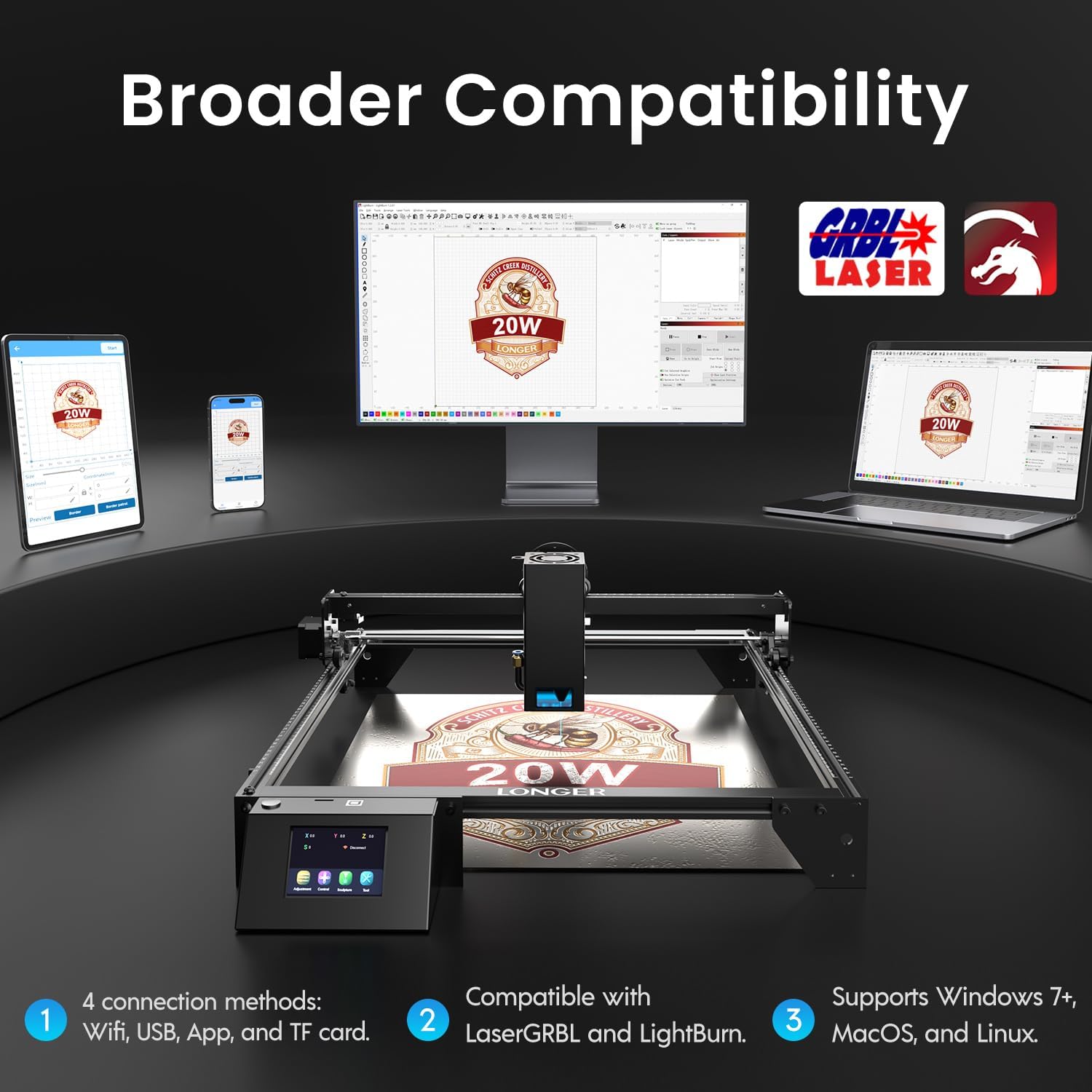
Image: Display showing the Longer Ray5's compatibility with LaserGRBL and LightBurn software, and various connection options including Wi-Fi, USB, App, and TF card across Windows, MacOS, and Linux operating systems.
2. 彫刻と切断機能
The 20W diode laser offers high-efficiency performance for various materials.
- 切断: Capable of cutting up to 25mm of wood and 35mm of acrylic. It can also cut 0.05mm metal.
- 彫刻: Engrave hundreds of colors on metallic steel and a wide range of other materials.
- 材料: Acrylic, metal, wood, stainless steel, and more.
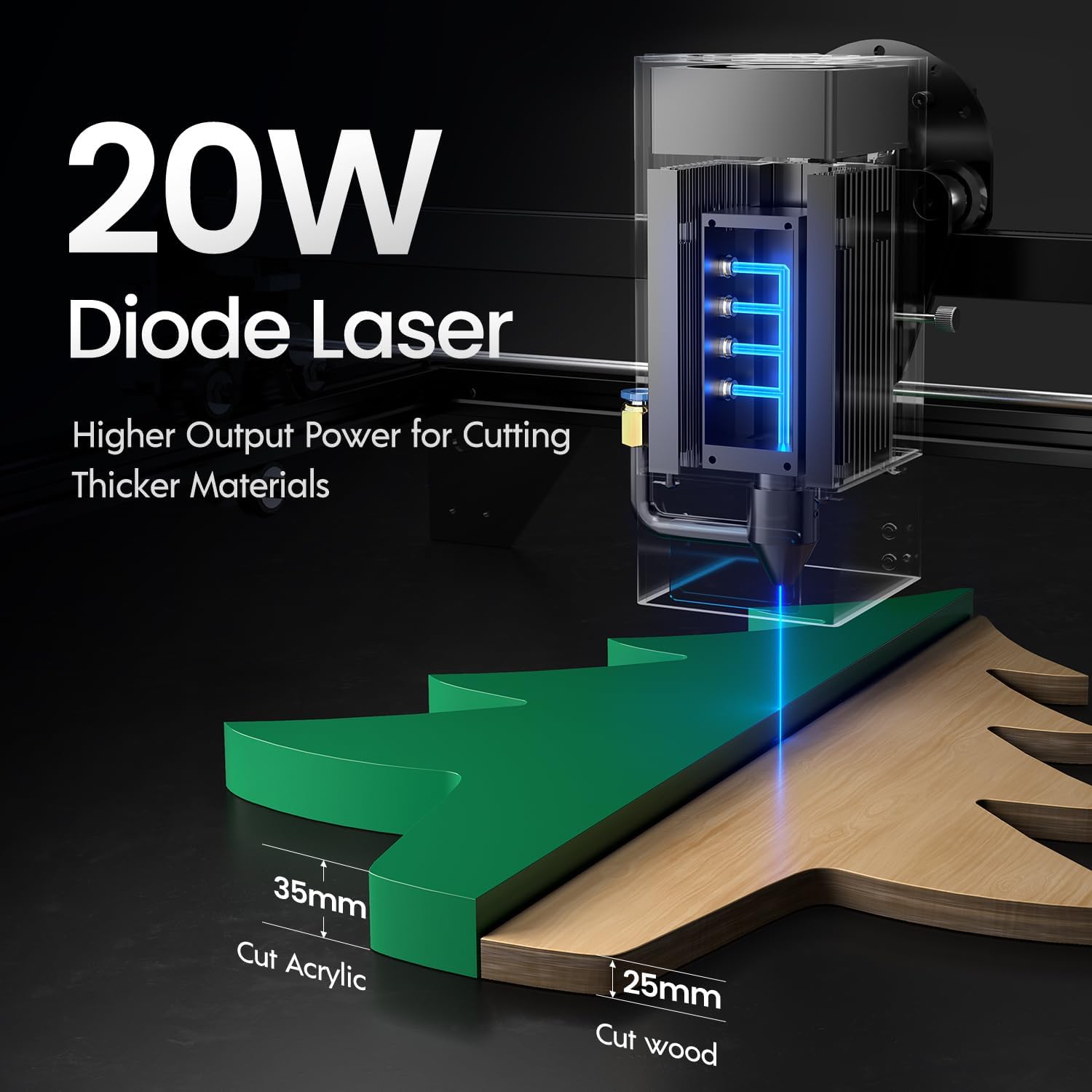
Image: Illustration demonstrating the 20W diode laser's capability to cut 25mm wood and 35mm acrylic.

画像: Examples of engraving capabilities, showcasing over 380 colors on metallic surfaces and other DIY artworks.

Image: A collection of various items demonstrating the versatile material selection for engraving and cutting, including wood, metal, and acrylic.
3. Air Assist Function
The integrated air assist kit significantly improves cutting and engraving quality.
- Enhanced Cutting: The adjustable airflow (10-30L/min) suppresses smoke and dust, preventing laser energy attenuation and ensuring cleaner, smoother edges.
- Reduced Yellowing: Air assist helps prevent charring and yellowing on materials during laser processing, especially for wood and acrylic.

Image: A visual comparison showing the benefits of air assist, resulting in cleaner cuts and reduced processing time (e.g., 12 minutes with air assist vs. 20 minutes without).
4. 連続運転
The Longer Ray5 is designed for powerful continuous working capacity, supporting 24/7 continuous engraving. A single computer can control multiple machines.

Image: Depiction of multiple Longer Ray5 machines working simultaneously, illustrating continuous operation and the ability for one computer to control several units.
メンテナンス
定期的なメンテナンスにより、最適なパフォーマンスが確保され、レーザー彫刻機の寿命が延びます。
- レーザーレンズをクリーニングします。 ビーム品質を維持するために、柔らかく糸くずの出ない布とレンズ洗浄液を使用してレーザー レンズを定期的に清掃してください。
- 残骸を片付ける: Remove any accumulated dust or debris from the work area and machine components.
- ベルトとレールのチェック: Inspect drive belts for tension and wear. Keep linear rails clean and lubricated as per manufacturer recommendations.
- Air Assist Filter: If your air assist pump has a filter, clean or replace it regularly to ensure efficient airflow.
- ファームウェアの更新: メーカーの webパフォーマンスの向上や機能の追加を行うファームウェア アップデートが利用可能かどうかは、サイトをご覧ください。
トラブルシューティング
このセクションでは、発生する可能性のある一般的な問題について説明します。
| 問題 | 考えられる原因 | 解決 |
|---|---|---|
| レーザーが発射されない | Power not connected, software error, laser module fault. | Check power connections. Verify software settings. Contact support if laser module is suspected faulty. |
| 彫刻/切断品質が悪い | Incorrect focus, dirty lens, wrong power/speed settings, material issues, no air assist. | Adjust laser focus. Clean the laser lens. Optimize power/speed settings for the material. Ensure air assist is active. |
| マシンがコンピューターに接続されない | USB cable issue, driver not installed, Wi-Fi configuration error. | Try a different USB port/cable. Install necessary drivers. Reconfigure Wi-Fi connection. |
| 過度の煙/ガス | Insufficient ventilation, air assist not active or weak. | Ensure proper ventilation. Check air assist pump and tubing for blockages. Increase air assist flow. |
仕様
| 特徴 | 詳細 |
|---|---|
| モデル番号 | レイ5 |
| レーザー出力 | 20000mW(20W) |
| レーザータイプ | ダイオードレーザー |
| Cutting Depth (Wood) | 最大25mm |
| Cutting Depth (Acrylic) | 最大35mm |
| Metal Cutting Capability | 0.05mm |
| Air Assist Flow | 10-30 L/min (Adjustable) |
| タッチスクリーン | 3.5インチ |
| 接続性 | Wi-Fi, USB, App, TF Card |
| 互換性のあるソフトウェア | LaserGRBL、LightBurn |
| 対応OS | Windows 7+, MacOS, Linux |
| メーカー | より長い |
| 初回利用可能日 | 1年2024月XNUMX日 |
保証とサポート
For warranty information and technical support, please refer to the official Longer web公式サイトをご覧いただくか、カスタマーサービスに直接お問い合わせください。保証請求の際は、購入証明としてレシートを保管してください。
オンラインリソース: 訪問する Longer Store on Amazon 追加の製品情報とサポートについては、こちらをご覧ください。