
1. はじめに
The FIYAPOO Miracast Dongle M7-5G is a 4K wireless display adapter designed for seamless screen mirroring from your compatible devices to a larger display. It supports 4K (3840 x 2160) resolution with High Dynamic Range (HDR) for clear, vibrant, and realistic images. This device offers broad compatibility across multiple operating systems, including iOS, Android, Windows, and Mac OS, and integrates Miracast, AirPlay, and DLNA functionalities. Equipped with advanced 2.4G+5GHz dual-band technology (802.11AC protocol), it ensures stable and high-speed data transmission. Its compact and portable design makes it convenient for various environments, whether at home, in the office, or during travel.

Image 1: The FIYAPOO Miracast Dongle M7-5G, a compact wireless display adapter.
2. セットアップ手順
Follow these steps to set up your FIYAPOO Miracast Dongle M7-5G:
- ディスプレイに接続: Insert the Miracast Dongle into an available HDMI port on your television, monitor, or projector.
- 電源オン: Connect the integrated USB power cable from the dongle to a USB port on your display device or to a 5V/1.5A USB power adapter (not included). Ensure the dongle receives sufficient power.
- 入力を選択します: Use your display device's remote control to select the corresponding HDMI input source where the dongle is connected.
- 初期設定: The dongle's setup screen will appear on your display. This screen will show the device's Wi-Fi SSID and password.
- デバイスを接続します。 On your smartphone, tablet, or computer, go to your Wi-Fi settings and connect to the dongle's Wi-Fi network using the provided SSID and password.
- アクセス構成ページ: 開く web browser on your connected device and enter the IP address displayed on the setup screen (e.g., http://192.168.203.1). This page allows you to connect the dongle to your home Wi-Fi network for internet access and firmware updates.

Image 2: Visual guide illustrating the connection and initial setup steps for the Miracast Dongle.
3. 操作手順
3.1 Screen Mirroring Modes
The dongle supports two primary screen projection modes:
- Same Screen Mode (Mirroring): This mode synchronizes your device's screen directly to the large display, showing identical content. It is suitable for presentations, sharing photos, or watching videos with others.
- 拡張モード: In this mode, your large display can show different content from your source device, allowing for multitasking. For example, you can work on your laptop while a video plays on the TV. This mode may require specific settings adjustments on your source device.
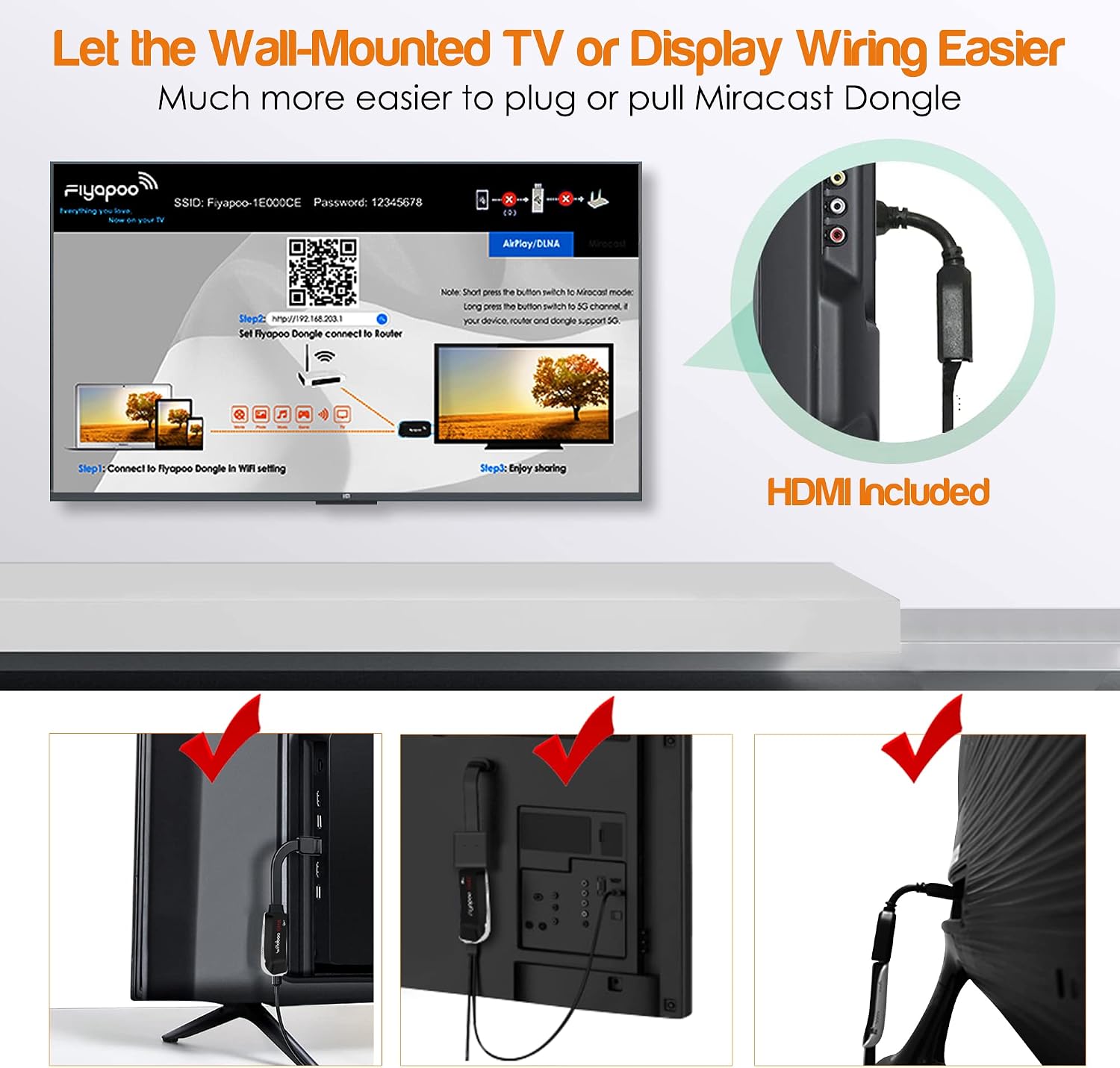
Image 3: Illustration of the 'Same Screen' and 'Extended Mode' functionalities.
3.2 Compatibility and Protocols
The FIYAPOO Miracast Dongle is compatible with a wide range of devices and supports various wireless display protocols:
- サポートされているオペレーティングシステム: iOS, Android, Windows, and Mac OS.
- サポートされているプロトコル: Miracast, AirPlay, and DLNA.
- コンテンツ共有: Easily transfer and display movies, images, music, documents, or games from your devices to a large screen.
3.3 Specific Application Notes
- ネットフリックス: Netflix is compatible with Android devices using Chromecast. It is not compatible with Apple AirPlay.
- Google ホーム: This feature is supported for Android devices only.
- 著作権制限: Please note that some video applications may not be compatible with screen mirroring due to digital rights management (DRM) or copyright restrictions.

Image 4: Collage demonstrating the dongle's versatility in various settings, including gaming, presentations, and home entertainment.
4. メンテナンス
To ensure the longevity and optimal performance of your FIYAPOO Miracast Dongle, follow these general maintenance guidelines:
- クリーニング: Use a soft, dry cloth to gently clean the device. Avoid using liquid cleaners or abrasive materials.
- ストレージ: ドングルは、直射日光や極端な温度を避け、涼しく乾燥した場所に保管してください。
- 取り扱い: デバイスは丁寧に取り扱ってください。落としたり、強い衝撃を与えたりしないでください。
- ファームウェアの更新: Periodically check for firmware updates through the dongle's configuration page (http://192.168.203.1) により、最適なパフォーマンスと互換性が確保されます。
5。 トラブルシューティング
If you encounter issues with your Miracast Dongle, refer to the following troubleshooting tips:
- ディスプレイまたは信号なし:
- Ensure the dongle is securely connected to an HDMI port on your display.
- Verify that the dongle is receiving power via the USB cable.
- ディスプレイ デバイスが正しい HDMI 入力ソースに設定されていることを確認します。
- 不安定な接続または遅延:
- Ensure your source device and the dongle are within close proximity to your Wi-Fi router.
- Minimize interference from other wireless devices or networks.
- The dongle supports both 2.4GHz and 5GHz Wi-Fi bands. If your router supports it, try connecting to the 5GHz band for better performance.
- Restart both the dongle and your source device.
- Unable to Connect to Dongle's Wi-Fi:
- Double-check the Wi-Fi SSID and password displayed on the setup screen.
- Ensure your device's Wi-Fi is enabled and scanning for networks.
- Streaming Service (e.g., Netflix) Issues:
- Remember that Netflix is not compatible with Apple AirPlay. For Android, ensure Chromecast is correctly configured.
- Some streaming applications may have content protection that prevents mirroring.
- Initial Choppiness or Delay:
- A slight delay or choppiness may occur during the initial connection or when starting a new stream. This typically resolves as the connection stabilizes.
6. 仕様
| モデル番号 | M7-5G |
| 寸法 | 17 x 13.5 x 1.8 cm |
| 重さ | 130グラム |
| 接続技術 | HDMI |
| コネクタタイプ | HDMI |
| 特集 | 4K and HDR Support, Miracast, DLNA, Airplay, User-friendly design |
| 解決 | 4K(3840 x 2160ピクセル) |
| 互換性のあるインターネットサービス | Google TV |
| 対応デバイス | Smartphones, Tablets, Laptops, Android TVs |
| ビデオコーデック | H.264、H.265/HEVC |
| 無線伝送 | 2.4G+5GHz Dual Band (802.11AC protocol) |
| メーカー | フィヤプー |
| 原産国 | 中国 |
| 箱の内容 | Miracast Dongle |

Image 5: Diagram explaining the 2.4GHz and 5GHz dual-band technology and their respective transmission rates.

Image 6: Visual representation of 5GHz WiFi capabilities, emphasizing fast and delay-free streaming.
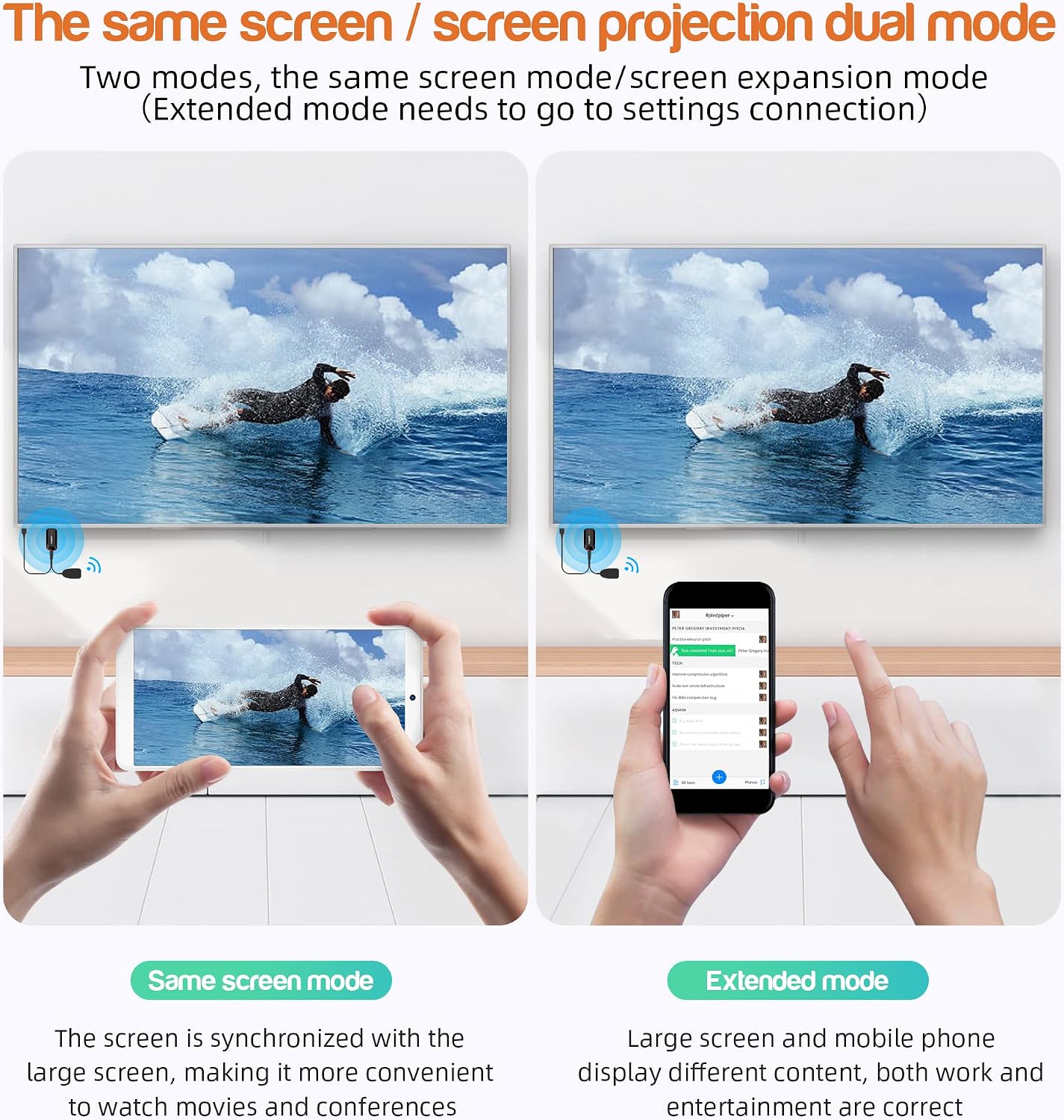
Image 7: Comparison showing the enhanced clarity and detail of 4K Ultra HD with HDR versus 1080P Full HD.
7. 保証情報
The FIYAPOO Miracast Dongle M7-5G comes with a 1年間保証 from the date of purchase. This warranty covers manufacturing defects and malfunctions under normal use. Please retain your proof of purchase for warranty claims. The warranty does not cover damage caused by misuse, accidents, unauthorized modifications, or improper installation.
8. カスタマーサポート
さらに詳しいサポート、テクニカル サポート、または保証に関するお問い合わせについては、次のリソースを参照してください。
- メーカーの Webサイト: Visit the official FIYAPOO webFAQ、更新されたマニュアル、サポート連絡先情報が記載されたサイトです。
- 小売業者サポート: サポートについては、製品を購入した小売店にお問い合わせください。
- オンラインリソース: 検索する community forums or online guides related to Miracast dongles for additional tips and solutions.