
導入
The Soundcore Liberty 4 Pro are advanced noise-cancelling wireless earbuds designed for an immersive audio experience. They feature 7 sensors for precise noise cancellation, real-time adaptive noise reduction, studio-level Hi-Fi audio, and clear call quality with 6 microphones. This manual provides detailed instructions for optimal use and care of your earbuds.
箱の中身
Upon unboxing your Soundcore Liberty 4 Pro, verify that all components are present:
- Soundcore Liberty 4 Pro イヤホン
- 充電ケース
- XXS/XS/S/M/L/XL イヤーチップ(サイズ M プリインストール)
- USB-C充電ケーブル

Image: All items included in the Soundcore Liberty 4 Pro package.
設定
1. イヤホンとケースの充電
Before first use, fully charge the earbuds and charging case. Connect the provided USB-C cable to the charging port on the case and a power source. The display on the case will indicate charging status. A 5-minute charge provides approximately 4 hours of playtime.
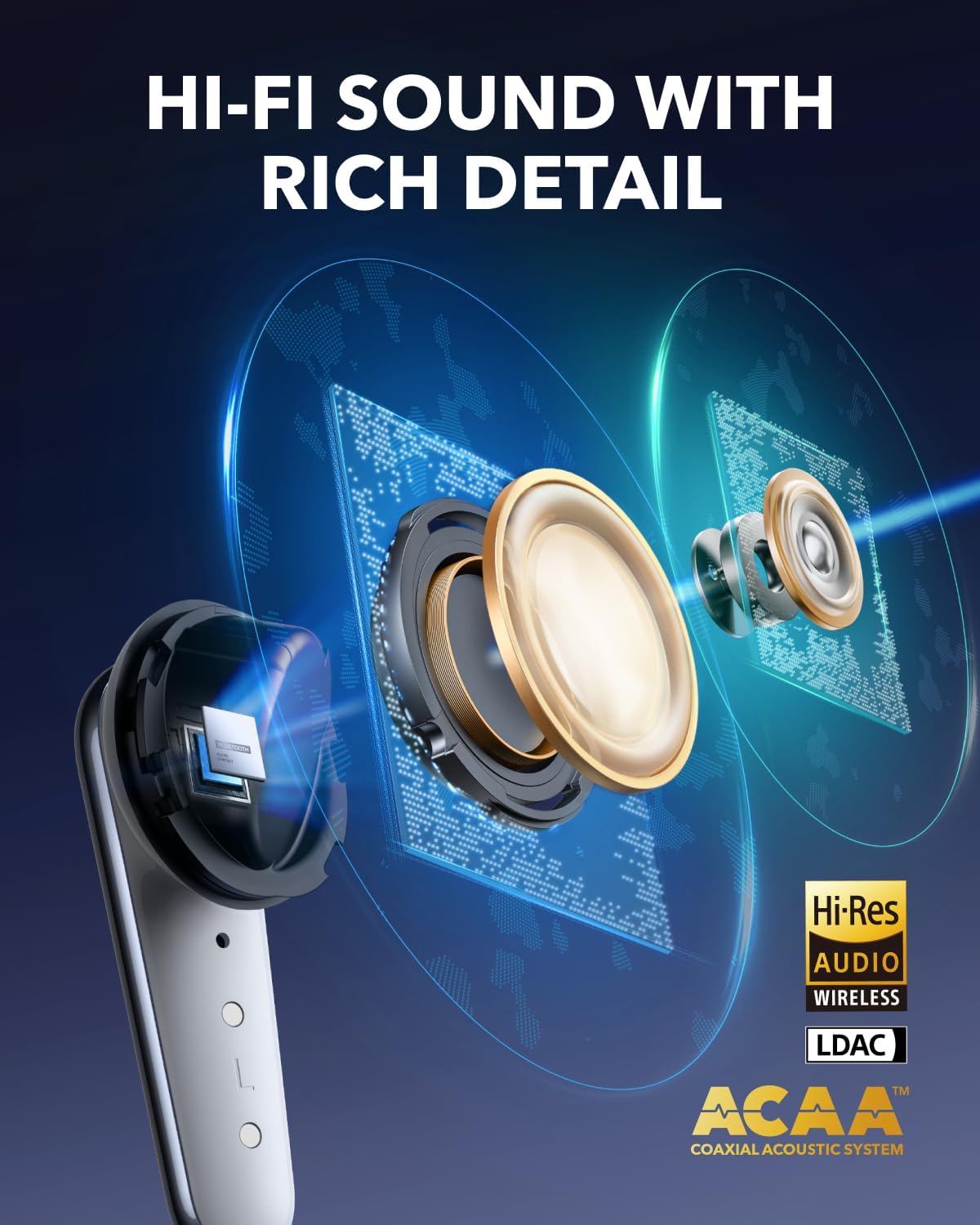
Image: The charging case with earbuds, showing battery indicators and fast charging.
2. イヤーチップの選択と装着
For optimal sound quality and noise cancellation, select the ear tips that provide the best seal and comfort for your ears. The Liberty 4 Pro includes XXS, XS, S, M, L, and XL sizes. Experiment with different sizes to find the most secure and comfortable fit.

Image: A selection of ear tips in different sizes to ensure a proper fit.
3. イヤホンの装着
Insert the earbuds into your ear canals and gently twist them until they feel secure and comfortable. A proper fit is crucial for effective noise cancellation and audio performance.
Video: Demonstrates the correct way to wear the Soundcore Liberty 4 Pro earbuds for a secure fit.
4. デバイスとのペアリング
Open the charging case. The earbuds will automatically enter pairing mode. On your device (smartphone, tablet, laptop), go to Bluetooth settings and select "Soundcore Liberty 4 Pro" from the list of available devices. Alternatively, you can manually initiate pairing by pinching the touch bar on both earbud stems for 3 seconds.
Video: Instructions on how to connect the Soundcore Liberty 4 Pro to two devices simultaneously.
操作手順
Noise Cancellation (ANC) and Transparency Modes
The Liberty 4 Pro features advanced Adaptive Noise Cancellation (ANC) and Transparency modes. The earbuds utilize 7 sensors (6 sound sensors and 1 barometric pressure sensor) to adapt to your environment, providing up to 3x stronger noise reduction. The system recalibrates every 0.3 seconds for optimal performance.

Image: Illustration of the 7 sensors within the earbuds that enable powerful noise reduction.
You can adjust ANC levels directly from the charging case using the touch bar or through the Soundcore app. To switch between ANC and Transparency modes, pinch either earbud stem for 2 seconds.

Image: The charging case showing the touch bar interface for ANC level adjustment.
タッチコントロール
The earbuds feature intuitive touch controls on their stems. These controls allow you to manage playback, calls, and noise modes without needing to access your connected device.
- 音楽再生: Squeeze once to play/pause audio.
- 次のトラック: Squeeze the right stem twice.
- 前のトラック: Squeeze the left stem twice.
- 音量調整: Slide up or down on the earbud stem.
- 通話の応答/終了: Squeeze once.
- 通話を拒否: Squeeze and hold for 2 seconds.
- Switch ANC/Transparency: Pinch and hold either earbud stem for 2 seconds.

Image: Visual guide to the touch and squeeze controls on the earbud stems.
Video: Demonstrates how to manage stem controls on the Liberty 4 Pro earbuds.
音質と機能
The Liberty 4 Pro delivers studio-level Hi-Fi audio through its ACAA acoustic architecture, 10.5mm bass driver, and titanium-coated tweeter. The Soundcore app allows for personalized sound profiles using the HearID test and offers 360° Spatial Audio with dynamic head tracking for an immersive listening experience.

画像: 断面図 view of the earbud highlighting its advanced audio drivers.
マルチデバイス接続
The earbuds support multipoint connection, allowing them to be connected to two devices simultaneously. This enables seamless switching between audio sources, such as from a laptop to a phone for an incoming call.
通話品質
Equipped with 6 microphones and a noise reduction algorithm, the Liberty 4 Pro ensures clear calls even in noisy environments. A dedicated wind noise reduction algorithm further enhances communication clarity outdoors.
メンテナンス
To ensure the longevity and optimal performance of your Soundcore Liberty 4 Pro earbuds, follow these maintenance guidelines:
- クリーニング: Regularly clean the earbuds, especially the ear tips and charging contacts, with a soft, dry, lint-free cloth. Remove ear tips and clean them with mild soap and water if necessary, ensuring they are completely dry before reattaching.
- ストレージ: イヤホンをほこりや汚れ、損傷から守るため、使用していないときは必ず充電ケースに保管してください。
- 耐水性: The earbuds are IPX5 splash-proof, meaning they can withstand light splashes of water and sweat. They are not designed for submersion in water. Ensure the charging port is dry before charging.
- 極端な温度を避ける: Do not expose the earbuds or charging case to extreme temperatures (hot or cold) as this can affect battery life and overall performance.
トラブルシューティング
If you encounter issues with your Soundcore Liberty 4 Pro earbuds, refer to the following common solutions:
| 問題 | 解決 |
|---|---|
| イヤホンがペアリングされない |
|
| XNUMXつのイヤフォンから音が出ない |
|
| ノイズキャンセリングが悪い |
|
| 充電の問題 |
|
仕様
| 特徴 | 詳細 |
|---|---|
| ブランド | サウンドコア |
| モデル名 | リバティ 4 プロ |
| 耳の位置 | 耳に装着 |
| 接続技術 | ワイヤレス(Bluetooth 5.3) |
| 騒音制御 | アダプティブノイズキャンセレーション |
| オーディオドライバータイプ | ダイナミックドライバ |
| オーディオドライバーのサイズ | 10.5ミリメートル |
| 周波数応答 | 20 KHz (up to 20,000 Hz) |
| 感度 | 126デシベル |
| インピーダンス | 8オーム |
| バッテリーの平均寿命(イヤホン) | 最大10時間(1回の充電) |
| Battery Average Life (with Case) | 最大40時間 |
| バッテリー充電時間 | 3 hours (for case) |
| 耐水性レベル | IPX5(防滴) |
| コントロールタイプ | タッチコントロール |
| アイテム重量 | 62グラム |
| キャリングケース重量 | 51グラム |
| 欧州連合 | 194644297206、194644297640 |
保証とサポート
Soundcore products are backed by a warranty to ensure customer satisfaction. The Soundcore Liberty 4 Pro comes with an 18-month warranty.
- 保証期間: 購入日から18ヶ月。
- カバレッジ: This warranty covers manufacturing defects and quality-related issues. It does not cover damage caused by misuse, accidents, or unauthorized modifications.
- カスタマーサポート: For technical assistance, warranty claims, or general inquiries, please contact AnkerDirect customer service. You can typically find contact information on the official Soundcore webサイトまたは購入プラットフォームを通じて購入できます。
- 保護プラン: Additional protection plans may be available for purchase, offering extended coverage beyond the standard warranty. Please refer to your retailer for details on available plans.
For the most up-to-date support information, please visit the official Soundcore webサイトを参照するか、製品に付属のドキュメントを参照してください。