
1. はじめに
The Eufy SmartTrack Link is a compact item tracker designed to help you locate your belongings quickly and efficiently. This device integrates with Google's 'Find Hub' network for Android devices and offers two-way finding capabilities, allowing you to locate both your items and your smartphone. Its small size and integrated hole make it easy to attach to various items like keys, bags, or luggage.
パッケージ内容:
- Eufy SmartTrack Link
- クイックスタートガイド
- 安全マニュアル
- カスタマーサポート情報

The Eufy SmartTrack Link can be easily attached to various personal items.
2. セットアップ
2.1 Installing the Eufy App
- Download the 'Eufy Security' app from the Google Play Store on your Android device.
- アプリを開き、画面の指示に従ってアカウントを作成するか、ログインします。
2.2 Pairing Your SmartTrack Link
- Android デバイスで Bluetooth が有効になっていることを確認します。
- In the Eufy Security app, tap the '+' icon to add a new device.
- Select 'SmartTrack Link' from the list of devices.
- Follow the app's instructions to complete the pairing process. This usually involves pressing a button on the SmartTrack Link.
2.3 Granting Location Permissions
For optimal functionality, especially for location tracking and lost mode features, you must grant the Eufy Security app 'Always' access to your device's location services. This ensures the SmartTrack Link can be located even when the app is not actively in use.

The Eufy Security app interface on an Android smartphone.
3. Operating the SmartTrack Link
3.1 Finding Lost Items (Using Your Phone)
If you've misplaced an item with the SmartTrack Link attached, use the Eufy Security app to make the tracker ring:
- Open the Eufy Security app on your Android device.
- Select the SmartTrack Link you wish to locate.
- Tap the 'Ring' button in the app. The SmartTrack Link will emit an audible sound, helping you pinpoint its location within Bluetooth range (approximately 15 meters).
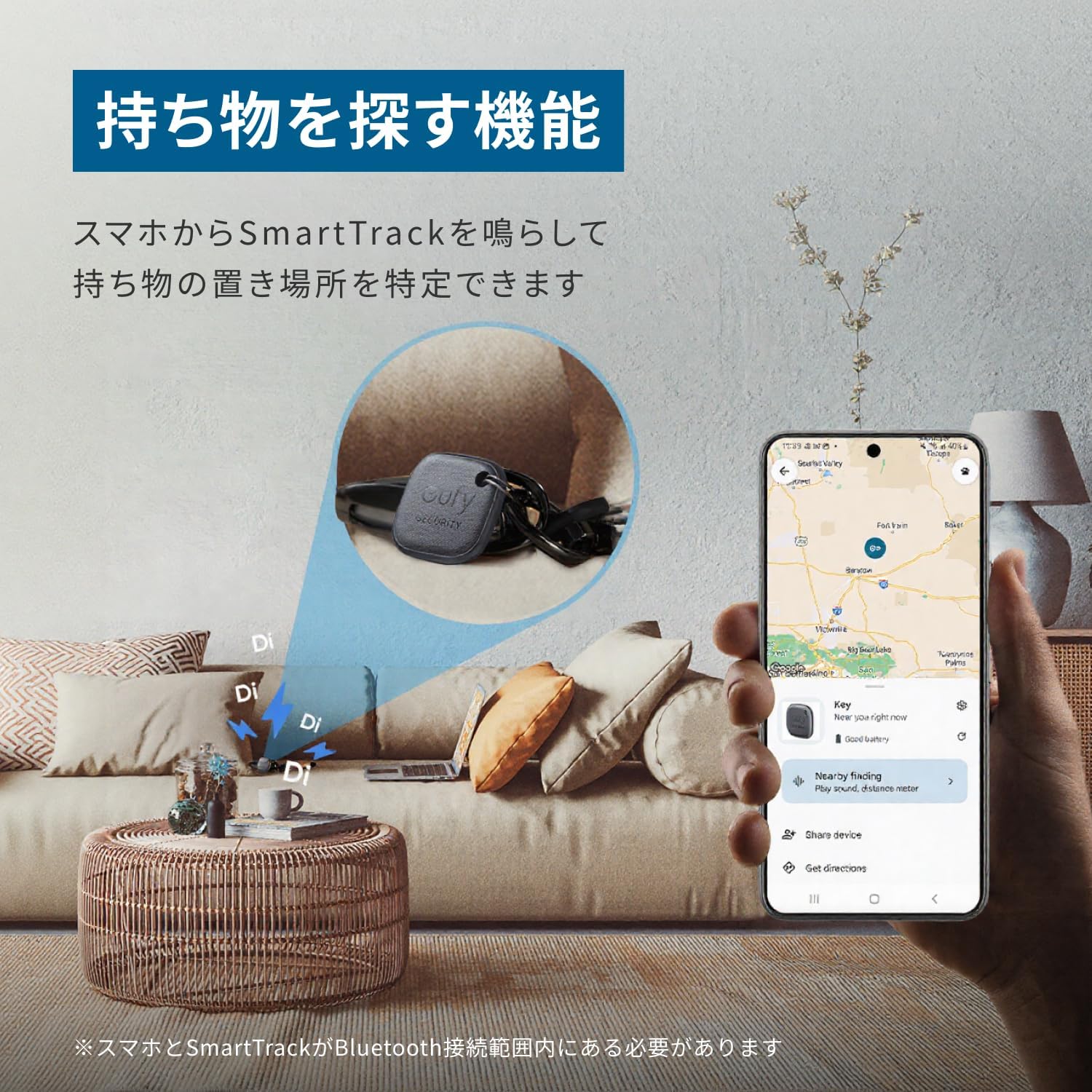
Use the Eufy app to make your SmartTrack Link ring and find your items.
3.2 Finding Your Phone (Using SmartTrack Link)
If you've misplaced your Android smartphone, you can use the SmartTrack Link to make your phone ring:
- Double-press the button on your Eufy SmartTrack Link.
- Your paired smartphone will ring, even if it's on silent mode (this feature is specific to the Eufy app).

Double-press the SmartTrack Link to make your smartphone ring.
3.3 Google 'Find Hub' Network Integration
The SmartTrack Link is compatible with Google's 'Find Hub' network, allowing you to leverage a wider network of Android devices to locate your lost items. This feature helps pinpoint the location of your SmartTrack Link even when it's outside your personal Bluetooth range.

Locate your SmartTrack Link using the Google 'Find Hub' network on your Android device.
3.4 Lost Mode and QR Code
If your SmartTrack Link is lost, you can enable 'Lost Mode' in the Eufy Security app. The back of the SmartTrack Link features a QR code. If someone finds your lost item and scans the QR code, they can contact you directly using the information you've provided in the app. Ensure your contact details are up-to-date in the Eufy app for this feature to work effectively.

The QR code on the back allows finders to contact you when Lost Mode is active.
3.5 Feature Comparison: Eufy App vs. Google Find Hub
The table below outlines the features available when using the Eufy app versus the Google Find Hub network:
| 特徴 | Eufy App | Google Find Hub |
|---|---|---|
| Register SmartTrack | はい | はい |
| Find Lost Items (Ring SmartTrack) | はい | はい |
| Locate Current Position (Outside Bluetooth Range) | いいえ | はい |
| 損失を防ぐ Tag (Alerts) | はい | はい |
| Find Your Phone (Ring Phone from SmartTrack) | はい | いいえ |
| Left-Behind Notification | はい | いいえ |
| Device Sharing (Multiple Accounts) | 最大6 | 最大2 |
Note: Information is current as of April 2025. Some features may vary depending on device or app version.
4. メンテナンス
4.1 電池の交換
The Eufy SmartTrack Link uses a replaceable CR2032 lithium metal coin cell battery, which typically lasts for about 1 year. When the battery is low, the app will notify you. To replace the battery:
- Locate the small notch or opening on the side of the SmartTrack Link.
- Use a small tool (like a coin or the included pin) to gently pry open the device casing.
- 古い CR2032 電池を取り外します。
- 新しい CR2032 電池をプラス (+) 側を上に向けて挿入します。
- Carefully snap the device casinしっかりと閉じていることを確認し、元に戻します。

The SmartTrack Link uses a replaceable CR2032 battery.
4.2 クリーニング
To clean your SmartTrack Link, wipe it gently with a soft, dry cloth. Avoid using harsh chemicals or abrasive materials, as these can damage the device. The device is not waterproof, so avoid exposing it to water or excessive moisture.
5。 トラブルシューティング
5.1 SmartTrack Link Not Ringing
- バッテリーを確認してください: Ensure the CR2032 battery is not depleted. Replace if necessary.
- Bluetooth接続: Verify that your smartphone's Bluetooth is on and the SmartTrack Link is within range (approx. 15 meters).
- アプリのステータス: Confirm the Eufy Security app is running and the SmartTrack Link is connected.
- リセットして再ペアリング: If issues persist, try resetting the SmartTrack Link and re-pairing it with your device through the Eufy app.
5.2 Phone Not Ringing from SmartTrack Link
- アプリの権限: Ensure the Eufy Security app has the necessary permissions to play sounds and override silent mode.
- Bluetooth接続: Confirm the SmartTrack Link is connected via Bluetooth to your phone.
- アプリ実行中: The Eufy app needs to be running in the background for this feature to work.
5.3 Inaccurate Location Information
- 位置情報サービス: Ensure your phone's location services are set to 'Always' for the Eufy Security app.
- ネットワーク範囲: Location accuracy relies on the density of the Google Find Hub network. In areas with fewer Android devices, accuracy may be lower.
- 環境要因: Obstacles like walls or dense foliage can affect signal strength and location accuracy.
5.4 ペアリングの問題
- デバイスを再起動します。 Restart both your smartphone and the SmartTrack Link (by removing and reinserting the battery).
- キャッシュをクリア: Clear the cache for the Eufy Security app in your phone's settings.
- アプリ/ファームウェアを更新する: Ensure both the Eufy app and the SmartTrack Link's firmware are up to date.
6. 仕様
| ブランド | ユーフィ |
| モデル番号 | T87B4 |
| 寸法(長さ×幅×高さ) | 37mm×37mm×7mm |
| 重さ | 10グラム |
| 電池のタイプ | リチウム金属電池(CR2032)1個付属 |
| 平均バッテリー寿命 | 1年 |
| 接続性 | ブルートゥース |
| 制御方法 | アプリ、プッシュボタン |
| 範囲 | 最大15メートル(Bluetooth) |
| 対応デバイス | スマートフォン(Android) |
| 欧州連合 | 194644207076 |
7. 保証とサポート
7.1製品保証
The Eufy SmartTrack Link comes with a standard 18-month warranty from the date of purchase. If any defects or malfunctions occur during this period, the product will be exchanged or repaired as deemed appropriate by the manufacturer. Additionally, registered Anker members receive an extended 6-month warranty, totaling 24 months of support.

Standard 18-month warranty with an additional 6 months for registered Anker members.
7.2 カスタマーサポート
For any inquiries, technical assistance, or warranty claims, please refer to the customer support information provided in your product's Quick Start Guide or Safety Manual. You can also visit the official Eufy webFAQ および問い合わせオプションについては、こちらのサイトをご覧ください。


