
1. はじめに
ご購入ありがとうございますasing the VOKSUN S450 Vintage 3-Speed Turntable. This manual provides essential information for the safe and efficient operation of your new record player. Please read it thoroughly before use and retain it for future reference.
2. 重要な安全上の注意事項
- これらの指示をよくお読みください。
- 今後の参照用にこれらの手順を保管してください。
- すべての警告に従ってください。
- すべての指示に従ってください。
- この装置を水の近くで使用しないでください。
- 乾いた布でのみ清掃してください。
- 通気口を塞がないでください。メーカーの指示に従って設置してください。
- ラジエーター、暖房レジスター、ストーブ、その他の機器(以下を含む)などの熱源の近くに設置しないでください。 amp熱を発生する装置。
- 特にプラグ、コンセント、および装置から出ている部分で、電源コードが踏まれたり挟まれたりしないように保護してください。
- メーカー指定のアタッチメント/アクセサリのみを使用してください。
- 雷雨のときや長期間使用しない場合は、この装置のプラグを抜いてください。
- すべての修理は資格のあるサービス担当者に依頼してください。電源コードやプラグが破損している、液体がこぼれた、装置内に物が落ちた、装置が雨や湿気にさらされた、正常に動作しない、装置を落としたなど、装置が何らかの損傷を受けた場合は修理が必要です。
3. パッケージ内容
開梱時にすべてのアイテムが揃い、良好な状態であることを確認してください。
- VOKSUN S450 Turntable Unit
- 電源アダプター
- ユーザーマニュアル
4.製品オーバーview
The VOKSUN S450 is a vintage-style 3-speed turntable designed for versatile audio playback. It features a belt-drive system, built-in stereo speakers, Bluetooth connectivity, AM/FM radio, AUX input, headphone output, and RCA output.
フロントとトップ View

画像: 前面と上部 view of the VOKSUN S450 turntable, showcasing its wooden finish and the record platter.
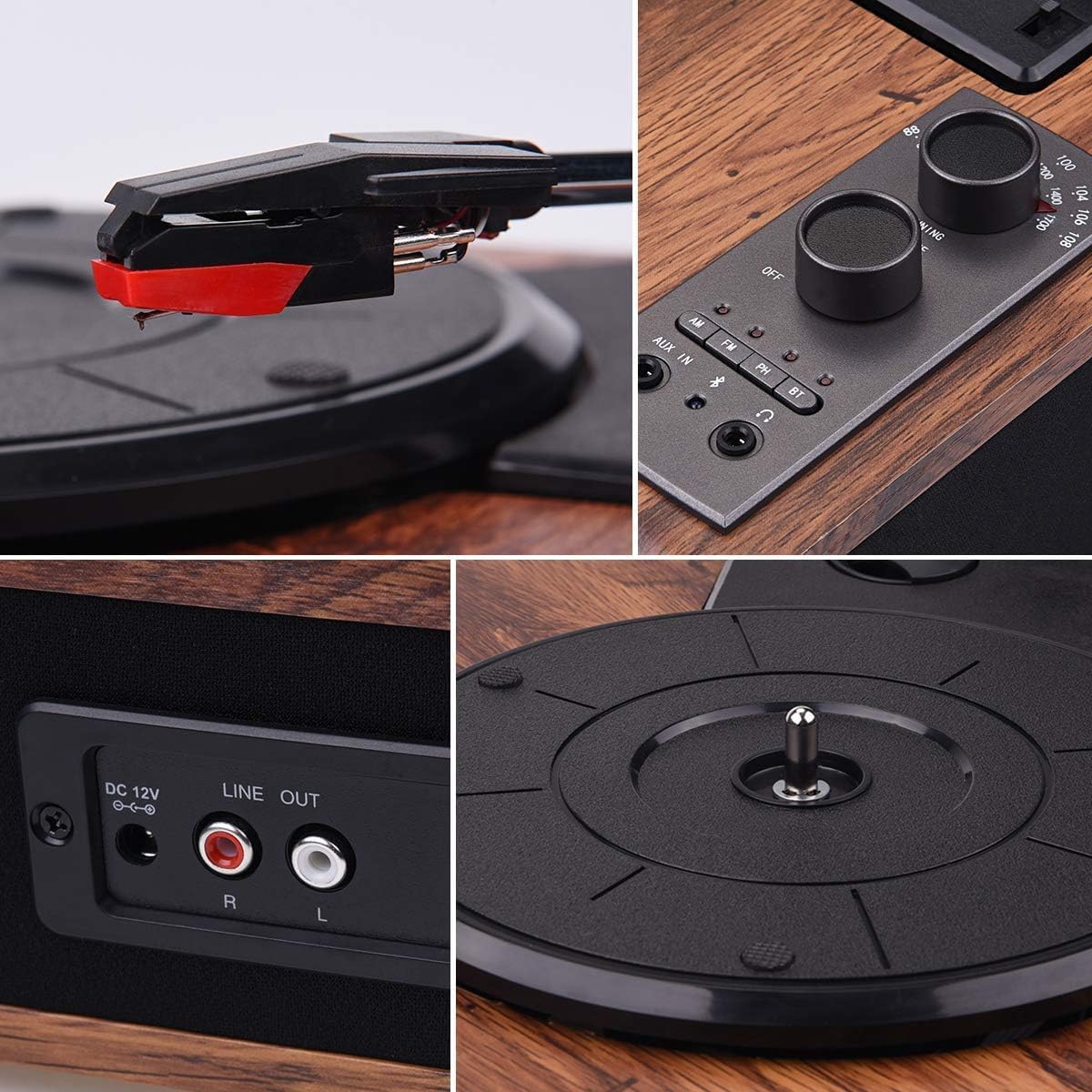
Image: Close-up of the control panel, showing the power/volume knob, tuning knob, mode selection buttons (AM, FM, AUX IN, BT), and headphone jack.
背面パネル

Image: Rear panel of the turntable, highlighting the DC 12V power input and the Stereo RCA Line Out connectors (Red for Right, White for Left).
内蔵スピーカー

画像: サイド view of the turntable, illustrating the integrated stereo speakers.
5. セットアップ
- 配置: ターンテーブルは、直射日光、熱源、過度のほこりや振動を避け、安定した水平な場所に置いてください。
- 電源接続: Connect the supplied power adapter to the DC 12V input port on the rear of the turntable. Plug the other end into a suitable wall outlet.
- Stylus Protector: Carefully remove the clear plastic stylus protector from the needle before first use.
- プラッターのセットアップ: Ensure the platter is correctly seated on the spindle. If a belt is separate, ensure it is correctly placed around the motor pulley and the inner rim of the platter.
6. 操作手順
6.1 レコードの再生
- 電源オン: 電源/音量ノブを時計回りに回してユニットの電源をオンにします。
- モードの選択: Press the 'PH' button to select Phono mode.
- 順位記録: ビニールレコードをターンテーブルのプラッターに慎重に置きます。
- 速度を選択します: Adjust the speed switch (located near the tonearm base) to match the record's speed (33-1/3, 45, or 78 RPM).
- リフトトーンアーム: キューイングレバーを使用してトーンアームをゆっくりと持ち上げます。
- トーンアームの位置: トーンアームをレコードの希望するトラックの上に移動します。
- 下部トーンアーム: キューイングレバーを使ってトーンアームをゆっくりとレコードの上に下ろします。音楽が再生され始めます。
- 音量を調整: Use the Power/Volume knob to adjust the sound level.
- プレイ終了: When the record finishes, the tonearm will automatically return to its rest position (auto-stop function). Lift the tonearm and return it to its rest clip manually if needed.

Image: A hand carefully lowering the tonearm onto a spinning vinyl record.
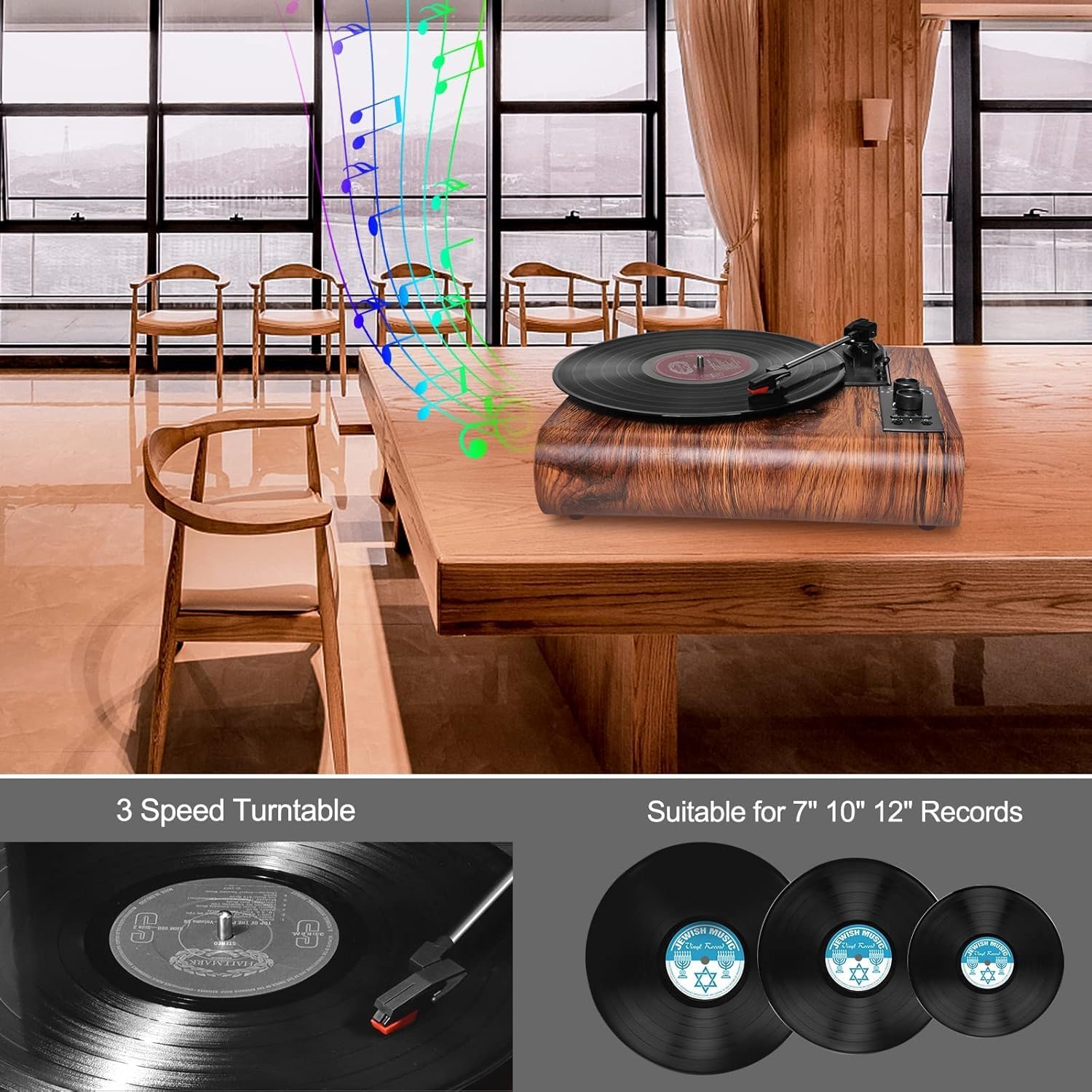
Image: Illustration showing three common vinyl record sizes: 7-inch (45 RPM), 10-inch (45 RPM), and 12-inch (33-1/3 RPM).
6.2Bluetoothモード
- モードの選択: Press the 'BT' button to select Bluetooth mode. The Bluetooth indicator light will flash.
- ペアデバイス: On your external Bluetooth device (smartphone, tablet, etc.), enable Bluetooth and search for 'VOKSUN TURNTABLE'. Select it to pair.
- 確認: ペアリングが成功すると、Bluetooth インジケーター ライトの点滅が停止し、点灯状態になります。
- 音楽を再生: You can now play music from your device through the turntable's speakers.

Image: A smartphone displaying its Bluetooth settings, showing a successful connection to 'VOKSUN TURNTABLE'.
6.3 AM/FMラジオ
- モードの選択: Press the 'AM' or 'FM' button to select the desired radio band.
- 放送局: Use the 'TUNING' knob to scan for radio stations.
- 音量を調整: Use the Power/Volume knob to adjust the sound level.

Image: A person relaxing and listening to the VOKSUN S450 turntable, which is playing radio content.
6.4 AUX入力
- モードの選択: Press the 'AUX IN' button to select AUX input mode.
- デバイスの接続: Connect an external audio device (e.g., MP3 player, CD player) to the AUX IN port using a 3.5mm audio cable (not included).
- 音楽を再生: 接続したデバイスからオーディオを再生します。音声はターンテーブルのスピーカーから出力されます。
6.5 ヘッドフォン出力
- ヘッドフォンを接続します: Plug your headphones into the 3.5mm headphone jack on the control panel.
- プライベートリスニング: Audio will be routed to your headphones for private listening. The built-in speakers will be muted.

Image: A person enjoying music from the turntable using wired headphones for private listening.
6.6 RCA 出力
- ケーブルを接続する: Use an RCA cable (not included) to connect the 'LINE OUT' ports (Red for Right, White for Left) on the rear of the turntable to the corresponding input ports on an external ampスピーカーまたはパワードスピーカー。
- 外部オーディオ: This allows you to output the turntable's audio to a larger sound system for enhanced listening.

Image: The VOKSUN S450 turntable connected to a pair of external speakers using RCA cables, demonstrating the Line Out functionality.
7. メンテナンス
7.1 ユニットのクリーニング
- 本体の外側は、乾いた柔らかい布で拭いてください。
- 過酷な化学薬品、洗浄溶剤、または強力な洗剤は使用しないでください。
7.2 スタイラスのクリーニング
- Use a soft brush (not included) to gently clean the stylus, brushing from back to front.
- 指でスタイラスに触れないようにしてください。
7.3 記録管理
- 指紋や汚れが付かないように、レコードの端を持って扱ってください。
- Store records in their sleeves in a cool, dry place.
- Clean records regularly with a dedicated record cleaning kit (not included).
8。 トラブルシューティング
| 問題 | 考えられる原因 | 解決 |
|---|---|---|
| 電源なし | 電源アダプターが接続されていないか、コンセントが機能していません。 | 電源アダプタがユニットと機能している電源コンセントにしっかりと接続されていることを確認します。 |
| スピーカーから音が出ない | 音量が低すぎる、間違ったモードが選択されている、ヘッドフォンが接続されています。 | Increase volume; select correct mode (PH, BT, AM, FM, AUX IN); disconnect headphones. |
| レコードのスキップ | Dirty or scratched record; dirty stylus; turntable not level. | Clean record; clean stylus; ensure turntable is on a level surface. |
| Bluetoothが接続されない | Turntable not in Bluetooth mode; device too far; device already connected to another unit. | Ensure turntable is in BT mode; move device closer; disconnect from other devices and try again. |
| ラジオの受信状態が悪い | 信号が弱い; 干渉。 | Adjust the unit's position; extend the antenna (if applicable, not specified but common for AM/FM). |
9. 仕様
- モデル番号: S450
- ブランド: ヴォクスン
- 速度: 33-1/3、45、78 回転数
- レコードサイズ: 7インチ、10インチ、12インチ
- モータータイプ: ベルト駆動
- スタイラス: Ruby Needle
- 講演者: 2 x5Wステレオスピーカー
- ブルートゥース: Version 5.0 (Range: up to 10m)
- 無線: AM/FM Analog Stereo Radio
- 入力: AUX In (3.5mm)
- 出力: RCA Line Out, Headphone Jack (3.5mm)
- 電源: 電気ケーブル
- 巻tage: 100ボルト
- 消費電力: 5ワット
- スタイル: ヴィンtage
- 色: Brown (Wood Noyer)
10.保証とサポート
VOKSUN products are manufactured to the highest quality standards. For warranty information or technical support, please refer to the contact details provided with your purchase or visit the official VOKSUN website. Please have your model number (S450) and purchase date ready when contacting support.