
1. はじめに
Thank you for choosing the FLEXISPOT QB2W-2080-IE Height Adjustable Standing Desk. This electric standing desk is designed to provide a versatile and ergonomic workspace, allowing you to easily switch between sitting and standing positions. Featuring a robust dual-motor lift system, intelligent control panel with memory functions, and an anti-collision system, this desk offers stability, efficiency, and safety for your daily work.
2. 安全情報
Please read all safety instructions carefully before assembly and use to prevent injury or damage to the product. Keep this manual for future reference.
- 最大積載量: 最大静的荷重容量を超えないでください 120 kg (264 ポンド) or dynamic load capacity of 100 kg (220 ポンド)過負荷をかけると不安定になり、損傷を引き起こす可能性があります。
- 高さ調整範囲: Ensure the desk operates within its specified height range of 70cmから119cm(27.6インチから46.9インチ) for optimal stability and safety.
- 子供とペット: 事故を防ぐため、操作中は子供やペットをデスクから遠ざけてください。
- 電源: Connect the desk only to a properly grounded power outlet. Do not use damaged power cords or adapters.
- クリアランス: Ensure there are no obstructions above or below the desk during height adjustments to allow the anti-collision system to function effectively.
- 組み立て: Assembly requires two people. Ensure all components are securely fastened before use.
- 液体のこぼれ: コントロールパネルや電気部品に液体をこぼさないでください。こぼしてしまった場合は、直ちに電源を切断し、完全に乾いてから再接続してください。
3. パッケージ内容
組み立てを始める前に、すべての部品が揃っていて損傷がないことを確認してください。部品が不足または損傷している場合は、カスタマーサポートまでご連絡ください。
- Desktop (4 parts)
- デスク脚(2)
- フレームコンポーネント
- デュアルモーターリフトシステム
- コントロールパネル
- 電源アダプターとケーブル
- All necessary assembly tools and connection elements
- ユーザーマニュアル
4. セットアップと組み立て
Assembly of the FLEXISPOT QB2W-2080-IE desk requires approximately 2 people and includes all necessary tools. Follow these general steps:
- コンポーネントを解凍します: すべての部品をパッケージから慎重に取り出し、傷がつかないように清潔で柔らかい表面の上に広げます。
- フレームを組み立てます: Attach the crossbars to the lifting columns (desk legs) using the provided hardware. Ensure all screws are tightened securely.
- デスクの脚を取り付ける: 脚をリフティングコラムの下部に固定します。
- デスクトップをマウントします。 Place the desktop sections onto the assembled frame. The desktop is made of 4 parts and includes connection elements for stability. Align the pre-drilled holes and secure the desktop to the frame using the provided screws.
- コントロールパネルと電源を接続します。 Connect the control panel cable to the motor control box. Then, connect the power adapter to the control box and plug it into a grounded power outlet.
- ケーブル管理 Use the included cable ties or management accessories to organize cables neatly under the desk.
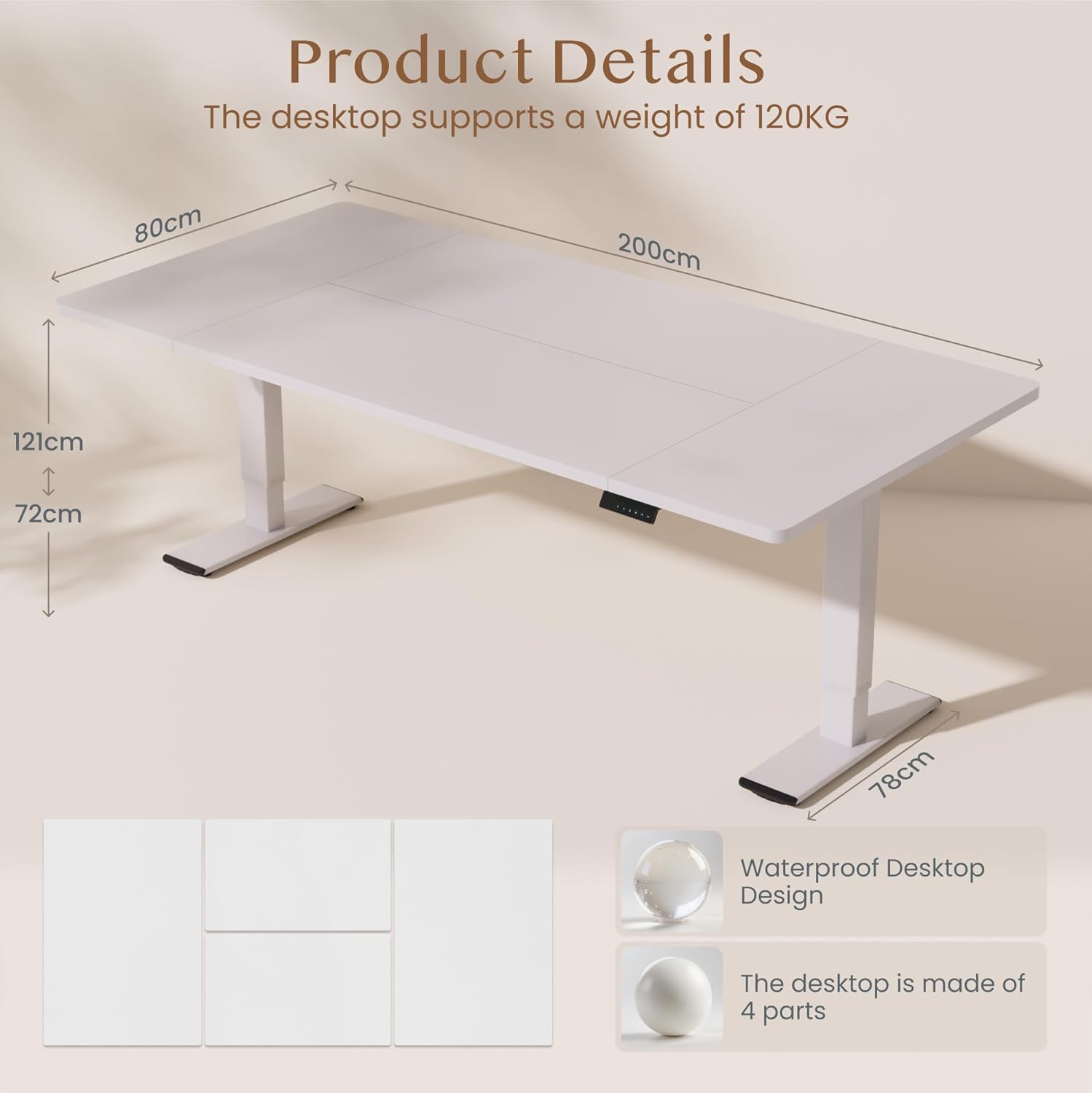
画像: Product details of the FLEXISPOT standing desk, illustrating its dimensions (200cm length, 80cm width, 72-121cm height range) and the four-part, waterproof desktop design. The desktop supports a weight of 120KG.

画像: The FLEXISPOT standing desk shown at its minimum (72cm) and maximum (121cm) height, demonstrating its height adjustability for both sitting and standing positions.
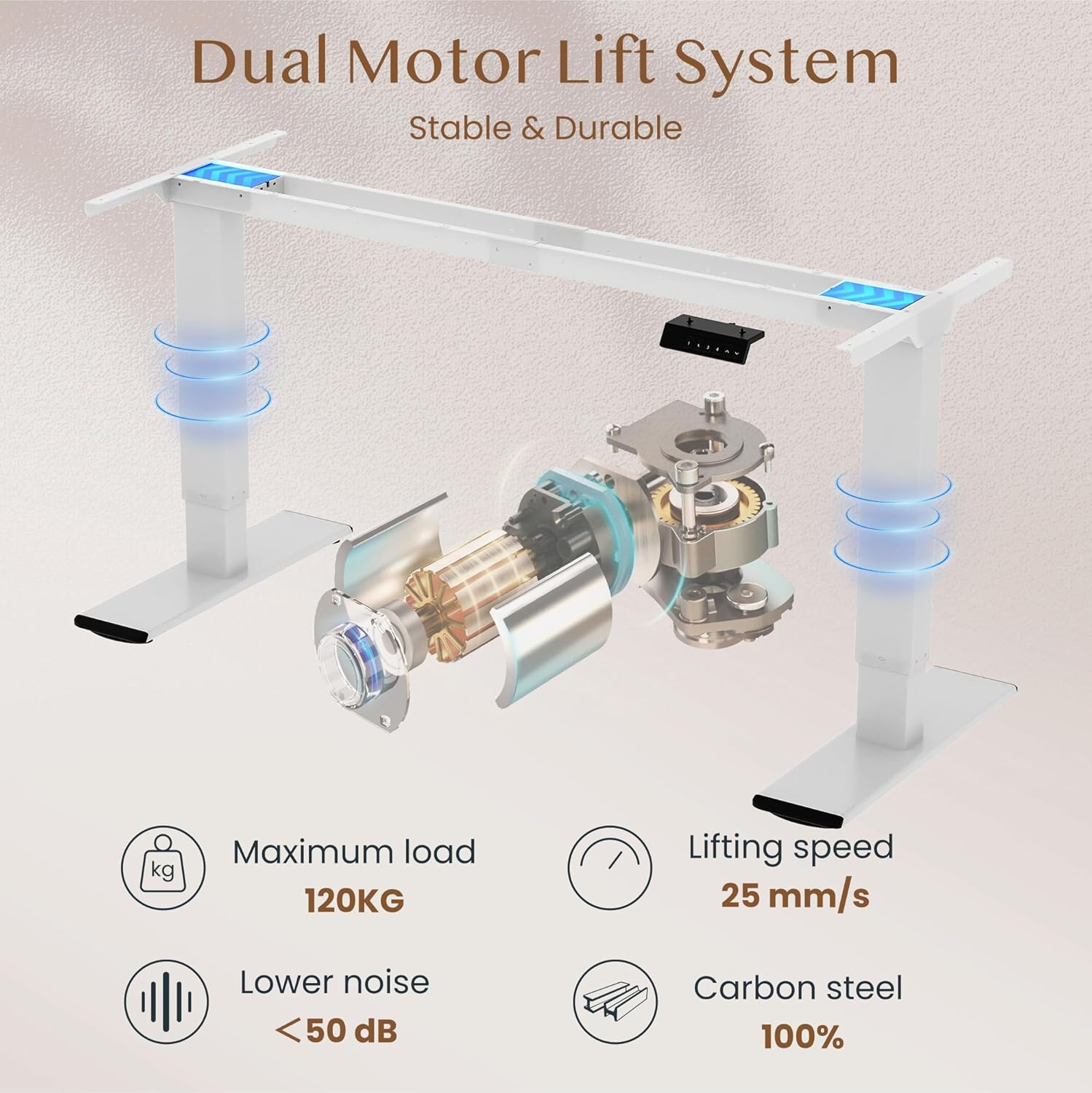
画像: Diagram illustrating the FLEXISPOT dual motor lift system, highlighting its stable and durable design. Key specifications like maximum load (120KG), lifting speed (25 mm/s), lower noise (<50 dB), and 100% carbon steel construction are visible.
5. 操作手順
The FLEXISPOT QB2W-2080-IE desk features an intuitive control panel for easy height adjustment and memory functions.
5.1. 基本的な高さ調整
- を押す "^" (Up) 机を上げるボタン。
- を押す "v" (Down) 机を下げるボタン。
- Release the button to stop the desk at the desired height.
5.2. メモリプリセット
コントロール パネルでは、好みの高さ設定を最大 4 つ保存できます。
- 上/下ボタンを使用して、デスクを希望の高さに調整します。
- を押す 「M」(記憶) button (often represented by a 'f' symbol). The LED display will show "S-".
- すぐに数字ボタンの1つを押します("1", "2", "3", or "4")を押して、現在の高さをそのプリセットに保存します。ディスプレイに「S-1」、「S-2」などが表示され、確認ができます。
- 保存した高さを呼び出すには、対応する数字ボタンを押すだけです。デスクは自動的に保存した位置に移動します。
5.3. 衝突防止機能
The desk is equipped with an anti-collision system that automatically stops and slightly reverses the desk's movement if it encounters an obstruction during height adjustment. This feature enhances safety and prevents damage to the desk or other objects.

画像: Close-up of the FLEXISPOT intelligent control panel, showing buttons for Up & Down adjustment, 4 Memory Heights, an LED Screen, and the Anti-Collision Function indicator.

画像: The FLEXISPOT standing desk in an office setting, illustrating its smooth and quiet operation with a lifting speed of 25mm/s and noise levels below 50 dB. The control panel is visible under the desk.

画像: A visual comparison demonstrating the FLEXISPOT safety collision avoidance system. One side shows an object being avoided by the desk's upward movement (WITH Anti-Collision Function), while the other side implies a collision without the function.
6. メンテナンス
定期的なメンテナンスにより、FLEXISPOT スタンディング デスクの寿命が長くなり、最適なパフォーマンスが確保されます。
- クリーニング: 机の表面と脚を広告で拭くamp 布で拭いてください。仕上げを傷める可能性のある、刺激の強い化学薬品や研磨剤入りの洗剤の使用は避けてください。
- 接続を確認してください: すべてのネジとボルトがしっかりと締まっているか定期的に確認してください。必要に応じて締め直してください。
- ケーブル管理 Ensure all cables are neatly organized and not pinched or tangled, which could affect desk operation or cause damage.
- 過負荷を避ける: Do not place items exceeding the maximum weight capacity on the desk.
7。 トラブルシューティング
デスクで問題が発生した場合は、次の一般的なトラブルシューティング手順を参照してください。
- 机が動かない:
- 電源ケーブルがデスクと壁のコンセントの両方にしっかりと差し込まれているかどうかを確認します。
- 移動を妨げる障害物がないことを確認してください。
- デスクのプラグを 10 秒間抜いてから再度差し込み、リセットしてみてください。
- 表示されるエラーコード:
- If an error code appears, consult the specific error code section in the full manual (if available) or contact customer support. Often, a reset (unplugging and replugging) can clear minor errors.
- Uneven Movement/Instability:
- 机が水平な場所にあることを確認してください。
- すべての組み立てネジが締められていることを確認します。
- 机上の重量が均等に分散され、最大荷重を超えていないことを確認します。
- Anti-Collision System Triggering Unnecessarily:
- Ensure there are no loose cables or objects near the desk's path that could be mistaken for an obstruction.
これらの手順を実行しても問題が解決しない場合は、FLEXISPOT カスタマー サポートに問い合わせて、さらにサポートを受けてください。
8. 仕様
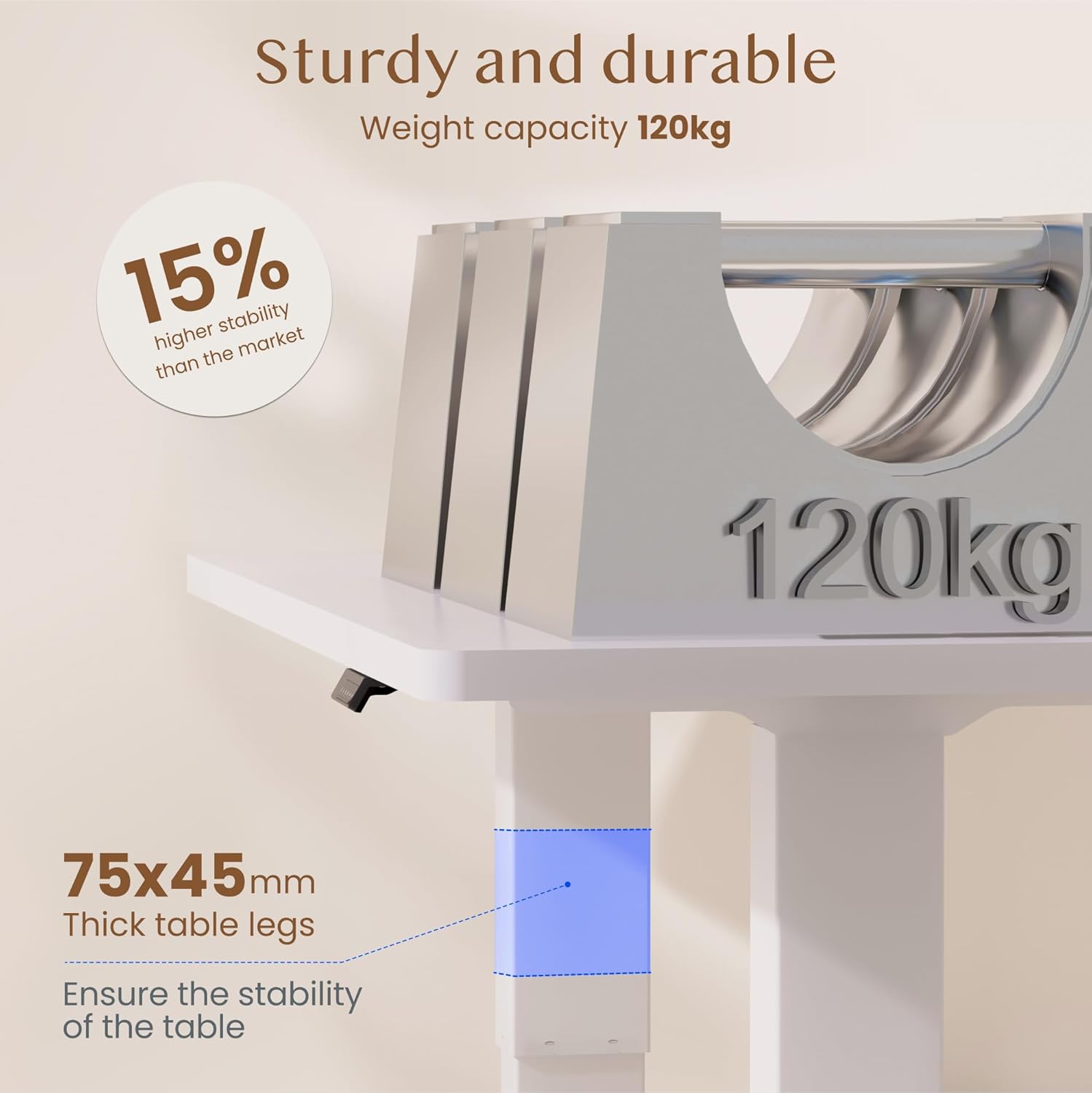
画像: The FLEXISPOT standing desk highlighting its sturdy and durable construction, specifically the 75x45mm thick table legs designed to ensure stability and support a weight capacity of 120kg.

画像: クローズアップ view of the FLEXISPOT desk's thickened table legs, illustrating the adjustable height range from 70cm to 119cm, providing unmatched stability.
| 特徴 | 仕様 |
|---|---|
| モデル番号 | QB2W-2080-IE |
| ブランド | フレキシポット |
| 寸法(長さ×幅×高さ) | 200 x 80 x 72 cm(最小高さ) |
| 高さ調整範囲 | 70 cm - 119 cm (27.6 インチ - 46.9 インチ) |
| デスクトップの厚さ | 25ミリメートル |
| Maximum Load Capacity (Static) | 120 kg (264 ポンド) |
| Maximum Load Capacity (Dynamic) | 100 kg (220 ポンド) |
| リフティングシステム | デュアルモーター |
| 持ち上げ速度 | 25mm/秒 |
| 騒音レベル | 50dB未満 |
| 材料 | Alloy Steel (Base and Top Material) |
| 色 | 白 |
| 組み立てが必要 | Yes (2 people recommended, tools included) |
| 特集 | Electric, 4 Memory Presets, Anti-Collision System |
| 製品重量 | 40.9キロ |
| 欧州連合 | 810072889508 |
9. 保証とサポート
For warranty information, product support, or to report any issues, please contact FLEXISPOT customer service. Keep your purchase receipt and model number (QB2W-2080-IE) handy when contacting support.
The seller for this product is FLEXISPOT GmbH. Please refer to their official web具体的な保証条件および連絡先の詳細については、サイトまたは購入書類をご覧ください。