
AFEXOA ZH083K
AFEXOA ZH083K Digital Sunrise Alarm Clock User Manual
Model: ZH083K
導入
ご購入ありがとうございますasing the AFEXOA ZH083K Digital Sunrise Alarm Clock. This device is designed to enhance your waking and sleeping experience with its natural sunrise simulation, customizable alarm sounds, multi-color night light, and sleep aid features. Please read this manual carefully to ensure proper use and optimal performance of your new alarm clock.
パッケージ内容
- AFEXOA ZH083K Digital Sunrise Alarm Clock
- USB電源ケーブル
- ユーザーマニュアル
製品終了view
Familiarize yourself with the components and controls of your AFEXOA ZH083K alarm clock.

画像1: フロント view of the AFEXOA ZH083K Digital Sunrise Alarm Clock, showing the digital time display and control buttons on the top panel. The light dome is visible above the fabric-covered speaker base.
コントロールボタン:
- ディマー: Adjusts the brightness of the clock display.
- 時間: 現在の時刻を設定するために使用されます。
- 警報: Used for setting and activating the alarm.
- アラームのオン/オフ: アラーム機能を切り替えます。
- 目覚まし時計: Activates and adjusts the sleep timer function.
- +/-: Adjusts values (time, brightness, volume) up or down.
- 電球アイコン: Controls the night light/mood light.
- スヌーズボタン: Located on the bottom, activated by pressing down the clock.
設定
1. 電源接続
Connect the provided USB power cable to the alarm clock and plug it into a suitable USB power adapter (not included) or a USB port. The clock display will illuminate.
2. 現在の時刻を設定する
- を押し続けます 時間 button until the hour display starts flashing.
- 使用 +/- 時間を調整するボタン。
- を押す 時間 もう一度ボタンを押すと時間が確定し、分の調整に移ります。
- 使用 +/- 分を調整するためのボタン。
- を押す 時間 もう一度ボタンをクリックすると、時間設定が保存されます。
操作手順
1. Setting the Alarm and Sunrise Simulation
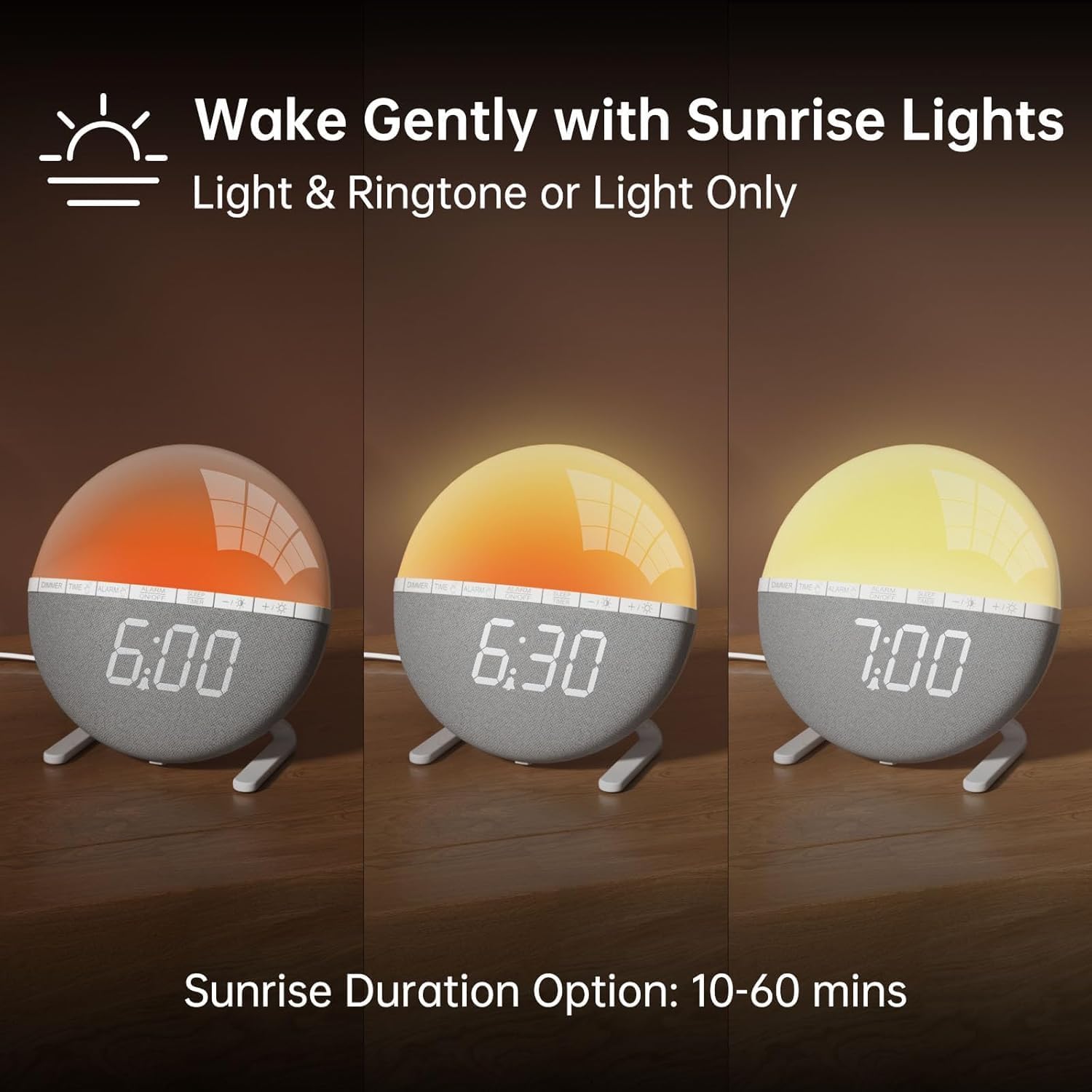
画像2: Illustration of the sunrise simulation feature, showing the light gradually changing from dim red to bright yellow over a period, with time indications of 6:00, 6:30, and 7:00.
- を押し続けます アラーム button until the alarm time display starts flashing.
- 使用 +/- ボタンを押して希望のアラーム時間を設定します。
- を押す アラーム button to confirm the hour and move to minute adjustment.
- 使用 +/- ボタンを押して、希望するアラームの分数を設定します。
- を押す アラーム button to confirm the minutes and proceed to sunrise duration setting.
- 使用 +/- buttons to select the sunrise simulation duration (10-60 minutes). This is the period before your set alarm time when the light will gradually brighten.
- を押す アラーム button to confirm the duration and proceed to alarm sound selection.
- 使用 +/- buttons to cycle through the 7 available alarm sounds or select "OFF" for light-only alarm.
- を押す アラーム button to confirm the sound and proceed to volume adjustment.
- 使用 +/- buttons to set the alarm volume (10 levels).
- を押す アラーム button once more to save all alarm settings.
アラームをオンまたはオフにするには、 アラームのオン/オフ ボタンを押します。アラームが作動すると、ディスプレイにアラームアイコンが表示されます。

画像3: A visual representation of the seven built-in wake-up ringtones, including icons for Beep, Bell, Birds, and four types of Soft Music. It also shows a 10-level volume adjustment bar.
2. スヌーズ機能
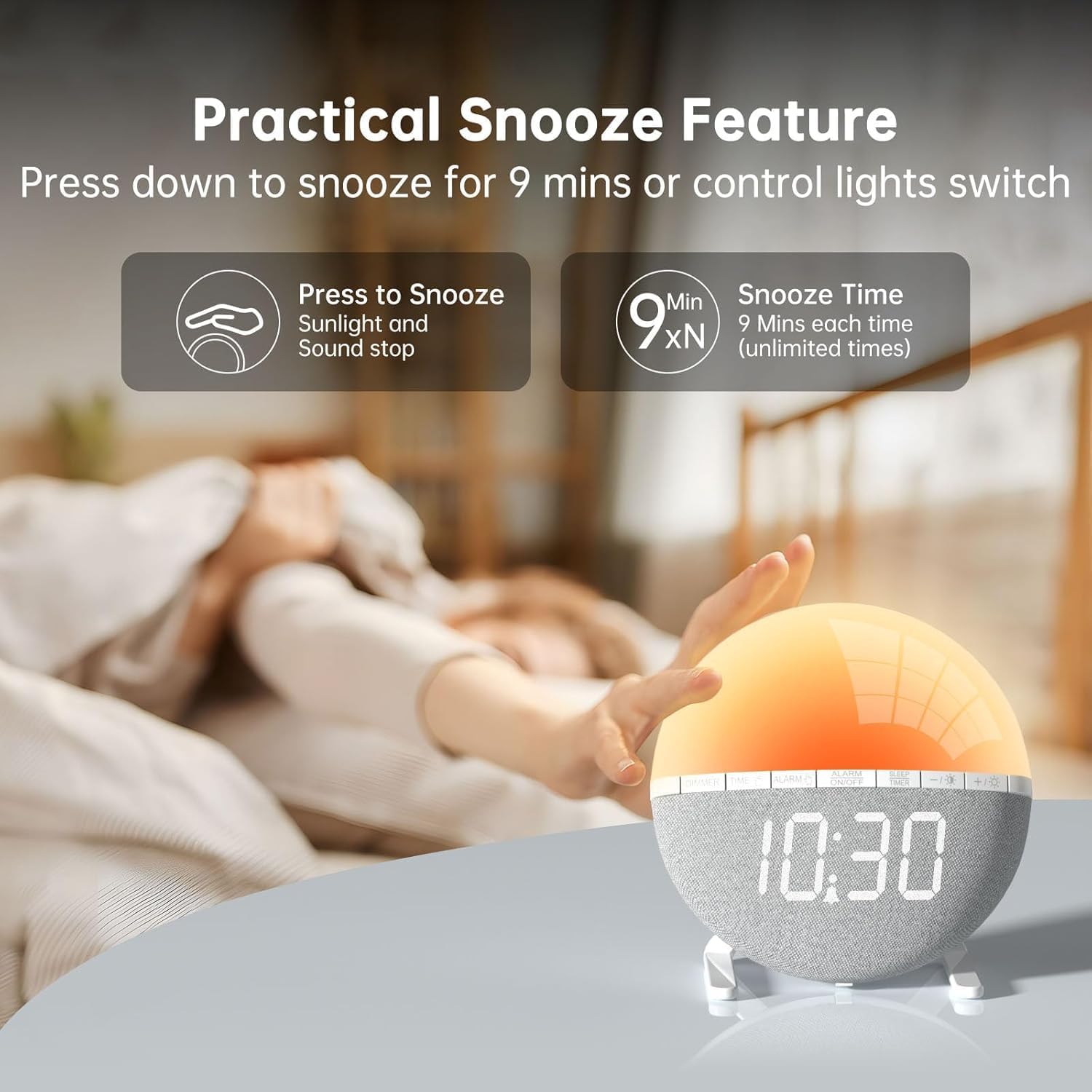
画像4: A hand pressing down on the top of the alarm clock to activate the snooze function. Text indicates that pressing down snoozes for 9 minutes and can also control the light switch.
When the alarm sounds, gently press down on the top of the alarm clock to activate the snooze function. The alarm will pause for 9 minutes and then sound again. This can be repeated an unlimited number of times.
3. Night Light / Mood Light

画像5: A display of the various solid color and RGB mood light options available on the alarm clock, shown as a spectrum of colors from light blue to purple, with the clock displaying each color.
- を押す 電球アイコン ボタンを押して夜間照明をオンにします。
- を押す 電球アイコン button repeatedly to cycle through the 7 solid colors and 2 mixed RGB mood light options.
- 使用 +/- buttons to adjust the brightness of the selected light (10 levels).
- を押し続けます 電球アイコン 夜間照明をオフにするボタン。
4。 目覚まし時計

画像6: An image illustrating the sleep aid function with an auto-off timer, showing options for 15m, 30m, 60m, 90m, and 120m. The alarm clock is shown emitting a soft, warm light.
The sleep timer allows the light to gradually dim and turn off after a set period, aiding in sleep.
- を押す スリープタイマー ボタン。
- 使用 +/- buttons to select the desired sleep timer duration (15, 30, 60, 90, or 120 minutes). The light will gradually dim and turn off after the selected time.
- スリープタイマーをキャンセルするには、 スリープタイマー button repeatedly until the timer is off, or press and hold the button.
5。 ディスプレイの明るさ調整

画像7: Four images of the alarm clock demonstrating different display brightness levels, from off to full brightness, highlighting the dimmable and eye-caring features.
を押す ディマー button to cycle through the 4 display brightness levels: 0% (off), 5%, 50%, and 100%. This allows you to adjust the display visibility according to your preference, especially at night.
メンテナンス
- 柔らかく乾いた布でデバイスを拭いてください。研磨剤入りの洗剤や溶剤は使用しないでください。
- デバイスを水や高湿度に近づけないでください。
- デバイスを落としたり、強い衝撃を与えたりしないでください。
- ご自身でデバイスの分解や修理を試みないでください。問題が発生した場合は、カスタマーサポートにお問い合わせください。
トラブルシューティング
| 問題 | 考えられる原因 | 解決 |
|---|---|---|
| 時計の表示がオフになっているか、機能していません。 | No power connection or power adapter issue. Display brightness set to 0%. | Ensure the USB cable is securely connected and the power adapter is working. Press the ディマー button to increase display brightness. |
| アラームは鳴りません。 | Alarm not activated. Alarm volume set to 0 or sound option set to "OFF". | プレス アラームのオン/オフ to activate. Check alarm settings to ensure a sound is selected and volume is not 0. |
| Sunrise simulation does not work. | Sunrise duration not set or set to 0. | Verify the sunrise duration is set to a value between 10-60 minutes in the alarm settings. |
| Night light is not turning on. | ライト機能が作動しません。 | を押す 電球アイコン ライトをオンにするボタン。 |
仕様
- モデル: ZH083K
- ブランド: アフェソア
- 寸法: 9.5 x 3.81 x 9.5 cm
- 重さ: 400グラム
- 材料: プラスチック
- 表示タイプ: デジタル
- 電源: 電気ケーブル(USB)
- 特別な機能: Sunrise Simulation, Mood Light, Color-Changing Night Light, Loud Alarm, Snooze, Sleep Timer, Dimmable Display
保証とサポート
The AFEXOA ZH083K Digital Sunrise Alarm Clock comes with a standard manufacturer's warranty. For detailed warranty information, please refer to the product packaging or contact your retailer. If you encounter any issues or have questions regarding your product, please contact AFEXOA customer support through the retailer's platform or the official brand webサポートサイト。
保証請求のための購入証明として購入レシートを保管してください。
Ask a question about this manual
Ask about setup, troubleshooting, compatibility, parts, safety, or missing instructions. Manuals+ will review the question and use this page’s manual context to help answer it.