
導入
Thank you for choosing the SERPHIX SB-105 Digital Scoreboard. This device is designed to provide clear and versatile scoring and timing for various indoor sports and activities. Please read this manual thoroughly before use to ensure proper operation and to maximize your experience with the product.

Image: The SERPHIX SB-105 Digital Scoreboard displaying scores, accompanied by its remote control.
製品終了view
主な特徴:
- 大型デジタルディスプレイ: 15.2 x 4 x 1.5 inches with 2.7-inch digits for clear visibility.
- 調整可能な明るさ: 5 levels of brightness to suit various indoor lighting conditions.
- Variable LED Colors: Scoreboard mode offers 6 color sets; Timer/Clock mode offers 11 LED colors.
- リモートコントロール: Operates effectively up to 40 feet for convenient score and timer management.
- スコア追跡: Records scores for two teams (0-99) and wins/fouls (0-9).
- One-Button Side Switch: Easily swaps scores, foul counts, and LED colors when teams change sides.
- Multi-functional Timer & Clock: Supports 12/24-hour clock, stopwatch, countdown, and count-up functions.
- 電源: Supports DC adapter and USB power bank (not battery operated).
- インストール: Can be placed on a table or wall-mounted.

Image: The scoreboard's dimensions, highlighting its 15.2-inch length and 2.7-inch digit height, along with a 6-level dimmer illustration.

Image: The scoreboard illustrating its multi-functionality, including score mode, 12/24H clock, stopwatch, countdown, and count-up features.

Image: The 15.2-inch large display, designed for easy viewing from a distance, with an illustration of the 40ft effective remote control range.
パッケージ内容:
- Digital Scoreboard (SB-105)
- 96" USB Cable
- 電源アダプター
- リモートコントロール
- 取扱説明書(本書)
- Install accessories (M4 Screws*2, Wall Screws*2, Fixed Bracket*2)

画像: 詳細な view of the packing list, including the scoreboard, USB cable, remote control, power adapter, and installation hardware.
セットアップ手順
- 開梱: パッケージからすべてのコンポーネントを慎重に取り出します。
- 電源接続: Connect the provided 96" USB cable to the scoreboard and then to the power adapter. Plug the power adapter into a standard electrical outlet. Alternatively, connect the USB cable to a compatible USB power bank for portable use.
重要な注意: The scoreboard must be plugged into a power source to operate; it is not battery-operated. Batteries for the remote control (2xAAA) and a power bank are not included.
- リモコン電池: Insert 2xAAA batteries (not included) into the remote control.
- 配置:
- 卓上使用: Place the scoreboard on a stable, flat surface.
- 壁掛け: Use the provided M4 screws, wall screws, and fixed brackets to securely mount the scoreboard on a wall. Ensure the mounting location is suitable for the scoreboard's weight and dimensions.

Image: The scoreboard in various setups, including portable use with a power bank and wall-mounted installation, emphasizing its indoor use recommendation.
操作手順
リモートコントロールオーバーview:
The remote control allows for easy management of all scoreboard functions from a distance of up to 40 feet. Point the remote directly at the scoreboard for optimal performance.

Image: The remote control, illustrating its effective range of 40 feet and its ability to track scores (0-99), wins/fouls (0-9), and swap score positions.
重要な注意: The remote control does not operate on an independent signal. Using multiple scoreboards in the same environment simultaneously may cause interference.
Scoreboard Mode:
- Adjusting Scores: 使用 SCORE + そして SCORE - buttons on the remote to increase or decrease scores for each team (0-99).
- Tracking Fouls/Wins: 使用 FOUL + そして FOUL - buttons to track fouls or wins for each team (0-9).
- Resetting Scores: を押す リセット button to quickly clear all scores. Individual scores can also be cleared.
- Switching Sides: を押す スワップ button to exchange the positions of scores, foul counts, and LED colors between the two teams. This is useful when teams change sides during a game.

Image: The "Switch Sides" feature, demonstrating how scores, foul counts, and colors are exchanged with a single button press, aiding in accurate scorekeeping during team changes.

Image: The scoreboard tracking scores up to 99 and fouls up to 9, with notes on quick reset and individual score clearing.
Variable LED Colors:
- In scoreboard mode, choose from 6 sets of LED colors to differentiate between teams.
- In timer/clock mode, select from 11 LED colors for display.
- Use the remote control to cycle through the available color options.

Image: Six distinct color schemes available for the scoreboard, such as Red-Blue, Green-Red, and Yellow-Blue, allowing for personalized team identification.

Image: Practical color choices for the scoreboard, showing how colors can be matched to team jerseys for intuitive score display, and how scores and colors swap when teams switch sides.
Timer & Clock Functions:
- 時計モード: Displays time in 12-hour or 24-hour format. Seconds can be hidden.
- ストップウォッチ: 経過時間を測定します。
- 秒読み: Counts down from a set time.
- カウントアップ: Counts up from zero.
- Use the remote control to switch between modes and adjust settings.
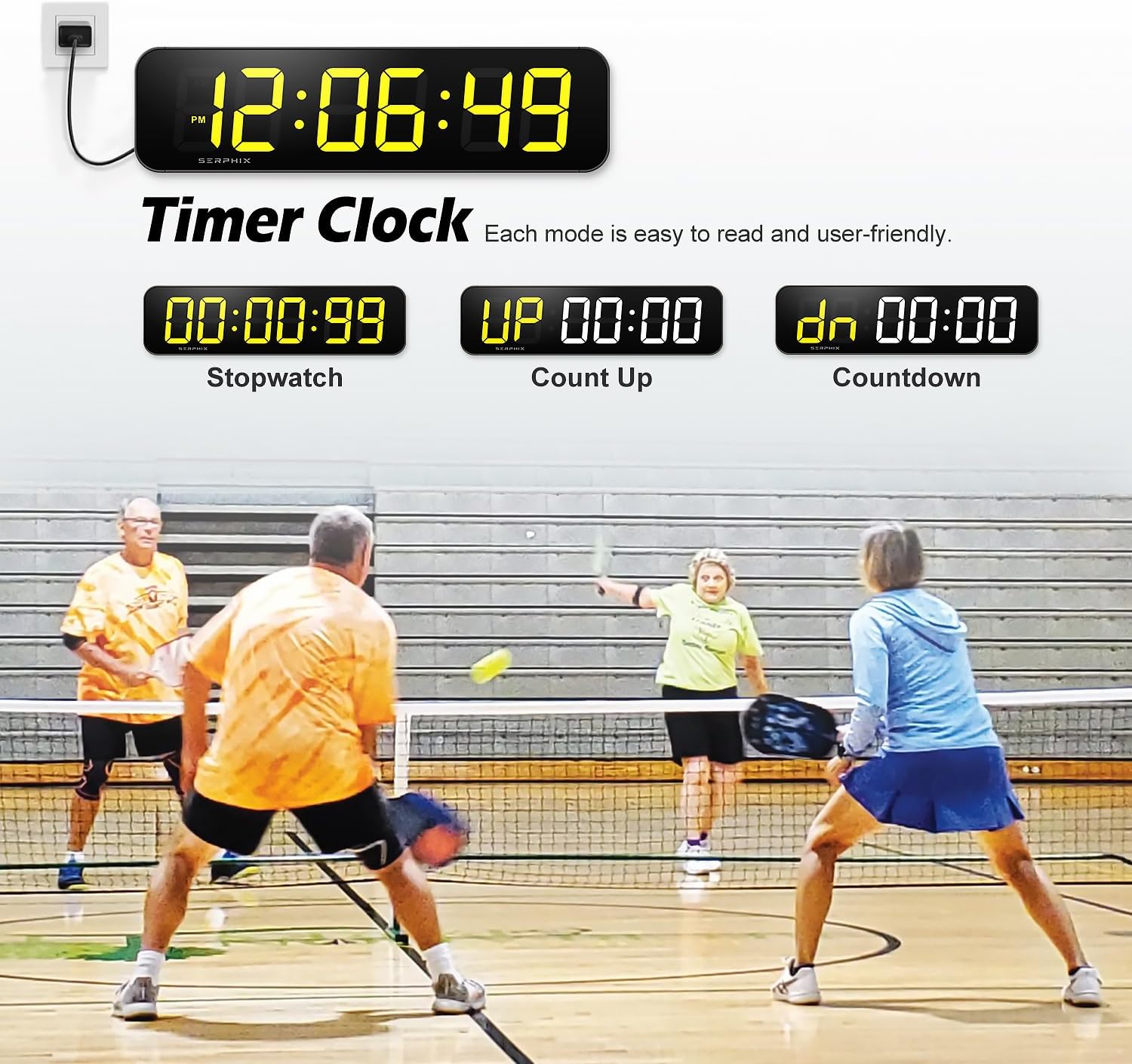
Image: The scoreboard showcasing its timer and clock functions, including current time display, stopwatch, count-up, and countdown modes, all designed for clear readability.

Image: The scoreboard functioning as a large digital clock, offering 11 color options and supporting both 12-hour and 24-hour formats, with the ability to hide seconds.

Image: The scoreboard displaying its Count Up, Count Down, and Stopwatch functions, highlighting that colors can be controlled by zones and each mode is clear and easy to read.
メンテナンス
- クリーニング: ディスプレイと外装の清掃には、柔らかく乾いた布をご使用ください。研磨剤入りの洗剤や溶剤の使用は避けてください。
- ストレージ: When not in use, store the scoreboard in a dry, cool place away from direct sunlight and extreme temperatures.
- 電源切断: Disconnect the power adapter when the scoreboard will not be used for extended periods.
トラブルシューティング
| 問題 | 考えられる原因 | 解決 |
|---|---|---|
| Scoreboard does not power on. | 電源がない、接続が緩んでいる、アダプタに障害がある。 | Ensure the power adapter is securely plugged into both the scoreboard and a working electrical outlet. Try a different outlet or USB power bank. |
| リモコンが反応しません。 | Dead batteries, remote out of range, obstruction, signal interference. | Replace remote batteries (2xAAA). Ensure you are within 40 feet and pointing directly at the scoreboard. Remove any obstructions. Avoid using multiple scoreboards in close proximity. |
| Scores or timer settings are lost after power off. | No memory clock/battery backup. | This model does not have a memory clock for retaining settings when power is disconnected. Settings will need to be re-entered upon powering on. |
| Display is dim or hard to see. | Brightness setting too low, bright ambient light. | Adjust the brightness level using the remote control. Ensure the scoreboard is used in an indoor environment, as LED scores may not be visible in bright outdoor conditions. |
仕様
| モデル名 | SB-105 |
| ブランド | セルフィックス |
| 寸法(長さ×幅×高さ) | 15.2 x 4 x 1.5インチ |
| 桁の高さ | 2.7インチ |
| 材料 | アルミニウム |
| 色 | 黒 |
| リモコン範囲 | 最大40フィート |
| 電源 | DC Adapter / USB Power Bank (must be plugged in) |
| 推奨用途 | 屋内使用のみ |
保証とサポート
For warranty information regarding your SERPHIX SB-105 Digital Scoreboard, please contact the seller directly. For technical support or further assistance, refer to the contact information provided with your purchase or visit the official SERPHIX store on Amazon: SERPHIX Store.
重要な注意事項と警告
- 屋内使用のみ: This scoreboard is designed for indoor use. LED scores may not be visible in bright outdoor environments.
- 電源: The device requires continuous power and is not battery-operated.
- リモート干渉: Avoid using multiple scoreboards with remote controls in the same area to prevent signal interference.
- No Memory Clock: Stored records (like time settings) will be lost if power is disconnected.