
1. はじめに
This manual provides comprehensive instructions for the HIKMICRO ECO-V handheld thermal camera. Designed for efficient and accurate temperature measurement, this compact device allows users to identify hot and cold spots, analyze temperature distribution, and capture thermal images for various applications. Please read this manual thoroughly before operating the device to ensure safe and effective use.
2.製品オーバーview
The HIKMICRO ECO-V is a portable thermal camera engineered for precise temperature detection. It offers advanced features such as automatic hot, cold, and center spot tracking, enhanced image clarity with SuperIR technology, and a long-lasting battery for extended operation.
2.1 主な特徴
- Full-Screen Precision Temperature Measurement: Accurately measures temperatures across the entire screen.
- 広い温度範囲: -20℃~550℃の温度を測定できます。
- Automatic Spot Tracking: Identifies and tracks the hottest, coldest, and center temperature points.
- SuperIR Technology: Enhances thermal image resolution from 96x96 to 240x240 pixels for improved clarity.
- 長いバッテリー寿命: Up to 8 hours of continuous operation with a 3350mAh rechargeable battery.
- 複数のカラーパレット: Offers various visual modes for different inspection scenarios.
2.2 デバイスコンポーネント
Familiarize yourself with the main components of your HIKMICRO ECO-V thermal camera.
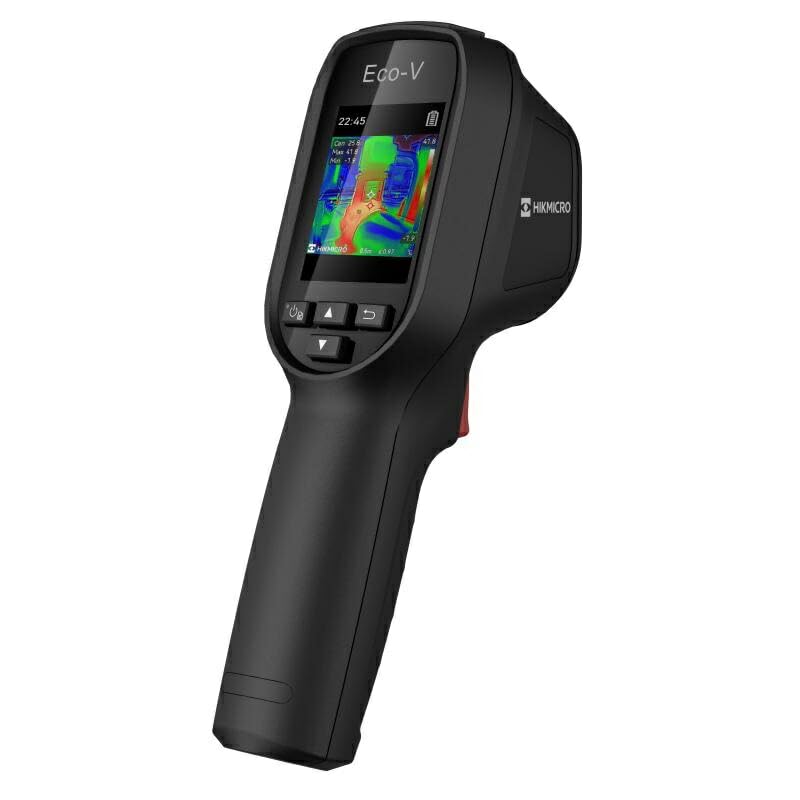
図1: The HIKMICRO ECO-V thermal camera, illustrating its screen interface with automatic spot tracking for hot, cold, and center temperature points. Temperature readings and a temperature scale from -20°C to 550°C are visible, aiding in quick identification of critical temperature areas.
3. セットアップ
3.1 バッテリーの充電
Before first use, fully charge the internal 3350mAh lithium-ion battery. Connect the camera to a power source using the provided USB cable. The charging indicator will show the charging status.
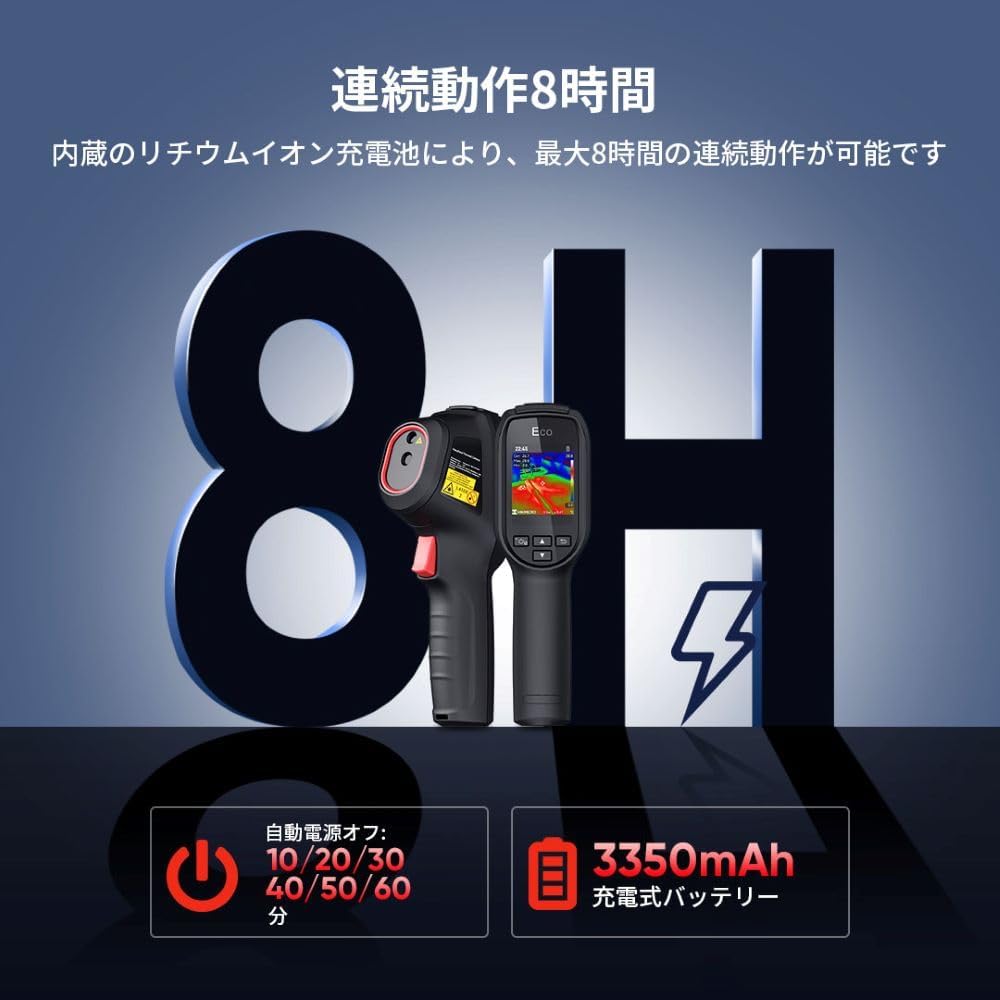
図2: This image illustrates the HIKMICRO ECO-V's battery features, including up to 8 hours of continuous operation and a 3350mAh rechargeable battery. It also displays the auto power-off settings, which can be configured for 10, 20, 30, 40, 50, or 60 minutes to conserve power.
3.2 電源のオン/オフ
- 電源を入れるには: 画面にHIKMICROのロゴが表示されるまで電源ボタンを押し続けます。
- 電源を切るには: Press and hold the power button until the shutdown prompt appears, then confirm. The device also supports automatic power-off after a set period of inactivity (10/20/30/40/50/60 minutes).
3.3 初期設定
Upon first power-on, you may be prompted to set the language, date, and time. Follow the on-screen instructions to configure these basic settings.
4. 操作手順
4.1 基本的な温度測定
Point the camera at the object or area you wish to inspect. The screen will display a real-time thermal image with temperature readings. The central crosshair indicates the spot measurement temperature.
4.2 Automatic Spot Tracking
The ECO-V automatically identifies and displays the hottest (hot spot), coldest (cold spot), and center temperature within the field of view. These points are marked on the screen with their respective temperature values, allowing for quick identification of anomalies.
4.3 SuperIR Technology
Activate SuperIR mode to enhance the thermal image resolution. This feature digitally processes the 96x96 pixel image to a clearer 240x240 pixel display, providing more detail for analysis.

図3: This image demonstrates the effectiveness of SuperIR technology. On the left, a thermal image is shown with SuperIR off (96x96 resolution). On the right, the same image with SuperIR on, displaying significantly improved clarity and detail at 240x240 resolution.
4.4つのカラーパレット
The camera offers several color palettes to visualize temperature differences. Select the palette that best suits your application for optimal contrast and detail.
- 虹: General purpose, good for showing gradual temperature changes.
- ブラックホット: Hotter objects appear darker.
- Ironbow Hot: High contrast, good for identifying heat sources.
- ホワイトホット: Hotter objects appear brighter.
- レッドホット: Highlights hot areas in red.
- 融合: Blends visible and thermal images.
- Alarm Above: Highlights temperatures above a set threshold.

図4: This image displays various color palettes available on the HIKMICRO ECO-V, including Rainbow, Black Hot, Ironbow Hot, White Hot, Red Hot, Fusion, and Alarm Above. Each palette provides a distinct visual representation of temperature differences, allowing users to choose the most effective display for their specific inspection tasks.
4.5画像キャプチャ
Press the capture button to save the current thermal image to the device's internal memory. Images can be reviewed later or transferred to a computer.
5. メンテナンス
5.1デバイスのクリーニング
- カメラ本体を清掃する際は、柔らかく乾いた布を使用してください。
- For the lens and screen, use a specialized lens cleaning cloth and solution to avoid scratches. Do not use abrasive cleaners.
5.2バッテリーケア
- デバイスを頻繁に使用しない場合でも、バッテリーの状態を維持するために、定期的にバッテリーを充電してください。
- バッテリーのパフォーマンスを低下させる可能性があるため、デバイスを極端な温度にさらさないでください。
5.3 ストレージ
When not in use, store the camera in a cool, dry place, away from direct sunlight and moisture. Use the protective casin利用可能な場合は g。
6。 トラブルシューティング
6.1 デバイスの電源が入らない
- Ensure the battery is fully charged. Connect the device to a power source and allow it to charge for at least 30 minutes before attempting to power on again.
- 電源ボタンを数秒間しっかりと押し続けます。
6.2 不正確な温度測定
- レンズがきれいで、ほこりや汚れがないことを確認してください。
- Verify that the emissivity setting (if adjustable) is appropriate for the material being measured.
- Ensure there are no obstructions between the camera and the target.
6.3 表示の問題
- デバイスを再起動します。
- 画面に物理的な損傷がないか確認します。
問題が解決しない場合は、カスタマー サポートにお問い合わせください。
7. 仕様
| 特徴 | 詳細 |
|---|---|
| ブランド | ヒクマイクロ |
| モデル番号 | HIK-ECOV |
| ASIN | B0D8B74F87 |
| 初回利用可能日 | 2024年02月28日 |
| 温度範囲 | -20°C ~ 550°C |
| 熱解像度 | 96x96 pixels (Enhanced to 240x240 with SuperIR) |
| 電池のタイプ | 3350mAh充電式リチウムイオン |
| 動作時間 | 連続最大8時間 |
| 自動電源オフ | Configurable (10/20/30/40/50/60 minutes) |
8. 保証とサポート
HIKMICRO製品は信頼性と性能を重視して設計されています。保証情報については、製品に付属の保証書を参照するか、HIKMICROの公式ウェブサイトをご覧ください。 website. For technical support, troubleshooting assistance, or service inquiries, please contact HIKMICRO customer support through their official channels. You can find more information and contact details on the HIKMICRO Brand Store.