
導入
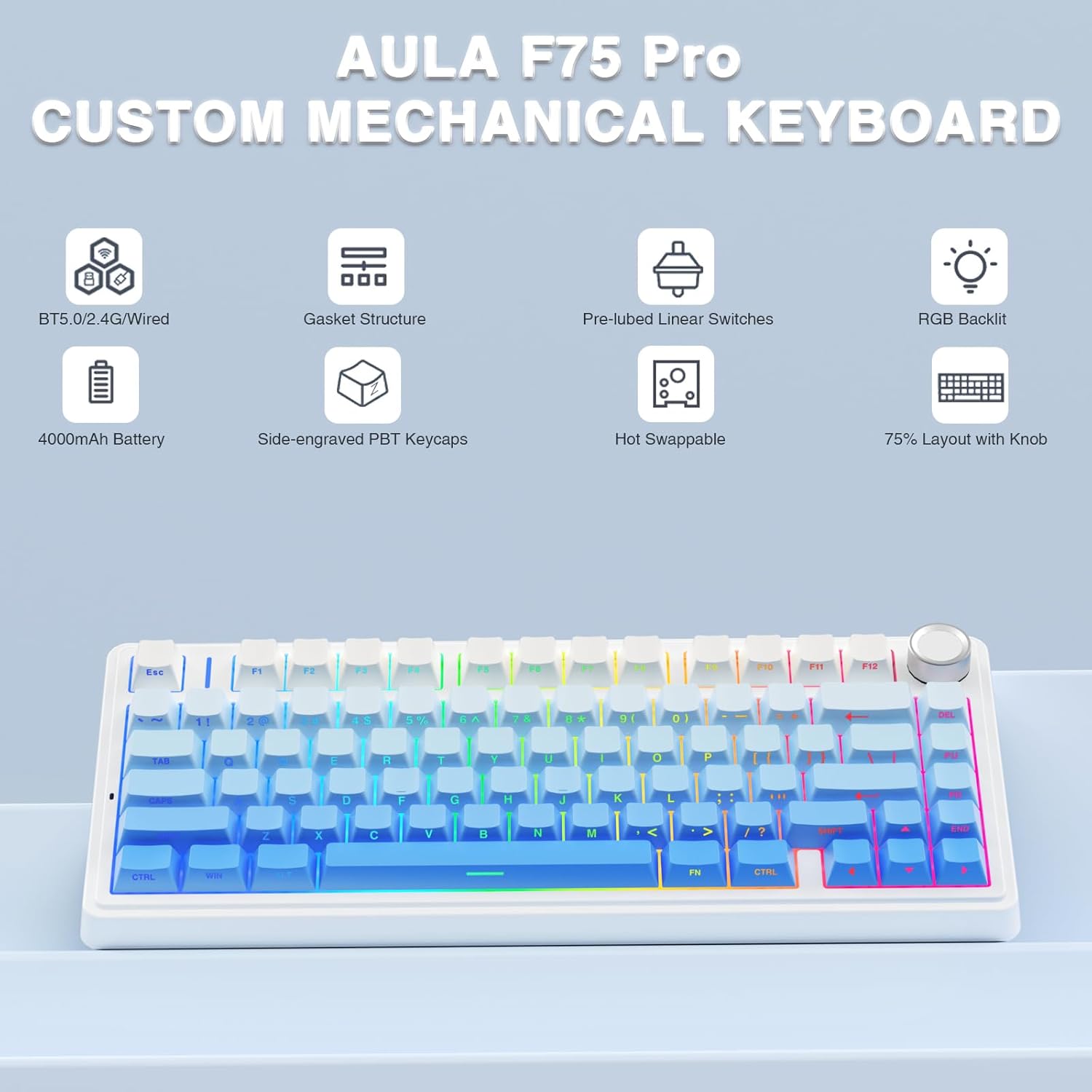
The AULA F75 Pro is a versatile 75% layout mechanical keyboard designed for gaming and productivity. It features tri-mode connectivity (Bluetooth 5.0, 2.4GHz wireless, and USB-C wired), hot-swappable switches, 16.8 million color RGB backlighting, and a multi-function control knob. This manual provides detailed instructions for setup, operation, and maintenance to ensure optimal performance.
箱の中身
- AULA F75 Pro ワイヤレスメカニカルキーボード
- キーキャップ/スイッチ プーラー x1
- USB Cケーブル×1
- Extra Leobog Star Vector Switches x 2
- ダストカバー×1
- ユーザーマニュアル
設定
接続モード
AULA F75 Pro は、次の 3 つの接続方法をサポートしています。
- 2.4GHzワイヤレス: For a stable, low-latency connection, ideal for gaming.
- Bluetooth 5.0: For wireless convenience with up to five devices.
- USB-C有線: 直接的で信頼性の高い接続と充電を実現します。
Switch between modes using the dedicated switch or shortcut keys on the keyboard. The keyboard is compatible with PC, laptops, tablets, mobile phones, PS, and XBOX.


充電
The keyboard is equipped with a 4000mAh large-capacity battery for long-lasting use. Connect the USB-C cable to the keyboard and a power source to charge. Battery life is approximately 17.5 hours with backlighting on and 266.5 hours with backlighting off.

操作手順
RGBバックライト
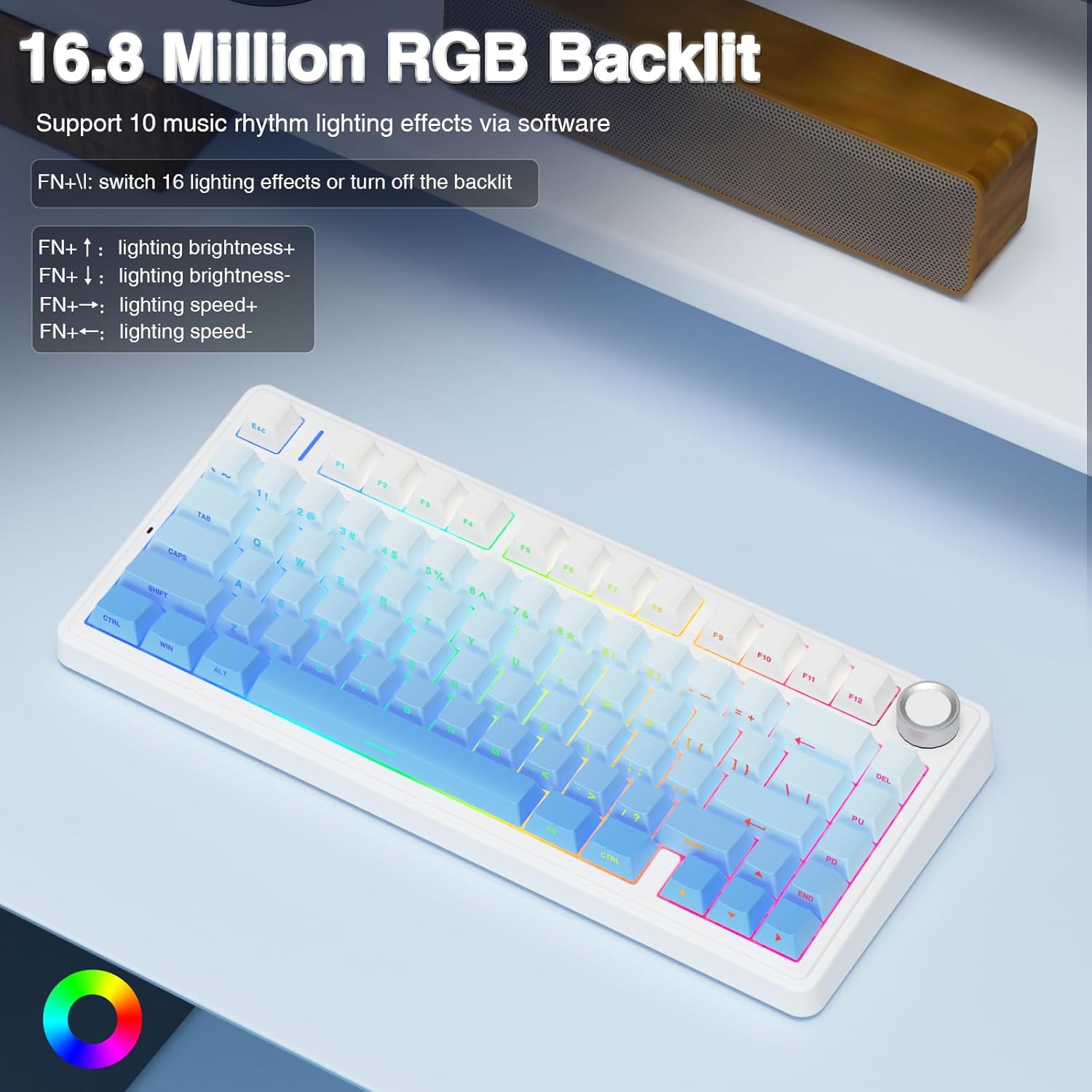
The F75 Pro features 16.8 million RGB lighting colors with 16 pre-set lighting effects. It also supports 10 music rhythm lighting effects via the driver software. Adjust lighting brightness and speed using the multi-function knob or the FN + key combination. You can also turn off the backlight if not needed.

多機能コントロールノブ
The knob allows switching between Gaming Mode and Office Mode. In Gaming Mode, rotate to adjust light brightness and click to switch lighting effects. In Office Mode, rotate to adjust volume and click to play/pause media. Long press the knob for approximately 5 seconds to switch between modes.
Custom Software and Macro Programming
Customize single keys or key combinations through the F75 driver software to enhance gaming and work efficiency. The software also supports macro recording and editing. Note: The driver software only runs under Windows system in wired mode.

メンテナンス
ホットスワップ可能なスイッチ
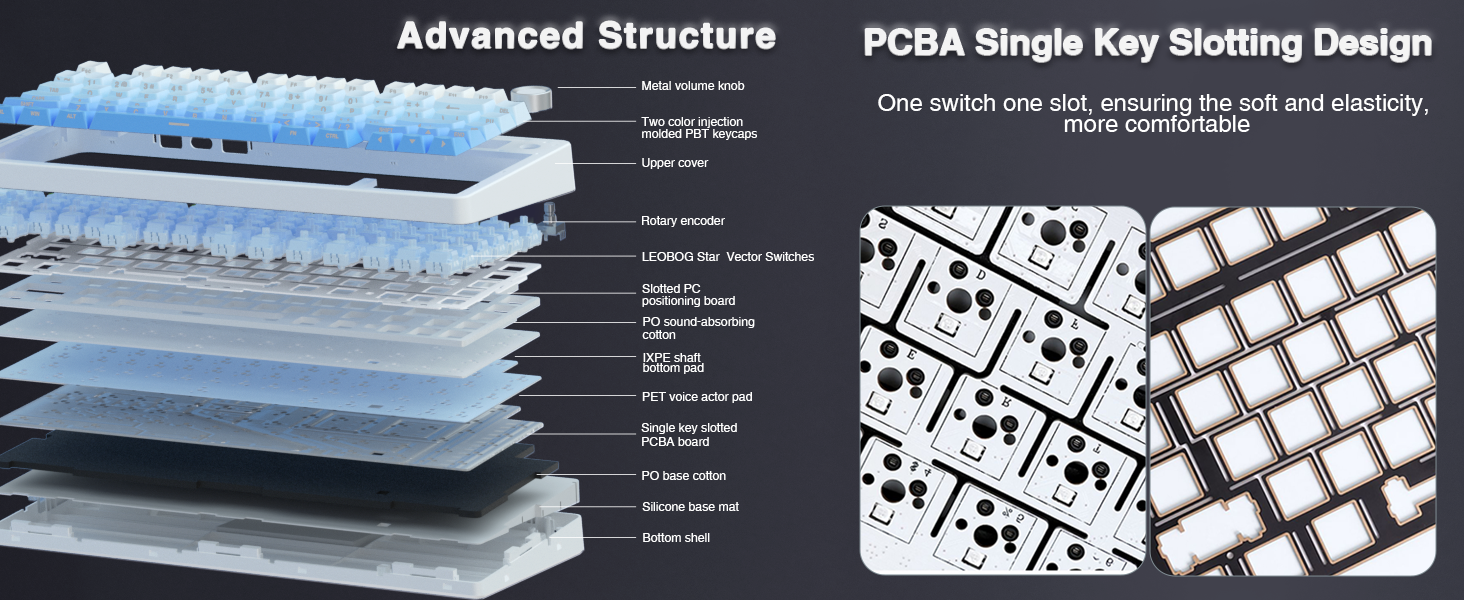
The custom mechanical keyboard features a hot-swappable base that supports both 3-pin and 5-pin switches. This allows for easy replacement and customization of switches without soldering. The keyboard comes equipped with pre-lubricated LEOBOG Star Vector switches for a smooth typing experience.

キーキャップ
The keyboard features side-printed PBT keycaps, manufactured using double injection molding and heat sublimation processes. This ensures durability, resistance to fading and sweat, and a soft touch. The design allows backlighting to shine through the fonts.

クリーニング
Regularly use the included dust cover to protect the keyboard from dust and debris. For cleaning, gently wipe the keycaps and chassis with a soft, dry cloth. Avoid using harsh chemicals or abrasive materials.
トラブルシューティング
- 接続の問題: Ensure the mode switch (2.4G, BT, Wired) is set correctly. Check battery level and charge if necessary. For 2.4GHz, ensure the USB receiver is properly inserted. For Bluetooth, ensure the keyboard is in pairing mode and visible to your device.
- RGB 照明が機能しない: Check if the backlight is turned off via the knob or FN+key combination. Ensure the keyboard is charged.
- ソフトウェア/マクロの問題: The F75 driver software requires the keyboard to be connected via USB-C wired mode and running on a Windows operating system for full functionality.
- キーが反応しない: If individual keys are not responding, try replacing the switch using the included keycap/switch puller and spare switches.
仕様
| 特徴 | 詳細 |
|---|---|
| ブランド | アウラ |
| モデル名 | F75プロ |
| 接続技術 | 2.4GHzワイヤレス、BT5.0、USB-C |
| キーボードの説明 | 機械 |
| キーの数 | 81 |
| キーボードレイアウト | QWERTY |
| スイッチタイプ | Linear (LEOBOG Star Vector Switches) |
| 特集 | Backlit (RGB), Hot-Swappable, Programmable Keys, Rechargeable, Volume Roller |
| バッテリー容量 | 4000mAh |
| キーキャップ素材 | 側面印刷PBT |
| 製品寸法 | 長さ12.7インチ x 幅5.64インチ x 高さ1.7インチ |
| アイテム重量 | 1.02キログラム |
| 対応デバイス | ゲーム機、ノートパソコン、PC、スマートフォン、タブレット |
| 対応OS | MacOS、Windows |
保証とサポート
This product comes with a 6-month warranty. For technical support, troubleshooting assistance, or warranty claims, please contact AULA customer service through their official channels or the retailer where the product was purchased. Please refer to the contact information provided in the packaging or on the official AULA webサイト。