
導入
This manual provides detailed instructions for the installation, operation, and maintenance of your aigo AF12 3-in-1 ARGB Fan Kit. Please read this manual thoroughly before use to ensure proper functionality and longevity of the product.
製品の特徴
The aigo AF12 3-in-1 ARGB Fan Kit offers efficient cooling and customizable lighting for your computer system. Key features include:
- モデル: AF123IN1-BK
- ファン数量: 120mmファン3個
- ファン速度: 800~2000 回転数(±10%)
- Fan Noise Level: ≤30dBA
- 気流: 86.6 CFM
- 静圧: 1.27mm-H²O
- Working Current (Motor): ≤0.2A (12V)
- Working Current (Light): ≤0.48A (5V)
- 寸法: 120 x 120 x 25 ミリメートル
- ARGB照明: Addressable RGB lighting for customizable effects.
パッケージ内容
以下にリストされているすべてのアイテムがパッケージに含まれていることを確認してください。
- 3 x aigo AF12 ARGB Fans
- 取り付けネジ
- ARGB Controller (if included in kit)
- Cables (Power, ARGB Sync)
インストールガイド
Follow these steps to properly install your aigo AF12 ARGB fans into your computer case.
- システムを準備する: Power off your computer and disconnect it from the power source. Open your computer case.
- 取り付け場所を特定する: Determine the desired locations for your fans (e.g., front, top, rear, bottom of the case). Ensure proper airflow direction.
- ファンを取り付ける: Position each fan in its chosen location. Use the provided mounting screws to secure the fans to the case. Ensure the fan blades are not obstructed.
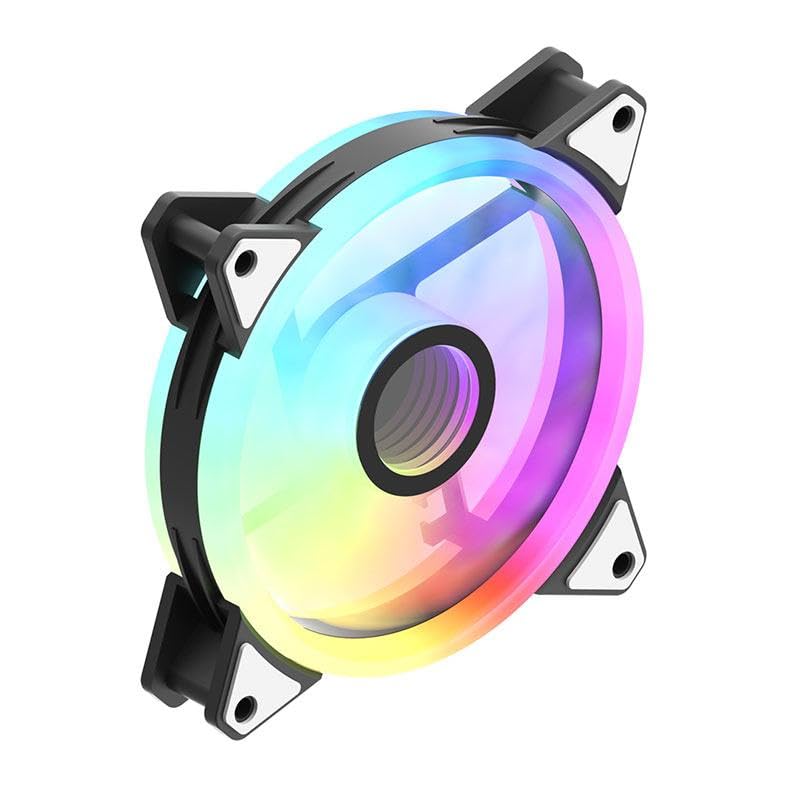
Image: An aigo AF12 fan viewed from an angle, highlighting the mounting points on its corners. This illustrates how the fan is secured.
- 電源ケーブルを接続します: Connect the 3-pin power connector from each fan to an available fan header on your motherboard or fan controller.
- ARGBケーブルを接続します。 Connect the ARGB cable from each fan to the ARGB controller (if applicable) or directly to a compatible 5V 3-pin ARGB header on your motherboard. Ensure correct pin orientation to avoid damage.
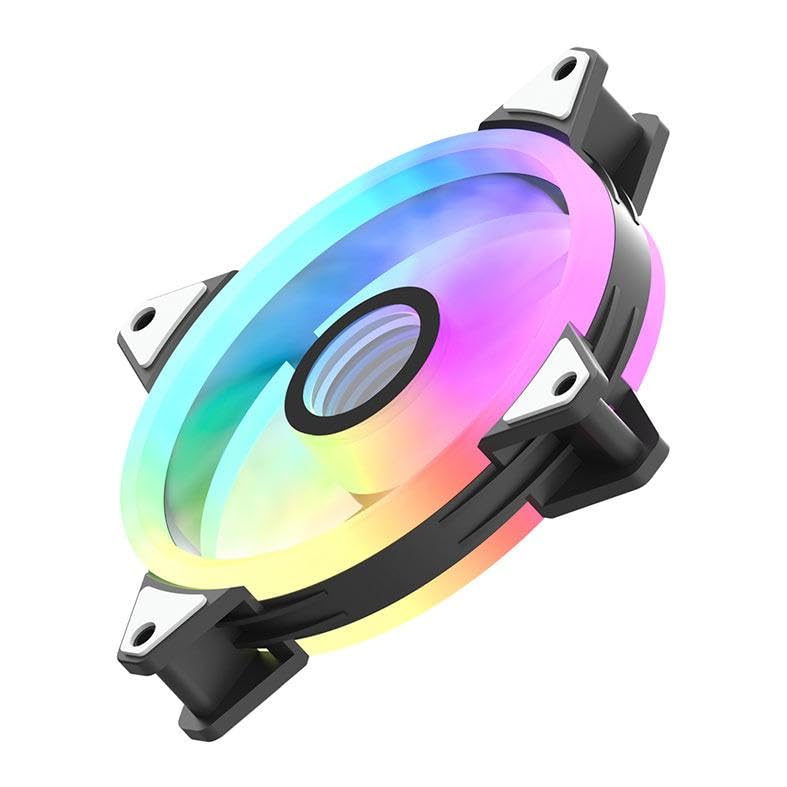
画像: 副業file of the aigo AF12 fan, illustrating the thickness and potential locations for cable connections on the frame.
- ケーブル管理 Route cables neatly to prevent interference with other components and to improve airflow.
- ケースを閉じて電源を入れます: コンピューターのケースを閉じ、電源を再接続して、システムの電源を入れます。
操作手順
Once installed, your aigo AF12 ARGB fans will operate automatically based on your system's fan control settings. The ARGB lighting can be controlled via your motherboard's software or a dedicated ARGB controller.
ファン速度制御
Fan speed can typically be adjusted through your motherboard's BIOS/UEFI settings or through fan control software provided by your motherboard manufacturer. Refer to your motherboard manual for specific instructions.
ARGB照明制御
If connected to a 5V 3-pin ARGB header on your motherboard, use your motherboard's ARGB synchronization software (e.g., ASUS Aura Sync, MSI Mystic Light Sync, GIGABYTE RGB Fusion, ASRock Polychrome Sync) to customize lighting effects, colors, and patterns.
If using a dedicated ARGB controller (often included with fan kits), refer to the controller's specific instructions for lighting adjustments.
メンテナンス
定期的なメンテナンスにより、最適なパフォーマンスが確保され、ファンの寿命が延びます。
- ダストクリーニング: 圧縮空気または柔らかいブラシを使用して、ファンブレードとハウジングの埃を定期的に除去してください。清掃前にシステムの電源を切ってください。
- ケーブルチェック: Verify that all cables are securely connected and free from damage.
- 騒音監視: Listen for unusual noises, which may indicate a fan bearing issue or obstruction.
トラブルシューティング
If you encounter issues with your aigo AF12 ARGB fans, refer to the following common solutions:
ファンが回転しない
- 電源接続を確認してください: Ensure the fan's 3-pin power connector is securely plugged into the motherboard or controller.
- BIOS設定を確認します。 Verify that fan headers are enabled in your motherboard's BIOS/UEFI settings.
- Test Another Header: Try connecting the fan to a different fan header to rule out a faulty header.
ARGBライトが動作しない
- ARGB接続を確認します: Ensure the 5V 3-pin ARGB connector is correctly and securely plugged into the motherboard or controller. Verify the pin orientation.
- ソフトウェアを確認する: マザーボードの ARGB ソフトウェアが正しくインストールされ、設定されていることを確認します。
- 互換性: Ensure your motherboard has a compatible 5V 3-pin ARGB header. This product is not compatible with 12V 4-pin RGB headers.
過度の騒音
- 障害物の確認: ケーブルやその他のコンポーネントがファンブレードに触れていないことを確認してください。
- 取り付けネジ: Verify that all mounting screws are tightened to prevent vibrations.
- ほこりの蓄積: ファンブレードのほこりを取り除いてください。
技術仕様
| 特徴 | 仕様 |
|---|---|
| ブランド | アイゴ |
| モデル | AF123IN1-BK |
| ファン数 | 3×120mm |
| ファン速度 | 800 ± 2000 ± 10% RPM |
| ファンの騒音 | ≤ 30dBA |
| 気流 | 86.6 CFM |
| 静圧 | 1.27mm-H²O |
| Working Current (Motor) | ≤ 0.2A (12V) |
| Working Current (Light) | ≤ 0.48A (5V) |
| 寸法 | 120 x 120 x 25 ミリメートル |
| 電源コネクタタイプ | 3ピン |
| 巻tage | 12ボルト |
| 冷却方法 | 空気 |
| 対応デバイス | デスクトップ |
| アイテム重量 | 10.6オンス |
保証とサポート
This aigo product comes with a 12ヶ月保証 購入日から製造上の欠陥をカバーします。
For technical support, warranty claims, or further assistance, please visit the official aigo store or contact their customer service through the details provided on their webサイト。
Official aigo Store: aigo Store on Amazon