
1. はじめに
Thank you for choosing the Anker Soundcore Boom 2 Plus Outdoor Speaker. This manual provides essential information for setting up, operating, and maintaining your device. Please read it carefully before use and retain it for future reference.

Image 1.1: Anker Soundcore Boom 2 Plus (right) and Soundcore Mini (left) speakers.
2. 安全情報
- スピーカーを極端な温度や直射日光に長時間さらさないでください。
- スピーカーを落としたり、強い衝撃を与えたりしないでください。
- スピーカーには磁石が含まれているため、医療機器から遠ざけてください。
- Use only certified chargers and cables for charging.
- Ensure all port covers are securely closed when near water to maintain water resistance.
3. パッケージ内容
パッケージにすべてのアイテムが含まれていることを確認します。
- Soundcore Boom 2 Plus Outdoor Speaker
- USB-C-USB-C充電ケーブル
- ショルダーストラップ
- クイックスタートガイド(本書)
4.製品オーバーview
The Soundcore Boom 2 Plus features a robust design with integrated controls and ports for versatile use.
4.1. コンポーネントとコントロール

Image 4.1: Internal speaker components including dual 50W woofers, dual 20W tweeters, and passive radiators with light show.
- キャリーハンドル: 持ち運びに便利です。
- スピーカーグリル: Protects the main drivers.
- Passive Radiators with Light Show: Located on both ends, providing enhanced bass and customizable RGB lighting.
- コントロールボタン(トップパネル): Power, Bluetooth, Volume Up/Down, Play/Pause, BassUp, Light Mode, PartyCast.
- Rubberized Port Cover (Rear): Protects charging and auxiliary ports.

Image 4.2: Rear ports including USB-C for charging, USB-A for power bank function, and AUX input.
- USB-C充電ポート: スピーカーの充電用。
- USB-A 出力ポート: 他のデバイスを充電するためのパワーバンクとして機能します。
- AUX入力: 有線オーディオ接続用。
5. セットアップ
5.1.スピーカーの充電
Before first use, fully charge your Soundcore Boom 2 Plus. Connect the provided USB-C cable to the speaker's USB-C port and a compatible 30W charger (not included). A full charge takes approximately 3 hours.
5.2.Bluetoothペアリング
- Power on the speaker by pressing the Power button. The Bluetooth indicator will flash blue.
- On your mobile device, enable Bluetooth and search for 'Soundcore Boom 2 Plus'.
- Select the speaker to pair. Once connected, the Bluetooth indicator will turn solid blue.
5.3. PartyCast (Connecting Multiple Speakers)
To connect multiple Soundcore PartyCast-compatible speakers for synchronized audio:
- Connect one Soundcore Boom 2 Plus speaker to your device via Bluetooth (this will be the primary speaker).
- Power on the secondary Soundcore PartyCast-compatible speakers.
- On the primary speaker, press the PartyCast button. The PartyCast indicator will flash white.
- On the secondary speakers, press the PartyCast button. They will automatically connect to the primary speaker.
5.4.Soundcoreアプリ
Download the Soundcore app from your device's app store to unlock additional features and customization options, including:
- Equalizer settings for personalized audio.
- Customizing light effects and brightness.
- Checking battery status.
- ファームウェアの更新。
6.運用
6.1. 電源のオン/オフ
- を押す 電源ボタン 一度押すとスピーカーがオンになります。
- を押し続けます 電源ボタン スピーカーをオフにするために2秒間。
6.2. 音量コントロール
- を押す 音量アップ(+)ボタン 音量を上げる。
- を押す 音量ダウン(-)ボタン 音量を下げる。
6.3. 再生コントロール
- を押す 再生/一時停止ボタン 音楽を再生または一時停止するには XNUMX 回。
- を2回押します 再生/一時停止ボタン 次のトラックにスキップします。
- を XNUMX 回押します。 再生/一時停止ボタン 前のトラックに戻ります。
6.4. BassUp 2.0 Feature
Activate BassUp 2.0 for enhanced bass performance. This feature boosts output from 100W to 140W max.
- を押す BassUp button once to toggle BassUp 2.0 on or off.

Image 6.1: Experience powerful bass with BassUp 2.0 technology.

Image 6.2: Engineered for robust bass and powerful sound.
6.5.ライトモード
The Soundcore Boom 2 Plus features beat-synced colorful light shows on its passive radiators.
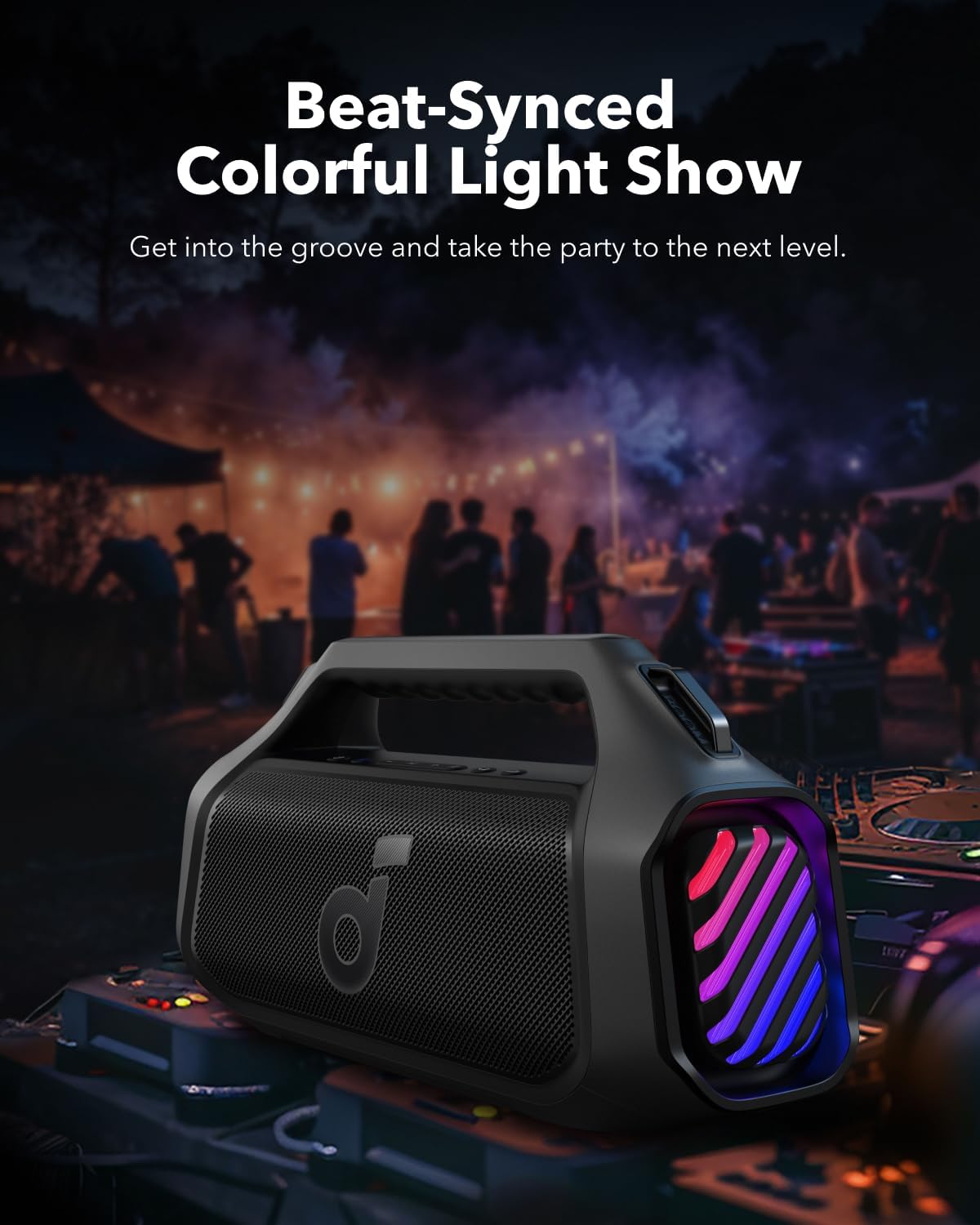
Image 6.3: Beat-synced colorful light show enhances the listening experience.
- を押す ライトボタン once to cycle through different light modes.
- を2回押します ライトボタン ライトを消します。
6.6. パワーバンク機能
The speaker can charge other devices via its built-in power bank function.
- Connect your device to the speaker's USB-A output port using a compatible cable.
- The speaker will provide a 10W charge to your device.
6.7. 耐水性
The Soundcore Boom 2 Plus is designed with IPX7 water resistance, making it suitable for outdoor use and protection against submersion in water up to 1 meter for 30 minutes. Ensure the rubberized port cover is securely closed before exposure to water.
7. メンテナンス
7.1. 清掃
- ソフトでスピーカーを拭きます、damp 布。
- Do not use any corrosive cleaners or chemicals.
- Ensure the speaker is completely dry before charging or using ports.
7.2. ストレージ
- スピーカーは、極端な温度を避け、涼しく乾燥した場所に保管してください。
- If storing for an extended period, charge the battery every 3 months to prolong its lifespan.
8。 トラブルシューティング
- 電源なし: スピーカーが充電されていることを確認してください。電源に接続してもう一度お試しください。
- Bluetoothをペアリングできません: Make sure the speaker is in pairing mode (Bluetooth indicator flashing blue). Check your device's Bluetooth settings and try reconnecting. If issues persist, try forgetting the device on your phone and re-pairing.
- 音質が悪い: Ensure the speaker is within Bluetooth range (up to 10 meters/33 feet). Check for obstructions between the speaker and your device. Adjust the equalizer settings in the Soundcore app.
- ライトが点灯しない: Check the light mode settings via the Light button or the Soundcore app. Ensure the battery level is sufficient.
- PartyCast Not Connecting: Ensure all speakers are Soundcore PartyCast-compatible. Follow the PartyCast pairing instructions carefully.
9. 仕様
| 特徴 | 仕様 |
|---|---|
| モデル名 | ブーム2プラス |
| スピーカータイプ | 屋外 |
| スピーカー最大出力 | 140ワット |
| サラウンドサウンドチャンネル構成 | 2.2 |
| 無線通信技術 | ブルートゥース |
| 電源 | 電池駆動 |
| バッテリー再生時間 | Up to 20 Hours (Varies with volume and content) |
| 充電時間 | 3時間(30W充電器使用時) |
| パワーバンク出力 | 10W |
| 防水等級 | IPX7 |
| 制御方法 | 触る |
| 材料 | 金属、プラスチック |
10. 保証とサポート
Ankerは本製品に限定保証を提供しています。保証に関する詳細は、パッケージに同梱されている保証書またはAnker公式サイトをご覧ください。 webサイト。
10.1. カスタマーサポート
If you encounter any issues or have questions regarding your Soundcore Boom 2 Plus, please contact Anker customer support through:
- The Soundcore App
- The official Anker website support section
- Email or phone support (details available on the Anker web地点)