
1. はじめに
Thank you for choosing the MECHEN H1-Pro Bluetooth MP3 Player with WiFi. This device is designed to provide a versatile and enjoyable audio and video experience. Featuring a 4-inch touchscreen and running on Android 9.0, it supports various applications and connectivity options. This manual provides essential information for setting up, operating, and maintaining your device.
2. パッケージ内容
下記のすべての品目がパッケージに含まれていることをご確認ください。不足または破損している品目がある場合は、カスタマーサポートまでご連絡ください。
- MECHEN H1-Pro MP3 Player
- USBケーブル
- ヘッドフォン
- 保護フィルム
- 保護ケース
- ユーザーマニュアル

Image: The MECHEN H1-Pro MP3 Player displayed with its accessories, including a USB cable, headphones, protective film, and a clear protective case.
3.デバイスオーバーview
Familiarize yourself with the physical components and controls of your MECHEN H1-Pro MP3 Player.
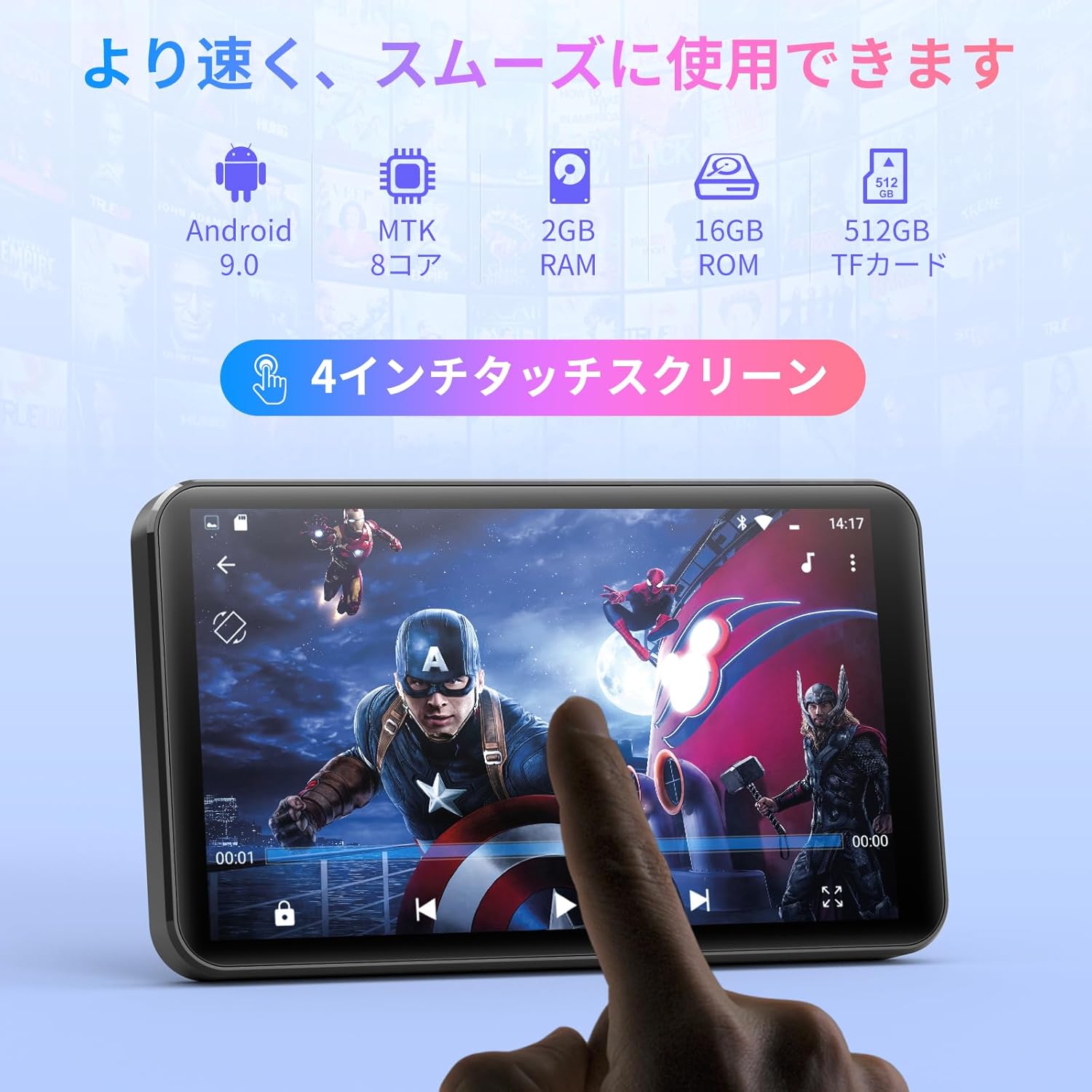
画像: 正面 view of the MECHEN H1-Pro MP3 Player, showcasin4インチのタッチスクリーンディスプレイを搭載。

画像: サイド view of the MECHEN H1-Pro MP3 Player, highlighting the power button and volume controls.
画像: 上部と下部 views of the MECHEN H1-Pro MP3 Player, illustrating the USB-C charging port, headphone jack, and Micro SD card slot.
4. セットアップ
4.1 初期充電
Before first use, fully charge the device. Connect the provided USB cable to the player's USB-C port and the other end to a USB power adapter (not included) or a computer's USB port. The charging indicator will show the charging status.
4.2 電源オン/オフ
- 電源を入れるには: 画面が点灯するまで、デバイスの側面にある電源ボタンを押し続けます。
- 電源を切るには: Press and hold the Power button until a power-off menu appears on the screen. Select 'Power Off' to shut down the device.
4.3 Wi-Fiへの接続
オンライン機能にアクセスし、アプリをダウンロードするには、デバイスを Wi-Fi ネットワークに接続します。
- へ移動 設定 > ネットワークとインターネット > Wi-Fi.
- Wi-Fiの切り替え On.
- リストから希望の Wi-Fi ネットワークを選択します。
- パスワードを求められた場合は入力し、タップします 接続する.

Image: The MECHEN H1-Pro MP3 Player screen showing Wi-Fi settings and available networks.
4.4マイクロSDカードの挿入
The device supports Micro SD cards for expanded storage. Locate the Micro SD card slot on the side of the device. Gently insert the card with the gold contacts facing down until it clicks into place.
5. 操作手順
5.1 基本的なナビゲーション(タッチスクリーン)
The MECHEN H1-Pro features a responsive 4-inch touchscreen. Use standard touch gestures:
- タップ: 項目を選択したり、アプリを開いたりします。
- スワイプ: リストをスクロールしたり、画面を切り替えたりします。
- ピンチ: To zoom in or out (in supported applications).
5.2音楽の再生
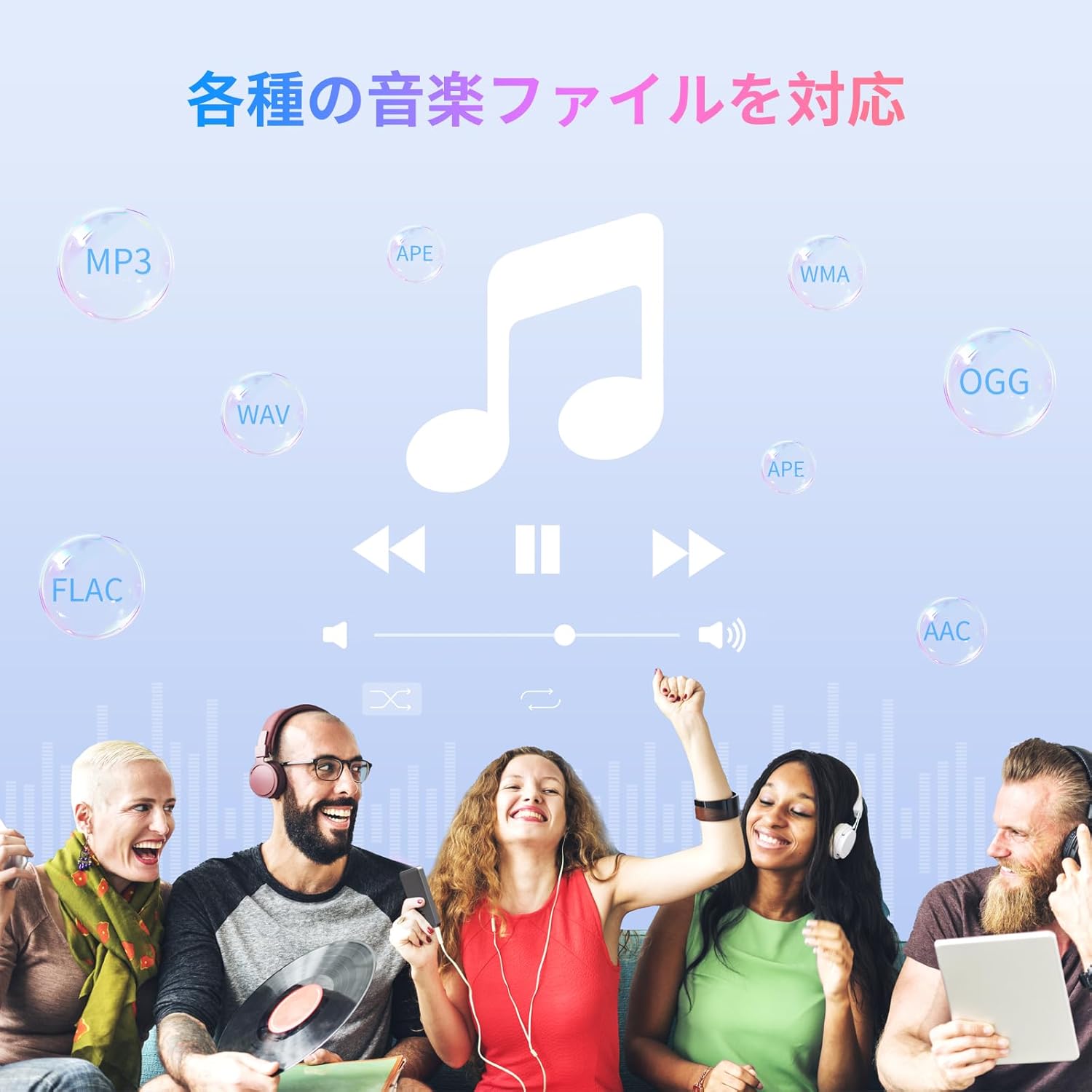
The device supports various audio formats including MP3, WAV, WMA, APE, OGG, and FLAC for high-fidelity music playback.
- 開く 音楽 応用。
- アーティスト、アルバム、曲、プレイリスト別に音楽ライブラリを閲覧します。
- 曲をタップすると再生が始まります。
- 再生/一時停止、トラックのスキップ、音量調整には画面上のコントロールを使用します。

Image: The MECHEN H1-Pro MP3 Player screen showing a music playback interface with album art and controls.
5.3ビデオ再生
Enjoy 720P/1080P full-format HD video playback without conversion. Supported formats include RM, RMVB, FLV, MP4, DAT, MKV, MPG, MOV, TS, etc.
- 開く ビデオプレーヤー 応用。
- 動画を選択 file ストレージから。
- Tap to play. Use on-screen controls for playback options.

Image: The MECHEN H1-Pro MP3 Player screen showing a video playing in full-screen mode.
5.4 Bluetooth接続
Bluetooth ヘッドフォン、スピーカー、またはその他の互換性のあるデバイスに接続します。
- へ移動 設定 > 接続されたデバイス > ブルートゥース.
- Bluetoothを切り替える On.
- Bluetooth アクセサリがペアリング モードになっていることを確認します。
- ペアリング可能なデバイスのリストからアクセサリを選択します。

Image: The MECHEN H1-Pro MP3 Player shown alongside a pair of wireless headphones, indicating Bluetooth connectivity.
5.5 Wi-Fi Connectivity & App Downloads
With Android 9.0 and Wi-Fi, you can download and install various applications from the Google Play Store.
- デバイスが Wi-Fi に接続されていることを確認します (セクション 4.3 を参照)。
- 開く Playストア 応用。
- Google アカウントでサインインします。
- 検索する and download desired applications (e.g., Spotify, Amazon Music, Audible).

Image: The MECHEN H1-Pro MP3 Player screen showing a variety of installed applications, including music streaming services and web ブラウザ。
5.6FMラジオ
お気に入りの FM ラジオ局を聴きます。
- 有線ヘッドフォンを 3.5 mm オーディオ ジャックに接続します。有線ヘッドフォンはアンテナとして機能します。
- 開く FMラジオ 応用。
- Use the on-screen controls to scan for stations or tune manually.
5.7 File 管理
組み込みの file マネージャーがあなたの files on internal storage and the Micro SD card.
- 開く File マネージャー 応用。
- Navigate through folders to view, copy, move, or delete files.
6. メンテナンス
6.1 クリーニング
柔らかく乾いた、糸くずの出ない布でデバイスを拭いてください。液体クリーナーや研磨剤は使用しないでください。
6.2 ストレージ
デバイスは、直射日光や極端な温度を避け、涼しく乾燥した場所に保管してください。長期間保管する場合は、バッテリーの寿命を延ばすため、バッテリーが部分的に(約50%)充電されていることを確認してください。
6.3バッテリーケア
To maximize battery life, avoid fully discharging the battery frequently. Use the original charging cable for optimal performance.
7。 トラブルシューティング
| 問題 | 考えられる解決策 |
|---|---|
| デバイスの電源が入りません。 | Ensure the battery is charged. Connect to a charger for at least 30 minutes. If unresponsive, perform a hard reset by holding the power button for 10-15 seconds. |
| Wi-Fiに接続できません。 | Check if Wi-Fi is enabled. Verify the Wi-Fi password. Restart your router and the MP3 player. |
| Bluetoothデバイスがペアリングされていません。 | Ensure Bluetooth is enabled on both devices and the accessory is in pairing mode. Move devices closer together. |
| アプリが遅くなったりクラッシュしたりします。 | Close unnecessary background apps. Clear app cache (Settings > Apps > [App Name] > Storage > Clear Cache). Restart the device. Too many apps can lead to slowdowns. |
| ヘッドホンから音が出ません。 | ヘッドホンの接続を確認してください。音量がミュートされていないか、低すぎないか確認してください。別のヘッドホンでテストしてみてください。 |
8. 仕様
| 特徴 | 詳細 |
|---|---|
| ブランド | メヘン |
| モデル名 | H1-Pro (EU-H11) |
| オペレーティング·システム | アンドロイド9.0 |
| プロセッサ | MTK 8コア |
| ラム | 2ギガバイト |
| 内部ストレージ | 16ギガバイト |
| 拡張可能なストレージ | マイクロSD(最大512GB) |
| 画面サイズ | 4インチ |
| スクリーン技術 | 液晶 |
| 接続性 | Bluetooth、USB、Wi-Fi |
| 特集 | FM Radio, Equalizer, Video Playback |
| サポートされているオーディオ形式 | MP3, WAV, WMA, APE, OGG, FLAC |
| サポートされているビデオ形式 | RM、RMVB、FLV、MP4、DAT、MKV、MPG、MOV、TS など。 |
| バッテリー容量 | 2000mAh |
| バッテリー寿命(音楽) | 最大50時間 |
| バッテリー寿命(ビデオ) | 最大8時間 |
| 寸法(D x W x H) | 10.5 x 6.2 x 1.2 cm(4.14 x 2.44 x 0.46インチ) |
| アイテム重量 | 97.5グラム(3.45オンス) |

Image: The MECHEN H1-Pro MP3 Player shown with its physical dimensions and weight specifications.
9. 保証とサポート
保証情報およびテクニカルサポートについては、パッケージに同梱されている保証書を参照するか、公式MECHENをご覧ください。 webサイトでご確認ください。保証請求の際は購入証明として領収書を保管してください。