
1. はじめにview
The Holoswim 2PRO Smart Swimming Goggles are designed to enhance your swimming experience with advanced technology. These goggles provide real-time data monitoring directly in your field of vision, eliminating the need to stop and check external devices. They feature AI-powered data analysis, advanced anti-fog technology, and robust waterproofing, making them suitable for both pool and open water environments.
主な機能は次のとおりです。
- リアルタイムデータ検出: Utilizes holographic resin optical waveguide technology and an AR optical module to display swim time, speed, distance, and laps directly in front of your eyes. No subscription is required for this feature.
- AIデータ分析: Equipped with IMU sensors to intelligently identify strokes and record segmented data. The Holosport APP synchronizes data and analyzes 12 metrics, including swim length, distance, speed, heart rate, stroke rate, and SWOLF score, to help optimize your training.
- Optical Waveguide Technology and TUV Anti-fog Certification: Ensures high-definition viewing and resistance to seawater corrosion. The lenses maintain clarity even after extensive use.
- IPX8防水等級: Provides excellent water resistance for various aquatic activities.
- Open Water Swimming Support: Connects with Apple Watch or Garmin Watch to track distance, time, and heart rate in open water, enhancing safety and performance monitoring.
2. セットアップ
2.1 開梱とコンポーネント
パッケージを開封したら、すべてのコンポーネントが揃っていることを確認してください。
- Holoswim Smart Swimming Goggles (1 unit)
- マグネット充電ケーブル(1本)
- 保護ケース(1個)
- Interchangeable Nose Bridges (9 units)

Image: Holoswim 2PRO Smart Swimming Goggles and included accessories, including the magnetic charging cable, protective case, and multiple nose bridges.

画像: クローズアップ view of the Holoswim 2PRO Smart Swimming Goggles, highlighting the interchangeable nose bridges for a customized fit.
2.2 Adjusting the Goggles
Select the appropriate nose bridge from the 9 included options to ensure a comfortable and secure fit. The nose bridges are designed for quick and easy interchangeability. Adjust the silicone strap for a snug fit around your head, preventing water leakage without causing discomfort.
2.3 アプリのインストールとペアリング
To utilize the full features of your Holoswim 2PRO goggles, download and install the Holosport app on your smartphone. The app is available for both iOS and Android devices.
2.3.1 Pairing with Garmin Watch
- Ensure your Holoswim goggles are charged and powered on.
- Open the Holosport app on your smartphone.
- アプリ内のデバイスのペアリングセクションに移動します。
- The Holoswim plugin is found in the Garmin Connect IQ app. Install it.
- Configure the connection between your Garmin watch and the goggles.
- Enable open water mode in the goggles and on your Garmin watch.
- Begin using after successful pairing.

Image: Visual guide detailing the steps to pair Holoswim goggles with a Garmin device, showing app interfaces and connection prompts.
2.3.2 Pairing with Apple Watch
- Before setup, ensure the Holosport app is installed and the goggles are connected to the app.
- Open your phone's settings and find "Health". Activate all data sources for the Holosport app.
- Open the Apple Watch app on your phone and install Holosport. Wait a few minutes for installation to complete.
- Open the Holosport app. Press "External Device" then "Apple Watch +".
- Activate location services.
- Return to the connection settings page in the Holosport app and click "Complete".
- To use, select "Open Water Swim" mode in the Holoswim goggles.
- Open the Holosport app on your Apple Watch and press "Open Water Swim", then press "start".
- To pause, long-press the settings button. Two icons will appear: Pause and Exit.

Image: Visual guide detailing the steps to set up Holoswim goggles with an Apple Watch, showing app interfaces and health permissions.
3. 操作手順
3.1 リアルタイムデータ表示
The Holoswim 2PRO goggles project real-time swimming metrics directly onto the lens, allowing you to monitor your performance without interrupting your swim. Data such as distance, time, and speed are visible through the AR display.
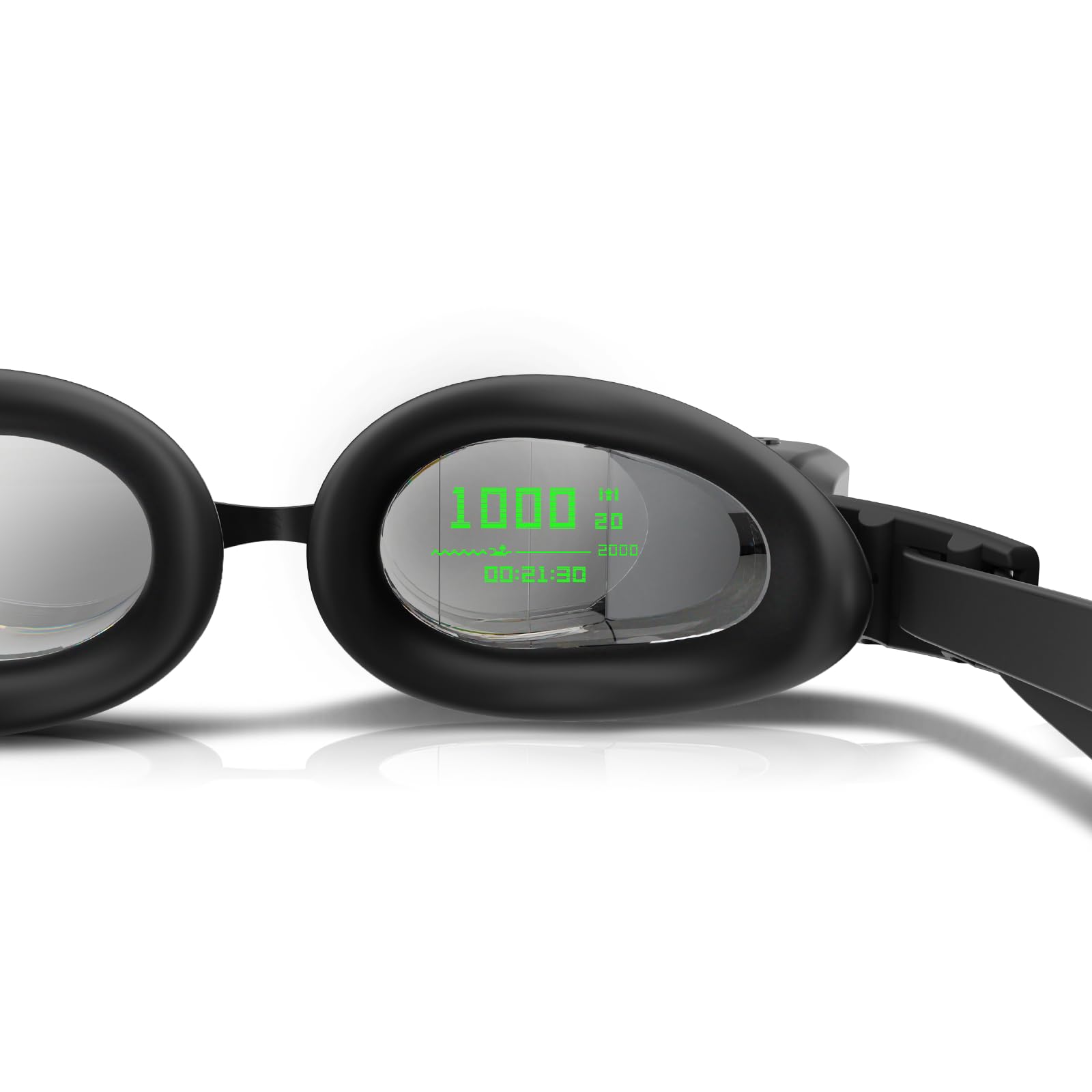
Image: Holoswim 2PRO Smart Swimming Goggles displaying real-time data on the lens, alongside a smartphone app showing detailed swimming analytics and AI data analysis options.
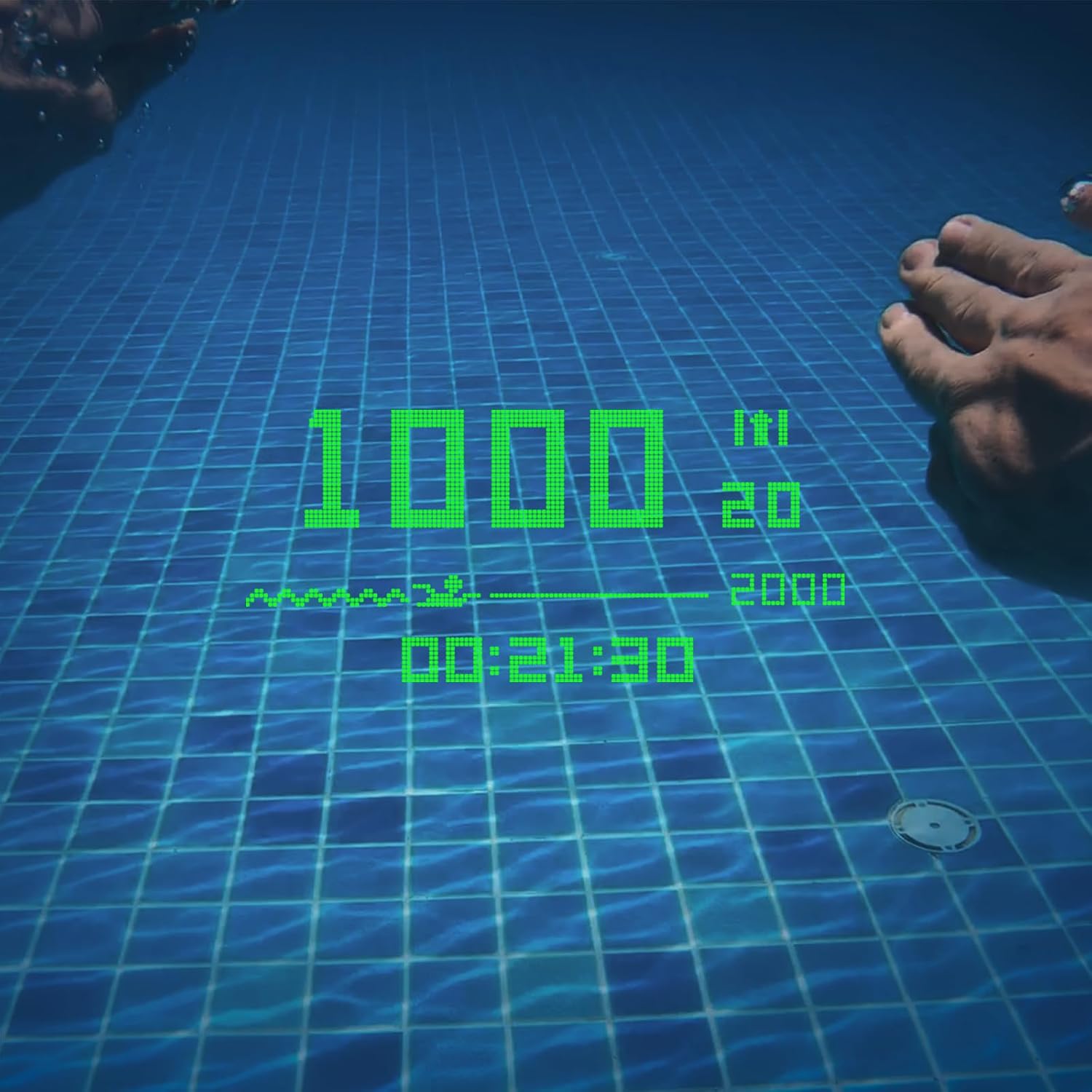
Image: An underwater perspective showcasing the augmented reality display of the Holoswim 2PRO goggles, projecting '1000m' and '00:21:30' directly onto the pool floor for real-time tracking.
3.2 AI Data Analysis
The Holosport app provides comprehensive AI-powered analysis of your swimming data. After each swim, synchronize your goggles with the app to review detailed metrics, identify stroke patterns, and gain insights to improve your technique and performance.
Image: A swimmer in the pool, with a smartphone screen overlayed showing detailed swimming data analysis from the Holosport app, including pace, distance, and stroke frequency.

Image: A swimmer performing a freestyle stroke, accompanied by a graphic illustrating the high data accuracy and algorithm recognition capabilities of the Holoswim 2PRO for various swimming metrics.
3.3 Training Plans
The Holosport app offers built-in training plans tailored for various goals, including fitness, daily practice, speed training, and rehabilitation. Select a plan with a single click and synchronize it with your goggles for guided workouts.

Image: A collage of four images illustrating different built-in training plans available through the Holoswim goggles: fitness and fat loss, daily practice, speed training, and rehabilitation training.
3.4 オープンウォーターモード
For open water swimming, connect your Holoswim 2PRO goggles to a compatible Apple Watch or Garmin Watch. This enables GPS tracking to monitor your distance, time, and heart rate in natural bodies of water, providing an added layer of safety and performance data.

Image: A swimmer in open water wearing Holoswim goggles and a smartwatch, illustrating the open water tracking capabilities and connectivity with external devices.
4. メンテナンス
4.1 清掃と保管
After each use, remove the goggles from the water and air dry them completely. Avoid wiping the inner surface of the lenses to preserve the anti-fog coating. Store the goggles in their protective case to prevent scratches and damage.
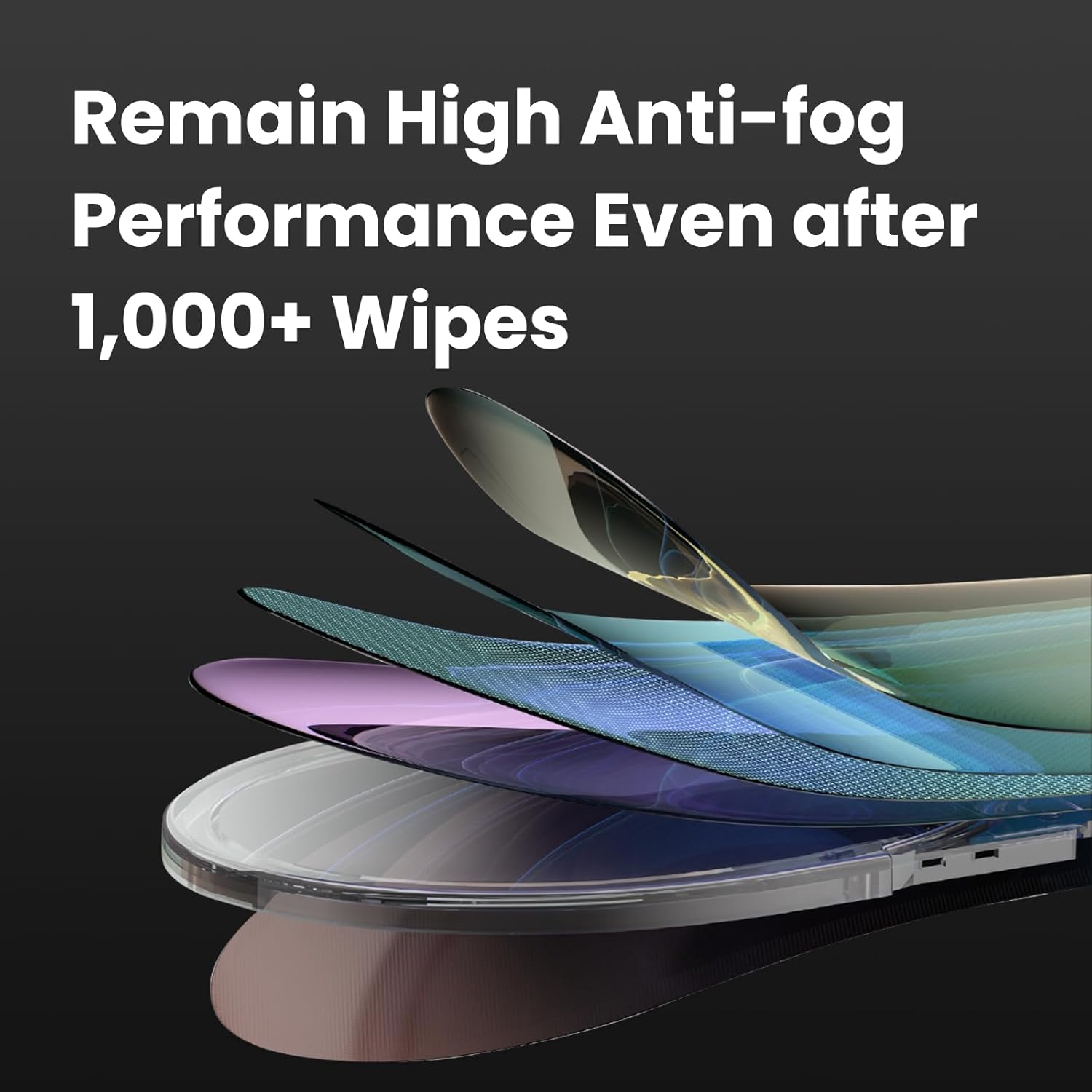
画像: 爆発した view of the Holoswim goggle lens layers, illustrating the multi-layer anti-fog technology designed to maintain high performance even after over 1,000 wipes.
5。 トラブルシューティング
If you encounter any issues with your Holoswim 2PRO Smart Swimming Goggles, please refer to the following general troubleshooting tips:
- ディスプレイ/電源なし: Ensure the goggles are fully charged using the magnetic charging cable.
- 接続の問題: Verify Bluetooth is enabled on your smartphone and watch. Ensure the Holosport app is updated to the latest version. Try restarting both the goggles and your connected devices.
- 不正確なデータ: Confirm that the goggles are properly fitted and the pool length setting in the app is correct. For open water, ensure a stable connection to your Apple Watch or Garmin Watch and clear GPS signal.
- かぶり: While the goggles feature advanced anti-fog technology, prolonged use or improper cleaning can affect performance. Rinse gently with clean water and air dry. Avoid rubbing the inner lens surface.
問題が解決しない場合は、カスタマー サポートにお問い合わせください。
6. 仕様
| 特徴 | 詳細 |
|---|---|
| モデル番号 | 2プロ |
| 寸法 | 15 x 5 x 5 cm |
| 重さ | 90グラム |
| 電池のタイプ | リチウムポリマー(1個必要、付属) |
| 耐水性レベル | IPX8(防水) |
| 接続性 | ブルートゥース |
| 対応デバイス | Smartphones, Apple Watch, Garmin Watch |
| 表示サイズ | 2インチ |
| 材料 | プラスチック |
| Anti-fog Technology | TUV Certified Nano Anti-fog |
| 原産国 | 中国 |

Image: A comparison table outlining the features and differences between the Holoswim 2 Pro (Professional Edition) and Holoswim 2s (Standard Edition) models.
7. 保証とサポート
7.1製品保証
The Holoswim 2PRO Smart Swimming Goggles come with a 1年間のメーカー保証 購入日から。この保証は通常の使用における材料および製造上の欠陥をカバーします。
7.2 返品と返金
If you wish to return a product within 30 days of receipt due to a change of mind, please consult the retailer's help page for their return policy. If you have received a defective or damaged product, please consult the retailer's help page for information on how to proceed. For specific information on purchases made on a marketplace, refer to the marketplace's help page.
7.3 カスタマーサポート
For technical assistance, warranty claims, or any other inquiries, please contact Holoswim customer support:
- メールアドレス: service2@holoswim.com