
LEMNOI SG7
LEMNOI SG7 Educational Day/Night Alarm Clock - User Manual
Model: SG7 (Rabbit)
導入
Thank you for choosing the LEMNOI SG7 Educational Day/Night Alarm Clock. This device is designed to assist children in developing healthy sleep habits through visual cues, gentle alarms, and a comforting night light. Please read this manual carefully to ensure proper use and maintenance of your new alarm clock.

画像: 正面 view of the LEMNOI SG7 Educational Day/Night Alarm Clock, Rabbit Model, displaying time and temperature.
主な特徴
- Day/Night Educational Function: Visual cues (sun/moon icons, green/blue light) to indicate wake-up and sleep times.
- Musical Alarm: 7 musical alarm options for a gentle wake-up.
- Digital Display & Temperature Monitor: 12/24-hour format, F/C temperature conversion. Screen activates with sound or touch.
- デュアルアラーム&スヌーズ機能: Two customizable alarms with a 9-minute snooze, repeatable up to 3 times.
- 5色のナイトライト: Functions as a wake-up light, multi-color night light, or room clock.
- USB-C充電式: 2000mAhリチウム電池内蔵。
設定
1. 初期充電
Before first use, fully charge the alarm clock using the provided USB-C cable. Connect the cable to the device and a compatible USB power adapter (not included). The charging indicator will show status. A full charge typically takes approximately 3 hours.

Image: The alarm clock connected to a power source via a USB-C cable for charging.
2. Button Overview
Familiarize yourself with the buttons located on the back of the device:
- アラーム1 / アラーム2: Set and activate individual alarms.
- 時間: Adjust current time and date.
- SUN/MOON: Configure day/night educational settings.
- ボリューム+/-: Adjust alarm and sound volume.
- °C /°F: Switch temperature display unit.
- SOUND & LIGHT: Select alarm sounds and light colors.
- オン/オフ/ライト: Power on/off, activate/deactivate screen light.
Video: A demonstration of the buttons on the back of the LEMNOI SG7 alarm clock and their functions.
操作手順
1.時間を設定する
- を押し続けます 時間 button for 3 seconds. The hour display will flash.
- 使用 ボリューム+/- 時間を調整するボタン。
- プレス 時間 again to switch to minute adjustment. Use ボリューム+/- 分を設定します。
- プレス 時間 確認して終了します。
2. Setting Alarms (ALARM 1 / ALARM 2)
- どちらかを押し続けます アラーム1 or アラーム2 button for 3 seconds. The hour display will flash.
- 使用 ボリューム+/- 希望するアラーム時間を設定します。
- それぞれの アラーム button again to switch to minute adjustment. Use ボリューム+/- 分を設定します。
- を押す アラーム button to select the alarm sound (7 options available).
- を押す アラーム button to select the alarm days (e.g., Mon-Fri, Sat-Sun, or all days).
- を押す アラーム button to confirm and activate the alarm. An alarm icon will appear on the display.
To activate the snooze function when an alarm sounds, press the スヌーズ button on top of the clock. The alarm will pause for 9 minutes and sound again. This can be repeated up to 3 times.

Image: A child sleeping with the alarm clock on a bedside table, illustrating the snooze function.
3. Day/Night Educational Settings
This feature uses visual cues to help children understand when it's time to wake up or sleep.
- を押し続けます 太陽/月 button for 3 seconds. The wake-up time hour will flash.
- 使用 ボリューム+/- to set the desired wake-up hour.
- プレス 太陽/月 again to set wake-up minutes.
- プレス 太陽/月 again to set the sleep time hour.
- プレス 太陽/月 again to set sleep minutes.
- プレス 太陽/月 確認します。
When the set wake-up time approaches, the clock will display a green light and sun icon. For sleep time, a blue light and moon icon will appear.
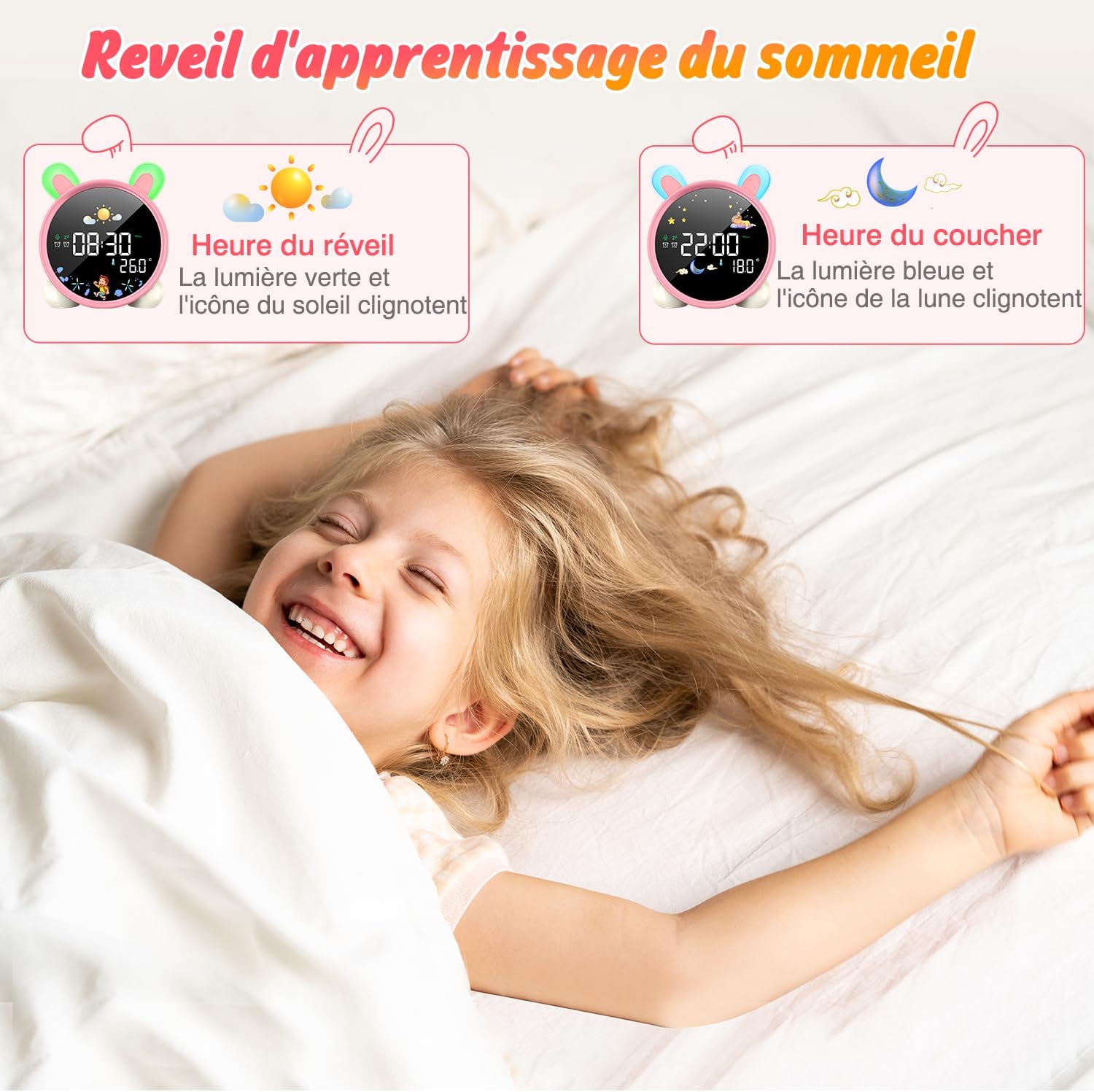
Image: The alarm clock displaying green light and sun icon for wake-up time, and blue light with moon icon for sleep time.
4. ナイトライト機能
The alarm clock features a 5-color night light. To adjust:
- を押す オン/オフ/ライト button to cycle through the 5 colors.
- 押し続ける オン/オフ/ライト 明るさレベルを調整します。

Image: The alarm clock displaying various night light colors (yellow, blue, purple, white, gradient).
5.温度表示
The clock displays ambient temperature. Press the °C /°F 摂氏と華氏を切り替えるボタン。
Video: A demonstration of switching between Celsius and Fahrenheit temperature display on the alarm clock.
6. Sound-Activated Screen
The screen can be activated by sound or touch. When the screen is off, a light tap or sound will illuminate it for 20 seconds.
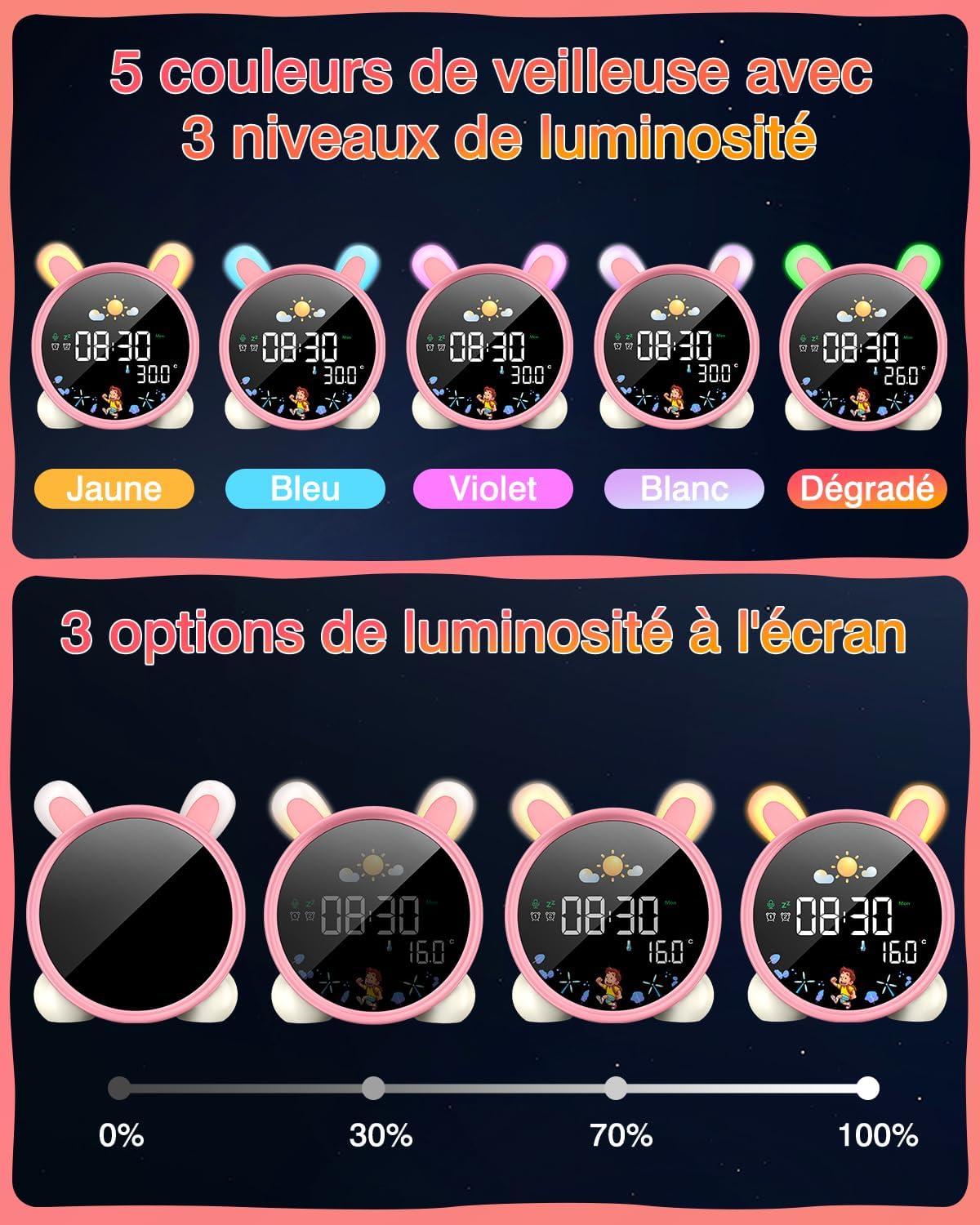
Image: A hand touching the alarm clock to activate its display.
7. カウントダウンタイマー
The alarm clock includes a countdown timer for various activities.
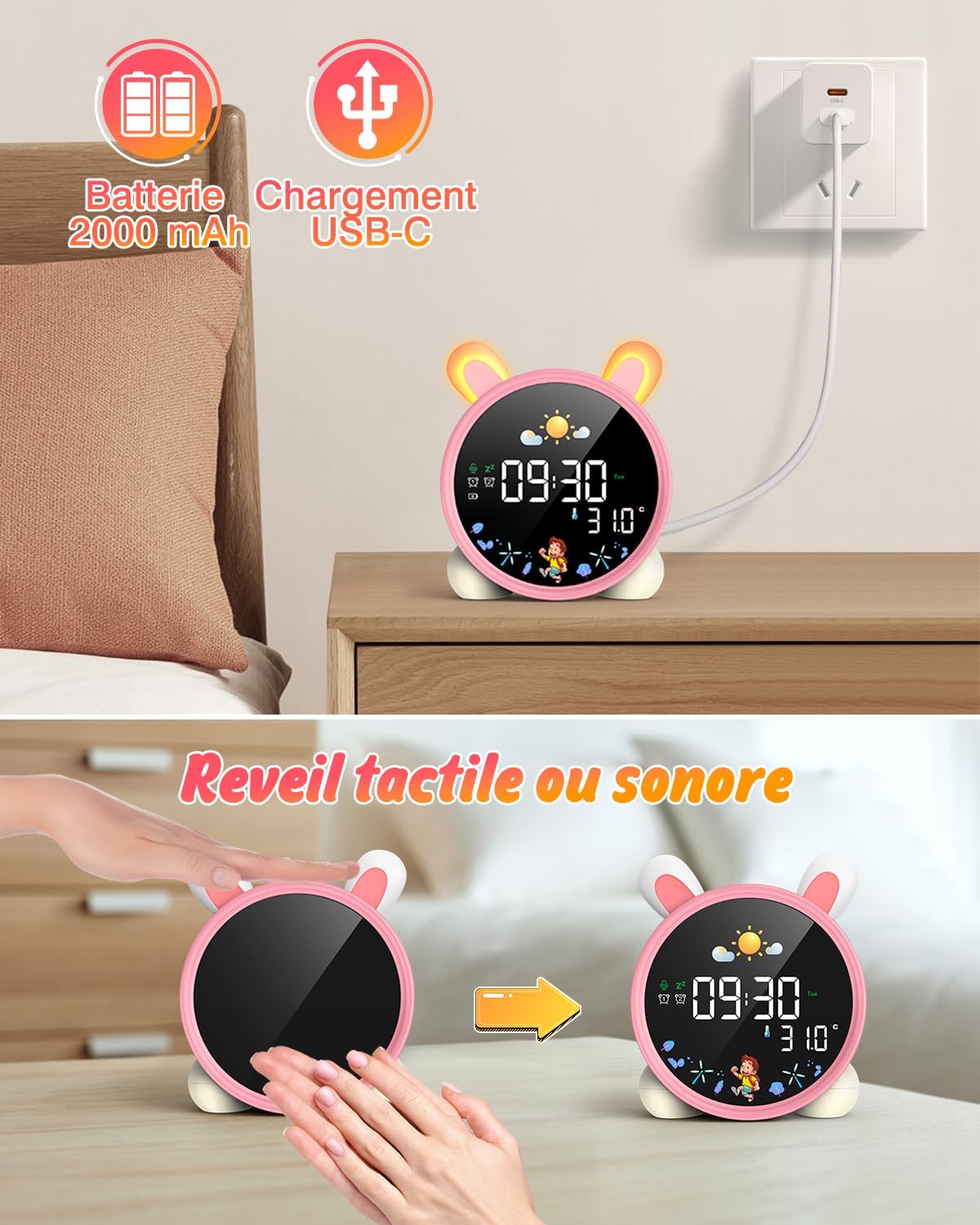
Image: The alarm clock displaying a countdown timer, useful for activities like reading or cooking.
メンテナンス
- 柔らかく乾いた布でデバイスを拭いてください。研磨剤入りの洗剤や溶剤は使用しないでください。
- Keep the alarm clock away from water and excessive moisture.
- デバイスを落としたり、強い衝撃を与えたりしないでください。
- 長期間使用しない場合は、涼しく乾燥した場所に保管してください。
トラブルシューティング
| 問題 | 考えられる原因 | 解決 |
|---|---|---|
| デバイスの電源が入らない。 | バッテリー残量が少ないか、充電されていません。 | USB-C ケーブルを使用してデバイスを完全に充電します。 |
| アラームは鳴りません。 | アラームが設定されていないか、音量が低すぎます。 | Verify alarm settings and adjust volume. |
| Screen does not light up. | Screen light is off or battery is low. | Tap the device or make a sound to activate. Check battery level. |
| Day/Night function not working. | 設定が正しく構成されていません。 | Review and adjust the SUN/MOON settings. |
仕様
- ブランド: LEMNOI
- モデル番号: SG7
- 色: Pink (Rabbit)
- 寸法(長さ×幅×高さ): 10 x 3.81 x 10 cm
- 重さ: 265グラム
- 材料: プラスチック
- 電源: バッテリー駆動(2000mAhリチウム電池)
- 表示タイプ: デジタル
- 特別な機能: Display, Alarm, Snooze, Temperature, Night Light
保証情報
This product comes with a standard manufacturer's warranty. Please refer to the product packaging or contact your retailer for specific warranty terms and conditions. Keep your proof of purchase for any warranty claims.
サポート
For further assistance, technical support, or inquiries regarding your LEMNOI SG7 Educational Day/Night Alarm Clock, please contact the seller directly through the platform where the purchase was made. You may also visit the official LEMNOI brand store for additional resources.
LEMNOI Brand Store: ストアを訪問
Ask a question about this manual
Ask about setup, troubleshooting, compatibility, parts, safety, or missing instructions. Manuals+ will review the question and use this page’s manual context to help answer it.