
1. はじめに
ご購入ありがとうございますasing the Zenwire D300S Mini Projector. This manual provides essential information for the safe and efficient operation of your device. Please read it thoroughly before use and retain it for future reference.
安全上の注意
- プロジェクターレンズを直接見ないでください。amp オンです。
- 過熱を防ぐために適切な換気を確保してください。通気口を塞がないでください。
- 付属の電源アダプターのみを使用してください。
- プロジェクターを水やその他の液体から遠ざけてください。
- プロジェクターを不安定な場所に置かないでください。
- プロジェクターをご自身で分解したり修理したりしないでください。資格のあるサービス担当者にご相談ください。
2. パッケージ内容
パッケージ内にすべてのアイテムが揃っていることを確認してください:
- Zenwire D300S Mini Projector
- リモートコントロール
- 電源アダプター
- AVケーブル
- ユーザーマニュアル(このドキュメント)
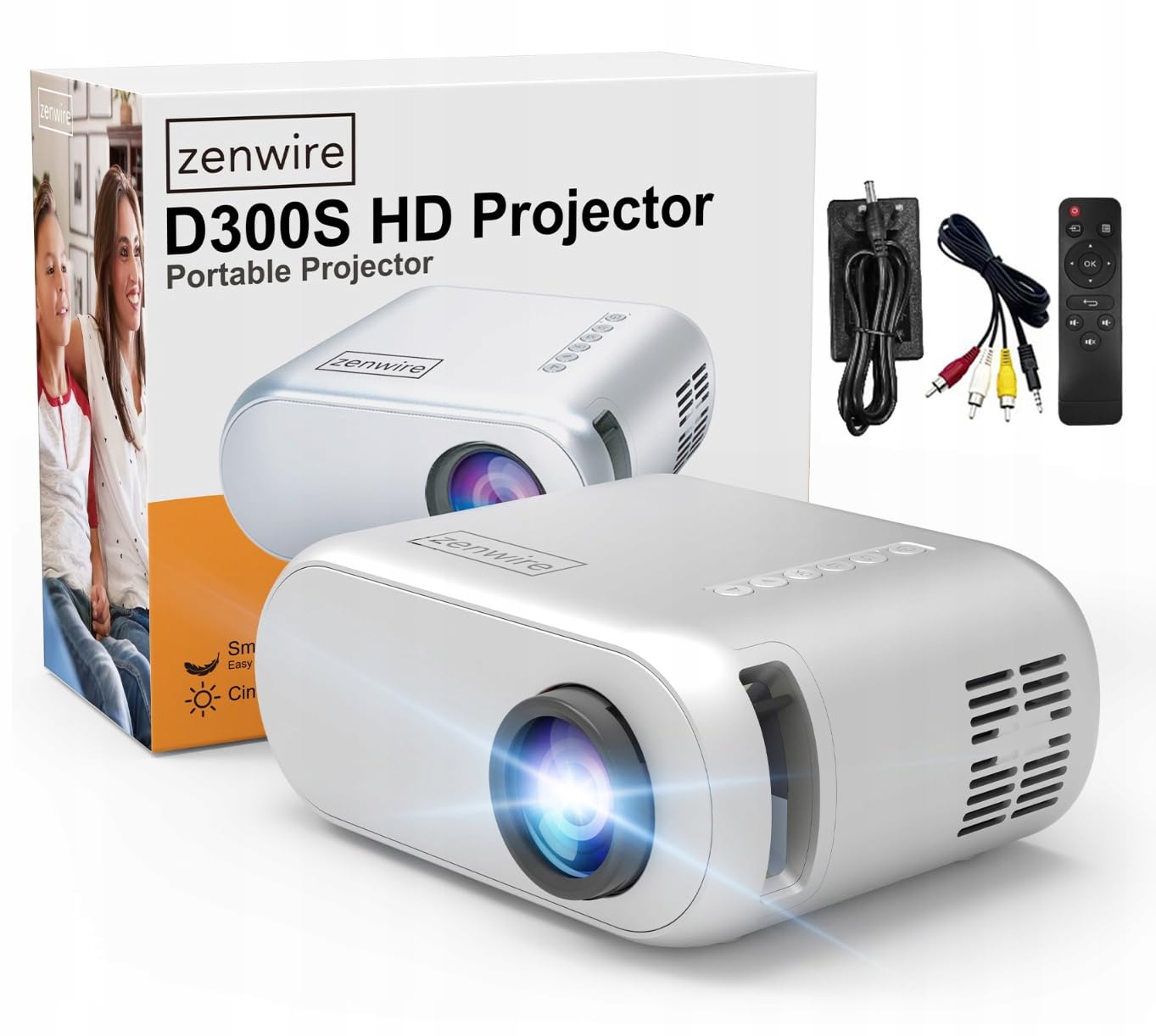
Image 2.1: Zenwire D300S Mini Projector and included accessories.
3.製品オーバーview
プロジェクターの前面と上部 View
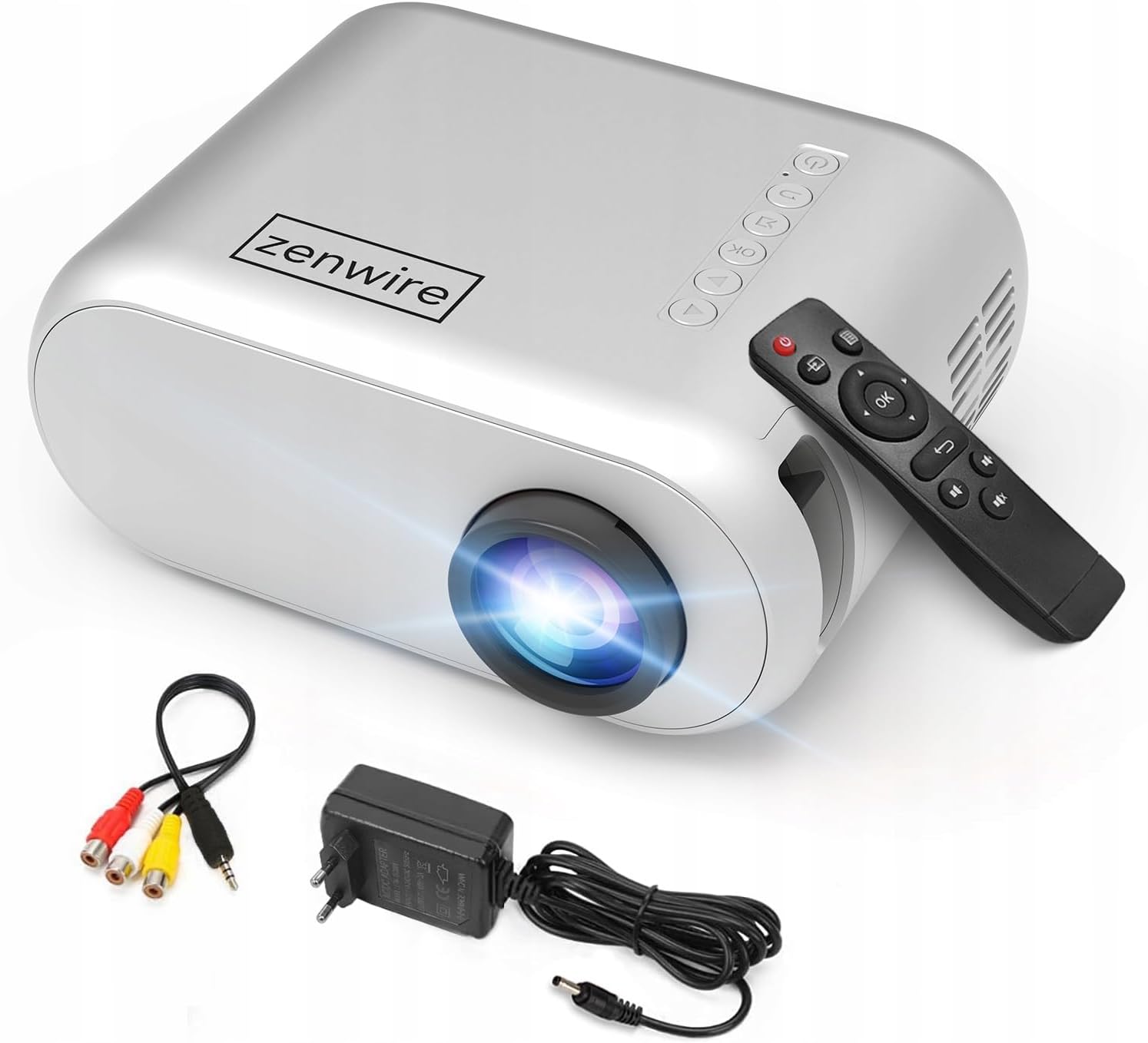
画像3.1: 前面と上面 view of the projector, showing the lens and top control panel.
背面パネルと接続
The rear panel of the projector features various ports for connecting external devices:

画像3.2:リア view プロジェクターの入力/出力ポートを強調表示します。
- AV 入力: For connecting devices using the included AV cable.
- HDMI入力: For connecting devices such as laptops, gaming consoles, or streaming sticks.
- USBポート: USBフラッシュドライブを接続してメディアを再生します file直接。
- AUX出力: 外部スピーカーやヘッドホンを接続します。
- DC電源入力: 電源アダプタを接続します。
トップコントロールパネル
The top of the projector features a control panel for basic operations:
- 電源ボタン: プロジェクターの電源をオンまたはオフにします。
- ナビゲーション ボタン (上/下/左/右): メニューを移動するために使用されます。
- OKボタン: 選択を確定します。
- 戻るボタン: 前のメニューまたは画面に戻ります。
- ソースボタン: Selects input source (HDMI, AV, USB).
4. セットアップ
4.1 配置
Place the projector on a stable, flat surface. Ensure there is adequate space around the projector for ventilation. The projection distance affects the screen size. Refer to the image below for recommended distances and corresponding screen sizes.

Image 4.1: Recommended projection distances and screen sizes.
- 30 インチのスクリーンの場合は、プロジェクターを約 0.9 メートル離して配置します。
- 50 インチのスクリーンの場合は、プロジェクターを約 1.5 メートル離して配置します。
- For an 80-inch screen, place the projector approximately 2.4 meters away.
- 100 インチのスクリーンの場合は、プロジェクターを約 3.0 メートル離して配置します。
4.2電源接続
Connect the power adapter to the DC Power Input port on the projector, then plug the adapter into a power outlet.
4.3 デバイスの接続
The Zenwire D300S supports various input sources:
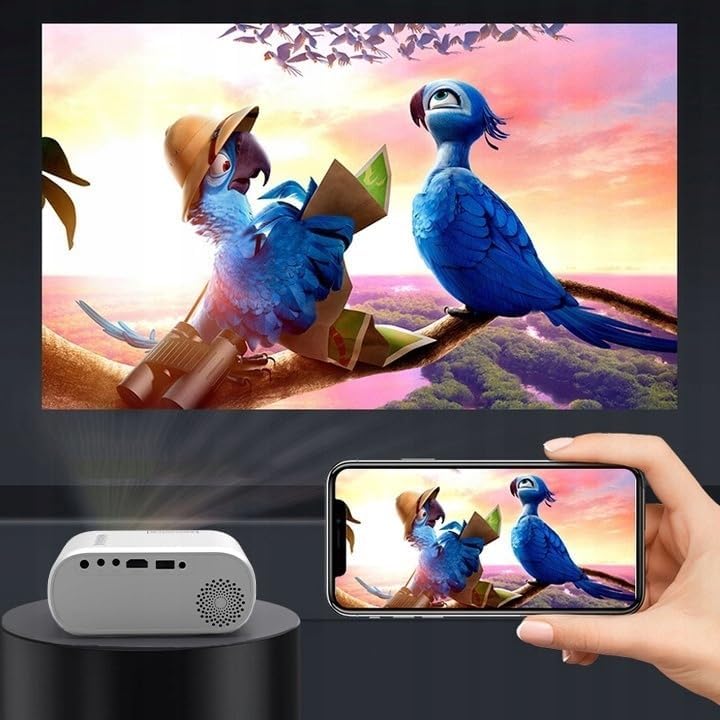
図4.2: 例amples of devices that can be connected to the projector.
- HDMI: Connect your laptop, gaming console, or streaming device using an HDMI cable.
- USB: USBフラッシュドライブをUSBポートに挿入してメディアを再生します file直接。
- AV: Use the included AV cable to connect older devices like DVD players.
- Audio Out (AUX): Connect external speakers or headphones to the AUX port for enhanced audio.
4.4 フォーカス調整
Turn on the projector. Adjust the focus ring located near the lens until the projected image is clear and sharp.
5. 操作手順
5.1 電源オン/オフ
Press the Power button on the projector or the remote control to turn the device on or off.
5.2 ソースの選択
After powering on, use the 'Source' button on the projector or remote control to select the desired input source (HDMI, AV, USB).
5.3メニューナビゲーション
Use the navigation buttons (Up/Down/Left/Right) on the projector or remote to browse through menus. Press 'OK' to confirm a selection and 'Back' to return.
5.4 ボリュームコントロール
リモコンの音量ボタンを使用して音量を調整します。
5.5 Connecting to a Phone/Laptop
To project content from a phone or laptop:
- ラップトップ用: Connect via HDMI cable. Select HDMI as the input source on the projector.
- 携帯電話の場合: Depending on your phone model, you may need an adapter (e.g., USB-C to HDMI, Lightning to HDMI) to connect via HDMI. Alternatively, some phones support wireless display technologies that can be used with a compatible streaming stick connected to the projector's HDMI port.

Image 5.1: Projecting content from a smartphone to the Zenwire D300S Mini Projector.
6. メンテナンス
6.1 レンズのクリーニング
光学レンズ専用の柔らかく糸くずの出ない布を使用して、プロジェクターレンズを優しく拭いてください。研磨剤入りのクリーナーを使用したり、過度の力で拭いたりしないでください。
6.2 プロジェクター本体のクリーニング
プロジェクターの外側は、柔らかく乾いた布で拭いてください。頑固な汚れには、軽く湿らせた布で拭いてください。amp 布で拭いた後、乾いた布で拭いてください。
6.3換気
適切な空気の流れを確保し、過熱を防ぐために、通気口にほこりや障害物がないことを定期的に確認してください。
7。 トラブルシューティング
プロジェクターで問題が発生した場合は、次の一般的な問題と解決策を参照してください。
| 問題 | 考えられる原因 | 解決 |
|---|---|---|
| 画像が投影されない | Power not connected, incorrect input source, device not sending signal. | Check power connection, select correct input source, ensure connected device is on and outputting video. |
| 画像がぼやけている | Focus not adjusted, projector too close/far. | Adjust the focus ring, reposition the projector according to recommended distances. |
| 音が出ない | 音量が低すぎる、外部スピーカーが接続されていない、オーディオ形式がサポートされていない。 | Increase volume, connect external speakers via AUX, check audio settings on source device. |
| リモコンが動作しない | 電池切れ、リモコンとプロジェクターの間に障害物があります。 | 電池を交換し、プロジェクターの IR 受信機までの見通しが確保されていることを確認します。 |
8. 仕様
- モデル: Zenwire D300S
- ネイティブ解像度: 1280 x 720p HD
- 輝度: 3000ルーメン(100 ANSIルーメン)
- 接続性: HDMI, USB, AUX, AV
- アスペクト比: 16:9 / 4:3
- 投影距離: 0.9m - 3.0m (approx. 30-100 inches)
9. 保証とサポート
The Zenwire D300S Mini Projector comes with a standard manufacturer's warranty. Please refer to the warranty card included in your package for specific terms and conditions. For technical support or service inquiries, please contact your retailer or the Zenwire customer service department.