1. はじめに
Thank you for choosing the KIDYWOLF KIDYMICPARENT Bluetooth Microphone. This all-in-one microphone features a built-in speaker, light effects, and Bluetooth connectivity, designed to provide an engaging music experience. This manual provides essential information for the safe and effective use of your device. Please read it thoroughly before use and retain it for future reference.
2. 安全情報
- Keep the microphone away from water and moisture.
- デバイスを極端な温度や直射日光にさらさないでください。
- マイクを落としたり、強い衝撃を与えたりしないでください。
- ご自身でデバイスの分解や修理を試みないでください。資格のあるサービス担当者にご連絡ください。
- 付属の USB-C 充電ケーブルまたは認定された同等品のみを使用してください。
- This product contains a rechargeable battery. Do not dispose of it in fire.
- Ensure children use the microphone under adult supervision.
3. パッケージ内容
パッケージに以下の項目が含まれているか確認してください。
- 1 x KIDYWOLF KIDYMICPARENT Bluetooth Microphone
- 1 x USB-C充電ケーブル
4.製品オーバーview
The KIDYWOLF KIDYMICPARENT is a versatile microphone designed for entertainment. It integrates a 5W speaker, dynamic light effects, and various voice modulation features.
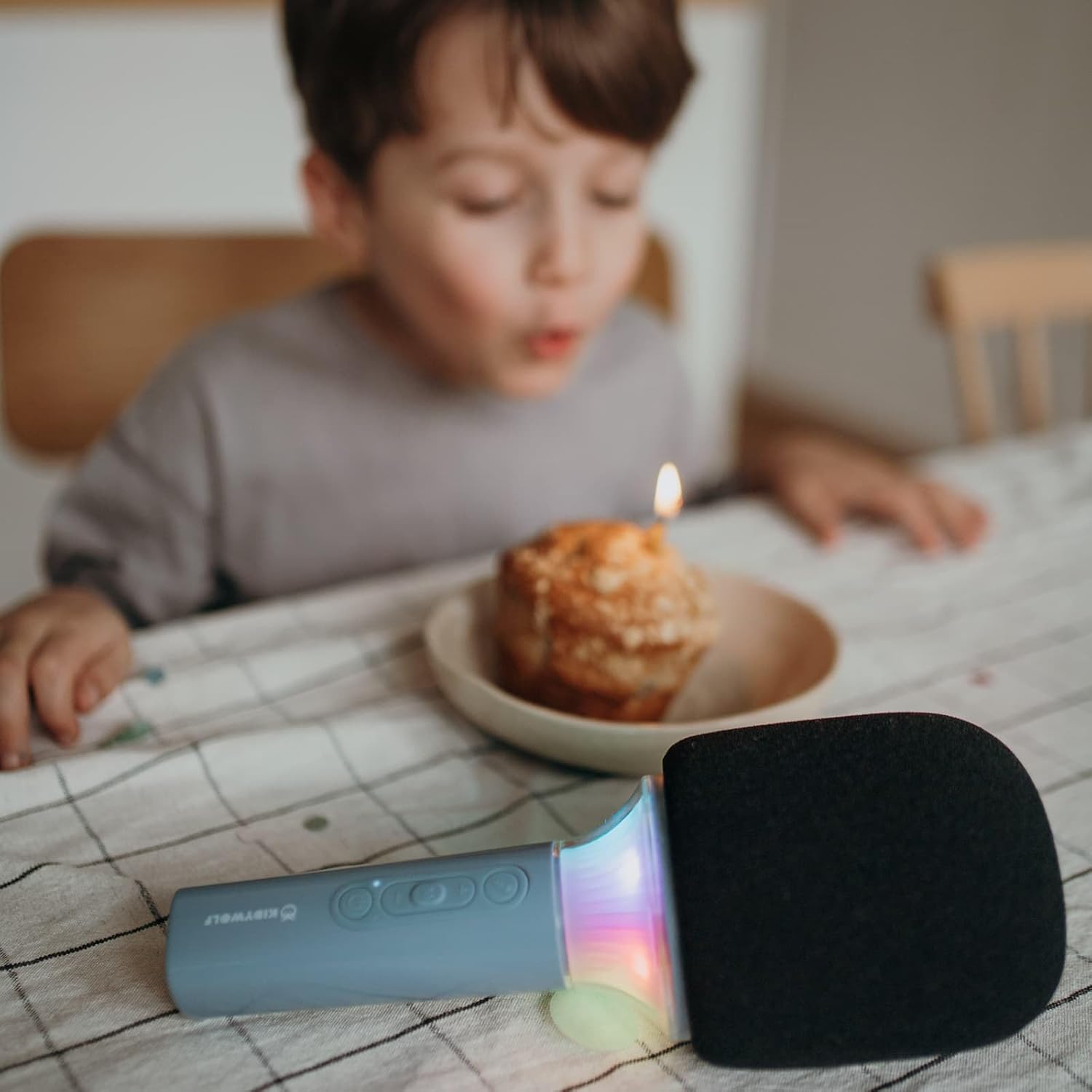
図4.1: フロント view of the KIDYWOLF KIDYMICPARENT Bluetooth Microphone. This image shows the microphone head with its foam cover and the main body with control buttons.
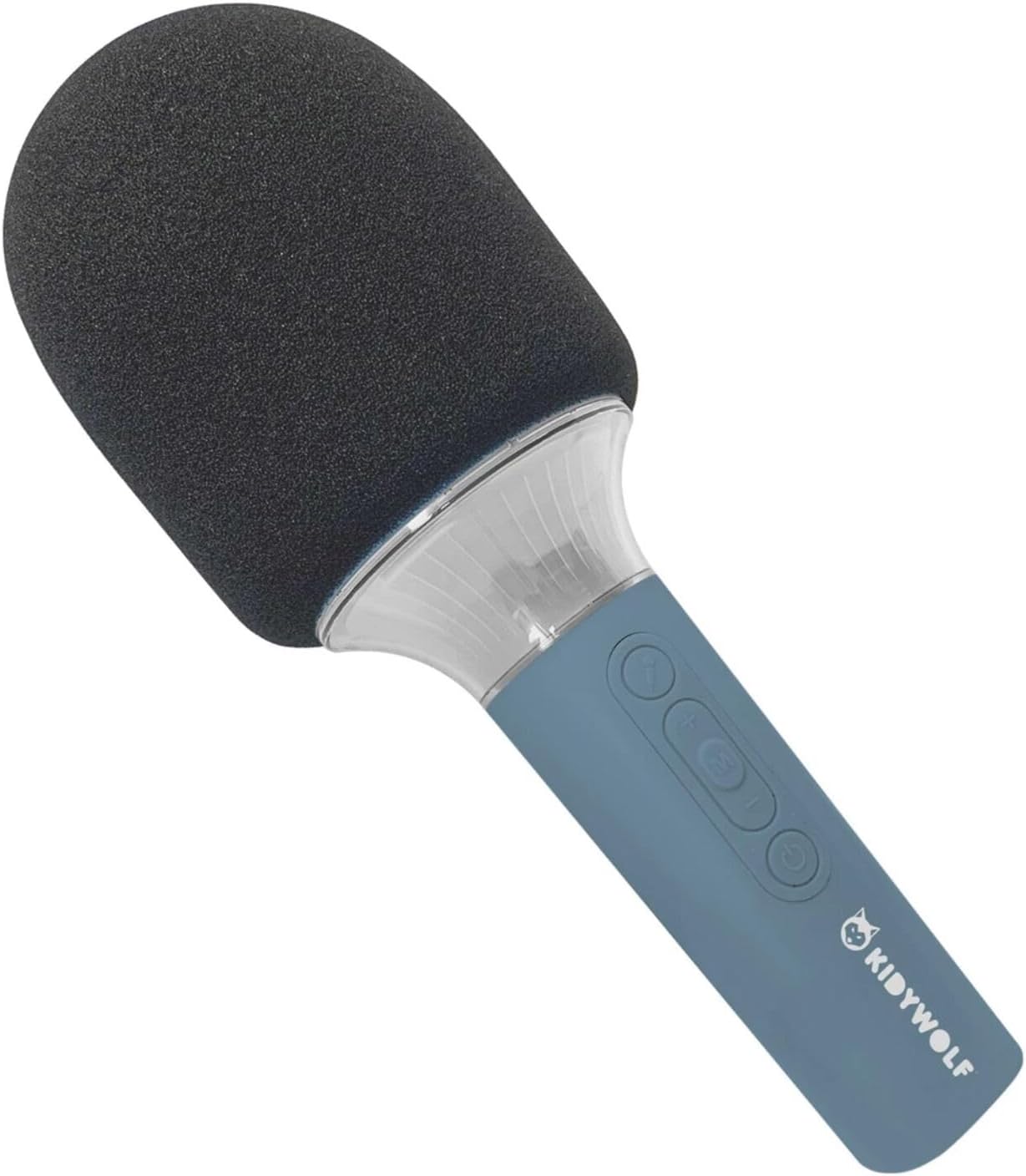
図4.2: 角度付き view of the KIDYWOLF KIDYMICPARENT Bluetooth Microphone. This perspective highlights the ergonomic design of the handle and the placement of the control buttons.

図4.3: The KIDYWOLF KIDYMICPARENT Bluetooth Microphone with its integrated light effects active, showcasing the illuminated section below the microphone head.
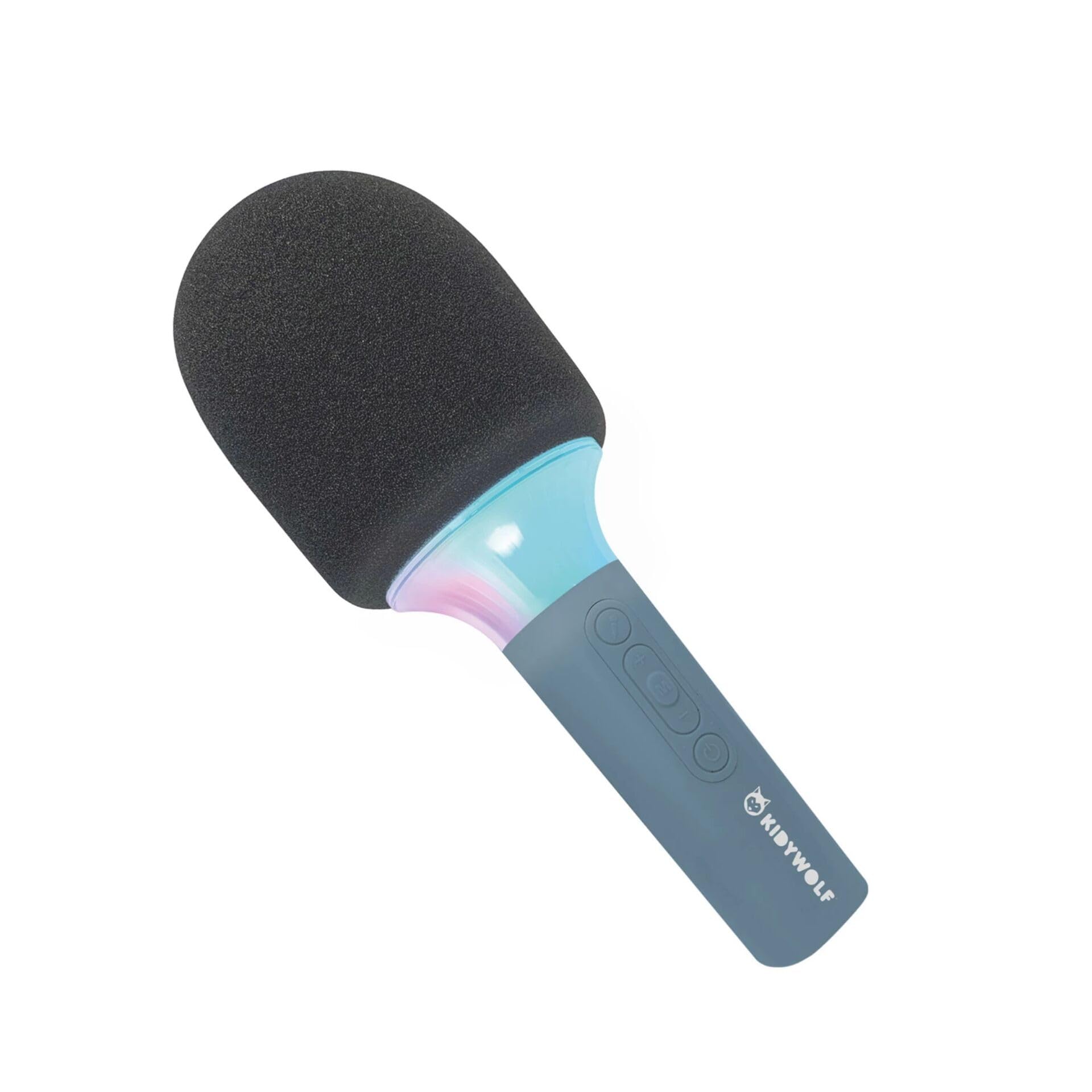
図4.4: A child using the KIDYWOLF KIDYMICPARENT Bluetooth Microphone, demonstrating its intended use for entertainment.
5. セットアップ
5.1 マイクの充電
- Locate the USB-C charging port on the microphone.
- Connect the provided USB-C cable to the microphone's charging port.
- USB-C ケーブルのもう一方の端を、互換性のある USB 電源アダプター (別売) またはコンピューターの USB ポートに接続します。
- 充電中は充電インジケータ ライトが点灯し、完全に充電されると消灯するか色が変わります。
- フル充電には通常約2〜3時間かかります。
5.2Bluetoothペアリング
- 電源オン: Press and hold the Power button (usually marked with a power symbol) on the microphone until the indicator light turns on and you hear an audible prompt.
- Bluetooth を有効にする: The microphone will automatically enter Bluetooth pairing mode, indicated by a flashing light or an audible prompt.
- デバイスで Bluetooth を有効にします。 スマートフォン、タブレット、その他の Bluetooth 対応デバイスで Bluetooth 設定に移動し、Bluetooth がオンになっていることを確認します。
- デバイスの選択: Look for "KIDYMICPARENT" or a similar name in the list of available Bluetooth devices and select it to pair.
- 確認: Once successfully paired, you will hear a confirmation sound from the microphone, and the indicator light will stop flashing and remain solid.
注記: If pairing fails, turn off the microphone and your device's Bluetooth, then repeat the steps. The microphone will automatically attempt to reconnect to the last paired device when powered on.
6. 操作手順
6.1 電源オン/オフ
- 電源を入れるには: 電源ボタンを約3秒間押し続けます。
- 電源を切るには: 電源ボタンを約3秒間押し続けます。
6.2 ボリュームコントロール
- 使用 '+' button to increase the microphone and speaker volume.
- 使用 「-」 button to decrease the microphone and speaker volume.
6.3音楽の再生
Once paired via Bluetooth, you can play music from your connected device. The microphone's built-in speaker will output the audio. Use your connected device to control music playback (play, pause, skip tracks).
6.4 光の効果
The microphone features integrated light effects. Refer to the specific button (if available, often marked with a light bulb symbol or integrated with another function) to cycle through different light modes or turn them on/off. If no dedicated button is present, the lights may activate automatically with sound or be controlled via a multi-function button.
7. 音声効果
The KIDYWOLF KIDYMICPARENT microphone offers 6 different voice settings to enhance your singing experience. To change voice effects:
- Locate the dedicated voice effect button (often marked with a microphone icon or "FX").
- Press the button repeatedly to cycle through the available voice effects.
- Listen to the audio output to select your desired voice effect.
8. メンテナンス
8.1 クリーニング
- Wipe the microphone's exterior with a soft, dry, or slightly damp 布。
- 強力な化学薬品、研磨剤入りの洗剤、溶剤は使用しないでください。
- Ensure no liquid enters the microphone's openings.
8.2 ストレージ
- Store the microphone in a cool, dry place away from direct sunlight.
- Keep it away from dust and extreme temperatures.
9。 トラブルシューティング
| 問題 | 考えられる原因 | 解決 |
|---|---|---|
| マイクの電源が入りません。 | 電池が消耗しています。 | USB-C ケーブルを使用してマイクを充電します。 |
| Bluetooth経由で接続できません。 | Bluetooth is off on the device; microphone is not in pairing mode; device is too far. | Ensure Bluetooth is enabled on your device. Put the microphone into pairing mode. Move the device closer to the microphone (within 10 meters). |
| スピーカーから音が出ない。 | Volume is too low; microphone is muted; device is not playing audio. | Increase volume using the '+' button. Check if the microphone is muted. Ensure audio is playing on the connected device. |
| Voice effects are not changing. | Incorrect button pressed; feature not active. | Ensure you are pressing the correct voice effect button. |
10. 仕様
| モデル名 | KIDYMICPARENT |
| ブランド | キディウルフ |
| フォームファクター | ハンドヘルド |
| 寸法(長さx幅x高さ) | 24 x 9 x 9 cm |
| 重さ | 414グラム |
| 電源 | 充電式バッテリー |
| 材料 | プラスチック |
| チャンネル数 | 1 |
| 接続技術 | ブルートゥース |
| 接続タイプ | USBタイプC |
| 特集 | Volume Control, Light Effects, Voice Modulation (6 settings) |
| 含まれるコンポーネント | Microphone, USB-C Charging Cable |
| 推奨用途 | カラオケ |
11. 保証とサポート
For warranty information and customer support, please refer to the documentation provided at the time of purchase or contact your retailer. You may also visit the official KIDYWOLF web最新のサポート リソースと連絡先の詳細については、こちらのサイトをご覧ください。