
アンカー A3959H11
Anker Soundcore R50i NC 完全ワイヤレスイヤホン ユーザーマニュアル
モデル: A3959H11
導入
Thank you for choosing the Anker Soundcore R50i NC True Wireless Earbuds. These earbuds are designed to provide a superior audio experience with features like 10mm drivers for big bass, Bluetooth 5.3 for stable connectivity, up to 45 hours of playtime with the charging case, IP54-Sweatguard M waterproof rating, AI Clear Calls with 4 microphones, and 22 preset EQs via the Soundcore app. This manual will guide you through the setup, operation, and maintenance of your new earbuds.
設定
1. 箱の中身
- Soundcore R50i NC True Wireless Earbuds
- 充電ケース
- イヤーチップ(各種サイズ)
- USB-C充電ケーブル
- クイックスタートガイド
2. イヤホンとケースの充電
Before first use, fully charge the earbuds and the charging case. Place the earbuds into the charging case and close the lid. Connect the USB-C charging cable to the charging port on the case and to a power source. The LED indicator on the case will show the charging status.
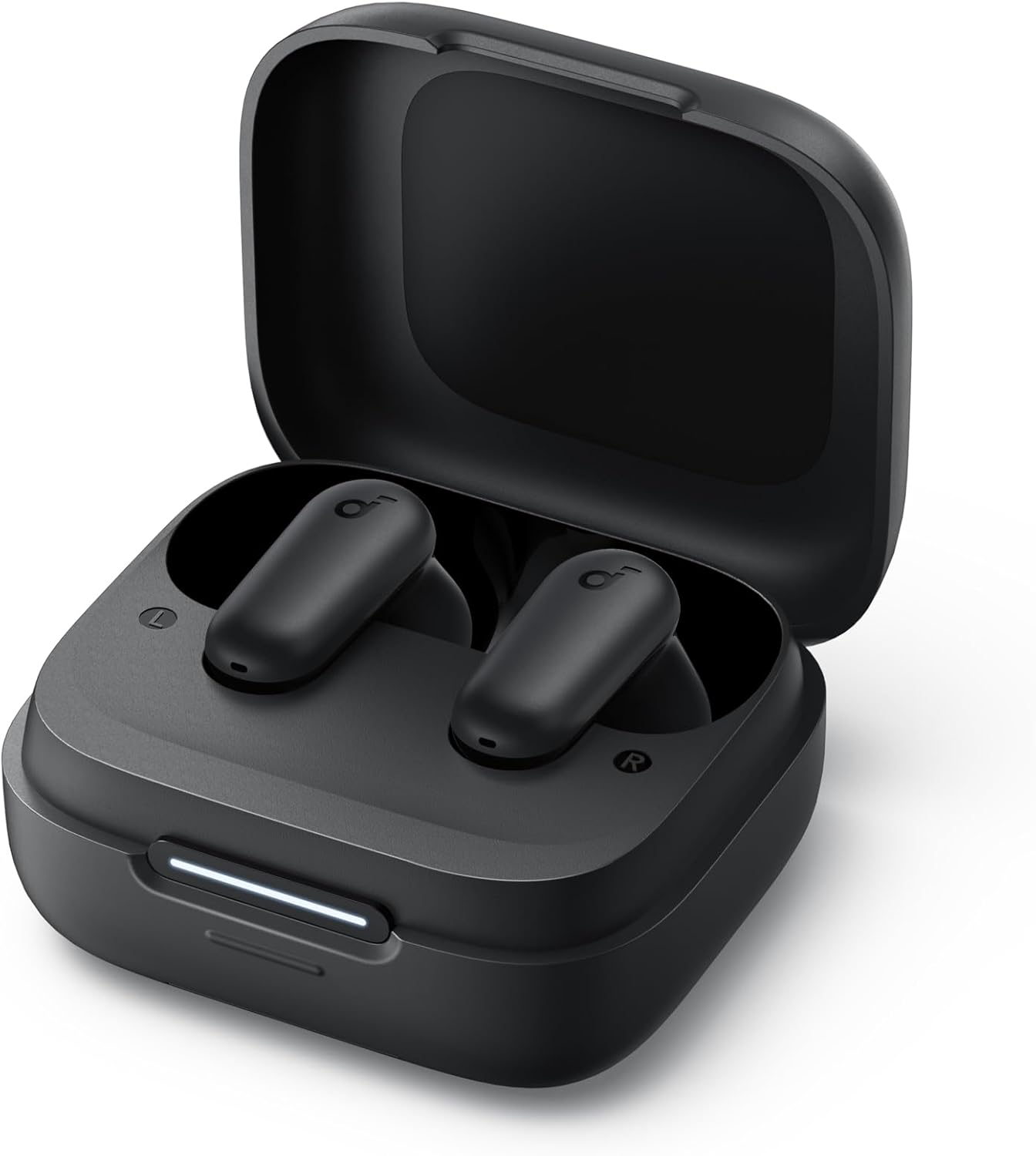
Image: The Anker Soundcore R50i NC True Wireless Earbuds resting inside their open black charging case. A white LED indicator bar is visible on the front of the case, indicating charging status.
- フル充電すると、イヤホンで最大 10 時間、充電ケースを使用すると最大 45 時間の再生が可能です。
- イヤホンとケース内部の充電用接点が清潔で乾燥していることを確認してください。
3. 電源を入れてペアリングする
The earbuds will automatically power on when removed from the charging case. To pair with a new device:
- Open the charging case. The earbuds will enter pairing mode, and the LED indicator on the case will flash white.
- On your device, enable Bluetooth and search for "Soundcore R50i NC" in the list of available devices.
- Select "Soundcore R50i NC" to connect. Once connected, the LED indicator on the case will turn solid white for 3 seconds before turning off.
If already paired, the earbuds will automatically connect to the last paired device when removed from the case.
4. Soundcoreアプリのインストール
Download the Soundcore app from the App Store (iOS) or Google Play Store (Android) to unlock additional features, customize EQ settings, and update firmware.
イヤホンの操作
1. イヤホンの装着
Choose the ear tips that provide the best fit and seal for optimal sound quality and noise cancellation. Insert the earbuds into your ear canals and twist gently until they fit securely and comfortably.

Image: A young man wearing the black Anker Soundcore R50i NC earbuds in his ears, looking to the side with a slight smile, indicating comfortable and secure fit.
2. コントロール
The Soundcore R50i NC earbuds feature touch controls on each earbud. The default controls are:
| アクション | 左イヤホン | 右イヤフォン |
|---|---|---|
| 再生/一時停止 | ダブルタップ | ダブルタップ |
| 次のトラック | 該当なし | トリプルタップ |
| 前のトラック | トリプルタップ | 該当なし |
| 通話の応答/終了 | ダブルタップ | ダブルタップ |
| 通話を拒否 | 2秒間押し続けます | 2秒間押し続けます |
| Switch Noise Cancellation Mode | 2秒間押し続けます | 2秒間押し続けます |
| 音声アシスタントを有効にする | 該当なし | Press and hold 2s (customizable) |
Note: Controls can be customized via the Soundcore app.
3. Noise Cancellation (NC) and Transparency Modes
The Soundcore R50i NC earbuds feature Adaptive ANC (Active Noise Cancellation) with up to 42dB noise reduction depth. You can switch between ANC, Normal, and Transparency modes by pressing and holding the touch control area on either earbud for 2 seconds (default setting).
- ANCモード: 周囲のノイズを低減し、臨場感あふれるリスニング体験を実現します。
- 透明モード: オーディオを楽しみながら周囲の音も聞くことができ、注意力の向上に役立ちます。
- 通常モード: ノイズキャンセルや透明化のない標準的なオーディオ再生。
4. Hidden Cell Phone Holder
The charging case features a hidden mobile phone holder, allowing you to prop up your smartphone for convenient hands-free viewing of videos or browsing.

Image: The black Anker Soundcore R50i NC charging case is shown with a smartphone propped up on its integrated stand, demonstrating its dual functionality as a charging case and phone holder.
メンテナンス
1. イヤホンの掃除
定期的な清掃は音質と衛生を維持するのに役立ちます。
- 柔らかく乾いた糸くずの出ない布でイヤホンと充電ケースを優しく拭いてください。
- イヤーチップはイヤホンから取り外して、広告で清掃してください。amp 必要に応じて布と中性洗剤を使用してください。しっかりとすすぎ、完全に乾いてから再度取り付けてください。
- 乾いた綿棒を使用して、イヤホンとケース内部の充電接点を清掃します。
- 研磨剤入りのクリーナーや溶剤の使用は避けてください。
2. ストレージ
使用していないときは、イヤホンを保護し、充電を保つために、必ず充電ケースに保管してください。
3. バッテリーのお手入れ
- Charge the earbuds and case regularly, even if not used frequently, to prolong battery life.
- イヤホンを極端な温度(高温または低温)にさらさないでください。
- Do not fully drain the battery for extended periods.
トラブルシューティング
1. イヤホンがペアリングまたは接続されない
- デバイスで Bluetooth が有効になっており、イヤホンがペアリング モードになっていることを確認します。
- Place the earbuds back into the charging case, close the lid, wait 5 seconds, then open the lid again to re-enter pairing mode.
- Forget "Soundcore R50i NC" from your device's Bluetooth list and try pairing again.
- イヤホンとケースが十分に充電されていることを確認してください。
2. 音が出ない、または音量が低い
- デバイスとイヤホンの両方の音量を調整します。
- イヤホンが耳に正しく装着され、イヤーチップがしっかりと密着していることを確認します。
- イヤホンのノズルからゴミを取り除きます。
- 別のアプリケーションまたはデバイスからオーディオを再生してみてください。
3. 通話品質が悪い
- マイクが遮られていないことを確認してください。
- 信号干渉を避けるため、接続されたデバイスに近づいてください。
- 静かな環境で電話をかけてみてください。
4. イヤホンのリセット
If you experience persistent issues, you can reset the earbuds:
- イヤホンを充電ケースに入れて、蓋を開けたままにします。
- 両方のイヤホンの LED インジケーターが赤色で 10 回点滅するまで、充電ケースのボタンを 3 秒間押し続けます。
- The earbuds have been reset and are ready for pairing.
仕様
| 特徴 | 詳細 |
|---|---|
| モデル名 | Anker Soundcore R50i NC |
| 商品型番 | A3959H11 |
| 接続技術 | ワイヤレス(Bluetooth 5.3) |
| ドライバー | 10mm |
| 騒音制御 | アクティブノイズキャンセリング(42dB深度) |
| マイク | 4 (AI Clear Calls) |
| プレイタイム(Earbuds) | 最大10時間(1回の充電) |
| 合計プレイ時間(ケース付き) | 最大45時間 |
| 防水等級 | IP54 (Sweatguard M) |
| インピーダンス | 120オーム |
| バッテリー | リチウムイオン電池3個(付属) |
| パッケージ寸法 | 11.5 x 10.9 x 3.6 cm |
| 重さ | 25グラム |
| メーカー | アンカー |
| 原産国 | 中国 |
保証とサポート
Anker provides a warranty for its products. Please refer to the warranty card included in your product packaging for specific terms and conditions. For technical support, FAQs, or to register your product, please visit the official Soundcore website or contact Soundcore customer service.
You can also find more information and support through the Soundcore app.
関連文書 - A3959H11
 |
Anker Solarbank 3 E2700 Pro: 機器構成のインストールの処理 Anker Solix Solarbank 3 E2700 Pro と Anker アプリのインストールに関する詳細情報を入手します。ダウンロード、アンメルデン、アプリケーションの起動、ネットワーク接続、ファームウェアの更新、AC ネットワークを通過するエネルギー保護モードを確認してください。 |
 |
Anker SOLIX Solarbank 3 E2700 Pro Gebruikers ハンドリング Anker SOLIX Solarbank 3 E2700 Pro の詳細な操作、インストール方法、詳細な説明、仕様の説明などを説明します。エネルギー運用遅延システムの構成を最適化してください。 |
 |
Anker Soundcore 2 ポータブル Bluetooth スピーカーのユーザーマニュアルと仕様 このユーザーマニュアルでは、Anker Soundcore 2 ポータブル Bluetooth スピーカーの充電、ペアリング、TWS モード、AUX 接続、操作方法、詳細な仕様など、包括的な使い方を説明しています。Soundcore 2 を最適なパフォーマンスと機能でお使いいただくための方法を習得してください。 |
 |
Anker SOLIX Solarbank 3 E2700 Pro Installatiehandleiding Gedetailleerde installatie- en gebruikershandleiding voor de Anker SOLIX Solarbank 3 E2700 Pro en uitbreidingsbatterijen, inclusief productoverzicht, installatieprocedures, elektrische verbindingen en specificaties. |
 |
Anker SOLIX Solarbank 3 E2700 Pro ユーザーマニュアルおよびインストールガイド Comprehensive user manual and installation guide for the Anker SOLIX Solarbank 3 E2700 Pro and BP2700 Expansion Battery, covering setup, operation, and specifications. |
 |
Anker Prime Charging Base Korisnički Priručnik Korisnički priručnik za Anker Prime Charging Base (Model A1903) i kompatibilne Anker Prime Power Bankove. Detaljne upute za punjenje, povezivanje putem Bluetootha i Wi-Fi-ja, korištenje Anker aplikacije, često postavljana pitanja i tehničke specifikacije. |
Ask a question about this manual
Ask about setup, troubleshooting, compatibility, parts, safety, or missing instructions. Manuals+ will review the question and use this page’s manual context to help answer it.