
導入
Thank you for choosing FosPower Kids Bluetooth 5.2 Headphones with LED Cat Ears. These headphones are designed with comfort, safety, and fun in mind, featuring a safe volume limit, versatile connectivity, and a long-lasting battery. This manual provides essential information for setup, operation, and maintenance to ensure optimal performance and enjoyment.
箱の中身
- 1x Wireless Cat Ears Headphones
- 1xUSB-C充電ケーブル
- 1x 3.5mmオーディオケーブル
- ユーザーマニュアル x 1
製品の特徴
The FosPower Kids Bluetooth Headphones are engineered to provide a safe and enjoyable listening experience for children. Key features include:
- 快適性と安全性: Padded ear cushions and an adjustable headband ensure a comfortable fit. A dual safe volume setting allows you to choose between 85dB or 94dB maximum volume to protect young ears.
- スタイリッシュなデザイン: Featuring vibrant LED cat ears and ear muffs that add a fun and playful touch.
- 多彩な接続性: Connect wirelessly via Bluetooth 5.2 for up to 100 hours of play time, or use the included 3.5mm audio cable for a wired connection.
- 内蔵マイク: Enables clear communication for online learning or calls.
- 折りたたみ式デザイン: For easy storage and portability, making them ideal for school or travel.

Image: The headphones highlighting padded ear cushions, an adjustable headband, and a foldable design for comfort and durability.

Image: A visual representation of the headphones with vibrant LED cat ears and ear muffs, cushioned padding, dual volume limits, wireless/wired options, built-in microphone, and 100 hours of listening time.
コントロールオーバーview

Image: A detailed diagram illustrating the location and function of all control buttons and ports on the headphones, including the ON/OFF power button, volume controls, track skip buttons, light mode button, built-in microphone, 3.5mm audio port, and USB-C charging port.
Familiarize yourself with the headphone controls for seamless operation:
- オン/オフスイッチ: Located on the ear cup, slide to power on/off.
- Mボタン: Long press to turn off the LED flashing light.
- 再生/一時停止ボタン: Play or pause music, answer or reject calls.
- 音量アップ(+)/次の曲: 短く押すと音量が上がり、長く押すと次の曲になります。
- 音量を下げる (-)/前の曲: 短く押すと音量が下がり、長く押すと前の曲に戻ります。
- USB-C充電ポート: ヘッドホンの充電用。
- 3.5mmオーディオポート: 有線接続の場合。
設定
Bluetoothペアリング
- ヘッドフォンが完全に充電されていることを確認してください。
- Slide the ON/OFF switch to the 'ON' position. The headphones will automatically boot into Bluetooth Mode.
- The LED indicator light will rapidly alternate between blue and green colors, and a voice prompt will announce "Bluetooth Mode".
- On your smart device (phone, tablet, laptop), open the Bluetooth settings and search for available devices.
- Select "CT-7S" from the list. No password is required.
- Upon successful pairing, a voice prompt will announce "Connected", and the LED indicator light will stay blue.
有線接続
If Bluetooth is not available or the battery is low, you can use the included 3.5mm audio cable:
- 3.5mmオーディオケーブルの一方の端をヘッドフォンのAUXポートに差し込みます。
- もう一方の端をデバイスのオーディオ ジャックに差し込みます。
- ヘッドフォンは有線モードで機能するようになります。

Image: Two children wearing the headphones, demonstrating both wireless (Bluetooth) and wired (audio cable) connectivity options.
操作手順
Volume Limit Adjustment
The headphones offer two safe volume limits (85dB or 94dB). To switch between them, refer to the detailed instructions in the included user manual or the product's online resources.

Image: A graphic illustrating the dual safe volume settings of 85dB and 94dB, emphasizing the hearing protection feature for children.
LEDライトコントロール
To turn the LED flashing lights on or off, long press the 'M' button on the ear cup. The lights will cycle through various colors when active.
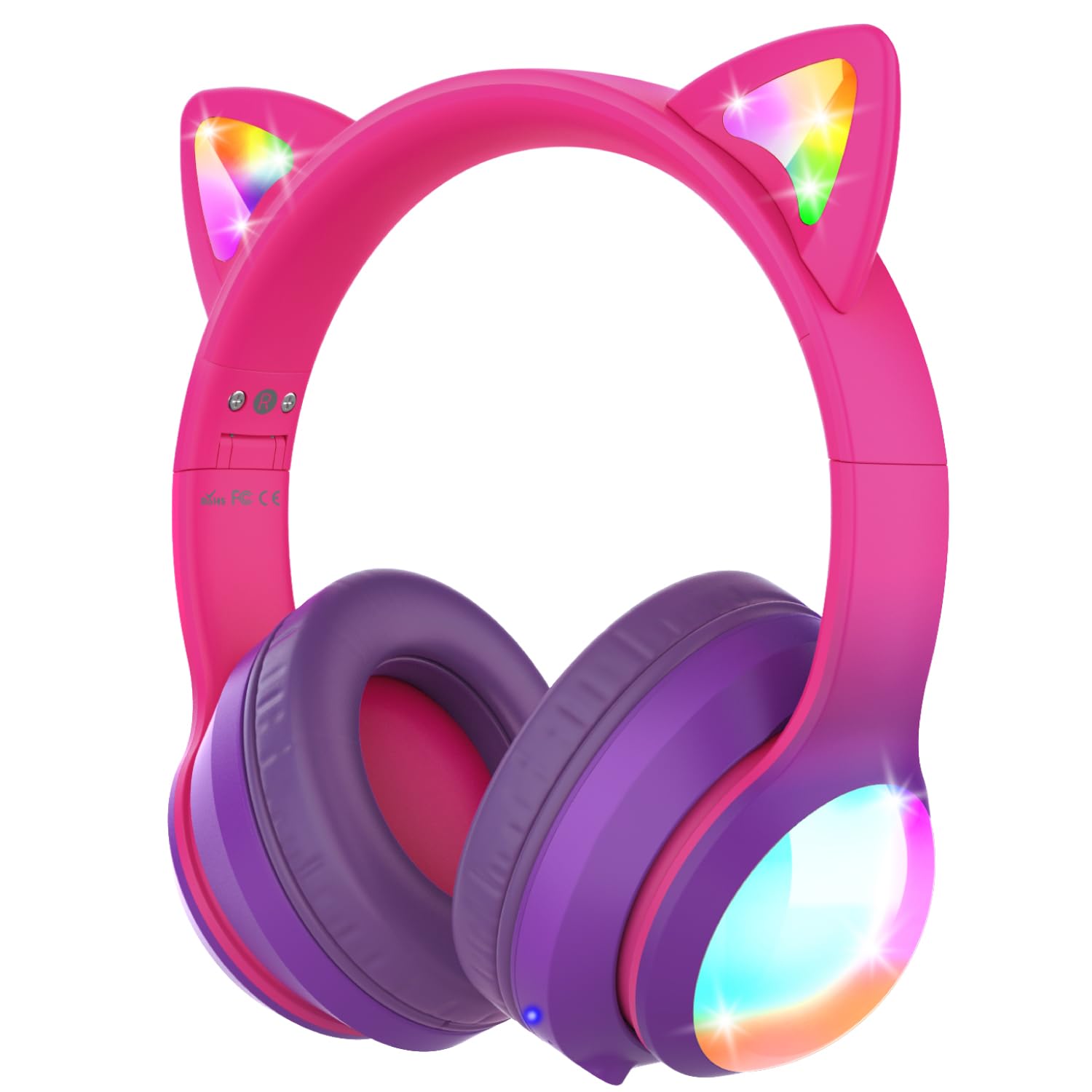
画像: ヘッドフォンはasing their vibrant colored LED lights on the cat ears and earcups, making the listening experience fun and stylish.
Music and Call Management
Use the dedicated buttons on the ear cup to control music playback and manage calls as described in the 'Controls Overview' セクション。
Video: An official product video from FosPower demonstrating the features and usage of the Kids Bluetooth Headphones with LED Cat Ears.
Video: A seller-provided video highlighting the protective decibel limited volume, soft earcups, foldable design, and inline controls of the headphones.
Video: A short seller-provided video showcasing the light-up feature of the Kids Bluetooth Headphones.
充電
To charge your headphones, connect the included USB-C charging cable to the USB-C port on the headphones and to a compatible USB power source. Charging time is approximately 2 hours. The LED indicator will show charging status (e.g., red for charging, blue for fully charged).
メンテナンス
- ヘッドホンは柔らかく乾いた布で拭いてください。刺激の強い化学薬品や研磨剤の使用は避けてください。
- 使用しないときは、ヘッドフォンを涼しく乾燥した場所に保管してください。
- ヘッドフォンを極端な温度や直射日光にさらさないでください。
- ヘッドホンをご自身で分解したり修理したりしないでください。保証が無効になる場合があります。
トラブルシューティング
No Power/Cannot Turn On
- ヘッドフォンが完全に充電されていることを確認してください。
- オン/オフスイッチが「オン」の位置にあることを確認します。
Bluetoothでペアリングできない
- Ensure the headphones are in Bluetooth pairing mode (LED alternating blue/green).
- デバイスで Bluetooth が有効になっており、範囲内(最大 33 フィート)にあることを確認します。
- デバイスの Bluetooth リストからヘッドフォンを削除し、再度ペアリングを試みてください。
- ヘッドフォンとデバイスの両方を再起動してみてください。
有線モードで音が出ない
- Ensure the 3.5mm audio cable is securely plugged into both the headphones and your device.
- ヘッドフォンと接続されたデバイスの両方の音量レベルを確認します。
- Test with a different audio cable or device to rule out cable or device issues.
LED ライトが動作しない
- ヘッドホンの電源がオンになっていることを確認します。
- Press the 'M' button to cycle through or activate the LED light modes.
- Check battery level; low battery may affect LED functionality.
仕様
| モデル名 | FOSHP-2446PA |
| Bluetoothバージョン | 5.2 |
| Bluetooth範囲 | 33フィート |
| バッテリー寿命 | 100時間 |
| 充電時間 | 2時間 |
| 騒音制御 | パッシブノイズキャンセリング |
| ヘッドフォンジャック | 3.5ミリジャック |
| 材料 | Leather, Polycarbonate (PC) |
| アイテム重量 | 11.7オンス |
保証とサポート
FosPower offers a 限定生涯保証 for this product. For any support needs, please contact our experienced and dedicated USA-based customer service team. Refer to the included user manual for specific contact information or visit the official FosPower webサイト。