
導入
This manual provides comprehensive instructions for the setup, operation, maintenance, and troubleshooting of your QRD Spark N5 Wireless Controller. Please read this manual carefully before using the product to ensure optimal performance and longevity.
製品終了view
The QRD Spark N5 Wireless Controller is designed for a versatile gaming experience across multiple platforms. It features advanced Hall Effect technology for precise control, customizable macro functions, and immersive vibration feedback.

図1: フロント view of the QRD Spark N5 Wireless Controller, showcasing its ergonomic design and illuminated buttons.
主な特徴:
- Hall Effect Joysticks & Analog Triggers: Provides drift-free and highly accurate control with less than 0.1mm accuracy.
- 多機能タッチパッド: Supports touch control for PS4 and acts as a mouse on other compatible platforms.
- 6-Axis Gyroscope & Motion Sensor: Integrated for immersive gaming experiences and precise motion control.
- デュアル振動モーター: Adjustable vibration levels (0%, 30%, 70%, 100%) for realistic feedback.
- Macro Back Paddles (N1 & N2): Customizable for assigning complex shortcuts and executing multiple actions.
- ターボ機能: Adjustable turbo speed with auto and manual modes for various buttons.
- 3.5mm Audio Port, Speaker & Mic: Enables audio output and communication during gameplay.
- Wired & Wireless Compatibility: Supports Bluetooth 5.3 for wireless connection and USB-C for wired connection (D-input default, X-input available).
セットアップと接続
コントローラーの充電:
Before first use, fully charge the controller using the provided USB-C cable. Connect the USB-C end to the controller and the USB-A end to a compatible power source (e.g., console, PC, USB wall adapter).
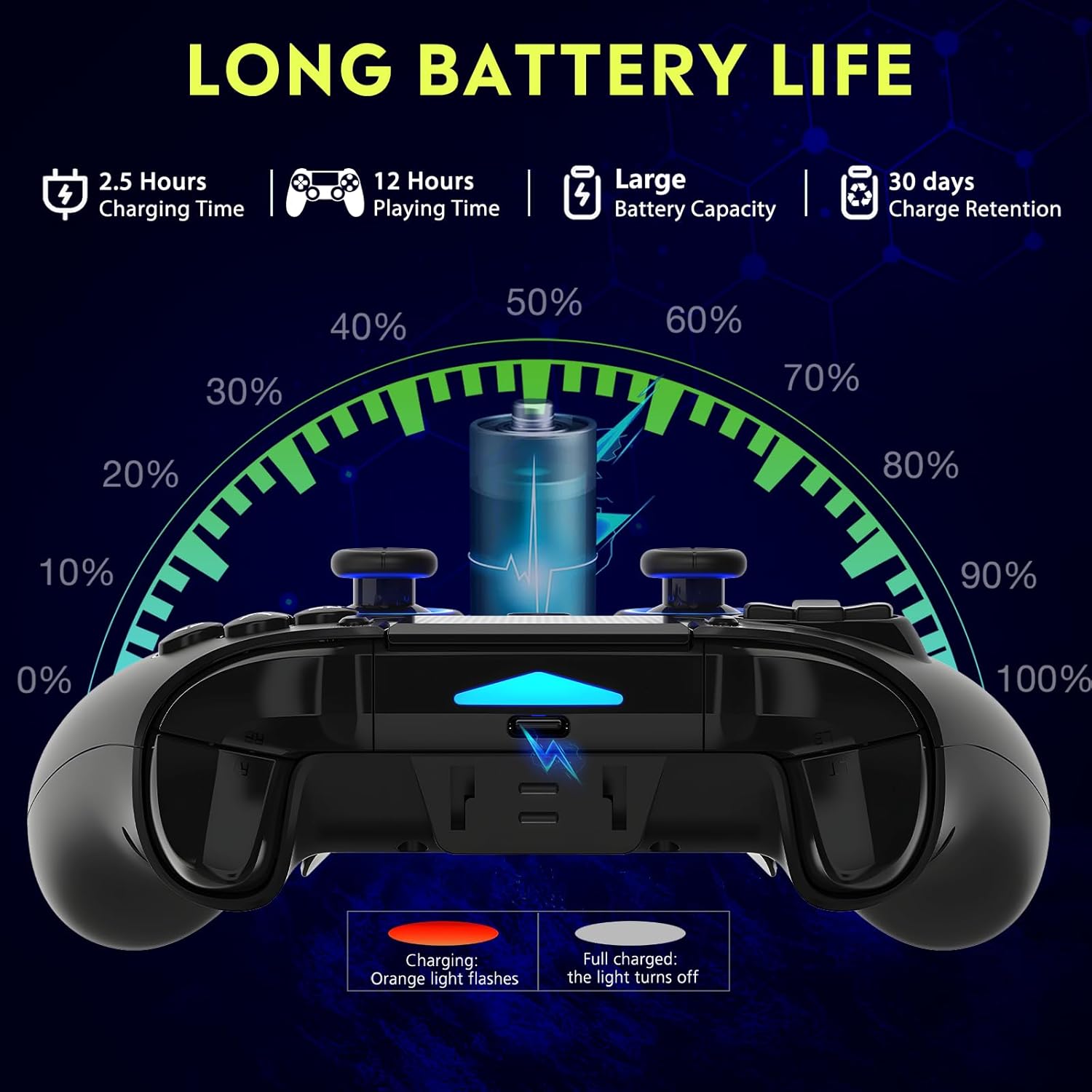
図2: Battery life illustration. The orange light flashes during charging and turns off when fully charged. A full charge takes approximately 2.5 hours and provides up to 12 hours of playing time.
ワイヤレス接続(Bluetooth 5.3):
The controller supports wireless connection via Bluetooth 5.3 for PS4, PS3, PS2, Steam Deck, PC (Windows/macOS), iOS, and Android TV Box/phones. For PS5 compatibility, a separate QRD Wireless Converter is required.

図3: 互換性終了view showing the controller connecting to Windows, PS4, Steam, Mobile, PS3.
- コントローラーが充電されていることを確認してください。
- Turn on the controller by pressing the "Q" (Home) button.
- デバイスで Bluetooth 設定に移動します。
- Select "Spark N5" or similar from the list of available devices to pair.
- ペアリングされると、コントローラーのインジケーター ライトが安定します。
注記: For PS5 games, an additional QRD Wireless Converter is necessary. This converter allows the Spark N5 controller to function with PS5 titles, expanding your gaming options.
ビデオ1: This video demonstrates the QRD Spark N5 Wireless Controller's compatibility with various game devices, including setup and initial connection steps.
有線接続(USB-C):
Connect the controller directly to your PC or console using the provided USB-C cable. The controller will operate in D-input mode by default. X-input mode is available for PC connections only.
操作手順
基本的なコントロール:
The controller features standard gamepad buttons, joysticks, and triggers. Familiarize yourself with the layout for optimal gameplay.

図4: The multi-function touchpad on the controller, which can be used for navigation and specific game interactions.
ホール効果ジョイスティックとトリガー:
The Hall Effect technology ensures precise, drift-free input for both joysticks and triggers. This provides enhanced accuracy and responsiveness in games.

図5: 爆発した view of the Hall Effect Joystick, illustrating its magnetic sensing mechanism for drift-free operation.

図6: Illustration of the Hall Sensing Analog Triggers, highlighting their sub-millimeter accuracy for precise control.
Macro Back Paddles (N1 & N2):
The N1 and N2 back paddles can be programmed to execute complex actions or button combinations with a single press. This feature is useful for competitive gaming or simplifying repetitive tasks.

図7: 後方 view of the controller showing the N1 and N2 macro back paddles, which can be assigned to perform complex combos.
Refer to the controller's quick start guide or the official QRD website for detailed instructions on programming macro functions.
ターボ機能:
The Turbo function allows for rapid, continuous input of a button press. You can set three different turbo speeds for most buttons (excluding macro paddles) and choose between auto and manual turbo modes.
Consult the quick start guide for specific button combinations to activate and adjust turbo settings.
調整可能な振動:
The dual vibration motors provide haptic feedback. You can adjust the intensity to your preference: 0% (off), 30%, 70% (default), or 100%.

図8: Visual representation of the dual vibration shock feature and its adjustable intensity levels.
Instructions for adjusting vibration intensity are typically found in the quick start guide or by holding specific button combinations.
6-Axis Gyroscope & Motion Sensor:
The integrated 6-axis gyroscope and motion sensor enable precise motion control in supported games, enhancing immersion and aiming accuracy.

図9: Depiction of the 6-axis gyroscope and motion control, showing how controller movements translate into in-game actions.
オーディオ機能:
The controller includes a 3.5mm audio port for headphones, a built-in speaker, and a microphone. This allows for in-game audio, voice chat, and immersive sound effects.
ビデオ2: This video demonstrates the smartphone connection and gaming experience with the QRD Spark N5 Wireless Controller, including audio functionality.
メンテナンス
- クリーニング: コントローラーのお手入れには、柔らかく乾いた布を使用してください。頑固な汚れには、軽く湿らせた布で拭いてください。amp 布を使用することもできますが、ポートや隙間に水分が入らないようにしてください。
- ストレージ: コントローラーは、直射日光や極端な温度を避け、涼しく乾燥した場所に保管してください。
- バッテリーのケア: バッテリーの寿命を延ばすには、コントローラーを頻繁に完全に放電させないでください。頻繁に使用しない場合でも、定期的に充電してください。
- 衝撃を避ける: コントローラーを落としたり、強い衝撃を与えたりしないでください。内部コンポーネントが損傷する可能性があります。
トラブルシューティング
| 問題 | 考えられる原因 | 解決 |
|---|---|---|
| コントローラーがオンになりません。 | バッテリー残量が少ない、または充電されていません。 | 付属のUSB-Cケーブルを使用してコントローラーを充電します。 |
| ワイヤレス接続できません。 | デバイスで Bluetooth が有効になっていません。コントローラーがペアリング モードになっていません。干渉があります。 | Ensure Bluetooth is on. Press and hold the "Q" button to enter pairing mode. Move closer to the device. Restart both controller and device. |
| 入力の遅れやボタンが反応しない。 | Low battery; wireless interference; outdated firmware. | Charge the controller. Reduce wireless interference. Check QRD website for firmware updates. Try wired connection. |
| ジョイスティックまたはトリガーがドリフトします。 | Calibration issue; rare hardware defect. | The Hall Effect technology minimizes drift. If persistent, try recalibrating (refer to quick start guide) or contact customer support. |
| 振動フィードバックはありません。 | Vibration setting is off (0%); game does not support vibration. | Adjust vibration intensity to 30%, 70%, or 100%. Ensure the game supports vibration. |
仕様
- モデル: Spark N5
- 接続性: Bluetooth 5.3(ワイヤレス)、USB-C(有線)
- 互換性: PS4, PS4 Slim, PS4 Pro, PS3, PS2, Steam Deck, PC (Windows, macOS), iOS, Android TV Box, Phone. (PS5 via separate converter)
- ジョイスティック/トリガー: ホール効果
- モーションセンサー: 6-Axisジャイロスコープ
- 振動: Dual Motors, Adjustable (0%, 30%, 70%, 100%)
- オーディオ: 3.5mm Audio Port, Built-in Speaker, Microphone
- 特別な機能: Multi-function Touchpad, Macro Back Paddles (N1, N2), Turbo Function
- バッテリー: 1 リチウムポリマー電池 (付属)
- 充電時間: 約2.5時間
- プレイ時間: 最大12時間
- 寸法: 6.38 x 4.06 x 2.56インチ
- 重さ: 13.7オンス
保証とサポート
QRD products are designed for durability and performance. For warranty information and technical support, please refer to the official QRD webサイトをご覧いただくか、カスタマー サービスに直接お問い合わせください。
- 正式 Webサイト: QRD Store on Amazon
- 顧客サービス: Contact information may be available on the product packaging or the official webサイト。
保証請求のために購入証明書を保管してください。