
1. はじめに
This manual provides detailed instructions for setting up, operating, maintaining, and troubleshooting your NIMO Mini PC N100. Please read this manual thoroughly before using the device to ensure proper functionality and to maximize its lifespan. The NIMO Mini PC N100 is a compact and powerful desktop computer designed for various applications, from home entertainment to office productivity.
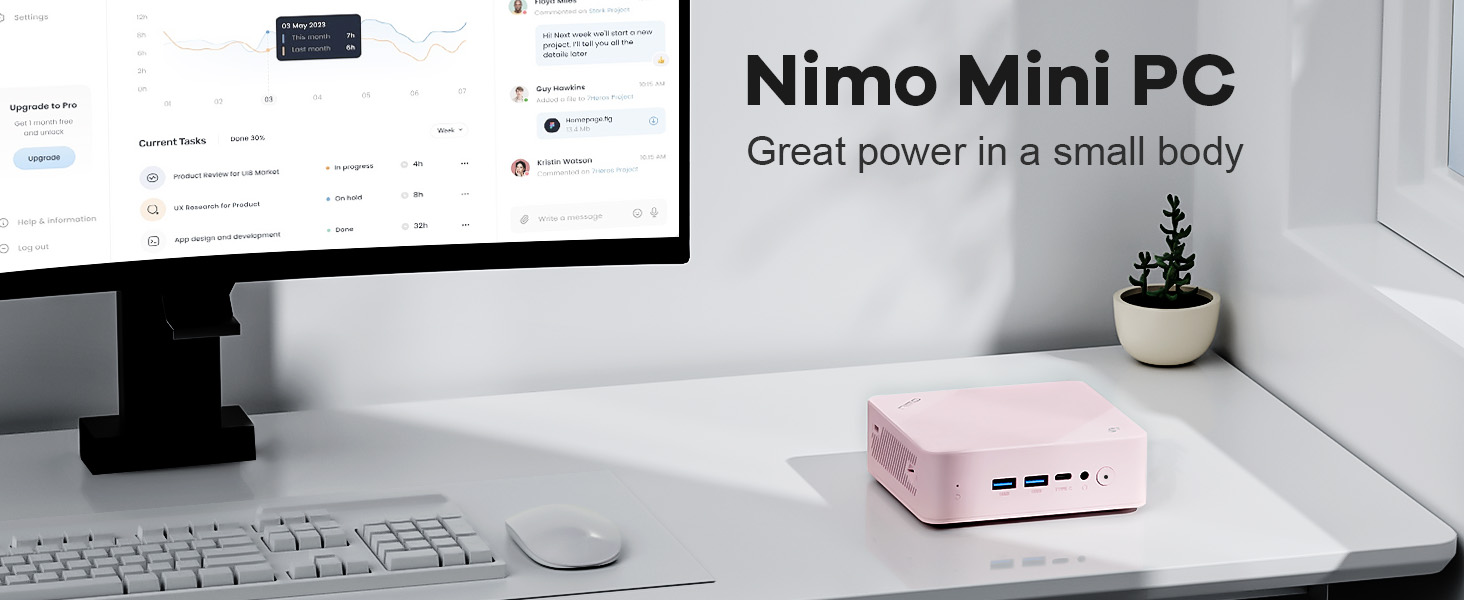
Image: The NIMO Mini PC N100, a compact computing solution for various environments.
2.製品オーバーview
The NIMO Mini PC N100 is engineered for efficiency and versatility. It features a compact design with a comprehensive array of ports for seamless connectivity.
2.1. 物理的特徴とポート
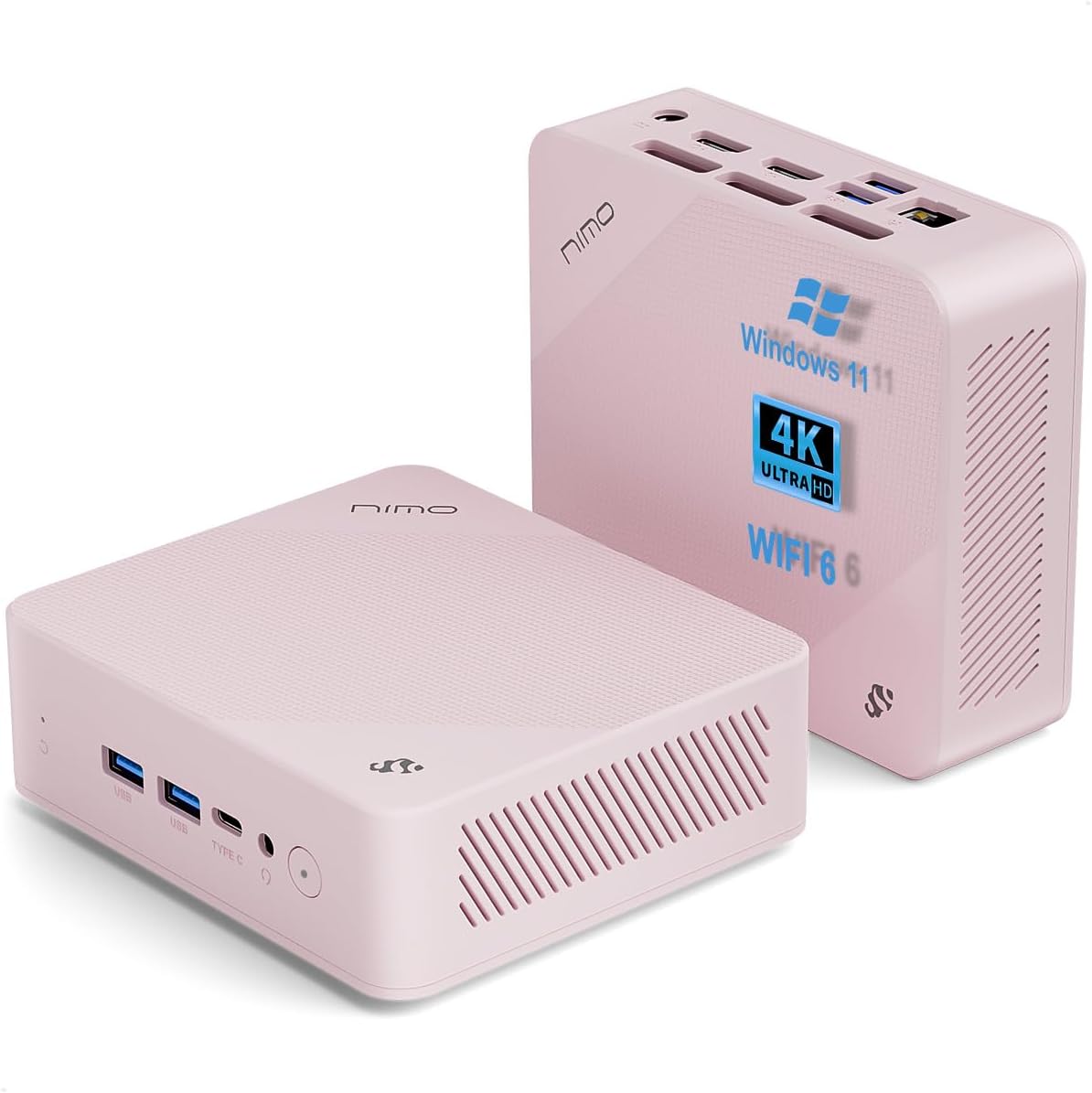
画像: 前面と背面 views of the NIMO Mini PC N100, showcasing its compact form factor and port layout.

Image: A detailed diagram illustrating the various ports available on the NIMO Mini PC N100, including USB, HDMI, LAN, and Type-C.
- フロントパネル: Power Button, 2x USB Type-A Ports, 1x Type-C Port (multifunction), 1x Audio Port, 1x Reset Button.
- 後面パネル: 1x Giga LAN Port, 2x HDMI 2.0 Ports, 2x USB Type-A Ports, 1x DC-IN Port, Security Slot, SD Card Reader.
2.2. 主な特徴

Image: A visual summary of the NIMO Mini PC N100's core features, such as Windows 11, WiFi 6, and 4K display support.
- オペレーティング·システム: Windows 11 ホーム
- プロセッサ: 12th Gen Intel N100 Processor
- メモリ: 8GB DDR4 メモリ
- ストレージ: 1TB PCIe SSD
- 接続性: WiFi 6、Bluetooth 5.2、ギガビットLAN
- 表示出力: Dual HDMI 2.0 and Type-C for up to 4K triple-monitor display
- 冷却: 15W Efficient Cooling System

Image: The NIMO Mini PC N100 in a desktop setup, emphasizing its Intel N100 processor, WiFi 6, Bluetooth 5.2, and efficient cooling capabilities.
3. セットアップ
Follow these steps to set up your NIMO Mini PC N100.
3.1. パッケージ内容
パッケージにすべてのアイテムが揃っていることを確認します。

Image: The NIMO Mini PC N100 package contents, including the Mini PC unit, mounting bracket, power adapter, and instruction manual.
- 1x NIMO Mini PC N100 Unit
- 1x取り付けブラケット
- 電源アダプター x 1
- 取扱説明書 x 1
3.2. 初期接続
- ディスプレイを接続する: Connect your monitor(s) to the HDMI 2.0 ports or the Type-C port on the Mini PC using appropriate cables.
- 周辺機器を接続します。 Plug in your keyboard, mouse, and any other USB devices into the available USB Type-A ports.
- 接続電源: Insert the power adapter into the DC-IN port on the Mini PC, then plug the adapter into a power outlet.
- ネットワーク接続: For a wired connection, connect an Ethernet cable to the Giga LAN port. For wireless, ensure your WiFi network is available.
3.3. 配置オプション
The NIMO Mini PC N100 offers flexible placement options:

Image: A visual comparison of VESA mounting and traditional desktop placement for the NIMO Mini PC N100.
- デスクトップの配置: Place the Mini PC on a flat, stable surface with adequate ventilation.
- VESA の取り付け: Use the included mounting bracket to attach the Mini PC to the back of a VESA-compatible monitor or TV. This helps create a clutter-free workspace.

Image: The NIMO Mini PC N100 discreetly mounted behind a monitor, illustrating its space-saving VESA capability.
4. 操作手順
Learn how to operate your NIMO Mini PC N100 effectively.
4.1.電源のオン/オフ
- 電源オン: Press the Power Button on the front panel. The power indicator light will illuminate.
- 電源を切る: In Windows, click the Start button, then select Power > Shut down. Alternatively, you can press and hold the Power Button for a few seconds to force a shutdown (not recommended for regular use).
- 再起動: In Windows, click the Start button, then select Power > Restart.
4.2. ディスプレイ設定
The NIMO Mini PC N100 supports up to three displays simultaneously.

Image: The NIMO Mini PC N100 demonstrating its capability to support a triple display setup for enhanced multitasking.
- 複数のモニターを接続する: Use the two HDMI 2.0 ports and the Type-C port to connect up to three 4K displays.
- Windows ディスプレイ設定: Right-click on the desktop and select 'Display settings' to configure display resolution, orientation, and arrangement (extend, duplicate, or show only on one display).
4.3. ストレージの拡張
The Mini PC includes an SD card reader for additional storage expansion.

Image: The NIMO Mini PC N100 featuring an SD card slot, allowing for easy storage expansion up to 512GB.
- Insert an SD card into the dedicated slot on the rear panel to expand storage capacity for fileおよびアプリケーション。
4.4. 使用シナリオ

Image: The NIMO Mini PC N100 being used in different environments: home entertainment, office work, and classroom learning.
- ホームエンターテイメント: Connect to a TV for streaming, media playback, or light gaming.
- 事務: Ideal for productivity tasks, document editing, and video conferencing.
- Classroom Learning: Suitable for educational applications and online courses.
5. メンテナンス
Proper maintenance ensures the longevity and optimal performance of your NIMO Mini PC N100.
- クリーニング: Regularly clean the exterior of the Mini PC with a soft, dry cloth. Use compressed air to clear dust from ventilation grilles. Do not use liquid cleaners directly on the device.
- 換気: Ensure the Mini PC is placed in a well-ventilated area. Do not block the air vents.
- ソフトウェアアップデート: Keep your Windows 11 operating system and drivers updated to ensure security and performance.
- データのバックアップ: データの損失を防ぐために、重要なデータを定期的に外部ドライブまたはクラウド ストレージにバックアップしてください。
- 極端な状況を避ける: Mini PC を極端な温度、湿度、または直射日光にさらさないでください。
6。 トラブルシューティング
This section addresses common issues you might encounter with your NIMO Mini PC N100.
| 問題 | 考えられる原因 | 解決 |
|---|---|---|
| 電源なし | 電源アダプタが接続されていない、電源コンセントに問題がある、アダプタに障害がある。 | Check power cable connection; try a different outlet; ensure adapter is working. |
| モニターに何も表示されない | Monitor off or incorrect input; display cable loose or faulty. | Ensure monitor is on and set to correct input (HDMI/Type-C); check display cable connections; try a different cable or monitor. |
| インターネット接続なし(Wi-Fi) | Wi-Fi が無効です。パスワードが間違っています。ルーターに問題があります。 | Ensure Wi-Fi is enabled in Windows settings; verify Wi-Fi password; restart router. |
| No internet connection (LAN) | Ethernet cable loose or faulty; router issue. | Check Ethernet cable connection; try a different cable; restart router. |
| 周辺機器(キーボード/マウス)が動作しない | USB 接続が緩い、ドライバーに問題がある。 | Reconnect USB device; try a different USB port; check device manager for driver issues. |
| システムが遅い、または応答しない | Too many applications running; low disk space; malware. | Close unnecessary applications; free up disk space; run antivirus scan; restart the PC. |
7. 仕様
Detailed technical specifications for the NIMO Mini PC N100.

Image: Diagram highlighting the Intel 12th Gen N100 Processor, the core of the NIMO Mini PC N100's performance.
| 特徴 | 仕様 |
|---|---|
| モデル番号 | 100円 |
| オペレーティング·システム | Windows 11 ホーム |
| プロセッサ | Intel 12th Gen N100 (3.4 GHz Intel_Mobile_CPU, 4 Cores) |
| ラム | 8 GB DDR4 SDRAM |
| ストレージ | 1 TB Solid State Drive (PCIe SSD) |
| 最大画面解像度 | 3840 x 2160 ピクセル (4K) |
| グラフィックス | Intel UHD グラフィックス(統合) |
| 接続性 | WiFi 6、Bluetooth 5.2、ギガビットLAN |
| ポート | 2x HDMI 2.0, 4x USB Type-A (USB3.2), 1x Type-C (multifunction), 1x Giga LAN, 1x DC-IN, 1x Audio, 1x SD Card Reader, 1x Security Slot |
| 寸法(長さx幅x高さ) | 4.8 x 4.4 x 1.53インチ |
| ハードウェアプラットフォーム | PC |
| 初回利用可能日 | 1年2024月XNUMX日 |
8. 保証とサポート
NIMO is committed to providing excellent after-sales service and support for your Mini PC N100.

画像: オーバーview of NIMO's commitment to after-sales excellence, including support, returns, and customer service.
8.1. 保証情報
- 保証期間: The NIMO Mini PC N100 is covered by a 2年間の保証 購入日より。
- 返品規則: You may return any NIMO product for any reason within 90日 購入の。
8.2. カスタマーサポート
NIMO provides professional and high-quality customer service. If you have any product-related questions or require assistance, please contact us:
- メールアドレス: サービス
- オンライン: Visit the official NIMO website or product page for contact options and support resources.
Our team of professional technicians is ready to help resolve any issues you may encounter. We aim to reply to all inquiries promptly.