
Diyeeni Y13
Y13 Smart Sports Watch User Manual
モデル: Y13
1. はじめに
Welcome to the user manual for your Diyeeni Y13 Smart Sports Watch. This guide provides comprehensive instructions on how to set up, operate, and maintain your device, ensuring you get the most out of its features. Please read this manual carefully before using the watch.
The Y13 Smart Sports Watch is designed to enhance your daily life with its advanced features, including a vibrant color touch screen, IP68 waterproof rating, and multiple sports modes. It is compatible with Android 5.0 and iOS 9.0 and above devices.
2.製品オーバーview
Familiarize yourself with the components of your Y13 Smart Sports Watch.
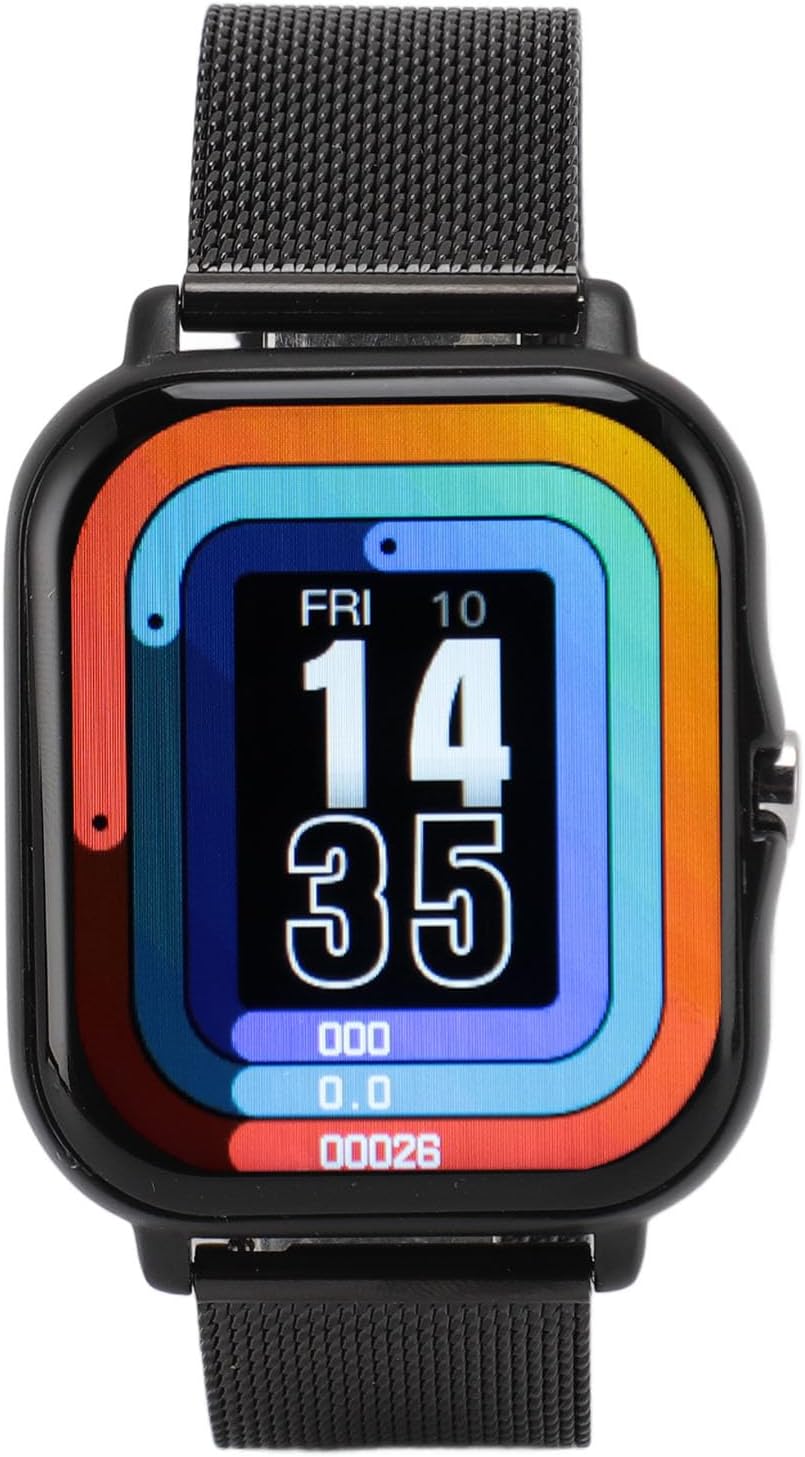
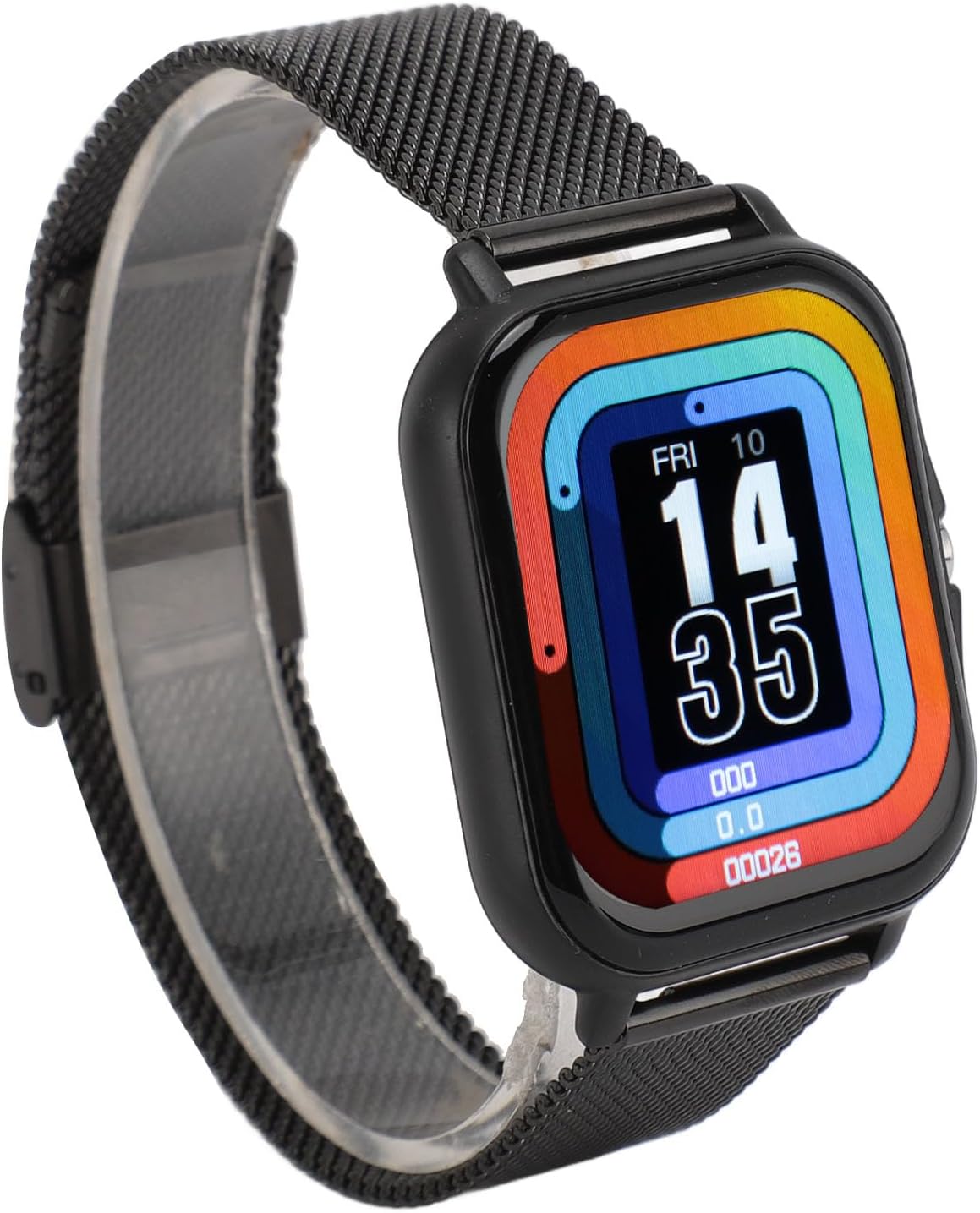


パッケージ内容:
- 1 x Y13 Smart Sports Watch Unit
- 1 x Black Mesh Strap
- 2 x Steel Pins (for strap attachment)
- 1 x磁気充電ケーブル
- ユーザーマニュアル (本書) x 1
3. セットアップと初期使用
3.1時計の充電
Before first use, fully charge your Y13 Smart Sports Watch. The watch comes equipped with a 180mAh battery, offering 5 to 7 days of use on a single charge.
- 磁気充電ケーブルを USB 電源 (コンピューターの USB ポート、USB 壁アダプターなど) に接続します。
- Align the magnetic end of the charging cable with the charging contacts on the back of the watch. The magnets will snap it into place.
- 時計の画面に充電状況が表示されます。フル充電には約2時間かかります。
3.2 ストラップの取り付け
The watch strap is designed for easy attachment and removal.
- Locate the two steel pins and the strap.
- Insert one end of a steel pin into the lug hole on one side of the watch body.
- Compress the spring-loaded pin and guide the other end into the corresponding lug hole on the opposite side. Release the pin to secure the strap.
- ストラップの反対側も同様に繰り返します。
3.3 スマートフォンとのペアリング
To unlock the full functionality of your Y13 Smart Sports Watch, pair it with your smartphone via the dedicated app. The watch is compatible with Android 5.0 and iOS 9.0 and above.
- アプリをダウンロード: 検索する the official companion app (refer to the watch packaging or quick start guide for the app name, typically found by scanning a QR code) on the Google Play Store (for Android) or Apple App Store (for iOS).
- Bluetoothを有効にする: スマートフォンでBluetoothが有効になっていることを確認します。
- アプリを開きます: Launch the downloaded app on your smartphone.
- デバイスを追加: Follow the in-app instructions to add a new device. Select "Y13" or the corresponding model from the list of available devices.
- ペアリングの確認: スマートフォンと時計の両方にペアリングリクエストが表示される場合があります。両方のデバイスでペアリングを確認してください。
- データを同期する: Once paired, the watch will sync time, date, and other settings from your phone. You can now customize watch faces and manage notifications through the app.
4. 操作手順
4.1 基本的なナビゲーション
The Y13 Smart Sports Watch features a 1.69-inch color touch screen for intuitive operation.
- 上/下にスワイプ: メニューと通知をナビゲートします。
- 左/右にスワイプ: クイック機能やさまざまなデータ画面(心拍数、歩数、天気など)にアクセスします。
- タップ: 項目を選択するか、アクションを確認します。
- サイドボタンを押します: Return to the home screen or turn the screen on/off. A long press may power the device on/off.
4.2主な機能
The Y13 Smart Sports Watch offers a range of functionalities:
- 歩数カウント: 毎日の歩数、距離、消費カロリーを自動的に追跡します。
- エクササイズモード: Supports 12 different sports modes including walking, running, cycling, swimming, badminton, basketball, football, and skipping. Select the appropriate mode before starting your activity for accurate tracking.
- 通話とメッセージの通知: Receive alerts for incoming calls, WhatsApp messages, texts, and other app notifications directly on your watch. You can reject calls from the watch.
- 音楽コントロール: スマートフォンの音楽再生(再生、一時停止、トラックのスキップ)を時計から直接制御します。
- リモートカメラコントロール: 時計をスマートフォンのカメラのリモートシャッターとして使用します。
- 座りっぱなしの注意: 長時間活動していないときにアラートを受信して、活動するように促します。
- 目覚まし時計: 時計上で直接、またはアプリを通じてアラームを設定します。
- ストップウォッチとタイマー: アクティビティの時間を計るための組み込みツール。
- 天気予報: View current weather conditions synced from your phone.
- ダイヤル切り替え: Customize your watch face through the app to match your style.
5. メンテナンスとケア
Proper care will extend the life of your Y13 Smart Sports Watch.
5.1 クリーニング
- 時計の画面と本体を柔らかく糸くずの出ない布で拭いてください。
- 頑固な汚れには、damp布に水を少し含ませてください。刺激の強い化学薬品や研磨剤入りの洗剤は使用しないでください。
- 適切に充電するために、充電接点を定期的に清掃してください。
5.2 Waterproof Information (IP68)
The Y13 Smart Sports Watch is designed with advanced IP68 waterproof technology. This means it is resistant to dust and can withstand immersion in water up to 1.5 meters for up to 30 minutes. It is suitable for swimming and use in rainy weather.
重要: While IP68 rated, avoid exposing the watch to hot water, steam, or high-pressure water jets (e.g., hot showers, saunas, diving). The waterproof capability is not permanent and may decrease over time with normal wear and tear.

5.3 ストレージ
長期間使用しない場合は、直射日光や極端な温度を避け、涼しく乾燥した場所に時計を保管してください。
6。 トラブルシューティング
If you encounter issues with your Y13 Smart Sports Watch, refer to the following common solutions:
| 問題 | 考えられる原因 / 解決策 |
|---|---|
| 時計の電源が入りません。 | バッテリーが消耗している可能性があります。時計を30分以上充電してください。 |
| スマートフォンとペアリングできません。 |
|
| 通知が受信されません。 |
|
| 画面が反応しません。 | サイドボタンを長押しして時計を再起動してください。反応しない場合は、バッテリーを完全に使い切ってから充電してください。 |
| アクティビティの追跡が不正確です。 | Ensure the watch is worn snugly on your wrist, about one finger's width above the wrist bone. Calibrate settings in the app if available. |
問題が解決しない場合は、カスタマー サポートにお問い合わせください。

7. 仕様
| 特徴 | 詳細 |
|---|---|
| モデル | Y13 |
| 材料 | ABS+TPU+LCD |
| 画面サイズ | 1.69インチ |
| Bluetoothバージョン | 4.0 |
| 手術 | タッチスクリーン |
| システム要件 | Android 5.0またはiOS 9.0以上 |
| 防水レベル | IP68 |
| 電池のタイプ | 180mAh Lithium-ion Battery (Built-in) |
| バッテリー寿命 | 5~7日間(通常使用) |
| 基本機能 | Step Counting, Music Playback, Calorie Counting, Exercise Mode, Call Reminder, Message Reminder, Calculator, Alarm Clock Reminder, Dial Switching, Time Setting |
8. 保証とサポート
8.1 保証情報
This Diyeeni Y13 Smart Sports Watch comes with a standard manufacturer's warranty. Please refer to your purchase documentation or contact your retailer for specific warranty terms and conditions. The warranty typically covers defects in materials and workmanship under normal use.
8.2 カスタマーサポート
For technical assistance, troubleshooting beyond this manual, or warranty claims, please contact Diyeeni customer support through the following channels:
- オンラインサポート: Visit the official Diyeeni website (if available, otherwise refer to retailer support).
- メールアドレス: カスタマー サービス メールについては、製品のパッケージまたは購入請求書を参照してください。
- 小売業者サポート: 製品を購入した販売者に連絡してください。
Please have your product model (Y13) and purchase details ready when contacting support.
9. 安全情報

警告: Do not attempt to disassemble, modify, or repair the product yourself to avoid personal injury or equipment damage. Any unauthorized attempts to open or modify the device will void the warranty.
- デバイスを極端な温度、直射日光、火気に近づけないでください。
- 時計を落としたり、強い衝撃を与えたりしないでください。
- お子様やペットの手の届かない場所に保管してください。
- 本製品およびバッテリーは、地域の規制に従って廃棄してください。家庭ごみとして廃棄しないでください。
Ask a question about this manual
Ask about setup, troubleshooting, compatibility, parts, safety, or missing instructions. Manuals+ will review the question and use this page’s manual context to help answer it.