
iRobot Roomba i5+ Combo
iRobot Roomba i5+ Combo Robot Vacuum and Mop User Manual
Model: Roomba i5+ Combo
導入
This manual provides essential instructions for the setup, operation, and maintenance of your iRobot Roomba i5+ Combo Robot Vacuum and Mop. This device is designed to automate floor cleaning by vacuuming and mopping hard surfaces. Please read this manual thoroughly before using the product to ensure proper function and safety.
箱の中身
開梱時にすべてのコンポーネントが揃っていることを確認します。
- iRobot Roomba i5+ Combo Robot Vacuum and Mop
- Clean Base Automatic Dirt Disposal (Docking Station)
- モップパッド
- 電源コード
- ユーザーマニュアル(このドキュメント)

Image: The iRobot Roomba i5+ Combo robot vacuum and mop, shown with its Clean Base automatic dirt disposal station.
設定
- Unpack the Robot and Clean Base: Remove all packaging materials from the robot and the Clean Base.
- クリーンベースを設置します。 Position the Clean Base against a wall in an open, uncluttered area. Ensure there is at least 0.5 meters (1.5 feet) of clear space on either side and 1.2 meters (4 feet) in front of the base.
- 接続電源: クリーンベースの電源コードを壁のコンセントに差し込みます。
- ロボットを充電する: Place the Roomba robot onto the Clean Base. The robot will automatically begin charging. Allow at least 3 hours for the initial charge.
- iRobot ホーム アプリをダウンロードします。 For full functionality, download the iRobot Home app from your device's app store. Follow the in-app instructions to connect your robot to your Wi-Fi network and complete the setup.
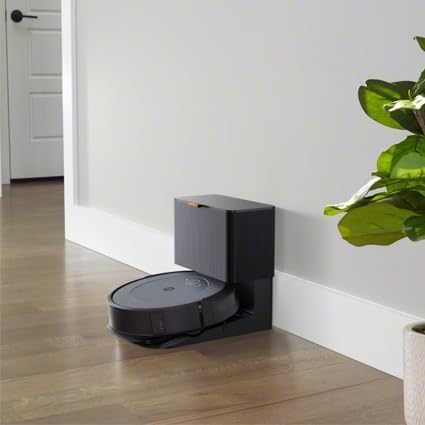
Image: The iRobot Roomba i5+ Combo robot vacuum docked on its Clean Base for charging.
操作手順
掃除機モード
To initiate a cleaning cycle in vacuuming mode, ensure the dustbin is properly installed. Press the CLEAN button on the robot or use the iRobot Home app to start, pause, or stop cleaning. The robot will automatically return to its Clean Base when the battery is low or when cleaning is complete.

Image: The iRobot Roomba i5+ Combo robot vacuum cleaning debris from a hard floor.

画像: オーバーヘッド view of the iRobot Roomba i5+ Combo robot vacuum demonstrating its systematic cleaning path on a floor.
モップモード
To use the mopping function, remove the vacuuming dustbin and install the mopping attachment with a clean mop pad. Fill the mopping reservoir with water or a compatible cleaning solution. The robot will then be ready to mop hard floors. Do not use the mopping attachment on carpets or rugs.

Image: The iRobot Roomba i5+ Combo robot vacuum shown with its interchangeable vacuum dustbin and mopping attachment.
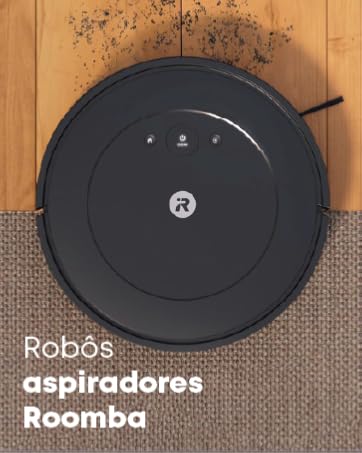
Image: A person filling the mopping reservoir of the iRobot Roomba i5+ Combo with water at a sink.
Smart Mapping and Scheduling
The iRobot Home app allows you to create Smart Maps of your home, define cleaning zones, and set schedules for automated cleaning. You can also direct the robot to clean specific rooms or areas.
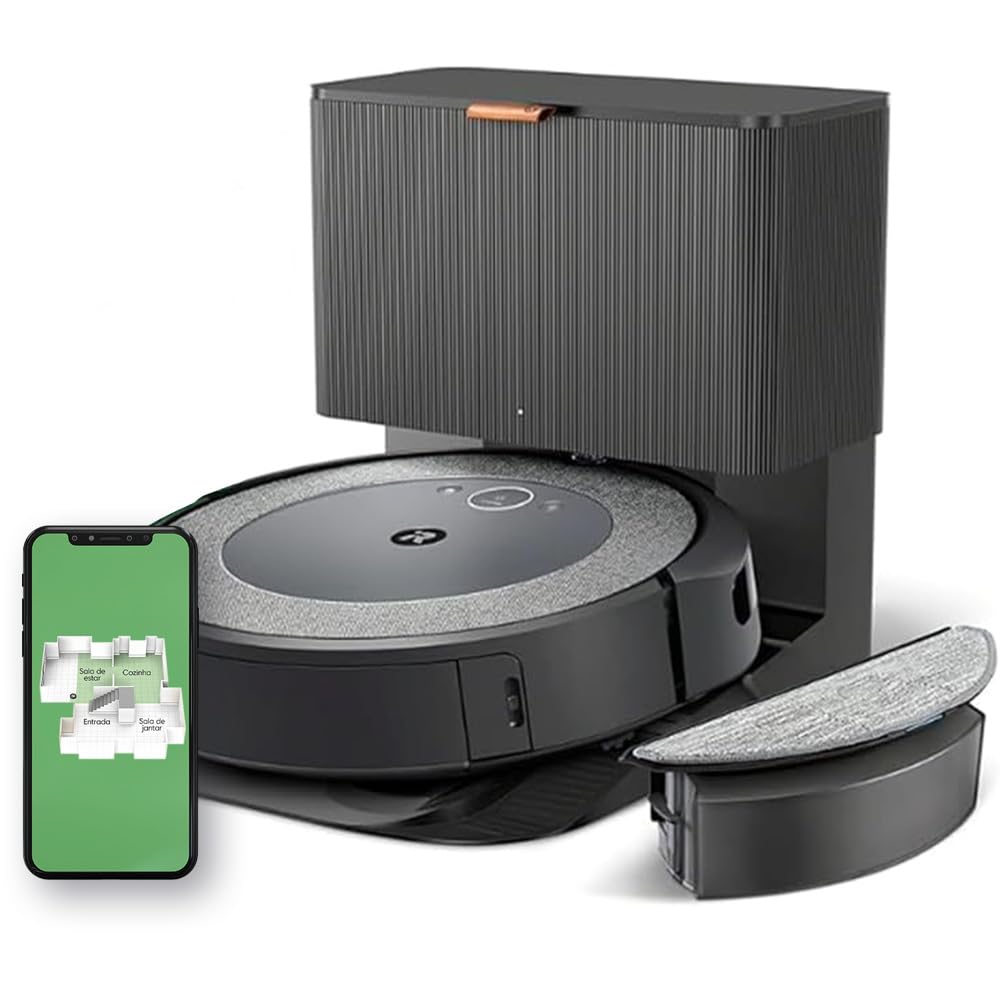
Image: A diagram illustrating the iRobot Roomba i5+ Combo's 4-stage cleaning system, including edge-sweeping brush, dual multi-surface rubber brushes, power-lifting suction, and mop pad.
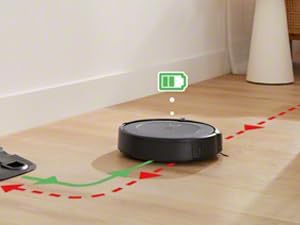
Image: The iRobot Roomba i5+ Combo robot vacuum shown mapping the layout of a house, indicating different rooms like living room, kitchen, entryway, and dining room.
Video: This video demonstrates the iRobot Roomba i5+ Combo's powerful suction and mopping capabilities, highlighting its 4-stage cleaning system and automatic dirt disposal. It also shows how to select specific rooms for cleaning using the iRobot OS app.
メンテナンス
Regular maintenance ensures optimal performance of your Roomba i5+ Combo.
- ゴミ箱を空にする: The Clean Base automatically empties the robot's dustbin. However, manually check and empty the dustbin if the Clean Base is not used or if the robot indicates it's full.
- モップパッドを掃除する: After each mopping cycle, remove and clean the mop pad. It can be hand-washed or machine-washed according to care instructions.
- ブラシを掃除する: Regularly remove hair and debris from the edge-sweeping brush and the dual multi-surface rubber brushes. Use the cleaning tool provided.
- フィルターのクリーニング: Tap the filter clean to remove debris. Replace the filter every 2-3 months, or as needed.
- センサーと充電接点を清掃する: Wipe the robot's sensors and charging contacts, as well as the Clean Base charging contacts, with a clean, dry cloth.
トラブルシューティング
| 問題 | 解決 |
|---|---|
| ロボットが充電されていない | クリーンベースがコンセントに差し込まれ、ロボット本体が充電端子に正しく取り付けられていることを確認してください。ロボット本体とクリーンベースの両方の充電端子を清掃してください。 |
| ロボットが頻繁に動けなくなる | Clear obstacles from the cleaning area. Ensure virtual walls or keep-out zones are set up in the app for problem areas. Clean the robot's sensors. |
| 洗浄性能が悪い | Empty the dustbin, clean the brushes, and replace the filter if necessary. Ensure the mop pad is clean and wet for mopping. |
| ロボットがWi-Fiに接続できない | Ensure your Wi-Fi network is 2.4 GHz. Restart your router and the robot. Follow the in-app instructions for Wi-Fi setup carefully. |
仕様
| 特徴 | 詳細 |
|---|---|
| ブランド | アイロボット |
| モデル | Roomba i5+ Combo |
| 色 | White (Note: Product images often show a dark grey/black unit) |
| 対応デバイス | Alexa or Google Assistant compatible devices |
| 特集 | Scheduling, Anti-fall, Self-emptying, Pet hair capture, Automatic dust collection |
| 電源 | コード付き電気 |
| 電池のタイプ | リチウムイオン |
| フォームファクター | ラウンド |
| 製品寸法 | 長さ12.7 x 幅41.9 x 高さ45センチメートル |
| 表面の推奨事項 | Multiple surfaces |
保証とサポート
For warranty information and technical support, please refer to the official iRobot website or contact iRobot customer service. Keep your purchase receipt as proof of purchase.
公式iRobot Webサイト: www.irobot.com
Ask a question about this manual
Ask about setup, troubleshooting, compatibility, parts, safety, or missing instructions. Manuals+ will review the question and use this page’s manual context to help answer it.