
1. はじめに
The SEAFRONT CY306 is a versatile GSM 3G 4G remote access controller designed for managing gates, garage doors, and other access points. It allows for remote operation via mobile phone calls, SMS, or a dedicated application, offering secure and convenient control from any location. This manual provides detailed instructions for installation, operation, and maintenance of your CY306 controller.
2. パッケージ内容
以下にリストされているすべてのアイテムがパッケージに含まれていることを確認してください。
- 1 x CY306 Remote Gate Opener Controller
- 3 x Mounting Bases
- 1 xアンテナ

Image 2.1: Contents of the SEAFRONT CY306 package, showing the main controller board, the external antenna, and three small white mounting bases.
3. 仕様
| 特徴 | 仕様 |
|---|---|
| モデル | CY306 |
| 材料 | アブソリュート |
| 定格巻tage | AC/DC 9V-36V |
| 動作温度 | -10℃~60℃ |
| 保管温度 | -20℃~60℃ |
| 相対湿度 | 10~90%(結露なし) |
| 動作周波数 | Global GSM, 3G, 4G Frequencies |
| Output Relay Voltage | 5A 250VAC, 7A 125VAC, 20A 14V, 20A 5V |
| Relay Port | 1ウェイ出力 |
| 寸法(長さ×幅×高さ) | 10 x 7 x 4 cm |
| 重さ | 55グラム |
4.製品オーバーview
The CY306 controller features a compact design with an ABS casing, making it suitable for industrial control applications. It includes a SIM card slot for network connectivity and terminal blocks for power and relay connections.

画像4.1: 詳細 view of the CY306 controller board, highlighting the SIM card slot (labeled 'SIM'), antenna connector (labeled 'ANT2'), and the green terminal block for wiring connections.

Image 4.2: The underside of the CY306 controller board, displaying various electronic components and regulatory compliance markings such as CE and RoHS.
5. インストールとセットアップ
Follow these steps to properly install and set up your CY306 controller:
- デバイスを準備します。 Unpack the CY306 controller, antenna, and mounting bases.
- SIM カードの挿入: Locate the SIM card slot on the controller board (refer to Image 4.1). Insert a valid GSM, 3G, or 4G SIM card into the slot. Ensure the SIM card is activated and has sufficient credit for calls and SMS.
- アンテナを接続する: Connect the provided antenna to the 'ANT2' connector on the controller board. Ensure a secure connection for optimal signal reception.

画像5.1: クローズアップ view demonstrating the proper connection of the external antenna to the 'ANT2' port on the CY306 controller board.
- 配線接続: Connect the power supply (AC/DC 9V-36V) and the device to be controlled (e.g., gate motor, garage door opener) to the corresponding terminals on the green terminal block. Refer to the wiring diagram specific to your application. The relay output provides a 1-way switch for control.
- 取り付け: Use the provided mounting bases to secure the controller in a suitable location. The device supports wall-mounted installation. Ensure the location provides good cellular signal and is protected from environmental elements.
- 電源オン: Once all connections are secure, apply power to the controller. The device will initialize and connect to the cellular network.
6. 操作手順
The CY306 controller offers multiple methods for remote operation:
6.1.呼制御
To operate the device via a phone call:
- Call the phone number of the SIM card inserted in the CY306 controller from an authorized mobile number.
- The controller will recognize the authorized number and activate its relay output, which will open or close the connected device (e.g., gate, garage door).
- The call will be automatically rejected after activation, incurring no call charges.
6.2. SMS Control
Specific SMS commands can be sent to the controller's phone number to perform actions or configure settings. Refer to the detailed command list in the full product documentation for specific SMS commands (e.g., adding/removing users, checking status).
6.3. モバイルアプリケーション制御
The CY306 supports control via the Callny Control application. This application allows for:
- Adding up to 1001 authorized users.
- Querying user lists.
- Remote control of the connected device with a simple interface.
- Setting relay closing times from 0 to 9999 seconds.
- Remote restart and reset functions.
Download the Callny Control app from your mobile device's app store and follow the in-app instructions to pair it with your CY306 controller.
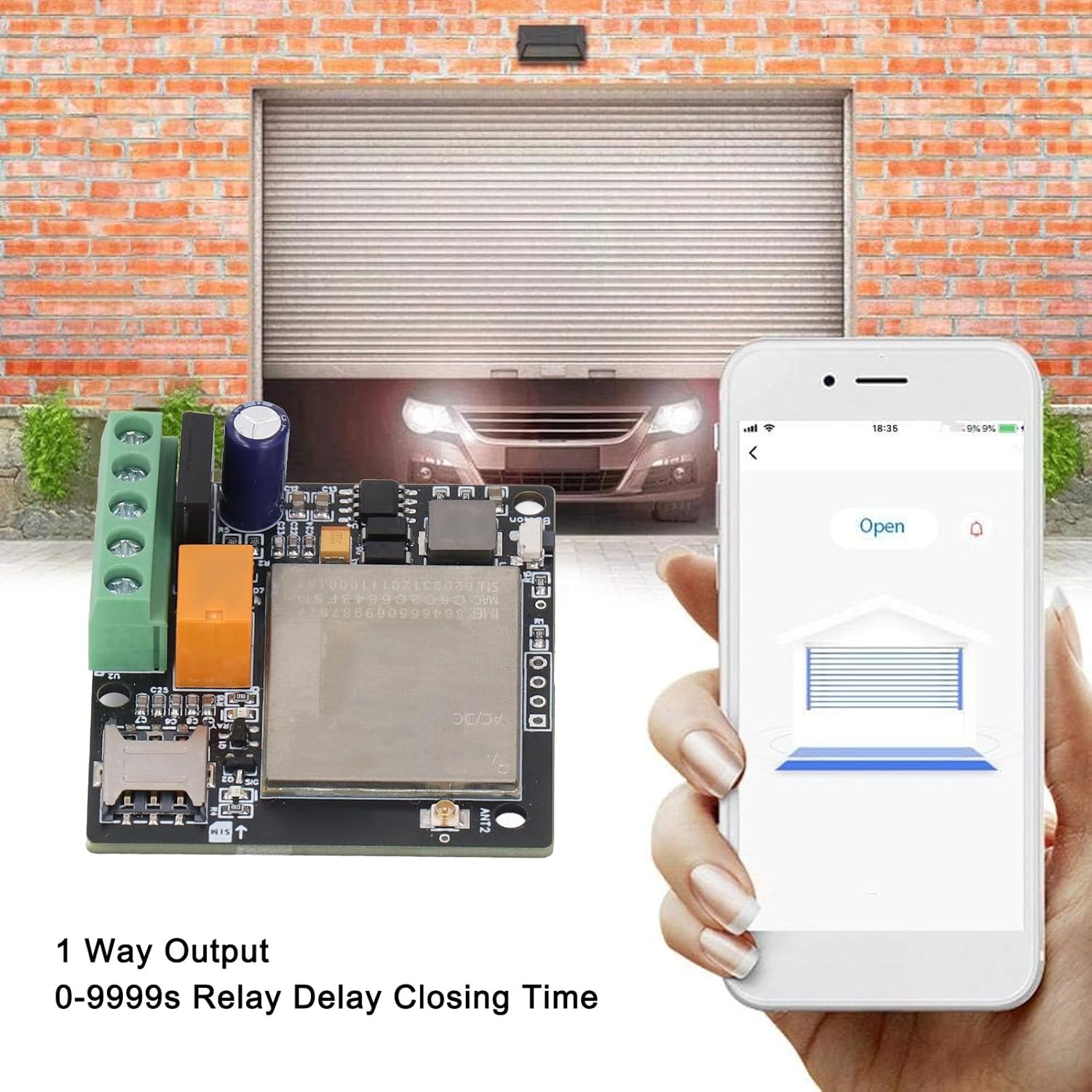
Image 6.1: Illustration of the mobile application interface used to remotely open a garage door, with the CY306 controller visible in the foreground.
7. アプリケーション
The SEAFRONT CY306 controller is suitable for a wide range of access control applications, including but not limited to:
- Residential and commercial gates
- ガレージドア
- Parking barriers and systems
- エレベーター
- Rolling shutters and blinds
- Industrial control for machines and equipment
- Remote control for electrical system distribution and traffic controllers

Image 7.1: A common application scenario showing a user operating an access point from inside a vehicle using the mobile application, demonstrating the convenience of the CY306 controller.
8. メンテナンス
To ensure optimal performance and longevity of your CY306 controller:
- デバイスを清潔に保ち、ほこりや湿気を避けてください。
- Ensure the antenna is securely connected and not obstructed.
- Regularly check power connections for any signs of wear or damage.
- Periodically verify the SIM card's status and credit balance to ensure continuous operation.
9。 トラブルシューティング
If you encounter issues with your CY306 controller, consider the following:
- No Response to Calls/SMS:
- SIM カードが正しく挿入され、アクティブ化されているかどうかを確認します。
- Ensure the SIM card has sufficient credit and is not expired.
- Verify cellular network coverage at the device's location.
- Confirm that your mobile number is authorized in the controller's user list.
- デバイスの電源が入っていない:
- Check the power supply connection and ensure it meets the 9V-36V AC/DC requirement.
- 電源ケーブルに損傷がないか点検してください。
- 断続動作:
- Poor cellular signal can cause intermittent operation. Try relocating the antenna or the controller to an area with better reception.
- Ensure the antenna connection is secure.
- リレーが作動しない:
- Verify the wiring to the connected device.
- Check the relay settings via the app or SMS commands to ensure the closing time is correctly configured.
If problems persist, consult the full product documentation or contact customer support.
10. 安全情報
- 配線やメンテナンスを行う前に必ず電源を切ってください。
- 不明な場合は、すべての配線が資格のある専門家によって行われていることを確認してください。
- デバイスを極端な温度、直射日光、水にさらさないでください。
- デバイスを子供の手の届かない場所に保管してください。
- 指定された電源のみを使用してくださいtage (AC/DC 9V-36V).
11. 保証とサポート
For warranty information and technical support, please refer to the documentation provided at the time of purchase or contact your retailer. The manufacturer is SEAFRONT.