
1. はじめに
The Polymaker PolyBox Edition II is a specialized storage solution designed to protect 3D printer filaments from moisture absorption. This device helps maintain optimal humidity levels, which is crucial for consistent and high-quality 3D prints. It accommodates various filament types and spool sizes, providing a controlled environment for both storage and active printing.
2.製品オーバーview
The PolyBox Edition II is a passive filament storage box featuring a built-in thermo-hygrometer for monitoring internal conditions. It utilizes desiccant bags to absorb moisture and maintain a low humidity environment. The design includes features for smooth filament feeding directly to a 3D printer.

Figure 1: Polymaker PolyBox Edition II with a filament spool.

Figure 2: Product dimensions of the PolyBox Edition II.
3. セットアップ手順
- コンポーネントを解凍します: Carefully remove all items from the packaging. Verify that all components are present: the PolyBox base, clear lid, steel rods, bearings, desiccant bags, and the thermo-hygrometer unit.
- Install Desiccant Bags: Place the reusable desiccant bags into the designated compartments within the PolyBox base. The PolyBox Edition II is designed to hold multiple desiccant bags to effectively absorb moisture.
- Assemble Spool Holders: Insert the steel rods through the bearings and secure them in the base. These rods and bearings allow the filament spools to rotate smoothly during printing.
- Install Thermo-Hygrometer: Insert the battery into the thermo-hygrometer unit. Place the unit into its designated slot on the front of the PolyBox base.
- Load Filament Spools: Place your filament spools onto the assembled rods. The PolyBox can hold two 1kg spools (max 52mm width each) or one 3kg spool (max 120mm width).
- Route Filament: Guide the filament through one of the available slots. The PolyBox Edition II features slots in both the base and lid to accommodate various printer setups. Use the appropriate PTFE tube for smooth feeding.
- 安全な蓋: Place the clear lid onto the base, ensuring a tight seal to maintain the internal environment.

Figure 3: Internal components including desiccant compartments, bearings, and rods.

Figure 4: Digital thermo-hygrometer for monitoring internal conditions.
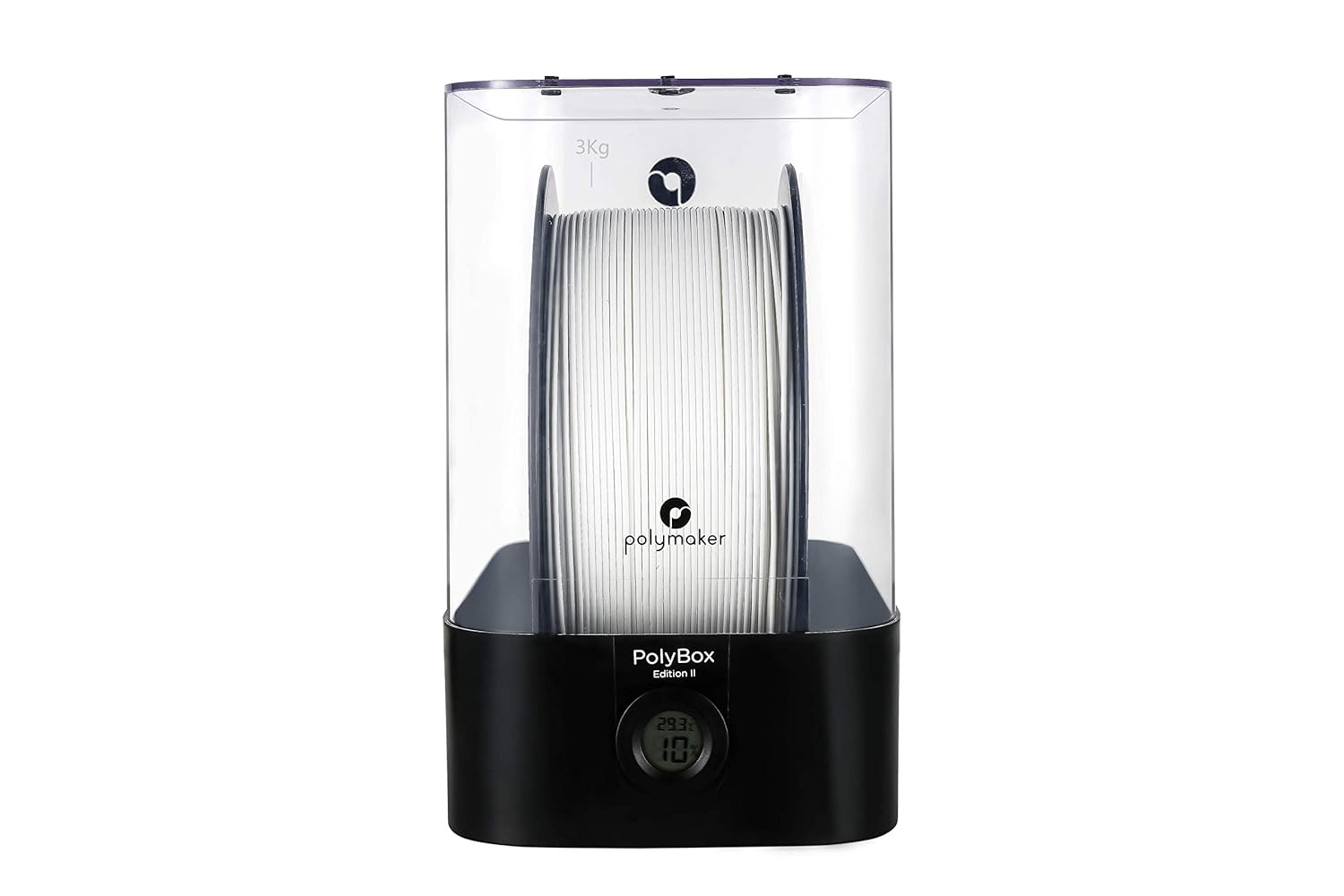
Figure 5: PolyBox accommodating a 3kg filament spool.

Figure 6: Filament diameter compatibility and routing options.
4. 操作手順
4.1. Monitoring Humidity
The built-in thermo-hygrometer continuously displays the temperature and humidity inside the PolyBox. For optimal filament storage and printing, aim to maintain humidity levels below 15%. Higher humidity can lead to moisture absorption by the filament, affecting print quality.
4.2. Printing Directly from PolyBox
The PolyBox is designed to allow direct feeding of filament to your 3D printer. This ensures that the filament remains in a controlled, dry environment throughout the printing process, preventing re-absorption of moisture from the ambient air.
4.3. Supported Filament Types
The PolyBox Edition II is suitable for storing and feeding a wide range of 3D printing filaments, including but not limited to:
- PLA(ポリ乳酸)
- ABS(アクリロニトリルブタジエンスチレン)
- PETG(ポリエチレンテレフタレートグリコール)
- PA Nylon (Polyamide Nylon)
- TPU(熱可塑性ポリウレタン)
- PVB (Polyvinyl Butyral)
注記: The PolyBox Edition II is a passive storage solution and does ない contain any electric heating elements. It relies on desiccant bags to manage humidity.
5. メンテナンス
5.1. Recharging Desiccant Bags
The desiccant bags included with the PolyBox are reusable. When the humidity inside the box begins to rise or the desiccant beads change color (if applicable), it indicates they have absorbed moisture and need to be recharged. Follow the instructions provided with your specific desiccant bags for recharging, typically involving heating them in an oven to drive off absorbed moisture.
5.2. 清掃
Clean the PolyBox periodically with a soft, damp cloth. Avoid using abrasive cleaners or solvents that could damage the plastic. Ensure the box is completely dry before re-inserting desiccant bags and filament.
6。 トラブルシューティング
6.1. High Humidity Inside the Box
- Check Desiccant: Ensure the desiccant bags are active and not saturated. Recharge or replace them if necessary.
- シールを確認: Make sure the lid is securely closed and the filament exit ports are properly sealed around the PTFE tubes to prevent ambient air from entering.
6.2. Filament Feeding Issues
- スムーズな回転: Check that the filament spool rotates freely on the steel rods and bearings. Ensure no filament is tangled or snagged.
- PTFE Tube Alignment: Verify that the PTFE tube is correctly inserted into the PolyBox and aligned with your printer's filament path to minimize friction.
7. 仕様
- 製品寸法: 12.4 x 7.48 x 12.2 inches (31 x 18 x 31 cm with base, 31 x 18 x 23 cm without base)
- 商品の重量: 4.4 ポンド (2 キログラム)
- 材料: プラスチック
- Supported Filament Spools: 2 x 1kg spools (max 52mm width each) or 1 x 3kg spool (max 120mm width)
- 特集: Compatible with all 3D printers, capacity for multiple filament sizes, built-in thermo-hygrometer, moisture regulation with drying bags.
- 熱源: None (passive drying via desiccant)
8. 公式製品ビデオ
ビデオ1: 審判員がview of the PolyBox, demonstrating its features and benefits for 3D printing filament storage and use. This video highlights how the PolyBox helps maintain filament quality by controlling humidity.
9. 箱の中身
- Polymaker Polybox Filament Drybox
10. 保証とサポート
Specific warranty information for the Polymaker PolyBox Edition II is not provided in the available product data. For detailed warranty terms, technical support, or customer service inquiries, please refer to the official Polymaker website or contact their customer support directly. You may also find additional support resources and FAQs on the POLYMAKER Store.