
1. はじめに
This manual provides detailed instructions for the safe and effective use of your FEELWORLD NP-F550 2200mAh replacement battery. Please read this manual thoroughly before using the product to ensure optimal performance and longevity.
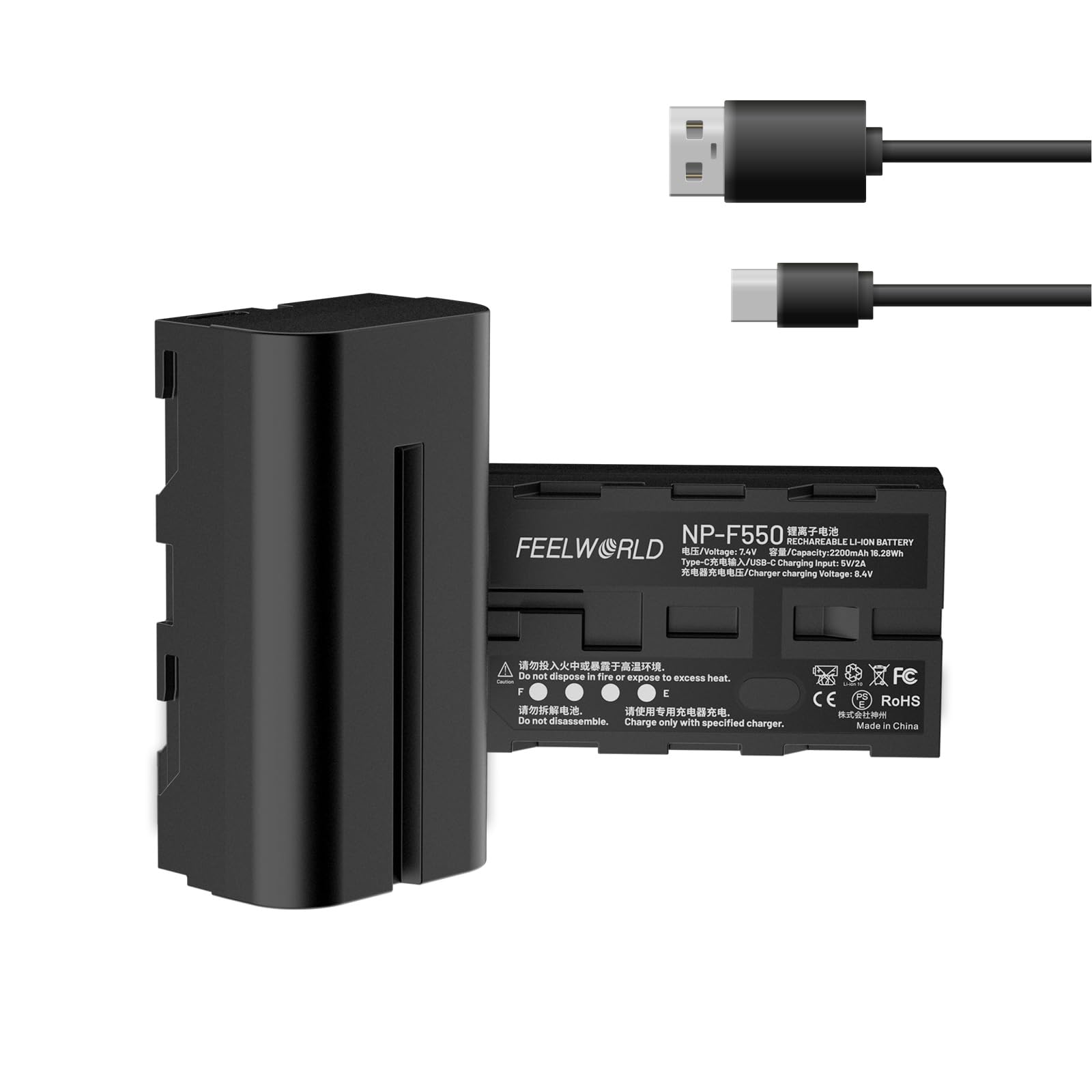
Image 1.1: FEELWORLD NP-F550 Replacement Battery. This image displays the front view of the NP-F550 battery.
2. パッケージ内容
以下にリストされているすべてのアイテムがパッケージに含まれていることを確認してください。
- FEELWORLD NP-F550 Battery (2 packs)
- USB-C充電ケーブル
- ユーザーマニュアル

Image 2.1: Package contents. This image shows one NP-F550 battery, a USB-C charging cable, and the user manual.
3. セットアップと充電
3.1 初期充電
Before first use, fully charge the battery. The NP-F550 battery offers two charging methods:
3.1.1 USB-C 充電
Connect the provided USB-C charging cable to the battery's USB-C port and plug the other end into a 5V/2A power source (e.g., host charger, adapter, power bank, or car charger). The LED indicators will show the charging progress.
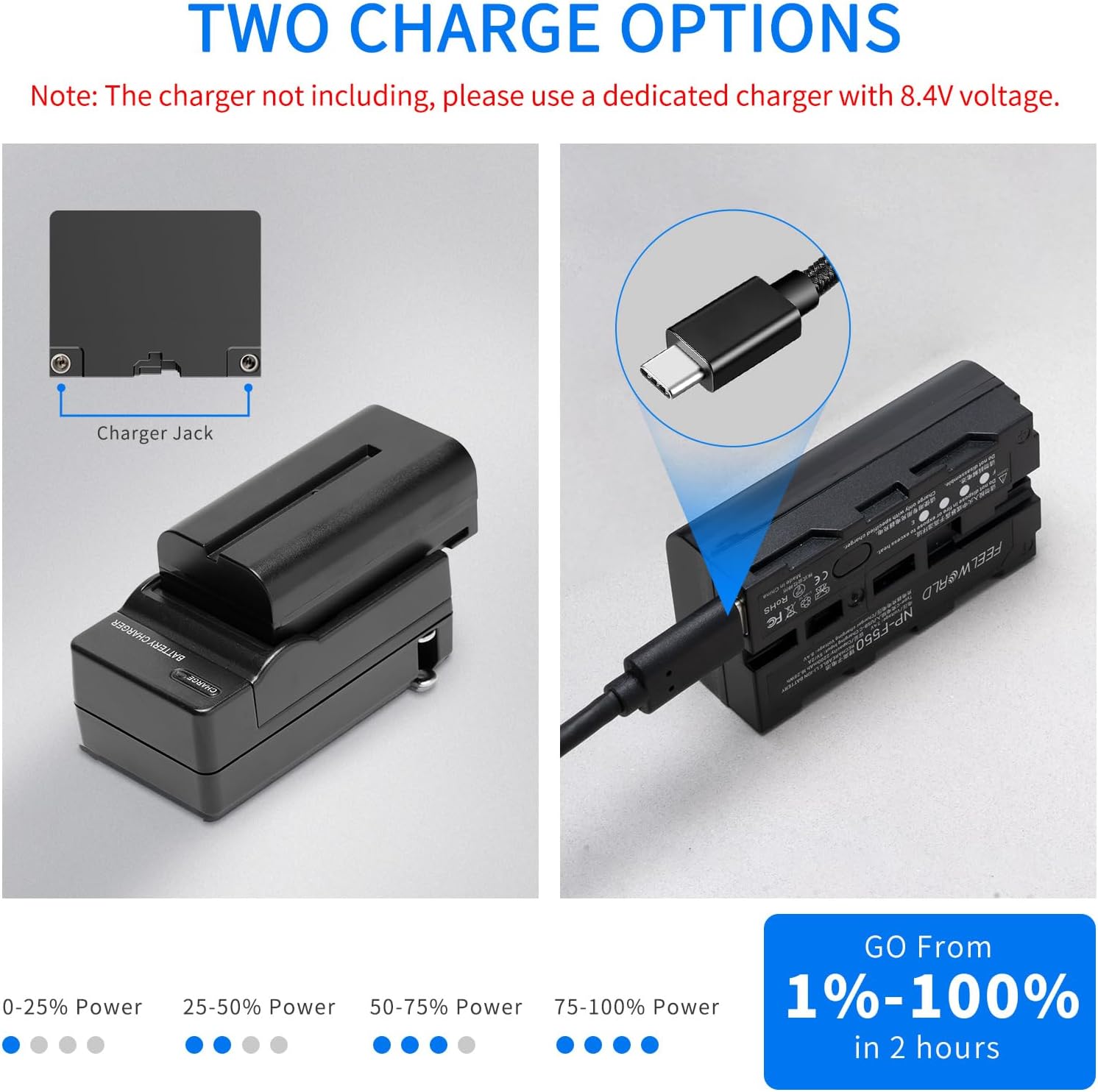
Image 3.1: USB-C charging port. This image highlights the USB-C charging port on the side of the NP-F550 battery.

Image 3.2: Multiple charging options. This image illustrates different ways to charge the battery via USB-C, including a host charger, adapter charger, power bank, and car charging.
3.1.2 Dedicated Charger Charging
Alternatively, you can charge the battery using a dedicated NP-F series charger (not included) with an 8.4V output. Place the battery into the charger's slot. The charger's indicators will show the charging status.
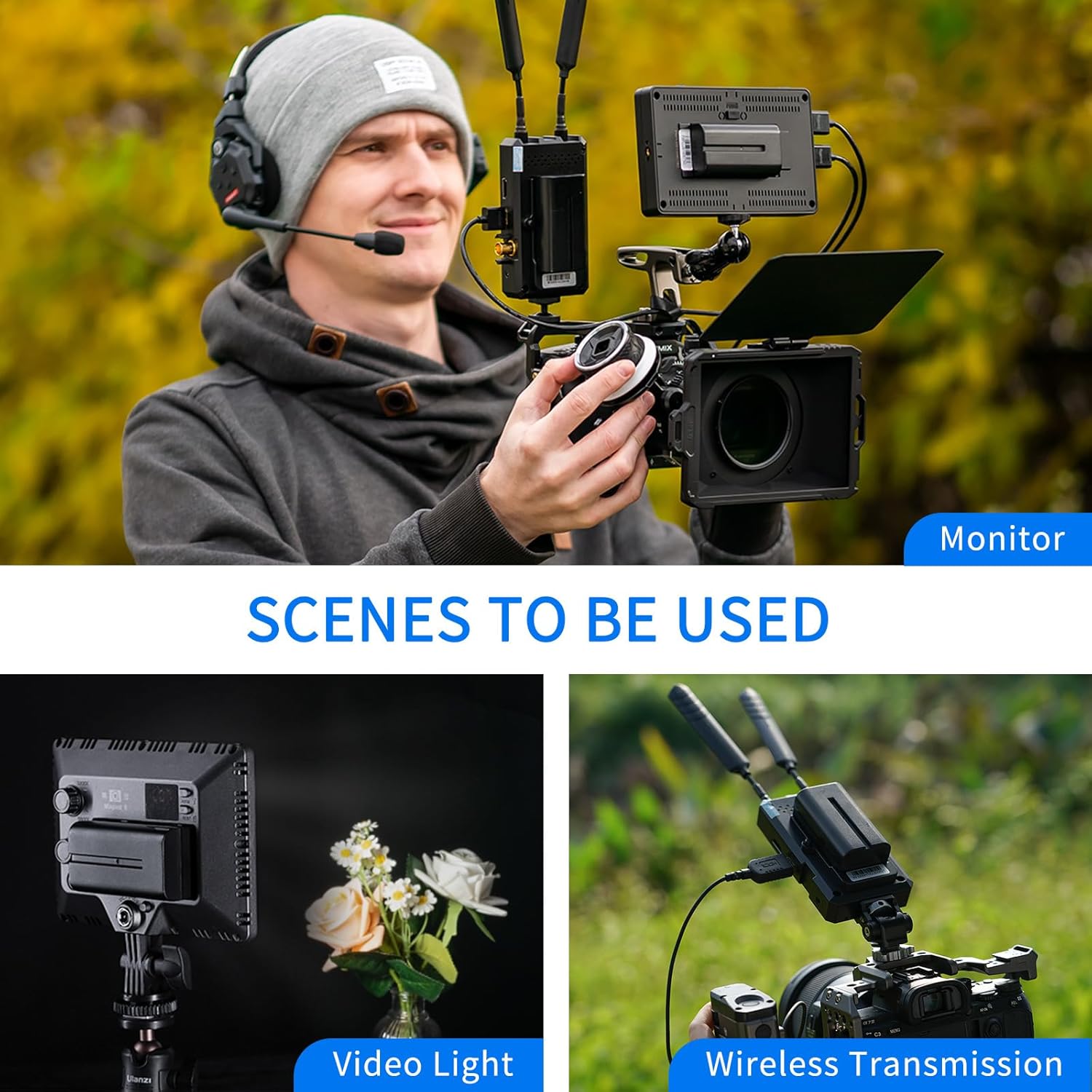
Image 3.3: Two charge options. This image visually compares charging with a dedicated charger and charging via the USB-C port.
3.2 LEDバッテリーレベルインジケーター
The battery features four LED indicators on the bottom to display the current charge level:
- 1つのLED: 0〜25%の電力
- 2つのLED: 25〜50%の電力
- 3つのLED: 50〜75%の電力
- 4つのLED: 75〜100%の電力
4. 操作
4.1デバイスの互換性
The FEELWORLD NP-F550 battery is designed for use with a variety of photographic and video equipment, including:
- ビデオライト
- LEDライト
- フィールドモニター
- Wireless Video Transmission Systems
注記: This battery does not include decode functionality and cannot power cameras or camcorders directly.
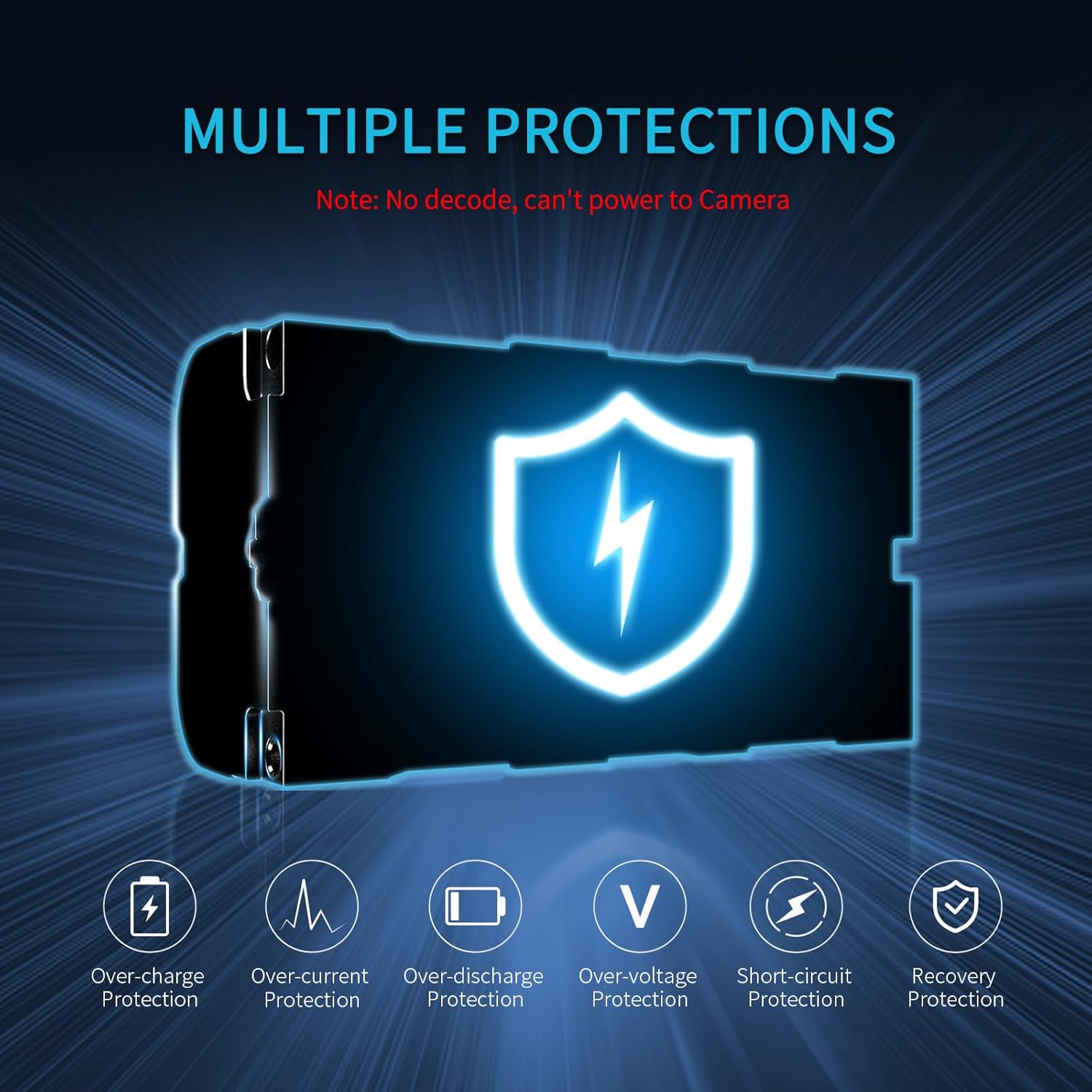
Image 4.1: Compatible devices. This image shows the NP-F550 battery being used with a monitor, a video light, and a wireless transmission system.
4.2 バッテリーの取り付け
To install the battery, align the battery terminals with the corresponding contacts on your compatible device. Slide the battery into the device's battery slot until it clicks securely into place. To remove, press the release latch (if present on your device) and slide the battery out.
4.3 Recommended Battery Models for FEELWORLD Monitors
The following table provides guidance on recommended NP-F series battery models for various FEELWORLD monitors and their approximate running times:
| モニターモデル | 電力消費を監視する | バッテリーモデル | バッテリー駆動時間 |
|---|---|---|---|
| FW568 | 8W | NP-F550 | 2h |
| FW759 | 5W | NP-F550 | 3.2時間 |
| FW572 | 9W | NP-F550 | 1.8時間 |
| F6プラス | 8W | NP-F750 | 4h |
| F7プロ | 9W | NP-F750 | 3.6時間 |
| LU7 ルト | 16W | NP-F750 | 2h |
| LU6 ルト | 16W | NP-F970 | 3h |
| F5 PROX | 9W | NP-F970 | 5h |
Battery Running Time = Battery Capacity / (Monitor Power Consumption / Battery Voltage)
For touch and high brightness monitors, selecting a higher capacity battery such as NP-F750 or NP-F970 is recommended for longer running times.

Image 4.2: Monitor compatibility table. This image displays a table detailing recommended NP-F battery models for various FEELWORLD monitors and their estimated running times.
5. 安全および保護機能
The FEELWORLD NP-F550 battery incorporates multiple protection mechanisms to ensure safe operation and extend battery life:
- 過充電保護: Prevents overcharging, which can damage the battery.
- 過電流保護: 過剰な電流の引き込みに対する保護機能。
- 過放電保護: Prevents the battery from being discharged too deeply.
- オーバーボリュームtag保護: ボリュームから保護tageスパイク。
- 短絡保護: ショートが発生した場合には自動的に電源を遮断します。
- 回復保護: Allows the battery to recover from certain fault conditions.

Image 5.1: Multiple protection features. This diagram visually represents the various safety protections integrated into the NP-F550 battery.
6.メンテナンスと保管
6.1一般的なケア
- Keep the battery terminals clean. Use a dry, soft cloth to wipe them if necessary.
- バッテリーを極端な温度、直射日光、高湿度にさらさないでください。
- バッテリーを分解したり、穴を開けたり、落としたりしないでください。
- Use only compatible chargers and devices.
6.2 ストレージ
- 長期保管の場合は、バッテリーを約 50 ~ 60% の容量まで充電してください。
- バッテリーは可燃物から離れた涼しく乾燥した場所に保管してください。
- If storing for extended periods, periodically check the charge level and recharge to 50-60% every 3-6 months.
7。 トラブルシューティング
7.1 バッテリーが充電されない
- ケーブルの接続を確かめて: USB-C ケーブルがバッテリーと電源の両方にしっかりと接続されていることを確認します。
- 電源を確認します: Confirm that the power adapter or USB port is functional and providing sufficient power (5V/2A for USB-C).
- Inspect LED Indicators: Observe the LED indicators on the battery. If no LEDs light up, the battery may be completely depleted or there might be an issue with the charging setup.
- Try Different Charger/Cable: Test with another USB-C cable or a dedicated NP-F charger to rule out faulty accessories.
7.2 Battery Not Powering Device
- 互換性を確認: Ensure your device is compatible with NP-F series batteries and does not require decode functionality (e.g., cameras/camcorders are not supported).
- バッテリーの充電を確認する: Check the LED indicators to confirm the battery has sufficient charge.
- 適切な取り付け: Ensure the battery is correctly inserted and securely locked into the device's battery slot.
- 清潔なコンタクト: Gently clean the battery terminals and device contacts with a dry, soft cloth.
7.3 バッテリー寿命が短い
- デバイスの電力消費: High power consumption devices will drain the battery faster. Refer to your device's manual for its power requirements.
- Battery Age/Condition: Over time, all rechargeable batteries experience a decrease in capacity.
- 環境要因: 非常に低い温度で動作させると、バッテリーのパフォーマンスが低下する可能性があります。
- Consider Higher Capacity: If consistently experiencing short runtimes, consider upgrading to a higher capacity NP-F series battery (e.g., NP-F750 or NP-F970) if your device supports it.
8. 仕様
Key technical specifications for the FEELWORLD NP-F550 battery:
| 特徴 | 仕様 |
|---|---|
| モデル番号 | AA-2ANP55-LY-US |
| 電池のタイプ | リチウムイオン |
| 容量 | 2200mAh |
| 巻tage | 7.4V |
| USB-C入力 | 5V/2A |
| 寸法(長さ×幅×高さ) | 70.7mm x 38.4mm x 25mm(約2.8 x 1.52 x 0.98インチ) |
| アイテム重量 | 3.52オンス(約100g) |
| 再利用性 | 充電式 |
| 推奨用途 | Photographic Lighting, Field Monitors, Wireless Video Transmission |

Image 8.1: Battery dimensions. This image provides a visual representation of the NP-F550 battery with its key dimensions labeled.
9. 保証とサポート
For warranty information or technical support, please refer to the documentation provided with your purchase or contact FEELWORLD customer service through their official website or the retailer where the product was purchased. Please have your product model number (AA-2ANP55-LY-US) and purchase details ready when contacting support.