
1. はじめに
Thank you for choosing the WALFRONT 12-Key One-Handed RGB Mechanical Gaming Keypad. This compact, hot-swappable keypad is designed for enhanced gaming and productivity, offering customizable macros and vibrant RGB lighting. This manual provides detailed instructions for setup, operation, maintenance, and troubleshooting to ensure optimal performance and longevity of your device.
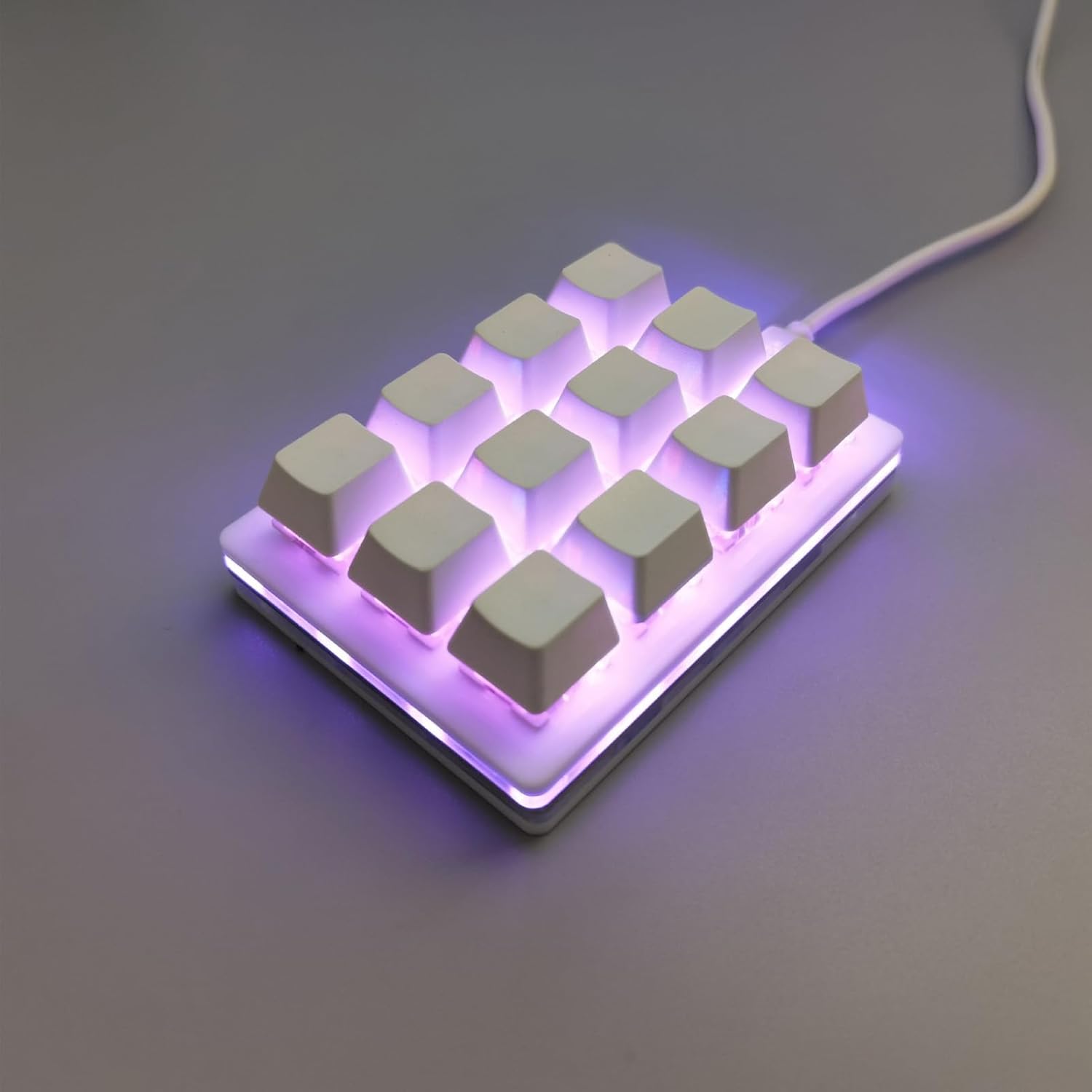
Figure 1: WALFRONT 12-Key One-Handed RGB Mechanical Gaming Keypad
2.製品オーバーview
2.1 主な特徴
- ESD保護チップ: Equipped with an ESD non-static chip to protect against static electricity, prolonging service life and ensuring data integrity.
- Injection Keycaps: Special injection molding process ensures wear resistance and prevents fading or slipping, offering enhanced longevity.
- 人間工学に基づいたデザイン: The keypad's layout and upper plug line are designed for comfort and aesthetics, improving the user experience.
- ホットスワップ可能なスイッチ: Features a hot-swappable axle seat for high compatibility and simple insertion, allowing users to change switches for a customizable tactile feel.
- Professional Configuration Software: Dedicated software for full key customization, macro programming, and personalized setups.
- RGB照明: Adjustable LED lighting effects for a dynamic visual experience.
- 幅広い互換性: Supports Windows, macOS, Linux, and mobile phones (requires an OTG converter).

Figure 2: Key features of the WALFRONT Gaming Keypad
2.2 パッケージ内容
開封したらパッケージの内容を確認してください:
- 1 x WALFRONT 12-Key Mechanical Gaming Keypad
- USBケーブル1本
3. セットアップ
3.1 キーパッドの接続
- Locate the USB-C port on the keypad.
- Connect one end of the provided USB cable to the keypad's USB-C port.
- Connect the other end of the USB cable to an available USB port on your computer (Windows, macOS, Linux) or mobile device (requires an OTG converter, not included).
- The keypad is plug-and-play; no additional drivers are typically required for basic functionality.

Figure 3: USB-C port for connection
4. 操作手順
4.1 カスタマイズソフトウェア
The WALFRONT 12-Key Keypad features professional configuration software for advanced customization. This software allows you to:
- Remap individual keys to any desired function.
- 複雑なマクロを作成して割り当てます。
- RGB 照明効果と色を調整します。
- 複数のプロを保存fileさまざまなアプリケーションやゲーム用。
メーカーの説明を参照してください website or included documentation for instructions on downloading and installing the specific customization software for your operating system.

Figure 4: Keypad features including custom key values and hot-swappable design
4.2 Macro Programming and Key Functions
The keypad supports full key customization, allowing any combination of shortcut keys and multi-key integration. Common functions that can be programmed include:
- Copy, Paste, Cut, Select All
- Undo, Save
- 再生、一時停止、音量コントロール
- Switch applications, Delete, Screenshot
- Multimedia control and mouse simulation
These functions can be modified at will through the customization software to suit various uses in office, industrial control, finance, customer service, gaming, and media.

Figure 5: Versatile applications and customization capabilities
4.3 ホットスワップ可能なスイッチ
The hot-swappable design allows you to easily change the mechanical switches without soldering. This feature enables you to experiment with different switch types to find your preferred tactile feel and sound. The keypad supports five-pin axes.

Figure 6: Mechanical switch structure and hot-swappable design
5. メンテナンス
5.1 クリーニング
To maintain the keypad's appearance and functionality:
- クリーニングする前に、キーパッドをコンピューターから取り外してください。
- 柔らかく乾いた布を使用してキーパッドの表面を拭いてください。
- 頑固な汚れには、軽くamp布に水または低刺激性の非研磨性洗剤を含ませて拭いてください。過度の湿気は避けてください。
- 圧縮空気を使用して、キーキャップ間のほこりやゴミを取り除きます。
5.2 スイッチの交換
Thanks to the hot-swappable design, you can replace individual switches if they become faulty or if you wish to change the typing experience. Use a switch puller (often included with replacement switches or sold separately) to gently remove the old switch and press the new one into place, ensuring the pins align correctly.
6。 トラブルシューティング
6.1 一般的な問題と解決策
- キーパッドが認識されません: Ensure the USB cable is securely connected to both the keypad and the computer. Try a different USB port or cable. Restart your computer.
- キーが反応しない: Check if the keycaps are properly seated. If a specific switch is faulty, replace it using the hot-swappable feature.
- RGB照明が機能しない: Verify that the customization software is installed and configured correctly. Check for any software updates.
- マクロが実行されない: Ensure the macros are correctly programmed and saved within the customization software. Check if the correct profile アクティブです。
6.2 ESD保護
The integrated ESD non-static chip helps prevent static electricity generation, which can damage electronic components. This feature increases the service life of the keypad and protects the stability of the keyboard chip and the integrity of transmitted data.

Figure 7: ESD protection chip for enhanced durability
7. 仕様
| 特徴 | 仕様 |
|---|---|
| メーカー | ウォールフロント |
| モデル番号 | WALFRONTa8kbiehovn |
| アイテム重量 | 6.2オンス |
| パッケージ寸法 | 5.91 x 3.94 x 1.18インチ |
| 色 | 白 |
| 材料 | アクリロニトリルブタジエンスチレン |
| 商品パッケージ数量 | 1 |
| 特集 | Ergonomic, Hot-Swappable, Customizable Macros, RGB Lighting, ESD Chip |
| 含まれるコンポーネント | USBケーブル |
| スイッチ本体 | 赤いスイッチ |
| 互換システム | Windows, macOS, Linux, Mobile (with OTG) |
8. 保証とサポート
For warranty information and technical support, please refer to the documentation included with your product or visit the official Walfront webサイトでご確認ください。保証請求の際は購入証明として領収書を保管してください。