
1. はじめに
The M-VAVE SK2 is an isolated power supply unit designed for guitar effect pedals. It provides stable and low-noise power to multiple pedals simultaneously, ensuring optimal performance. This unit features independent power outputs and overcurrent protection for each channel, enhancing reliability and safety for your equipment.
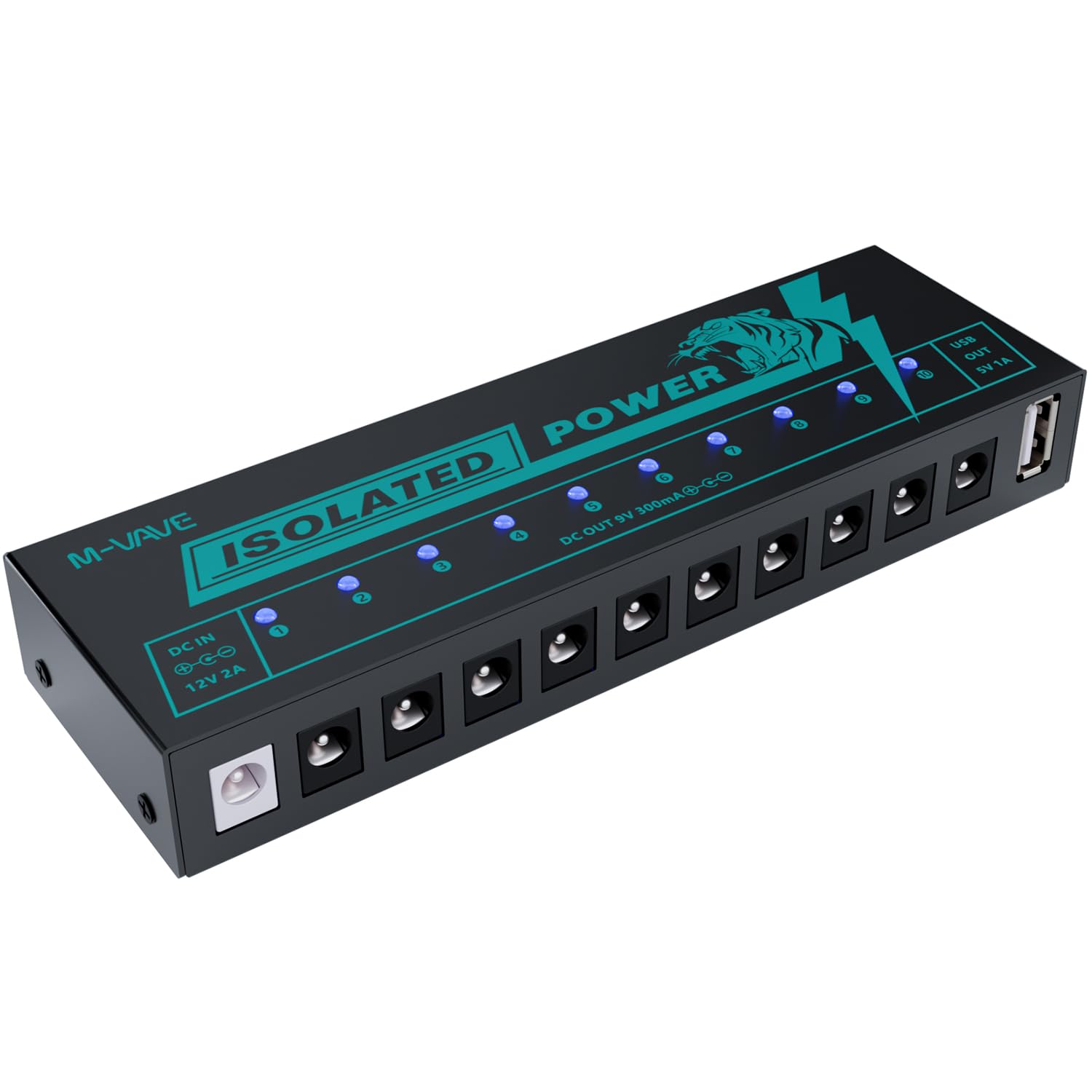
Image 1.1: M-VAVE SK2 Isolated Guitar Pedal Power Supply.
2. 特徴
- 10 Isolated 9V DC Outputs: Provides clean and stable power to individual pedals, minimizing noise and interference. Each output delivers 300mA.
- 1 USB 5V Output: Dedicated 5V 1A USB output for powering compatible devices or charging.
- 独立した過電流保護: Each output channel is equipped with independent overcurrent protection. If one channel experiences a short circuit, other channels remain operational.
- LEDステータスインジケータ: Blue LED lights indicate the operational status of each channel. An LED will turn off if its corresponding channel experiences an overcurrent condition.
- ノイズ低減回路設計: Engineered to minimize unwanted noise, contributing to a superior audio experience.
- 耐久性のある構造: Made from lightweight and robust aluminum alloy.

画像2.1: 以上view of the 11 independent power supply interfaces.

Image 2.2: Short circuit protection with LED indicators for normal operation and short circuit.
3. パッケージ内容
パッケージにすべてのアイテムが揃っていることを確認します。
- M-VAVE SK2 Isolated Guitar Pedal Power Supply Unit
- Power Adapter (DC 12V 2A input)
- DC電源ケーブル10本(ペダル接続用)

Image 3.1: M-VAVE SK2 unit with its accessories.
4. セットアップ
- 電源アダプタを接続します: Plug the provided DC 12V 2A power adapter into the 'DC IN' port on the M-VAVE SK2 unit. Connect the other end of the adapter to a suitable power outlet.
- エフェクトペダルを接続する: Use the included DC power cables to connect your guitar effect pedals to the 10 isolated 9V DC outputs. Ensure the polarity of the cables matches your pedals' requirements (center negative is standard for most guitar pedals).
- USBデバイスを接続する(オプション): If needed, connect a USB-powered device to the 5V 1A USB output port.
- 電源オン: Once all connections are secure, the blue LED indicators on the M-VAVE SK2 unit will illuminate, indicating that power is being supplied to the connected channels.
5. 操作
The M-VAVE SK2 operates automatically once connected to power and your pedals. Each blue LED light corresponds to an output channel. When a channel is functioning correctly, its LED will be lit. In the event of an overcurrent or short circuit on a specific channel, its corresponding LED light will turn off, indicating a fault without affecting the operation of other channels.
6. 安全情報
- Use only the provided power adapter. Using an incorrect adapter may damage the unit or connected devices.
- ユニットを水、湿気、または極端な温度にさらさないでください。
- 落としたり、強い衝撃を与えたりしないでください。
- Do not attempt to open or modify the unit. Refer servicing to qualified personnel.
- 動作中はユニット周囲の換気が適切であることを確認してください。
7。 トラブルシューティング
- No power to a pedal:
- Check if the LED indicator for that specific output channel is off. If it is, disconnect the pedal from that output and check the pedal for faults. The LED turning off indicates an overcurrent or short circuit on that channel. Reconnect the pedal only after resolving the issue.
- No power to any pedal:
- Ensure the power adapter is securely connected to both the M-VAVE SK2 unit and a working power outlet. Verify that the power adapter itself is functional.
- Unwanted noise in the audio signal:
- While the SK2 features noise reduction, external factors can still introduce noise. Ensure all cables are properly shielded and connected. Test pedals individually to identify if a specific pedal is generating noise. Check for ground loops in your setup.
8. 仕様
| パラメータ | 価値 |
|---|---|
| モデル番号 | SK2 |
| 電源入力 | DC 5V-12V(12V 2Aアダプタ経由) |
| DC 出力チャンネル | 10 x DC 9V 300mA (isolated) |
| USB Output Channel | 1 x USB 5V 1A |
| 製品寸法(長さ x 幅 x 高さ) | 4 x 1.9 x 6 インチ (158 x 50 x 25 mm) |
| アイテム重量 | 1.15ポンド(225g) |
| 建設資材 | アルミニウム合金 |
| 冷却方法 | 空気 |
| 対応デバイス | ギターエフェクター |

Image 8.1: Dimensions of the M-VAVE SK2 unit.
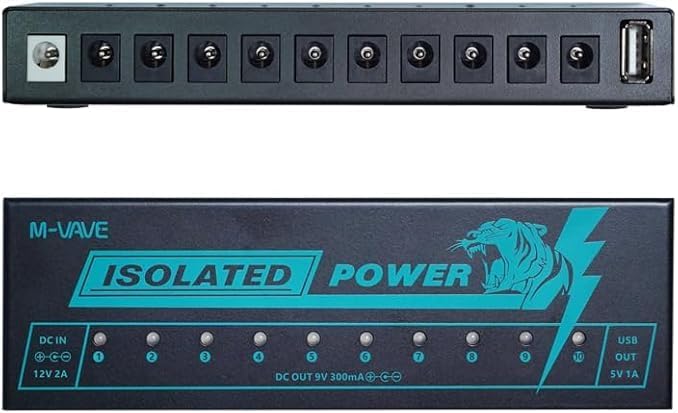
画像8.2: 上面と側面 view of the M-VAVE SK2 unit.
9. メンテナンス
- クリーニング: 本体の外装を清掃する際は、柔らかく乾いた布をご使用ください。液体クリーナーや溶剤は使用しないでください。
- ストレージ: 使用していないときは、直射日光や極端な温度を避け、涼しく乾燥した場所に保管してください。
- ケーブル管理 損傷を防ぐために、電源ケーブルがよじれたり引っ張られたりしていないことを確認してください。
10. 保証とサポート
The M-VAVE SK2 Isolated Guitar Pedal Power Supply comes with a one-year warranty from the date of purchase. For any product-related issues or support inquiries, please contact M-VAVE customer service. When contacting support, provide your purchase details and a clear description of the issue.


