
1. はじめに
The Ameta Morpho Drone (Model DR-ATM10B) is a compact and user-friendly quadcopter designed for beginners and young pilots. It features a 1080P HD camera for capturing aerial photos and videos, real-time First Person View (FPV) transmission, and 32 vibrant RGB lights with multiple effects. Built with durability in mind, it includes propeller guards and a loss prevention buzzer for enhanced safety and ease of use. This manual provides comprehensive instructions for safe operation, setup, and maintenance of your Ameta Morpho Drone.

Image 1.1: Ameta Morpho Drone with its main accessories.
2. 安全ガイドライン
- ドローンは常に、人、動物、障害物から離れた、開けた場所で操作してください。
- 飛行前に必ずドローンが完全に充電されていることを確認してください。
- 強風や悪天候のときはドローンを飛行させないでください。
- 回転するプロペラに指や髪の毛を近づけないでください。
- 14 歳未満のユーザーには大人の監督をお勧めします。
- Avoid flying near airports, restricted airspace, or private property.
- If the drone flies out of range, use the built-in buzzer to locate it.
3. パッケージ内容
パッケージにすべてのコンポーネントが含まれていることを確認します。
- アメタ モルフォ ドローン
- リモートコントローラー
- モジュラーバッテリー(2個)
- スペアプロペラ
- USB充電ケーブル
- プロペラ除去ツール
- ユーザーマニュアル

Image 3.1: Complete package contents of the Ameta Morpho Drone.
4. セットアップ
4.1. バッテリーの取り付けと充電
- Insert the modular batteries into the drone's battery compartment until they click securely into place.
- Use the provided USB charging cable to charge the batteries. The indicator light on the cable will show charging status (e.g., red for charging, green for fully charged).
- For the remote controller, install 3 AAA batteries (not included) into its battery compartment.
4.2. Drone and Controller Pairing
- ドローンを平らで水平な面に置きます。
- Press and hold the power button on the drone until its indicator lights begin to flash.
- Turn on the remote controller. The controller will automatically pair with the drone. A solid light on both the drone and controller indicates successful pairing.
5. 操作手順
5.1. 基本的な飛行制御
- ワンクリック離陸/着陸: Press the dedicated button on the controller for automatic takeoff or landing.
- 高度維持: The drone maintains a stable altitude, allowing for easier control and smoother footage.
- ヘッドレスモード: このモードでは、ドローンの向きはパイロットを基準にするため、ドローンの前方方向に関係なく飛行制御が簡素化されます。
- 速度調整: The drone offers multiple speed settings (e.g., low, medium, high) to suit different skill levels and environments.

Image 5.1: Beginner-friendly features like one-key takeoff, altitude hold, and headless mode.
5.2. 高度な飛行機能
- 3Dフリップ: Execute impressive 360-degree flips with a press of a button and a joystick movement.
- サークルフライ: The drone can perform circular flight patterns, adding dynamic movement to your aerial displays.

Image 5.2: The drone executing 3D flips and circular flight patterns.
5.3. オプティカルフローポジショニング
The drone utilizes optical flow positioning for enhanced stability, especially during indoor flights. This technology helps the drone maintain its position accurately, contributing to smoother control and clearer video capture.

Image 5.3: Optical flow positioning ensures stable hovering.
5.4. Loss Prevention Buzzer
Should the drone fly out of sight or range, a built-in buzzer can be activated via the controller to help locate it, minimizing the risk of loss.

Image 5.4: The remote controller features a button to activate the drone's loss prevention buzzer.
6. カメラの操作
The Ameta Morpho Drone is equipped with an 80° 1080P HD camera, allowing you to capture clear photos and videos from an aerial perspective. Utilize the companion app for real-time FPV (First Person View) transmission directly to your smartphone, enabling you to see what the drone sees as it flies.
- 写真のキャプチャ: Use the app or a designated button on the controller to take still images.
- ビデオ録画: Start and stop video recording via the app or controller.
- FPV伝送: スマートフォンをドローンのWi-Fiネットワークに接続して view ライブfootage.
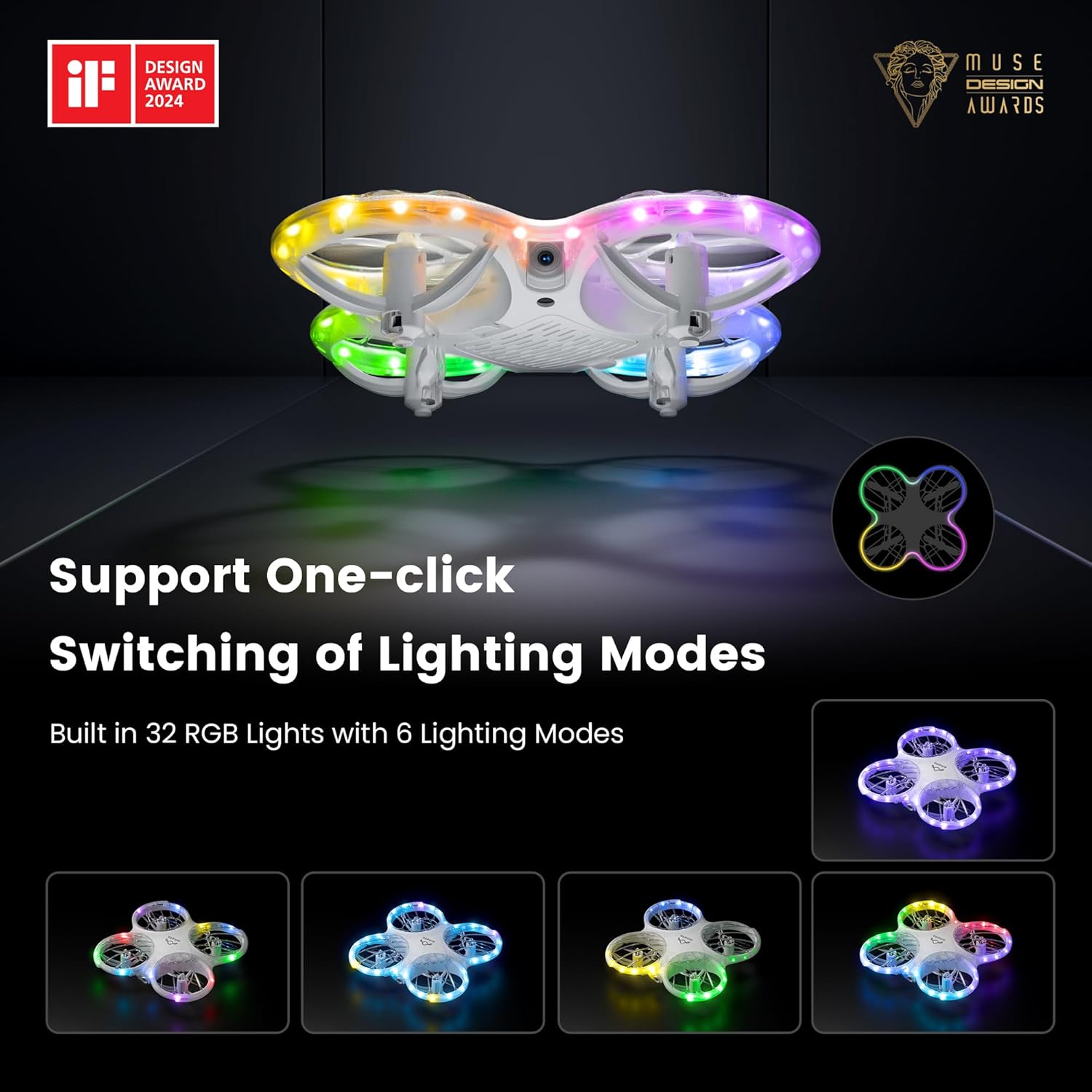
Image 6.1: The drone's 1080P HD camera for capturing high-definition media.
7. STEM Learning Module
The Ameta companion app integrates a simple STEM (Science, Technology, Engineering, and Mathematics) module. This feature allows users, particularly children, to engage in basic coding by combining flying modules, offering an educational approach to understanding drone technology and programming principles.

Image 7.1: The Ameta app's STEM module for programming flight paths.
8.RGBライト
The drone features 32 RGB lights with 6 dazzling effects, creating a visually engaging experience during flight. These lights enhance visibility and add an element of fun, especially when flying in low-light conditions.

Image 8.1: The drone showcasing its multiple RGB lighting modes.
9. メンテナンス
9.1. プロペラの交換
In case of damage, replace propellers using the provided tool and spare parts. Ensure correct orientation (A and B markings) for optimal flight performance.
9.2. バッテリーのお手入れ
To prolong battery life, avoid overcharging or fully discharging the batteries. Store them in a cool, dry place when not in use.
9.3. 清掃
Gently wipe the drone with a soft, dry cloth to remove dust and debris. Avoid using liquids or harsh chemicals.
10。 トラブルシューティング
- ドローンのドリフト: Calibrate the gyroscope as per the instructions in the app or manual. Check for damaged propellers.
- 電源なし: ドローンとコントローラーの両方でバッテリーが完全に充電され、正しく取り付けられていることを確認します。
- 接続の喪失: Re-pair the drone and controller. Ensure no strong interference sources are nearby.
- ブザーが動作しない: Check battery levels. Ensure the drone is within operational range for the buzzer to function effectively.
11. 仕様
| 特徴 | 詳細 |
|---|---|
| ブランド | アメタ |
| モデル名 | モルフォ |
| 商品型番 | DR-ATM10B |
| 製品寸法 | 13.8 x 13.4 x 3.4 cm |
| アイテム重量 | 72グラム |
| バッテリー | リチウムイオン電池2個(付属) |
| カメラ | 1080P HD, 80° FOV |
| 特集 | Speed Adjustment, FPV, 32 RGB Lights, Optical Flow Positioning, Loss Buzzer, STEM Learning Module |
| 飛行時間 | 最大18分(電池2個使用時) |
| 年齢範囲(説明) | 14 years and above (with parental supervision for younger users) |
| 原産国 | 中国 |
12. 保証とサポート
For warranty information or technical support, please refer to the contact details provided on the product packaging or visit the official Ameta webサイトでご確認ください。購入証明として購入レシートを保管してください。