
導入
The M-VAVE SMK-25 MINI is a compact and portable 25-key USB MIDI keyboard controller designed for music production on Mac and PC. It features velocity-sensitive keys, assignable controls, pitch and modulation functions, and versatile connectivity options including USB and Bluetooth. This manual provides detailed instructions for setting up, operating, maintaining, and troubleshooting your device.

Image: The M-VAVE SMK-25 MINI MIDI Keyboard Controller, showcasing its compact design and 25 velocity-sensitive keys.
設定
1. 電源を入れる
The SMK-25 MINI features a built-in rechargeable battery. To power on the device, press and hold the power button located on the side or top panel until the indicator light illuminates.
2.USB接続
For a wired connection to your computer (Mac or PC), use the provided USB-C cable. Connect one end to the USB-C port on the SMK-25 MINI and the other end to an available USB port on your computer. The device is plug-and-play, requiring no additional drivers for basic functionality.

Image: Illustration of the plug-and-play USB connection process for the MIDI keyboard controller to a computer.
3.Bluetooth接続
Bluetooth経由でワイヤレス接続するには:
- Ensure the SMK-25 MINI is powered on.
- を押す BT button on the controller to activate Bluetooth pairing mode. The Bluetooth indicator light will flash.
- On your computer or mobile device, navigate to Bluetooth settings and select "SMK-25 MINI" from the list of available devices.
- 接続されると、Bluetooth インジケーター ライトが点灯します。
4. Software Setup (DAW Compatibility)
The SMK-25 MINI is compatible with various Digital Audio Workstations (DAWs) such as Ableton Live, GarageBand, Logic Pro, Studio One, Cubase, Pro Tools, and Reason Studios. After connecting the controller, open your preferred DAW and ensure the SMK-25 MINI is recognized as a MIDI input device in the software's preferences or settings.

Image: The M-VAVE SMK-25 MINI shown with various DAW logos, indicating broad software compatibility.
操作手順
1. 基本的な操作
- ベロシティセンシティブキー: The 25 keys respond to how hard you press them, allowing for dynamic expression in your playing.
- ピッチベンドボタン: 使用 ピッチアップ そして ピッチダウン buttons to momentarily raise or lower the pitch of notes.
- Modulation Button: の MOD button can be assigned to control various parameters within your DAW or instrument, such as vibrato or filter cutoff.
- サステインボタン: を押す SUS button to sustain notes, similar to a piano sustain pedal. An external sustain pedal can also be connected via the 3.5mm port.
- オクターブシフト: 使用 OC+ そして OC- buttons to shift the keyboard's octave range up or down.
- Customization Knob: The rotary knob typically controls volume or can be assigned to other MIDI CC parameters for real-time control.

画像: クローズアップ view of the M-VAVE SMK-25 MINI's control panel, highlighting the pitch, mod, sustain, arpeggiator, and octave shift buttons.
2. 高度な機能
- アルペジエーター: を押す ARP button to activate the arpeggiator. You can then use the keys and other controls to adjust arpeggio patterns, tempo, gate length, and octave range. Refer to your DAW's manual for specific arpeggiator synchronization settings.
- Smart Chord & Scale Modes: の SC/CH button enables Smart Chord and Smart Scale modes. These modes assist in playing harmonically correct notes and chords within a selected scale, simplifying music creation.
メンテナンス
To ensure the longevity and optimal performance of your M-VAVE SMK-25 MINI, follow these maintenance guidelines:
- クリーニング: コントローラーの表面を拭く際は、柔らかく乾いた布を使用してください。研磨剤入りの洗剤、溶剤、ワックスは使用しないでください。
- ストレージ: デバイスは、直射日光、極端な温度、高湿度を避け、涼しく乾燥した場所に保管してください。
- 取り扱い: コントローラーは丁寧に扱ってください。落としたり、強い衝撃を与えたりしないでください。
- バッテリーのケア: バッテリー寿命を最適に保つために、バッテリーを頻繁に完全に放電することは避けてください。特に長期間保管する場合は、定期的に充電してください。
トラブルシューティング
| 問題 | 考えられる原因 | 解決 |
|---|---|---|
| デバイスの電源が入りません。 | バッテリー残量が少ない、または電源に問題があります。 | Charge the device using the USB-C cable. Ensure the power button is pressed correctly. |
| DAW にサウンドまたは MIDI 入力がありません。 | Incorrect connection or software settings. | Verify USB or Bluetooth connection. Check your DAW's MIDI input settings to ensure the SMK-25 MINI is selected and enabled. |
| Bluetooth 接続に失敗します。 | Pairing mode not active or interference. | 確実に BT button is pressed and flashing. Move closer to the host device. Try restarting both devices. |
| Keys are unresponsive or inconsistent. | ソフトウェアの問題または物理的な障害。 | Restart your DAW and the controller. Ensure no debris is lodged under the keys. |
仕様
| 特徴 | 詳細 |
|---|---|
| モデル | SMK-25 ミニ |
| キーの数 | 25, Velocity-Sensitive |
| 接続性 | USB-C、Bluetooth |
| MIDIポート | 3.5mm MIDI Out (TRS Type A compatible) |
| ペダル入力を維持する | 3.5mm (shared with MIDI Out) |
| コントロール | Pitch Up/Down, Mod, Sustain, Arpeggiator, Smart Chord/Scale, Octave Up/Down, Customization Knob |
| バッテリー | Built-in, 780 mAh Lithium |
| 充電時間 | 約5時間 |
| 勤務時間 | 約30時間 |
| 待機時間 | 約40時間 |
| 対応デバイス | PC、Mac、タブレット、スマートフォン |
| 寸法 | 15.12×5.63×2.64インチ(約) |
| 重さ | 1.2ポンド(約) |
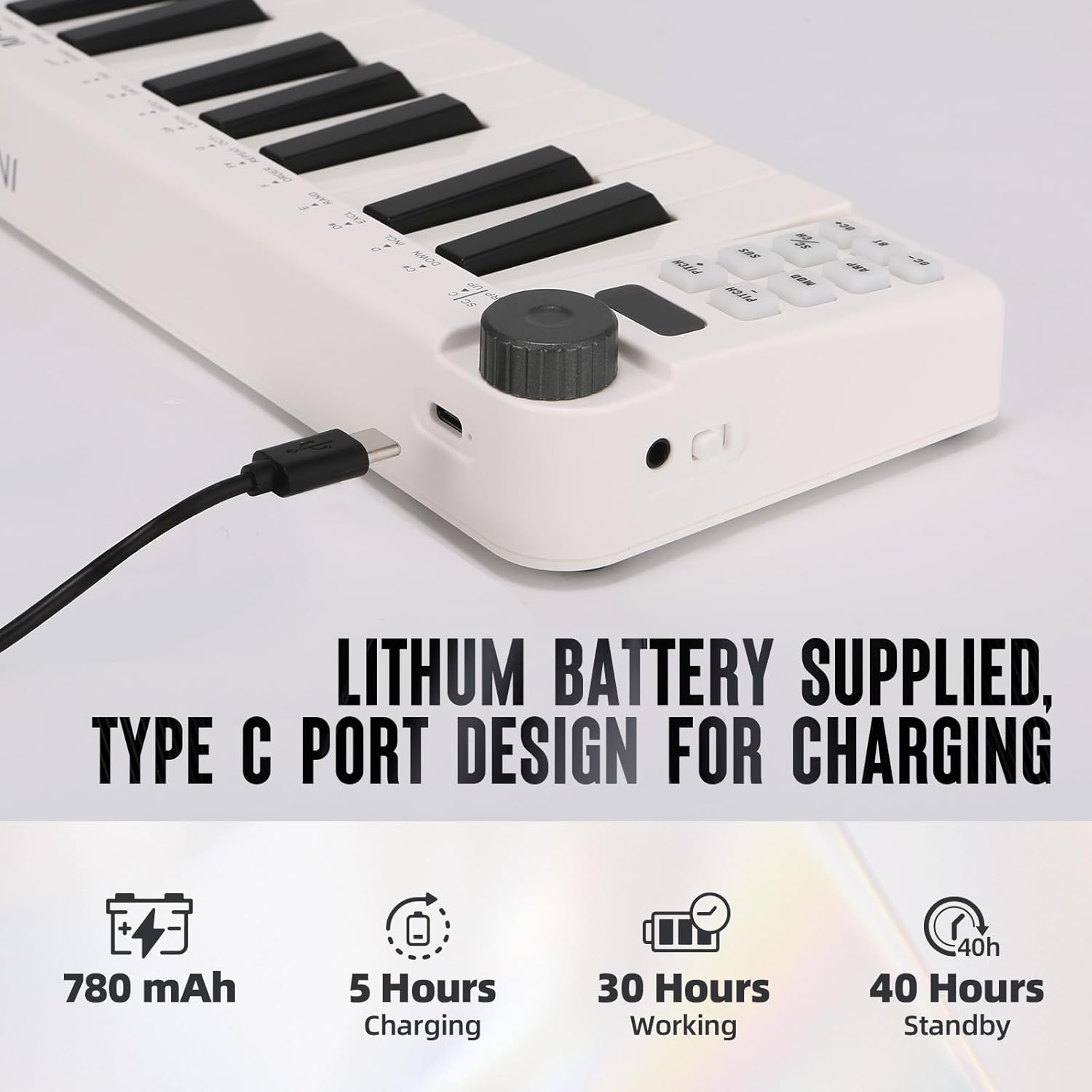
Image: Visual representation of the M-VAVE SMK-25 MINI's battery capacity, charging time, working time, and standby time.
保証とサポート
M-VAVE製品は信頼性と性能を重視して設計されています。保証情報、技術サポート、またはサービスに関するお問い合わせは、M-VAVEの公式ウェブサイトをご覧ください。 web公式サイトをご覧いただくか、カスタマーサポートに直接お問い合わせください。保証請求の際は、購入証明としてレシートを保管してください。
M-VAVE aims to provide high-quality audio equipment and instruments. For assistance, their professional sales support team can address questions within 24 hours.
訪問する AmazonのM-VAVEストア 詳細についてはこちらをご覧ください。


