
導入
The Baseus AeQur GH02 RGB Gaming Headset is designed to provide an immersive audio experience for gaming and multimedia. Featuring high-quality sound drivers, customizable RGB lighting, and versatile connectivity options, this headset offers comfort and performance for extended use. This manual provides detailed instructions on setting up, operating, maintaining, and troubleshooting your headset.

Image: The Baseus AeQur GH02 RGB Gaming Headset, showcasin洗練された黒のデザインと内蔵マイクが特徴です。
製品終了view および機能
The AeQur GH02 headset combines advanced audio technology with user-friendly features:
- 40mmドライバー: Delivers powerful and clear sound with a frequency range of 20-40,000Hz for an immersive audio experience.
- RGB照明: Customizable RGB illumination to enhance your gaming setup.
- 多彩な接続性: Supports Bluetooth, 3.5mm wired connection, and 2.4GHz wireless via a USB dongle for broad compatibility.
- 取り外し可能なマイク: High-sensitivity microphone (-45dB) ensures clear communication and can be detached when not needed.
- オーバーイヤーデザイン: Provides acoustic isolation and prolonged comfort during long gaming sessions.
- 長いバッテリー寿命: 1回の充電で最大40時間の再生が可能。
- アクティブノイズキャンセリング: Reduces ambient noise for a more focused listening experience.

Image: Close-up of the headset's ear cup, highlighting the vibrant RGB lighting around the edge, which can be customized for different visual effects.
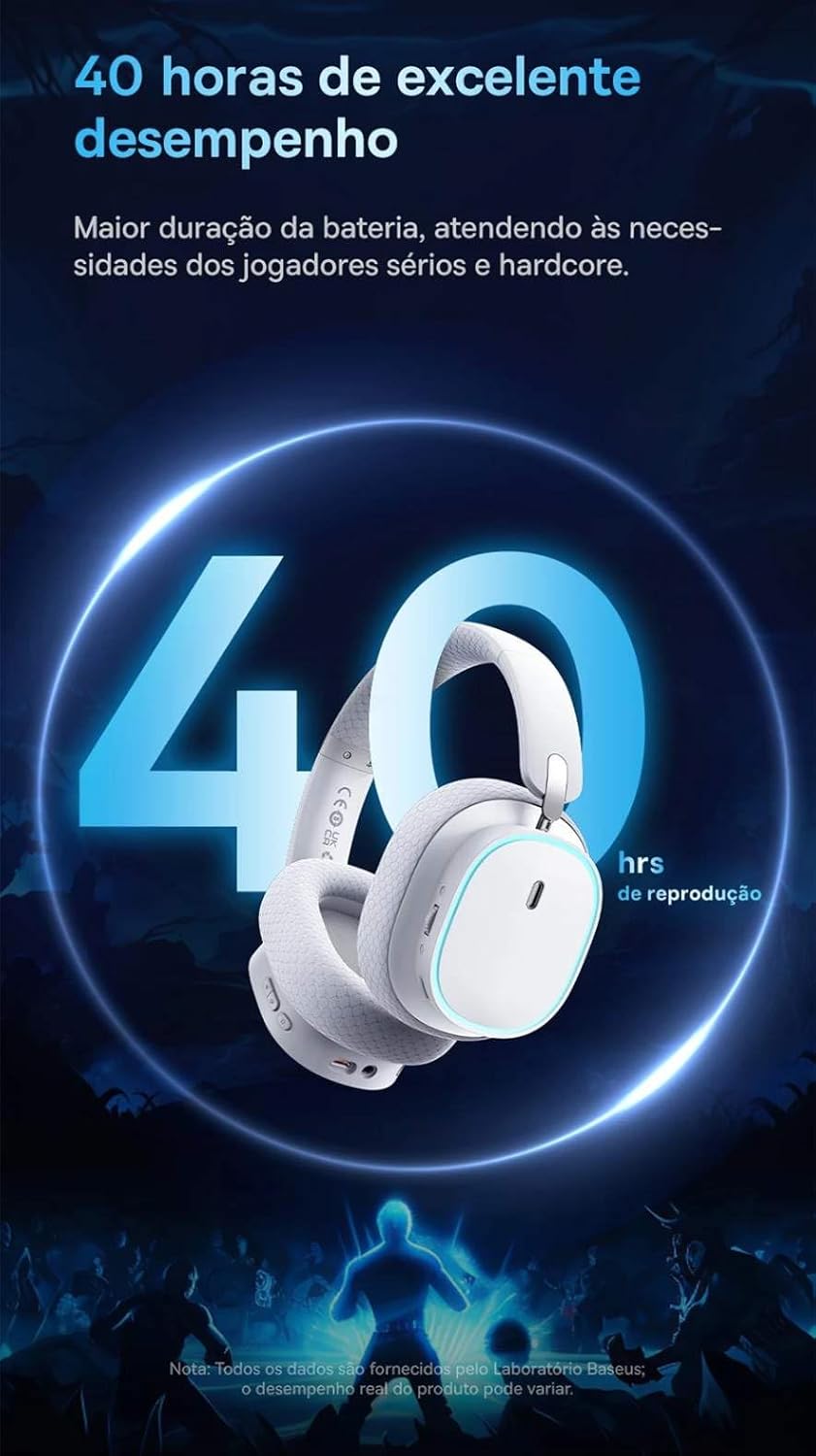
Image: A visual representation of the headset emphasizing its 40-hour battery life, indicating extended usage without frequent recharging.
設定
1. ヘッドセットの充電
Before first use, fully charge the headset. Connect the provided USB-C charging cable to the headset's charging port and the other end to a USB power source (e.g., computer USB port, wall adapter). The LED indicator will show charging status and turn off or change color when fully charged.
2. 2.4GHzワイヤレス接続(ゲームに推奨)
- Locate the 2.4GHz USB wireless dongle included with your headset.
- Plug the USB dongle into an available USB port on your PC, PlayStation (PS4/PS5), or other compatible gaming device.
- Power on the headset. It should automatically connect to the dongle. The LED indicator will confirm a successful connection.
- デバイスのサウンド設定で、ヘッドセットがオーディオ出力および入力デバイスとして選択されていることを確認します。
3.Bluetooth経由で接続する
- With the headset powered on, activate Bluetooth pairing mode (refer to the operating section for specific button presses). The LED indicator will typically flash to indicate pairing mode.
- On your smartphone, tablet, or PC, go to Bluetooth settings and search for available devices.
- Select "Baseus AeQur GH02" from the list of found devices to pair.
- ペアリングされると、LED インジケーターが点灯します。
4. 3.5mmオーディオケーブルで接続する
- 3.5mm オーディオ ケーブルの一方の端をヘッドセットの 3.5mm オーディオ ジャックに接続します。
- Connect the other end to the 3.5mm audio output port on your device (e.g., PC, console controller, phone).
- When connected via 3.5mm cable, the headset operates in passive mode, and battery power is not required for audio, though some features like RGB lighting may be disabled.

Image: The Baseus AeQur GH02 headset displayed alongside various compatible gaming and mobile devices, including a PC, PlayStation console, Nintendo Switch, and smartphone, illustrating its broad connectivity.

Image: Icons representing compatibility with Android smartphones/tablets, PCs/notebooks, and gaming consoles like PS5/PS4/Switch/Steam Deck/VR, highlighting the headset's versatile use cases.
ヘッドセットの操作
コントロール
- 電源ボタン: 長押しすると電源のオン/オフ、短押しすると再生/一時停止(Bluetoothモード時)になります。
- ボリュームホイール: 上に巻くと音量が上がり、下に巻くと音量が下がります。
- マイクミュートボタン: を押してマイクをミュート/ミュート解除します。
- RGB照明ボタン: Short press to cycle through RGB lighting modes or turn off.
マイクの使用
The microphone is removable. To attach, align the microphone jack with the port on the left ear cup and insert firmly. To remove, gently pull it out. Ensure the microphone is properly inserted for clear voice pickup.
Baseusアプリ統合
For advanced customization, download the official Baseus app on your smartphone. The app allows you to:
- Adjust EQ settings (Equalizer).
- RGB 照明効果と色をカスタマイズします。
- Switch between audio modes (e.g., Normal Mode, Music Mode, Game Mode for spatial acoustics).
- View バッテリー状態。

Image: Screenshots of the Baseus mobile application interface, demonstrating options for spatial acoustics, EQ mode, and lamp effects, allowing users to customize their headset's performance and lighting.
メンテナンス
- クリーニング: ヘッドセットのお手入れには、柔らかく乾いた布を使用してください。イヤークッションの場合は、軽く湿らせた布で拭いてください。amp 布は使用できますが、使用前に完全に乾いていることを確認してください。刺激の強い化学薬品や研磨剤は使用しないでください。
- ストレージ: Store the headset in a cool, dry place away from direct sunlight and extreme temperatures. If storing for extended periods, ensure it is partially charged (around 50%) to preserve battery health.
- 取り扱い: Avoid dropping the headset or subjecting it to strong impacts. Do not twist or bend the headband excessively.
トラブルシューティング
| 問題 | 考えられる原因 | 解決 |
|---|---|---|
| ヘッドセットから音が出ない | Headset not powered on; Low battery; Not properly connected (Bluetooth/2.4GHz/3.5mm); Incorrect audio output selected on device. | Ensure headset is powered on and charged. Re-pair Bluetooth or re-plug 2.4GHz dongle/3.5mm cable. Check device's sound settings to ensure "Baseus AeQur GH02" is selected as output. |
| マイクが機能しない | Microphone muted; Not properly inserted; Incorrect input device selected; Software issues. | Ensure microphone is not muted (check mute button). Re-insert the removable microphone firmly. Check device's sound settings to ensure "Baseus AeQur GH02" is selected as input. Restart application/game. |
| ヘッドセットがペアリング/接続されない | Out of range; Interference; Headset not in pairing mode; Device's Bluetooth/USB port issue. | Ensure headset is in pairing mode and within range. Turn off other Bluetooth devices. Try connecting to a different USB port or device. Restart headset and device. |
| バッテリー寿命が短い | Not fully charged; High volume usage; RGB lighting always on. | Ensure headset is fully charged. Reduce volume. Turn off RGB lighting when not needed. |
| Cannot use while charging | 製品設計上の制限。 | The Baseus AeQur GH02 headset is designed not to be used while charging. Please allow the headset to fully charge before resuming use. |
仕様
| 特徴 | 詳細 |
|---|---|
| モデル名 | AeQur GH02 |
| 接続技術 | Wireless (Bluetooth, Wi-Fi 2.4GHz), Wired (3.5mm) |
| ドライバー直径 | 40mm |
| Headphone Frequency | 20-40000Hz |
| マイク感度 | -45dB |
| 騒音制御 | アクティブノイズキャンセリング |
| バッテリー寿命(平均) | 40時間 |
| 対応デバイス | Mobile Phones, Gaming Consoles (PC, PS5, PS4), Desktops, Laptops |
| 材料 | 金属、プラスチック |
| 特集 | Fast charging, Volume control, Noise isolation, Lightweight, Built-in microphone |
| 色 | 黒 |
| インピーダンス | 35オーム |
| 認証 | Anatel: 004842514894 |
保証とサポート
The Baseus AeQur GH02 RGB Gaming Headset comes with a 12ヶ月のメーカー保証 ご購入日から通常使用における材料および製造上の欠陥が保証対象となります。保証請求の際は、購入証明書を保管してください。
For further support, technical assistance, or warranty inquiries, please visit the official Baseus store or contact their customer service through the details provided on their official webサイトまたは製品パッケージ。
また、 AmazonのBaseus公式ストア 詳細とサポートリソースについては、こちらをご覧ください。