
1. はじめに
This manual provides instructions for the Baseus 100W 5A USB-C Fast Charging Cable. This cable is designed for efficient power delivery and data transfer between compatible USB-C devices. Please read this manual thoroughly before use to ensure proper operation and longevity of the product.
2. 主な特徴
- 高出力供給: Supports up to 100W (20V/5A) fast charging for laptops, tablets, and smartphones.
- デジタルパワーディスプレイ: Integrated display shows real-time charging wattage.
- 耐久性の向上: Features a double-layer anti-bend design, reinforced cable ends, and a long-lasting zinc alloy port for increased resilience.
- Embedded E-Marker Chip: Ensures safe and stable charging by regulating current and voltage.
- データ転送: Supports data transfer speeds up to 480 Mbps (USB 2.0 standard).
- 幅広い互換性: Compatible with various USB-C devices including phones, tablets, and laptops.

Image 1: Baseus 100W USB-C Cable demonstrating full speed charging.

Image 2: Digital display on the USB-C connector showing real-time charging wattage.
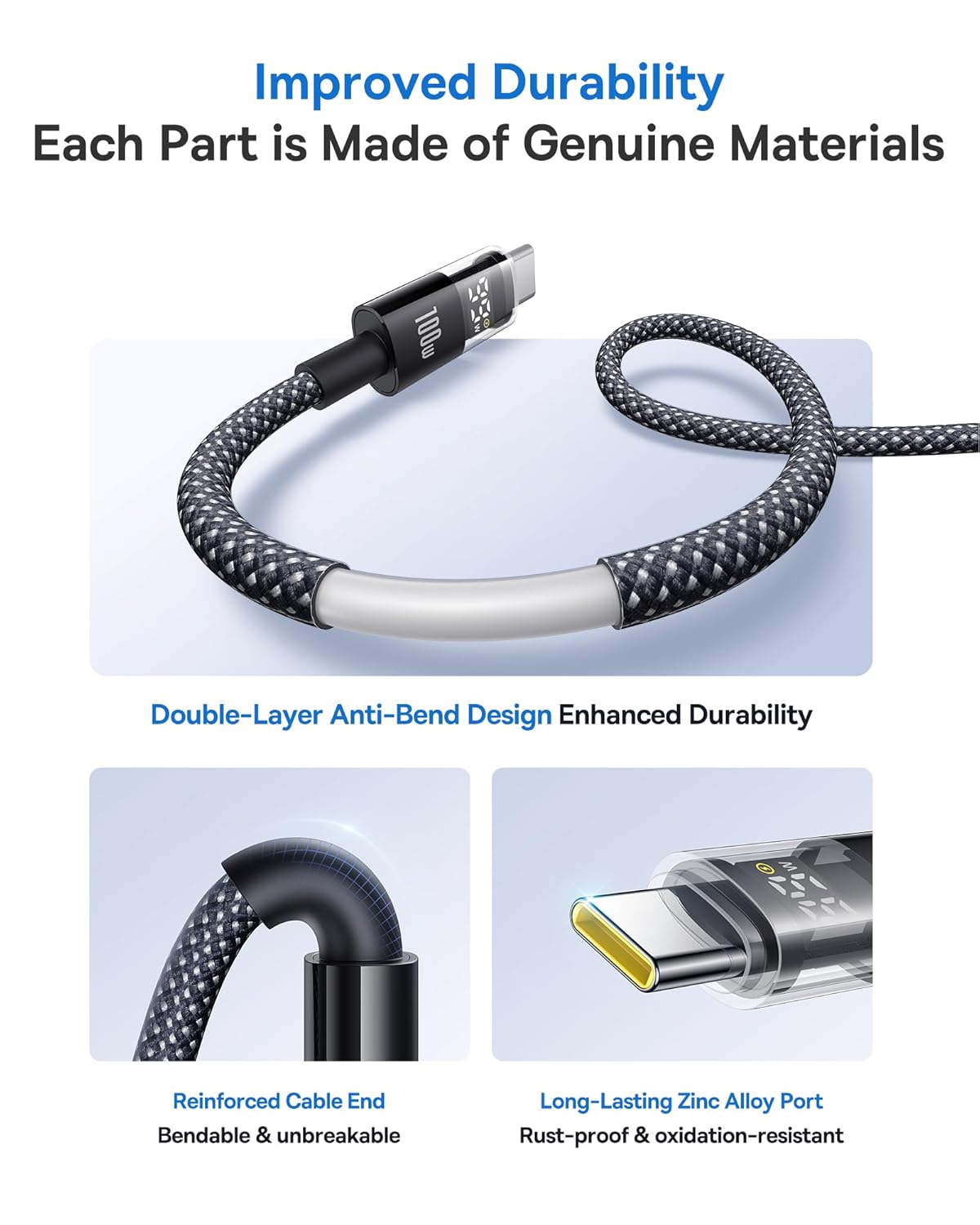
Image 3: Illustration of the cable's improved durability features.

Image 4: Explanation of the embedded E-Marker chip for reliable and safe charging.
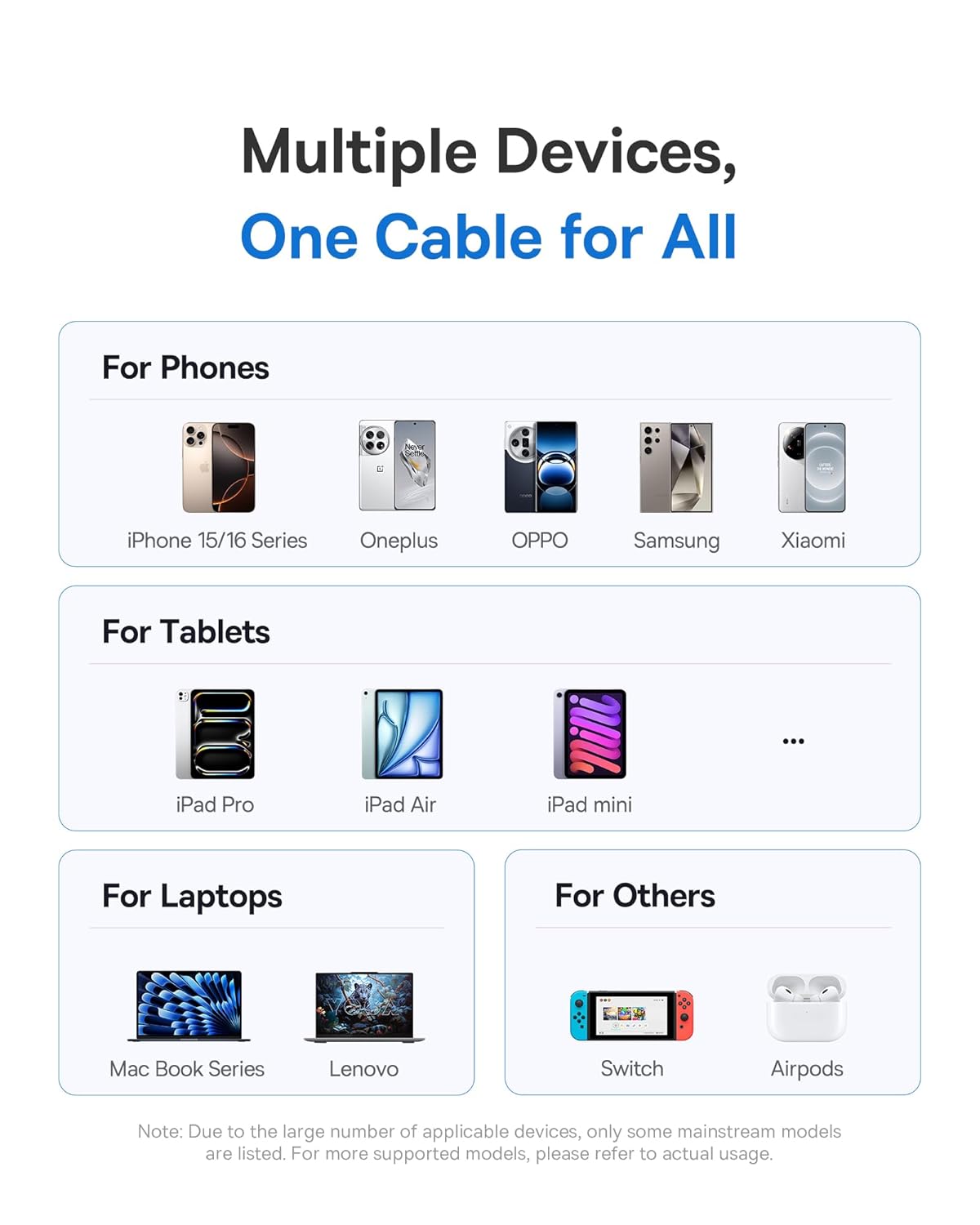
画像5: 以上view of the wide compatibility with multiple devices.
3. セットアップ
The Baseus USB-C Fast Charging Cable is designed for plug-and-play functionality. No specific software or driver installation is required.
- Identify the USB-C port on your charging adapter or host device (e.g., computer, power bank).
- Identify the USB-C port on your target device (e.g., smartphone, tablet, laptop).
- Insert one end of the Baseus USB-C cable into the charging adapter/host device.
- Insert the other end of the Baseus USB-C cable into your target device.
- Ensure both connections are firm.
4. 操作手順
4.1. デバイスの充電
デバイスを充電するには:
- 「セットアップ」セクションの説明に従ってケーブルを接続します。
- Once connected, the digital display on the cable's connector will illuminate, showing the current charging wattage. This indicates that power is being delivered to your device.
- For optimal fast charging, ensure both your charging adapter and device support Power Delivery (PD) and the required wattage(最大100W)。
4.2. データ転送
デバイス間でデータを転送するには:
- Connect the cable between two compatible USB-C devices (e.g., computer and external hard drive).
- Your devices should recognize each other automatically.
- Initiate data transfer through your device's operating system or file 管理ソフトウェア。
- The cable supports data transfer speeds up to 480 Mbps (USB 2.0).
5. メンテナンス
Proper care will extend the life of your Baseus USB-C cable.
- ストレージ: Store the cable in a clean, dry place away from extreme temperatures. Avoid tightly coiling or kinking the cable.
- クリーニング: Use a soft, dry cloth to wipe the cable and connectors. Do not use liquid cleaners or abrasive materials.
- 取り扱い: Always grasp the connector head when plugging or unplugging the cable. Avoid pulling directly on the cable itself to prevent damage to the internal wires and connectors.
- 曲げを避ける: While the cable features an anti-bend design, excessive or sharp bending, especially near the connectors, should be avoided.
6。 トラブルシューティング
| 問題 | 考えられる原因 | 解決 |
|---|---|---|
| デバイスが充電されていません。 |
|
|
| 充電速度が遅い。 |
|
|
| デジタル表示が機能しません。 |
|
|
| データ転送の問題。 |
|
|
7. 仕様
| ブランド | ベースス |
| モデル番号 | 850060076763 |
| コネクタタイプ | USB タイプ C (オス - オス) |
| 色 | グレー |
| ワットtage | 最大100ワット |
| 現在 | 最大5 Amps |
| データ転送速度 | 480メガバイト/秒(USB 2.0) |
| アイテム重量 | 91グラム |
| パッケージ寸法 | 15.29 x 9.09 x 2.39 cm |
8. 保証とサポート
For warranty information and customer support, please refer to the documentation provided with your purchase or contact the seller/manufacturer directly. Keep your proof of purchase for any warranty claims.
メーカー: Baseus


