
1. はじめに
The iKiKin V600 OBD2 Diagnostic Scanner is a versatile tool designed to assist in diagnosing vehicle issues. It provides comprehensive OBD2 functions, allowing users to read and clear fault codes, view live data, perform battery tests, and access various vehicle information. This manual will guide you through the proper use and maintenance of your device.
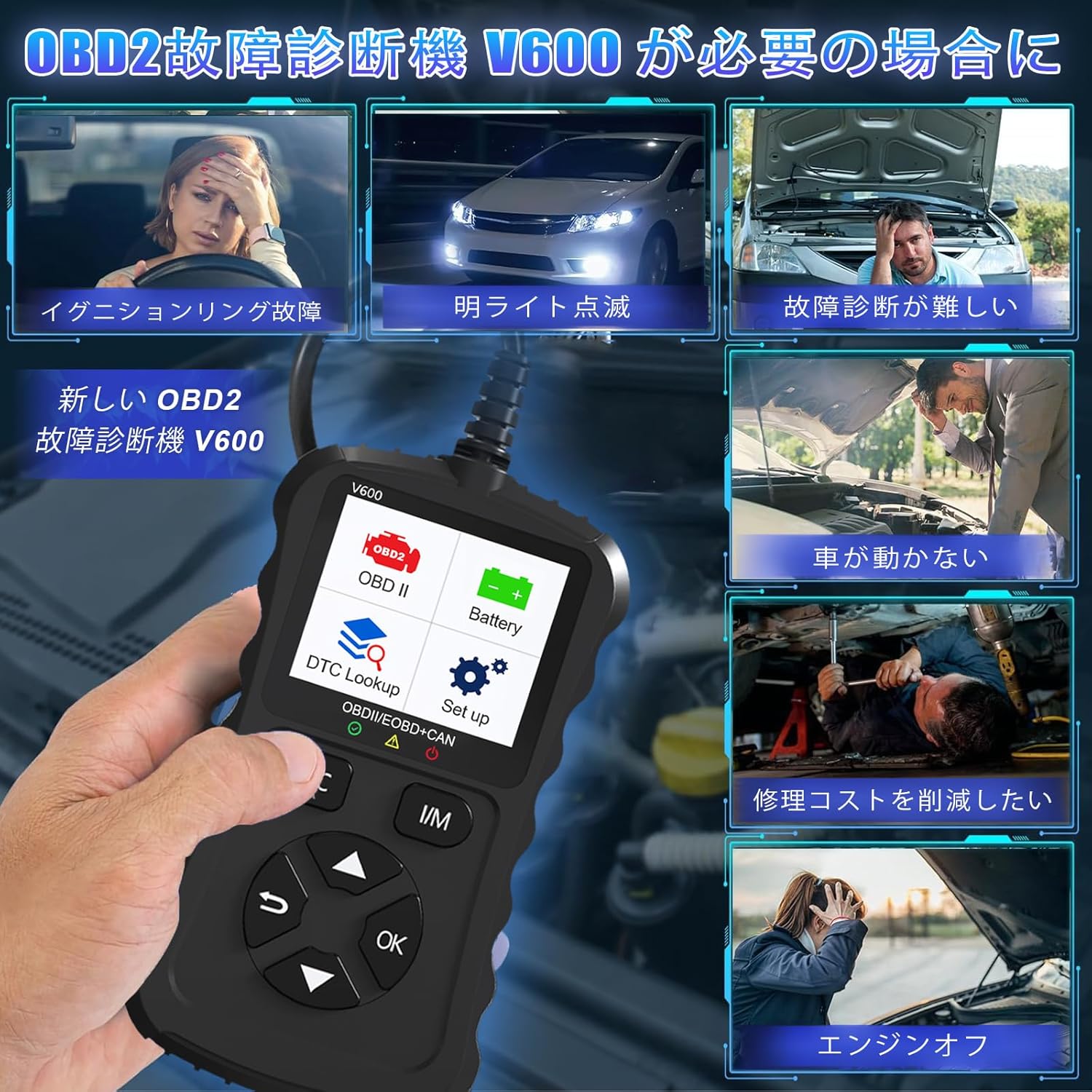
Figure 1.1: Common scenarios where the V600 diagnostic tool can be utilized.
2.製品オーバーview
The iKiKin V600 is a handheld diagnostic scanner featuring a clear TFT color screen and intuitive button controls. It is designed for ease of use and portability.
2.1 主な特徴
- 多言語サポート: Supports 13 languages, including English and Japanese.
- Comprehensive OBD2 Functions: Reads and clears Diagnostic Trouble Codes (DTCs), displays live data stream, freeze frame data, I/M readiness status, O2 sensor test, EVAP system test, and vehicle information.
- DTC ルックアップ: Built-in database with over 35,000 DTC definitions for quick reference.
- バッテリーテスト機能: リアルタイムバッテリー容量tage monitoring to assess battery health.
- プラグアンドプレイ: 車両のOBD2ポートへの簡単な接続。
- ハンドヘルドデザイン: Compact and portable for convenient use.

図2.1: 前面 view of the iKiKin V600 OBD2 Diagnostic Scanner.
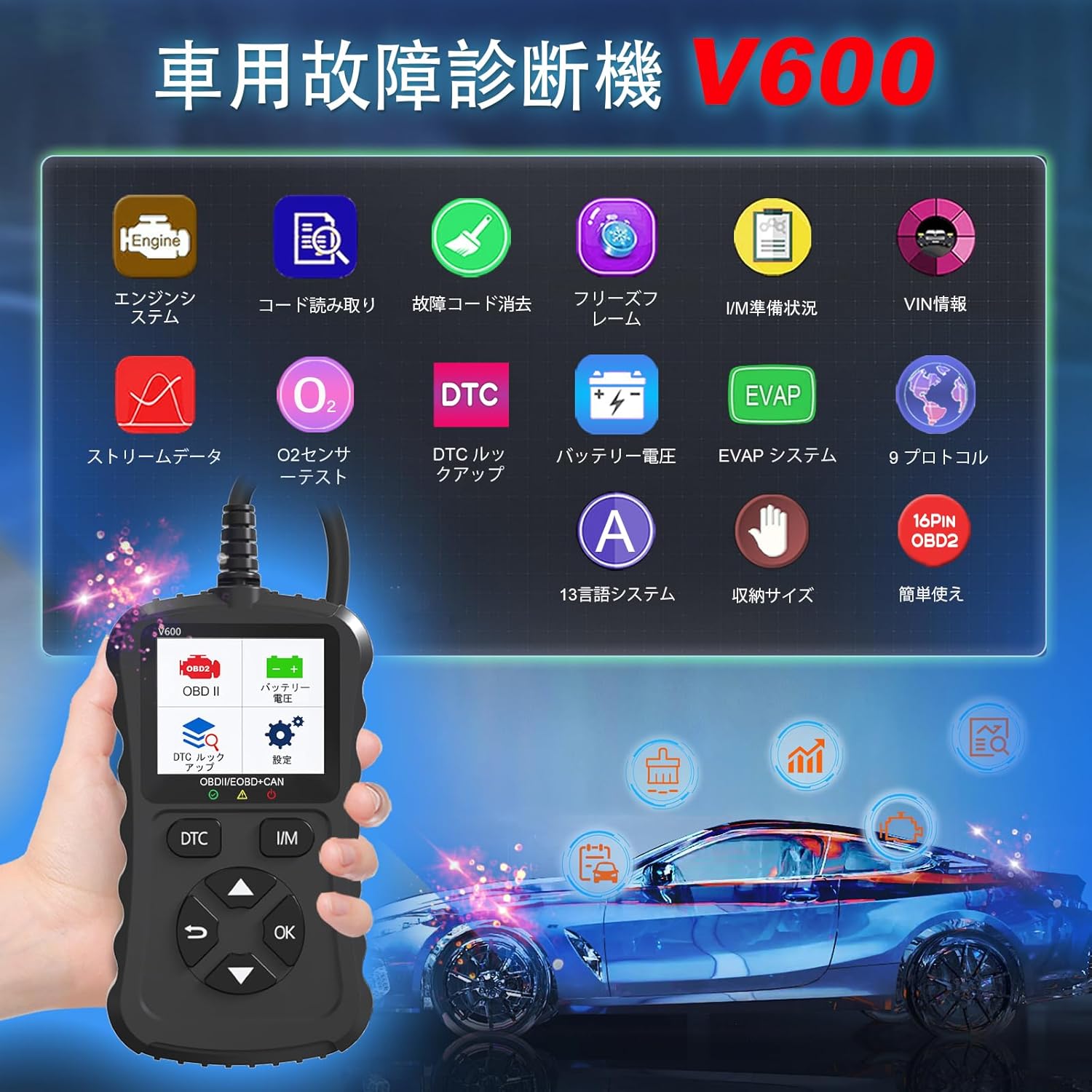
Figure 2.2: The V600 scanner displaying its main menu with various diagnostic options.
3. セットアップ
3.1デバイスの接続
- 車両のイグニッションがオフの位置になっていることを確認してください。
- Locate the 16-pin OBD2 diagnostic port in your vehicle. This port is typically found under the dashboard on the driver's side.
- Plug the V600 scanner's connector firmly into the vehicle's OBD2 port.
- Turn the vehicle's ignition to the ON position (do not start the engine). The scanner will power on automatically.

Figure 3.1: Connecting the V600 to the vehicle's OBD2 port.
3.2言語設定
The default language of the diagnostic tool is English. To change the language:
- From the main menu, navigate to "Settings".
- 「言語」を選択します。
- Choose your desired language (e.g., Japanese) from the list.
- The device may require an update after changing the language. Follow on-screen prompts or refer to the support section if you encounter issues.
4. 操作手順
4.1 障害コードの読み取りとクリア
This function allows you to identify and clear Diagnostic Trouble Codes (DTCs) that trigger the Check Engine Light.
- Connect the scanner to your vehicle and turn the ignition ON.
- Select "Read Codes" from the main menu to display current, pending, and permanent DTCs.
- To clear codes, select "Erase Codes" from the menu. Confirm the action when prompted.
- 注記: Clearing codes will turn off the Check Engine Light. However, if the underlying issue is not resolved, the light may reappear.
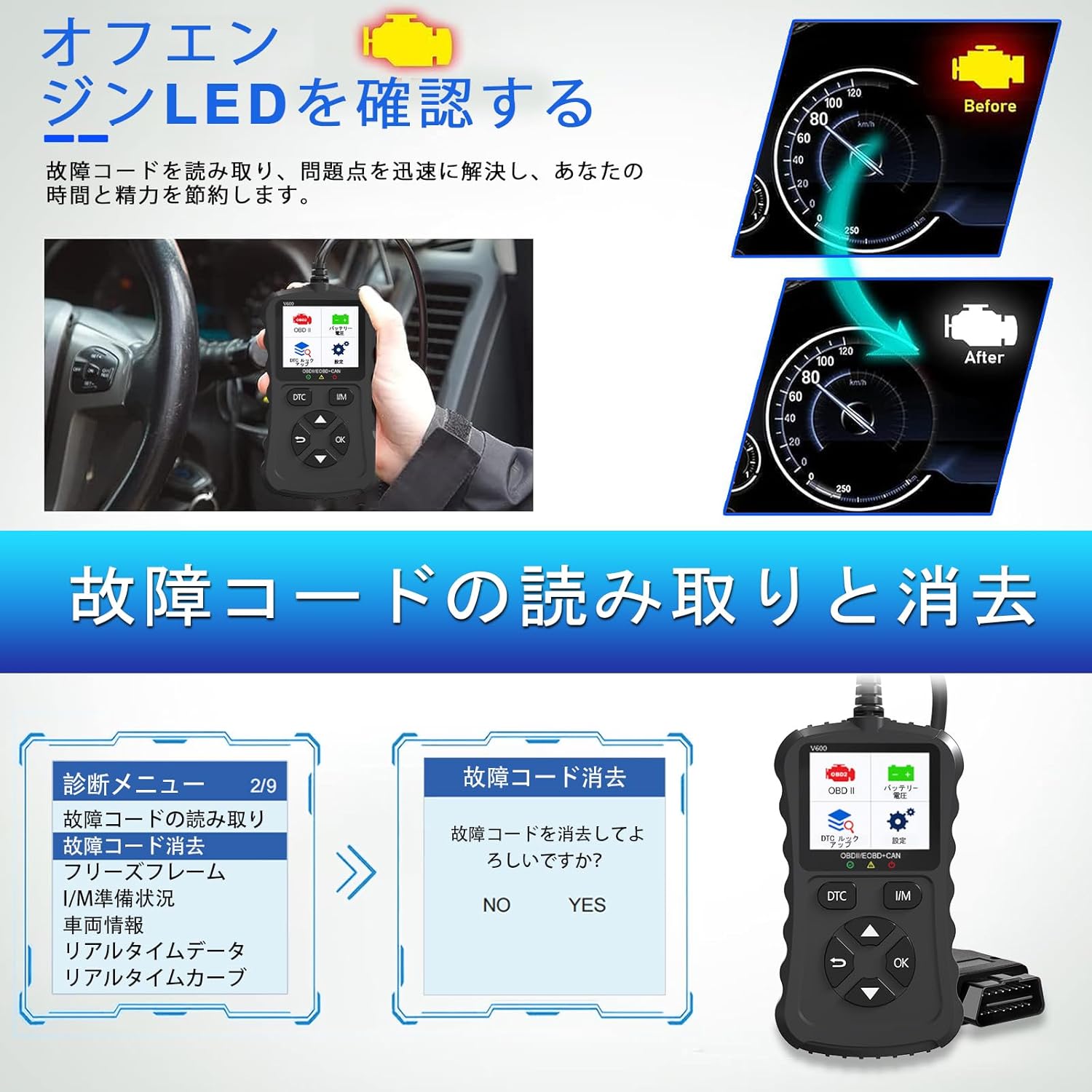
Figure 4.1: Clearing fault codes and turning off the engine warning light.
4.2 ライブデータストリーム
View real-time operational parameters from the vehicle's sensors and modules.
- Select "Live Data" from the menu.
- 監視するパラメータを選択します。
- The data will be displayed numerically or graphically.
4.3 フレームデータのフリーズ
When an emission-related fault occurs, the ECU stores a snapshot of operating conditions at that moment. This is called Freeze Frame Data.
- Select "Freeze Frame" from the menu to view this stored data.
4.4 I/M準備状況
This function checks the operation of the emission system on OBD2 compliant vehicles. It indicates if the various emission-related systems are ready for inspection and maintenance testing.
- 「I/M準備」を選択して view the status of monitors.
- A dedicated I/M hotkey allows for a quick one-click check.
4.5O2センサーテスト
車両のオンボード コンピュータから、最近完了したテストの O2 センサー監視テスト結果を取得します。
- 「O2センサーテスト」を選択して view 結果。
4.6EVAPシステムテスト
Initiates a leak test for the vehicle's Evaporative Emission System (EVAP).
- Select "EVAP System Test" to perform this diagnostic.
4.7バッテリーVol。tageテスト
車両のバッテリー容量を監視しますtage in real-time, providing insights into its health and estimated lifespan.
- Select "Battery Voltage" from the menu.
- The screen will display the current voltage.

図4.2: バッテリー容量tage test and DTC lookup display.
4.8DTCルックアップ
Access a built-in database of over 35,000 Diagnostic Trouble Code definitions.
- Select "DTC Lookup" from the menu.
- DTCコードを入力して view その定義と潜在的な原因。
4.9車両情報
Retrieves the Vehicle Identification Number (VIN), Calibration ID, and Calibration Verification Number (CVN) of the vehicle.
- このデータを表示するには、「車両情報」を選択します。
5. 互換性
The iKiKin V600 OBD2 Diagnostic Scanner is compatible with OBD2 protocol vehicles equipped with a 16-pin DLC (Data Link Connector).
- アメリカの車両: 1996年以降に製造された車両に適合します。
- ヨーロッパの車両: 2000年以降に製造された車両に適合します。
- Japanese Domestic Vehicles: Compatible with OBD2 vehicles manufactured from 2008 onwards.
重要な注意: This device is not compatible with vehicles that do not have a 16-pin OBD2 connector or vehicles that are not OBD2 compliant (e.g., some hybrid vehicles may have specific diagnostic requirements outside standard OBD2 protocols). If the fault cause is outside the standard OBD2 definition range, the scanner may not be able to read the fault codes. In such cases, a full system diagnostic tool may be required.
6. メンテナンス
To ensure the longevity and optimal performance of your iKiKin V600 OBD2 Diagnostic Scanner, follow these maintenance guidelines:
- 本製品を清潔に保ち、ほこりや湿気を避けてください。清掃には柔らかく乾いた布をご使用ください。
- デバイスを落としたり、強い衝撃を与えたりしないでください。
- デバイスを使用しないときは、涼しく乾燥した場所に保管してください。
- ご自身でデバイスの分解や修理を試みないでください。保証が無効になります。
- Regularly check for software updates to ensure the latest vehicle compatibility and features.
7。 トラブルシューティング
7.1 デバイスの電源が入らない
- Ensure the scanner is correctly plugged into the vehicle's 16-pin OBD2 port.
- Verify that the vehicle's ignition is in the ON position.
- Check the vehicle's battery. If the battery is too low, the scanner may not receive sufficient power.
7.2 Cannot Read Fault Codes
- Confirm the vehicle is OBD2 compliant and has a 16-pin connector.
- Ensure a stable connection between the scanner and the vehicle.
- If the fault cause is outside the standard OBD2 definition range, the scanner may not be able to read the codes. In such cases, consult a professional or use a full system diagnostic tool.
7.3 Check Engine Light Reappears After Clearing Codes
- Clearing codes only resets the warning light. If the underlying mechanical or electrical issue is not resolved, the fault code will be detected again, and the light will illuminate.
- Address the root cause of the fault code by performing necessary repairs.
8. 仕様
| 特徴 | 仕様 |
|---|---|
| ブランド | iKiKin |
| モデル名 | バージョン600 |
| アイテム重量 | 200グラム |
| パッケージ寸法 | 18.3 x 11.9 x 3.7 cm |
| 電源 | バッテリー駆動(OBD2ポート経由) |
| 車両サービスタイプ | ユニバーサルフィット(OBD2対応車両) |
| サポートされているプロトコル | 9 OBD2 protocols |
| DTCデータベース | 35,000+ definitions |
| 欧州連合 | 724873544378 |
9. 保証とサポート
The iKiKin V600 OBD2 Diagnostic Scanner comes with a half-year manufacturer's warranty.
For any questions regarding product operation, software updates, or language changes, please contact iKiKin customer support. Refer to the product packaging or the seller's web連絡先情報のサイト。


