
1. はじめに
The Hoco UA28 USB Bluetooth Adapter is designed to provide Bluetooth connectivity to your computer or laptop. This compact device allows you to connect various Bluetooth-enabled peripherals such as headphones, speakers, keyboards, mice, and gamepads wirelessly. It supports Bluetooth v5.1 and is backward compatible with older Bluetooth versions.
Key features include Plug and Play technology for easy installation, support for multiple simultaneous device connections, and automatic reconnection to previously paired devices.
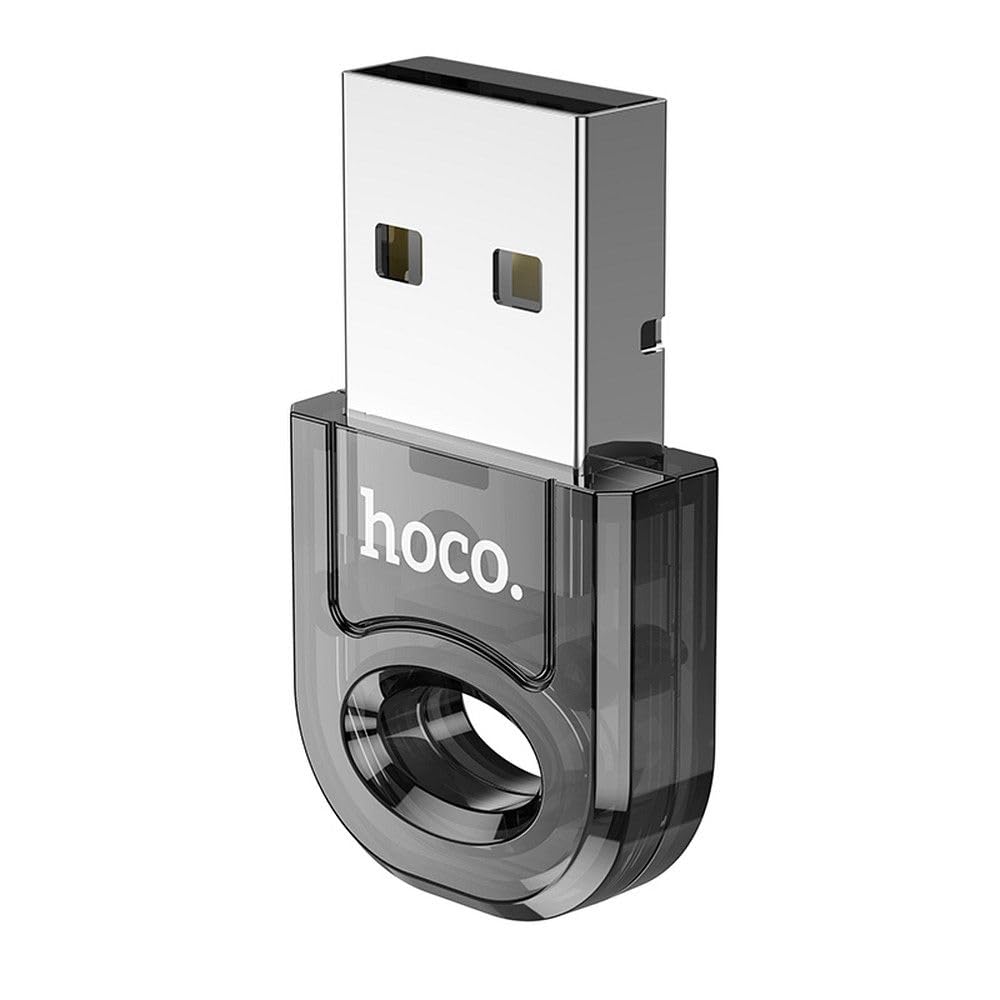
Image 1: The Hoco UA28 USB Bluetooth Adapter, a compact device for adding Bluetooth functionality to computers.
2. セットアップとインストール
The Hoco UA28 USB Bluetooth Adapter is designed for straightforward installation using Plug and Play technology. Follow these steps to set up your adapter:
- アダプタを挿入します: Plug the Hoco UA28 USB Bluetooth Adapter into an available USB-A port on your desktop computer or laptop.
- 自動認識: For most modern operating systems (Windows 8 and above, macOS, Linux), the system will automatically detect and install the necessary drivers. No manual driver installation is typically required.
- Windows 7 ドライバーのインストール: If you are using Windows 7, driver installation may be necessary. Please refer to the troubleshooting section or the product packaging for driver download instructions. You can also visit the official Hoco webサポートサイト。

Image 2: The Hoco UA28 USB Bluetooth Adapter plugged into a laptop's USB port, ready for use.
3. 操作手順
Once the Hoco UA28 adapter is installed, you can begin connecting your Bluetooth devices:
- Bluetoothを有効にする: Ensure Bluetooth is enabled on your computer. This is usually found in your operating system's settings or control panel.
- ペアリングモード: Put your Bluetooth device (e.g., headphones, speaker, mouse) into pairing mode. Refer to your device's manual for specific instructions on how to do this.
- 検索する デバイス: On your computer, search for new Bluetooth devices. The Hoco UA28 adapter will facilitate this search.
- 選択して接続: Select your device from the list of available Bluetooth devices and follow any on-screen prompts to complete the pairing process.
- マルチデバイスサポート: The adapter can connect to multiple Bluetooth devices simultaneously.
- 自動再接続: The adapter remembers previously connected devices and will automatically attempt to reconnect to them when they are within range and Bluetooth is enabled.
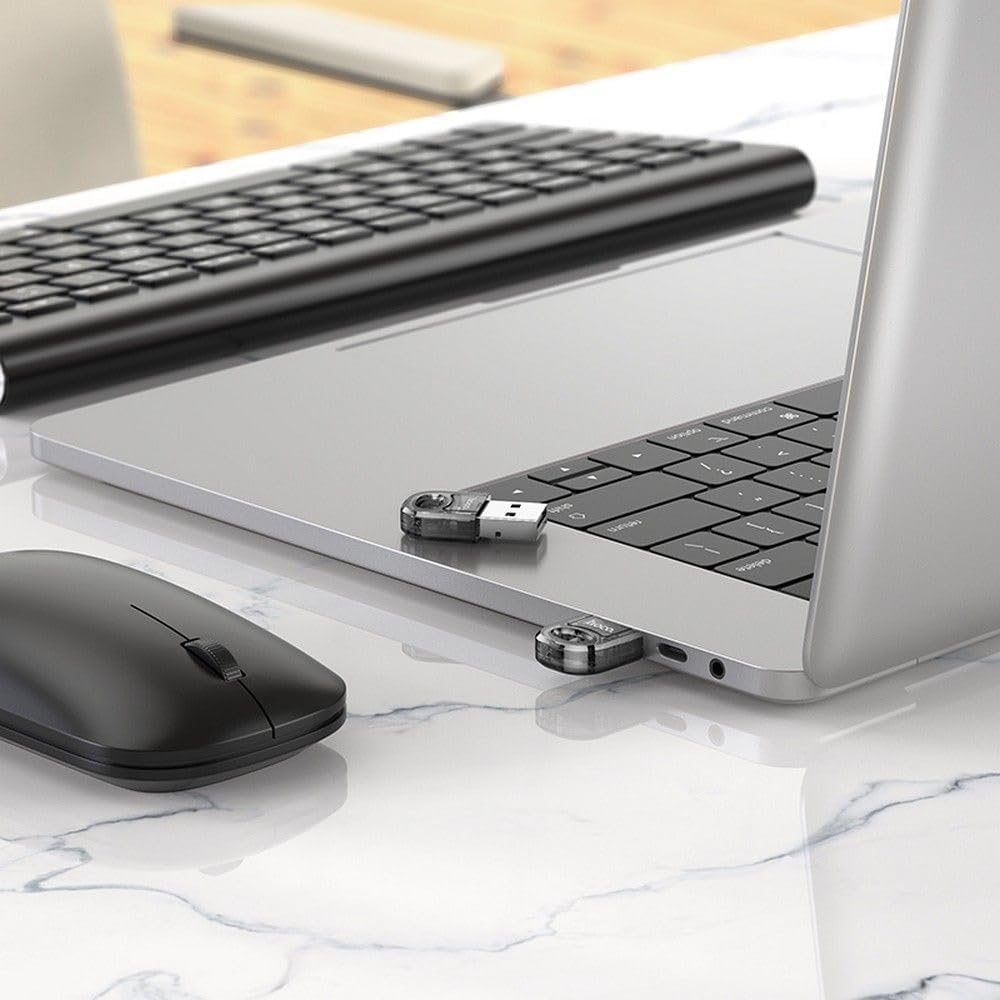
Image 3: The Hoco UA28 USB Bluetooth Adapter enabling wireless connectivity for a mouse and keyboard with a laptop.
4. 仕様
Below are the technical specifications for the Hoco UA28 USB Bluetooth Adapter:
| 特徴 | 詳細 |
|---|---|
| ブランド | ホコ |
| モデル番号 | UA014 |
| インタフェース | USB-A |
| Bluetoothバージョン | v5.1 (backward compatible) |
| 範囲 | 10〜20メートル |
| 材料 | 合成素材 |
| 対応デバイス | デスクトップ、ラップトップ |
| データ転送速度 | 3 Mbps |
| アイテム数 | 1 |
| 部品番号 | 6942007618335 |
| ASIN | B0CYYF2LBH |
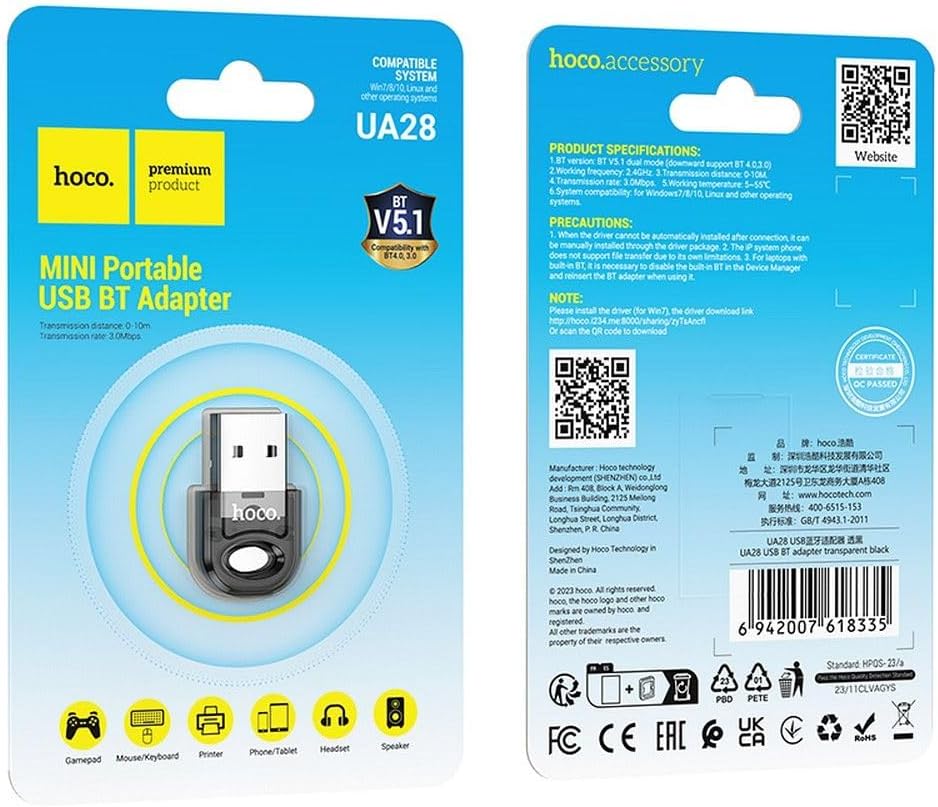
Image 4: Product packaging displaying detailed specifications and compatibility information for the Hoco UA28 adapter.
5。 トラブルシューティング
If you encounter issues with your Hoco UA28 USB Bluetooth Adapter, consider the following troubleshooting steps:
- No Bluetooth Devices Found:
- アダプタが USB ポートにしっかりと差し込まれていることを確認してください。
- Verify that Bluetooth is enabled in your computer's settings.
- Make sure the device you are trying to connect is in pairing mode and within the 10-20 meter range.
- ドライバーの問題 (Windows 7):
- For Windows 7, manual driver installation is required. You can download the driver from the official Hoco webサイトにアクセスするか、提供されているリンクを使用してください: http://hoco.i234.me:8000/sharing/zyTsAncfl. Alternatively, scan the QR code found on the product packaging.
- Interference with Built-in Bluetooth (Laptops):
- If your laptop has a built-in Bluetooth 4.0 module, it is recommended to disable the built-in Bluetooth in your computer's Device Manager before using the Hoco UA28 adapter. Reinsert the UA28 adapter after disabling the internal Bluetooth.
- File 転送制限:
- Note that IP system phones may not support file transfer via Bluetooth due to their inherent limitations. This is not a defect of the Hoco UA28 adapter.
6. メンテナンス
To ensure the longevity and optimal performance of your Hoco UA28 USB Bluetooth Adapter, follow these simple maintenance guidelines:
- 清潔に保ちます: アダプターは定期的に柔らかく乾いた布で拭き、ほこりやゴミを取り除いてください。液体クリーナーの使用は避けてください。
- 適切に保管してください: 使用しないときは、アダプターを直射日光や極端な温度を避け、涼しく乾燥した場所に保管してください。
- 取り扱いにはご注意ください: Avoid dropping the adapter or subjecting it to strong impacts, which could damage internal components.
- 湿気を避ける: アダプタを水や高湿度にさらさないでください。
7. 保証とサポート
The Hoco UA28 USB Bluetooth Adapter comes with a Hoco Standard Warranty. For detailed information regarding warranty terms and conditions, please refer to the warranty card included with your product or visit the official Hoco webサイト。
For further assistance, technical support, or to access additional resources, please visit the official Hoco webサイト: