
導入
Thank you for choosing the HyperGear Halo Waterproof LED Wireless Speaker. This manual provides essential information for setting up, operating, and maintaining your speaker to ensure optimal performance and longevity. The Halo speaker combines powerful HD sound with a vibrant 360° multicolor LED light show, designed for both indoor and outdoor use. Its IPX6 waterproof rating makes it suitable for various environments, from poolside parties to everyday listening.
箱の中身
- HyperGear Halo Waterproof LED Wireless Speaker
- USB-C充電ケーブル
- 3.5mm Aux Cord
セットアップガイド
1.スピーカーの充電
Before first use, fully charge your Halo speaker. Connect the included USB-C charging cable to the speaker's charging port and the other end to a USB power adapter (not included). The LED indicator will show charging status and turn off when fully charged.
2.電源のオン/オフ
Press and hold the Power button on the speaker's top panel to turn it on or off. A sound prompt will indicate the power status.
3.Bluetoothペアリング
- スピーカーの電源がオンになっていて、Bluetooth ペアリング モードになっていることを確認します (点滅する LED で示されます)。
- デバイス(スマートフォン、タブレット、コンピューター)で Bluetooth を有効にし、利用可能なデバイスを検索します。
- Select "HyperGear Halo" from the list.
- ペアリングされると、スピーカーから確認音が鳴り、LED の点滅が停止します。
スピーカーは、範囲内にある場合、電源を入れると最後にペアリングしたデバイスに自動的に再接続します。

The top panel of the HyperGear Halo speaker, showing controls and its connection to a smartphone via Bluetooth.
操作手順
基本操作
| ボタン/機能 | アクション |
|---|---|
| 電源ボタン | 長押しして電源オン/オフ |
| 再生/一時停止 | Press once to Play/Pause music |
| ボリュームアップ(+) | XNUMX回押すと音量が上がります |
| ボリュームダウン (-) | 音量を下げるには XNUMX 回押します |
| 次のトラック | Press and hold Volume Up (+) |
| 前のトラック | Press and hold Volume Down (-) |
| 通話の応答/終了 | 再生/一時停止ボタンを1回押す |
| 通話を拒否 | 再生/一時停止ボタンを長押しします |
| ライトモードボタン | 押すと6つのLEDライトモードが切り替わります |
Party Mode (Stereo Pairing)
To achieve immersive stereo sound, you can pair two HyperGear Halo speakers together:
- Ensure both Halo speakers are powered on and not connected to any other Bluetooth device.
- On one speaker (this will be the primary speaker), double-press the Power button. It will enter pairing mode for Party Mode.
- 2つのスピーカーは自動的に接続されます。ペアリングが成功すると確認音が鳴ります。
- Now, connect your device to the primary speaker via Bluetooth as described in the 'Bluetooth Pairing' section. Both speakers will play synchronized audio and light shows.

Two HyperGear Halo speakers paired together for Party Mode, offering synchronized audio and light effects.
Alternative Playback Modes

The side panel of the HyperGear Halo speaker, revealing the AUX, microSD, and USB-C ports for versatile connectivity.
- オーキシン: Connect your device using the included 3.5mm Aux cord to the speaker's AUX port for a wired audio connection.
- microSDカード: Insert a microSD card loaded with audio file指定されたスロットに挿入します。スピーカーはカードから音楽を自動的に再生します。
上の機能view
- IPX6防水等級: Designed to withstand splashes, rain, and spills, making it ideal for outdoor adventures and poolside use.
- Powerful 5W Front-Firing Sound: Equipped with a 52mm full-range driver for rich, dynamic audio with pulse-pounding bass. The front-firing design ensures clearer sound projection.
- 360° Multicolor LED Lights: Features a vibrant light ring that synchronizes with your music, offering 6 different lighting modes to enhance your listening experience.
- 内蔵マイク: 便利なハンズフリー通話が可能です。
- ブルートゥース 5.3 テクノロジー: Provides a stable, stutter-free wireless connection with a range of up to 33 feet.
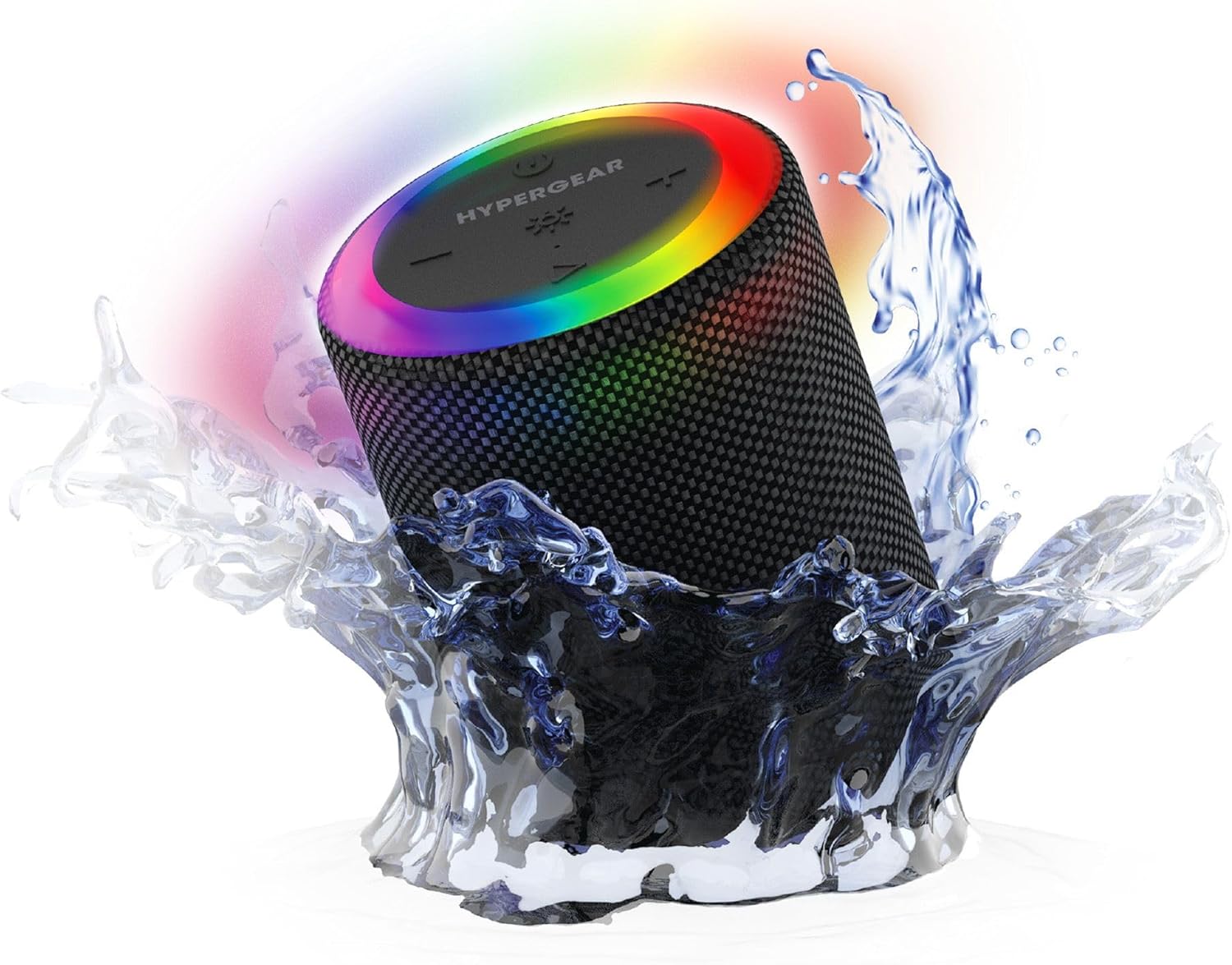
The HyperGear Halo speaker immersed in water, highlighting its robust waterproof design.

Visual representation of the HyperGear Halo speaker's powerful audio features, including its 5W output and 52mm driver.

The HyperGear Halo speaker showcasing its beat-synced 360° multicolor LED light ring with various lighting modes.
仕様
| 特徴 | 詳細 |
|---|---|
| モデル名 | Halo Waterproof LED Wireless Speaker |
| スピーカータイプ | マルチメディア |
| 接続技術 | ブルートゥース5.3 |
| オーディオ出力モード | Mono (Stereo with Party Mode) |
| スピーカー最大出力 | 5ワット |
| オーディオドライバーのサイズ | 52ミリメートル |
| 耐水性レベル | IPX6防水 |
| 製品寸法 | 奥行き3.27インチ x 幅3.27インチ x 高さ4.13インチ |
| アイテム重量 | 1.05ポンド |
| 電源 | 電池駆動 |
| 含まれるコンポーネント | USB-C Charging Cable, 3.5mm Aux Cord |
| 制御方法 | ボタン |
| 欧州連合 | 633755158858 |
メンテナンス
- クリーニング: ソフトでスピーカーを拭きます、damp 布で拭いてください。強力な化学薬品や研磨剤入りの洗剤は使用しないでください。
- ストレージ: スピーカーは直射日光や極端な温度を避け、涼しく乾燥した場所に保管してください。
- バッテリーのケア: バッテリー寿命を延ばすため、スピーカーを頻繁に完全に放電することは避けてください。長期間使用しない場合でも、定期的に充電してください。
- 防水シール: Ensure the silicone cover for the charging and AUX ports is securely closed when near water to maintain its IPX6 rating.
トラブルシューティング
| 問題 | 考えられる解決策 |
|---|---|
| スピーカーの電源が入りません。 | スピーカーが充電されていることを確認してください。電源に接続してもう一度お試しください。 |
| Bluetooth デバイスとペアリングできません。 | Make sure the speaker is in pairing mode (flashing LED). Turn off and on Bluetooth on your device. Ensure no other devices are connected to the speaker. Move speaker closer to your device. |
| スピーカーから音が出ません。 | Check volume levels on both the speaker and your device. Ensure the correct input mode (Bluetooth, Aux, MicroSD) is selected. If using Aux, ensure the cable is fully inserted. |
| Party Mode not working. | Ensure both speakers are fully charged and not connected to any other Bluetooth devices. Try resetting both speakers by powering them off and on, then re-attempt Party Mode pairing. |
| LEDライトが動作しません。 | Press the Light Mode button to cycle through modes. Ensure the speaker is powered on. |
保証とサポート
The HyperGear Halo Waterproof LED Wireless Speaker comes with a 限定保証. For specific details regarding warranty coverage, duration, and claims, please refer to the warranty card included with your product or visit the official HyperGear website. For technical support or further assistance, please contact HyperGear customer service through their official channels.