
MYZONE MZ-20
MYZONE MZ-20 Bluetooth Digital Bathroom Scale User Manual
モデル: MZ-20
導入
This manual provides essential information for the safe and effective use of your MYZONE MZ-20 Bluetooth Digital Bathroom Scale. Please read these instructions thoroughly before use and retain for future reference.
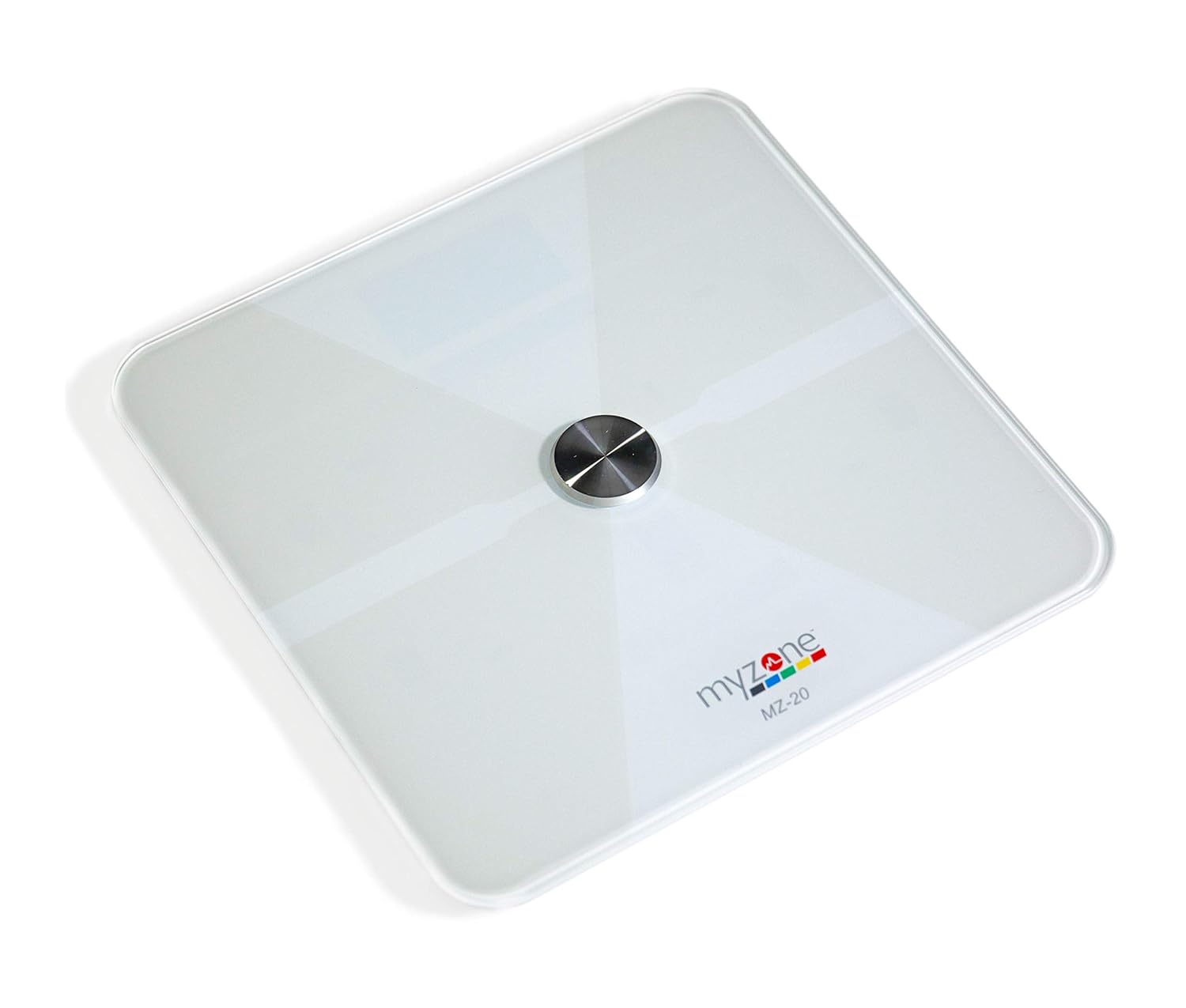
画像: トップダウン view of the MYZONE MZ-20 Digital Bathroom Scale, white with a central metallic sensor and MYZONE logo.
重要な安全情報
- ペースメーカーやその他の体内医療機器を装着している場合は使用しないでください。
- 妊娠中の方は使用しないでください。
- 正確な測定を行うには、必ずスケールを硬くて平らな面に置いてください。
- スケールは乾燥した状態に保ってください。水に浸さないでください。
- ガラス面は濡れていると滑りやすくなりますので、乗り降りの際はご注意ください。
- This device is for home use only and should not be used for medical diagnosis or treatment.
パッケージ内容
- MYZONE MZ-20 Digital Bathroom Scale
- 単4電池XNUMX本(付属)
- ユーザーマニュアル(このドキュメント)
設定
1. バッテリーの取り付け
- 体重計の裏側にある電池ボックスを開きます。
- 正しい極性 (+/-) を確認して、単 4 電池 4 本を挿入します。
- 電池ケースをしっかりと閉めてください。
2. アプリのダウンロードとペアリング
To utilize the full features of the MZ-20 scale, including body composition analysis and progress tracking, download the MYZONE app on your mobile device.
- Download the "MYZONE" app from your device's app store (iOS or Android).
- Create an account or log in to your existing MYZONE account.
- モバイルデバイスで Bluetooth を有効にします。
- Open the MYZONE app and navigate to the device pairing section.
- Step onto the scale to activate it. The scale will automatically attempt to pair with the app via Bluetooth Low Energy (BLE).
- アプリの画面上の指示に従って、ペアリングプロセスを完了します。
3. 初期キャリブレーション
For the most accurate readings, it is recommended to perform an initial calibration. Place the scale on a hard, flat surface. Step on the scale briefly until a reading appears, then step off. The scale will display "0.0" or similar, indicating it is ready for use. Some users may observe slight variations in initial readings which stabilize after a few uses.
操作手順
1.測定を行う
- スケールを硬くて平らな面に置きます。
- 足が清潔で乾燥していることを確認してください。
- Step onto the scale barefoot, centering your feet on the metallic pads. Stand still until the display shows your weight.
- If connected to the MYZONE app, open the app before stepping on the scale. Your measurements (weight, body fat, muscle mass, body water, bone mass, Basal Metabolic Rate) will automatically sync to the app.

Image: A person stands barefoot on the MYZONE MZ-20 scale, demonstrating how to take a measurement. An overlay graphic illustrates the various body metrics recorded, including weight, body fat, muscle mass, and visceral fat.
2. Understanding Body Metrics
The MZ-20 scale provides comprehensive tracking of various physical characteristics:
- 重さ: あなたの体重の合計。
- 体脂肪率: パーセントtag体重全体重のうち脂肪が占める割合。
- 筋肉量: 体内の筋肉の総重量。
- ボディウォーター%: パーセントtag体重の 70% は水分です。
- 骨量: 体内の骨の総重量。
- 基礎代謝率(BMR): 安静時に身体の機能を維持するために必要なカロリー数。

Image: An infographic displaying icons and labels for the various body metrics measured by the MZ-20 scale, including Weight, Body Fat, Muscle Mass, Body Water, Bone Mass, and Basal Metabolic Rate. It also highlights features like included batteries, Bluetooth connectivity, digital display, and support for multiple users.
3. Using the MYZONE App
The MYZONE app allows you to view, track, and analyze your body metrics over time. Data is saved directly to the app for easy access and progress monitoring.

Image: A smartphone screen shows the MYZONE app interface, displaying a user's body metrics such as Resting Heart Rate, Weight, Basal Metabolic Rate, Body Fat Percentage、およびボディマス指数 (BMI)。
4. 複数のユーザー
The MYZONE MZ-20 scale supports multiple users. Each user should create their own profile within the MYZONE app. When a user steps on the scale, the app will attempt to identify the user based on their weight history. If multiple users have similar weights, the app may prompt you to select the correct user.
メンテナンス
1. 清掃
スケールの表面を拭きますamp 布と中性洗剤を使用してください。研磨剤入りの洗剤を使用したり、スケールを水に浸したりしないでください。保管または次回使用する前に、スケールが完全に乾いていることを確認してください。
2. バッテリーの交換
When the battery indicator appears on the display, replace all 4 AAA batteries. Always replace with new batteries of the same type. Remove batteries if the scale will not be used for an extended period.
トラブルシューティング
| 問題 | 考えられる原因 / 解決策 |
|---|---|
| スケールがオンにならない、またはディスプレイが空白になります。 |
|
| 不正確または一貫性のない読み取り。 |
|
| Scale reading does not match app reading. |
|
| Body metrics (fat, muscle, etc.) seem inaccurate. |
|
| Cannot connect to MYZONE app via Bluetooth. |
|
仕様
| 特徴 | 詳細 |
|---|---|
| ブランド | マイゾーン |
| モデル | MZ-20 |
| 色 | 白 |
| 特集 | Body Fat, Bone Mass, Muscle Mass, Smart (Bluetooth connectivity) |
| 表示タイプ | 導かれた |
| フォームファクター | ミニ |
| 製品寸法 | 12.2 x 12.2 x 0.79インチ |
| アイテム重量 | 4.18 ポンド (1.9 キログラム) |
| バッテリー | 単4電池XNUMX本(付属) |
| 接続性 | Bluetooth Low Energy(BLE) |

Image: The MYZONE MZ-20 scale shown with its dimensions: 13.4 inches in length and width, and 1.97 inches in height.
製品終了view ビデオ
ビデオ: 当局者がview of the MYZONE MZ-20 Home Scales, demonstrating its sleek design, live body metric data streaming to a mobile device, and progress tracking features within the MYZONE app.
保証情報
Warranty claims on any MYZONE product can only be approved by マイゾーン. Please refer to the official MYZONE web詳細な保証条件については、サイトをご覧ください。
サポート
For further assistance, technical support, or frequently asked questions, please visit the official MYZONE support page or contact customer service:
- 正式 Webサイト: www.myzone.org
- 顧客サービス: 公式ウェブサイトの連絡先を参照してください webサイト。
Ask a question about this manual
Ask about setup, troubleshooting, compatibility, parts, safety, or missing instructions. Manuals+ will review the question and use this page’s manual context to help answer it.