
1. はじめに
This manual provides essential information for setting up, operating, maintaining, and troubleshooting your Acer Aspire Lite AL15-41 laptop. Please read this guide thoroughly to ensure proper use and to maximize the lifespan of your device.
2. セットアップ
2.1 開梱と初期検査
すべての部品をパッケージから慎重に取り出してください。下記のすべての部品が揃っていて、損傷がないことを確認してください。
- Acer Aspire Lite AL15-41 Laptop
- 電源コード
- アダプタ
- ユーザーマニュアル(このドキュメント)

図2.1: 前面 view of the Acer Aspire Lite AL15-41 laptop.
2.2 電源アダプタの接続
Connect the power adapter to the laptop's power input port and then plug the power cord into a wall outlet. The laptop can be used while charging.
2.3 初回電源投入とWindowsのセットアップ
電源ボタンを押してノートパソコンの電源を入れます。画面の指示に従って、Windows 11 Homeのセットアッププロセスを完了します。これには、地域と言語の選択、Wi-Fiネットワークへの接続、ユーザーアカウントの作成が含まれます。
3. 操作手順
3.1 キーボードとタッチパッド
The laptop features a 100-/101-/104-key keyboard with an independent numeric keypad for efficient data entry. The touchpad supports multi-touch gestures for navigation.

図3.1:詳細 view キーボードとタッチパッドの。
3.2 ポートと接続
The Acer Aspire Lite AL15-41 offers various ports for connecting external devices:
- USB 2.0(タイプA)×2
- 1 x USB 3.2 Gen 1 (Type A)
- 1 x USB 3.2 Gen 2 (Type C)
- 1 x HDMI port for video output
- オーディオジャック
For wireless connectivity, the laptop supports Wi-Fi 5 and Bluetooth 5.1.

図3.2:側面 view illustrating the available ports.
3.3 表示機能
The laptop features a 15.6-inch Full HD (1920 x 1080) TN display with a 16:9 aspect ratio. The ultra-slim design enhances the viewing の経験。

Figure 3.3: The 15.6-inch Full HD display.
3.4 180-Degree Hinge Mechanism
The screen can be rotated 180 degrees, facilitating collaboration and flexible viewing angles. To activate this feature, press the Function + R key combination.

Figure 3.4: Laptop demonstrating the 180-degree hinge.
3.5 バッテリー管理
The laptop is equipped with a 3-cell Lithium Ion battery with 36 Watt Hours of energy content, providing up to 7 hours of battery life under normal usage conditions. For optimal battery health, avoid frequent full discharges and keep the laptop in a cool environment.
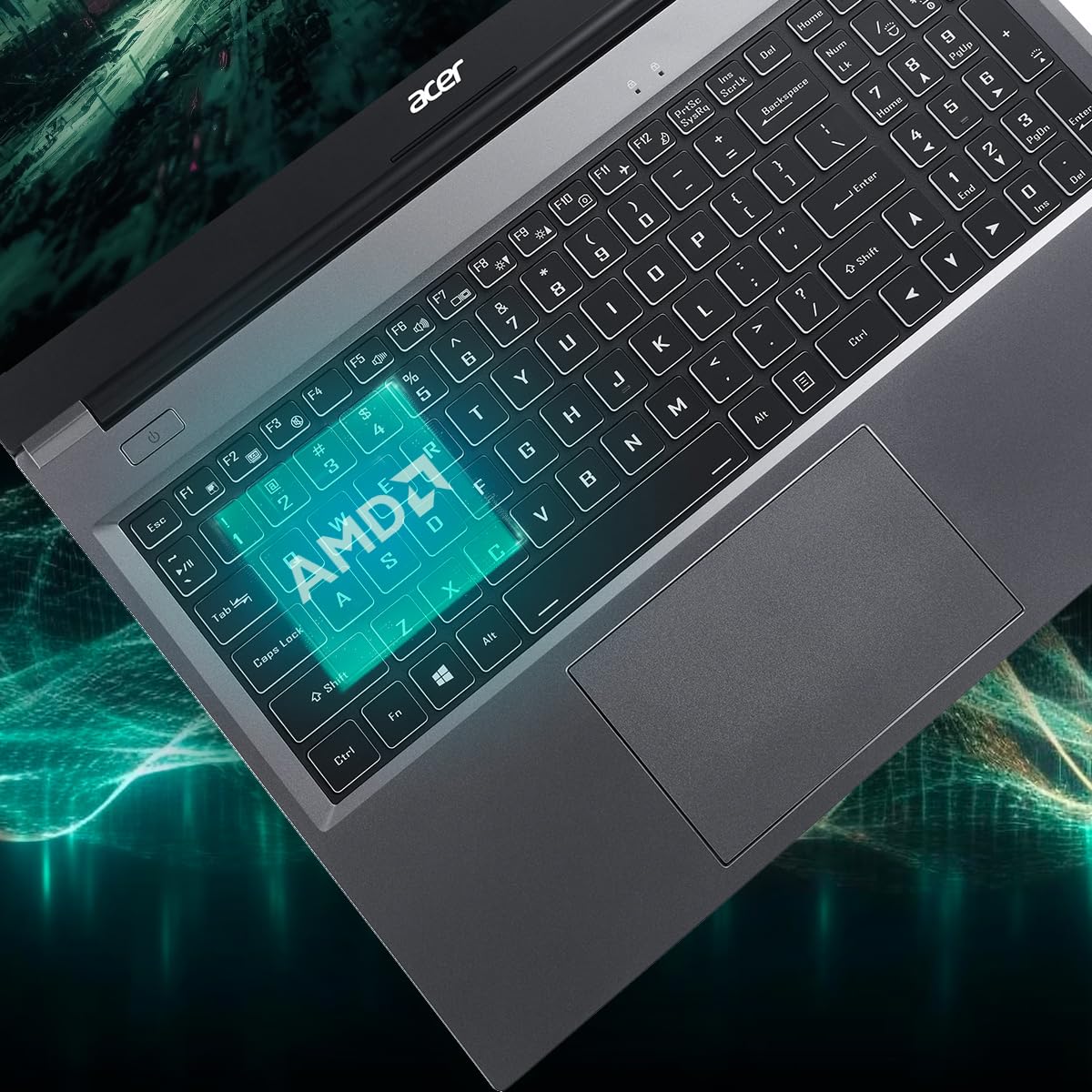
Figure 3.5: Laptop design emphasizing portability and battery life.
4. メンテナンス
4.1 ノートパソコンの掃除
柔らかく糸くずの出ない布で軽く拭き取ってください。ampened with water or a specialized screen cleaner to clean the display. For the keyboard and chassis, use a soft brush or compressed air to remove dust. Avoid harsh chemicals or abrasive materials.
4.2ソフトウェアアップデート
Regularly update your operating system (Windows 11 Home) and drivers to ensure optimal performance and security. Check the Acer support website for the latest driver updates for your AL15-41 model.
4.3 ストレージとRAMのアップグレード
The laptop's 8 GB DDR4 RAM is upgradable up to 32GB across two SODIMM sockets. The 512 GB PCIe Gen3 NVMe SSD storage is upgradable up to 1 TB. For upgrades, it is recommended to consult a qualified technician or refer to Acer's official service guidelines to avoid voiding your warranty.
5。 トラブルシューティング
ラップトップで問題が発生した場合は、次の基本的なトラブルシューティング手順を検討してください。
- 電源なし: 電源アダプターがノートパソコンと電源コンセントの両方にしっかりと接続されていることを確認してください。別のコンセントを試してください。
- 表示の問題: If the screen is blank, try connecting an external monitor to determine if the issue is with the laptop's display or graphics output.
- パフォーマンスが遅い: Close unnecessary applications, check for malware, and ensure your operating system and drivers are up to date. Consider the recommended maintenance steps.
- 接続の問題: For Wi-Fi or Bluetooth issues, try restarting your laptop and your router/Bluetooth device. Check device manager for driver status.
For more complex issues, refer to the online support resources available on the official Acer website or contact Acer customer support.
6. 仕様
Detailed technical specifications for the Acer Aspire Lite AL15-41 laptop:
| 特徴 | 仕様 |
|---|---|
| ブランド | エイサー |
| モデル名 | アスパイア ライト |
| モデル番号 | AL15-41 |
| プロセッサ | AMD Ryzen 3 7330U Processor (2.3 GHz, up to 4.3 GHz) |
| グラフィックス | 統合型AMD Radeonグラフィックス |
| ラム | 8 GB DDR4 (Upgradable up to 32 GB) |
| ストレージ | 512 GB NVMe SSD (Upgradable up to 1 TB) |
| 画面 | 15.6 Inches Full HD (1920 x 1080) TN LCD |
| オペレーティング·システム | Windows 11 ホーム |
| 色 | スチールグレー |
| 重さ | 1.6キログラム |
| Dimensions (L x W x Thickness) | 23.9L x 36W x 2Th Centimeters |
| USBポート | 2 x USB 2.0 (Type A), 1 x USB 3.2 Gen 1 (Type A), 1 x USB 3.2 Gen 2 (Type C) |
| HDMIポート | 1 |
| ワイヤレス接続 | Wi-Fi 5、Bluetooth 5.1 |
| バッテリー寿命 | 7 Hours (36 Watt Hours Lithium Ion) |
| キーボード | Chiclet with numeric keypad |
| タッチパッド | Clickpad, Multi-touch |
| Webカム | はい(前面) |
7. 保証とサポート
7.1 保証情報
Your Acer Aspire Lite AL15-41 laptop comes with a 1-Year Manufacturer Warranty. Please retain your proof of purchase for warranty claims. The warranty covers manufacturing defects under normal use conditions.
7.2 Manufacturer and Importer Contact
メーカー: エイサー
輸入業者: エイサー・インディア・プライベート・リミテッド
Embassy Heights, 6th Floor, No. 13, Magrath Road, Next to HOSMAT Hospital, Bangalore, INDIA – 560025
パッカー: エイサー・インディア・プライベート・リミテッド
RS No.38/2, Sedarpet Village, Villanur Commune, Poducherry - 605111.
7.3 カスタマーサポート
For technical assistance, driver downloads, or service requests, please visit the official Acer support website or contact their customer service directly. You can find contact details and support resources on the Acer India webサイト。