
クトロニクス 710C-4K
Ctronics 4K Indoor Surveillance Camera
モデル: 710C-4K
製品終了view
The Ctronics 710C-4K Indoor Surveillance Camera is a comprehensive solution designed to enhance your home security and capture important moments with exceptional clarity. Featuring advanced 4K recording capabilities, this camera ensures every detail is precisely captured, day or night. It integrates smart AI tracking, real-time object detection, and flexible storage options to provide reliable and convenient monitoring.

Image: The Ctronics 4K Indoor Surveillance Camera, showcasing its sleek design and the clarity of its 4K resolution, with a live view of a child and a dog.
主な特徴
- 4K UHD Starlight Vision: Experience unparalleled clarity with 4K UHD resolution, an F/1.6 aperture, 8 infrared lights, and WDR technology, providing clear images up to 20 meters even in low-light conditions.
- AI Human/Pet/Vehicle Detection & Auto Tracking: Smart AI functions for real-time object detection and automatic tracking of humans, pets, and vehicles, minimizing false alerts and ensuring comprehensive coverage.
- Flexible PTZ Control: Enjoy a wider 120-degree tilt range and 8 preset positions, allowing for complete room coverage without blind spots.
- デュアルバンド Wi-Fi 接続: Reliable 2.4/5 GHz Wi-Fi connection ensures stable streaming and remote access.
- 複数のストレージ オプション: Supports TF cards up to 256GB, cloud storage, NVR, NAS, and ONVIF/FTP protocols for continuous 4K recording.
- Seamless Mobile & PC Management: Control and manage alarms and recordings effortlessly via the Ctronics app on your mobile phone or PC.
- Customizable Alarm Sounds: Personalize alarm sounds to enhance security or serve as a welcoming chime.
パッケージ内容
パッケージにすべてのアイテムが含まれていることを確認してください。
- Ctronics 4K Indoor Surveillance Camera (Model: 710C-4K)
- 電源アダプター
- 取り付けネジとアンカー
- ユーザーマニュアル(このドキュメント)

Image: A child holding the Ctronics camera box, indicating the compact packaging of the product.
セットアップガイド
1. 物理的な設置
The Ctronics 710C-4K camera offers versatile installation options to suit your needs:
- 卓上の配置: テーブル、棚、机などの平らな面にカメラを置くだけです。
- 壁掛け: Use the provided screws and anchors to securely mount the camera to a wall.
- 天井取り付け: The camera can also be inverted and mounted to the ceiling for optimal overhead coverage.
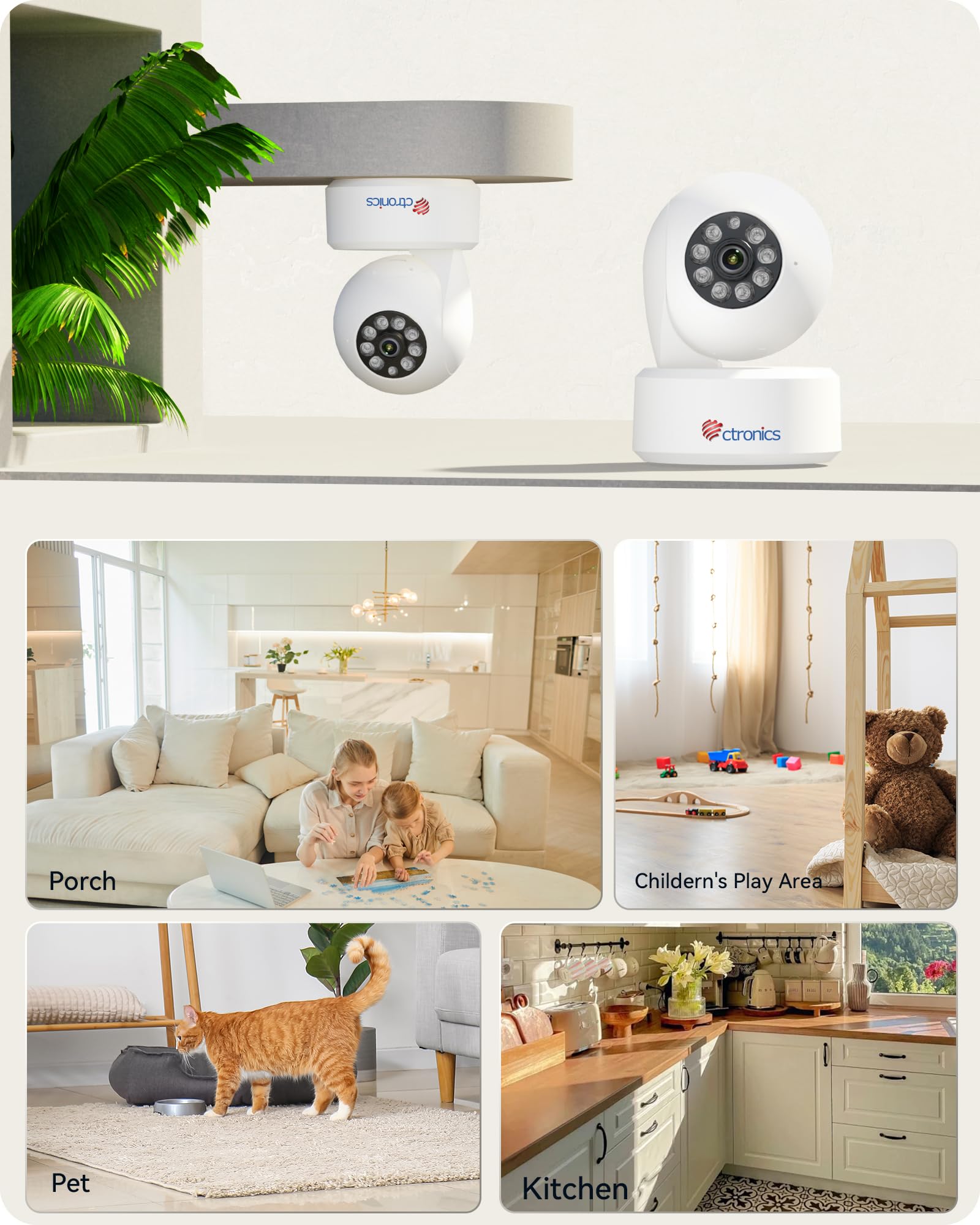
Image: Illustration of the camera's flexible mounting options and common indoor usage scenarios.
2. 電源接続
付属の電源アダプターをカメラの電源入力ポートに接続し、標準の電源コンセントに差し込みます。カメラは自動的に電源が入ります。
3. ネットワーク接続
The camera supports dual-band Wi-Fi (2.4 GHz and 5 GHz) for flexible and stable network connectivity. Ensure your Wi-Fi router is within range.
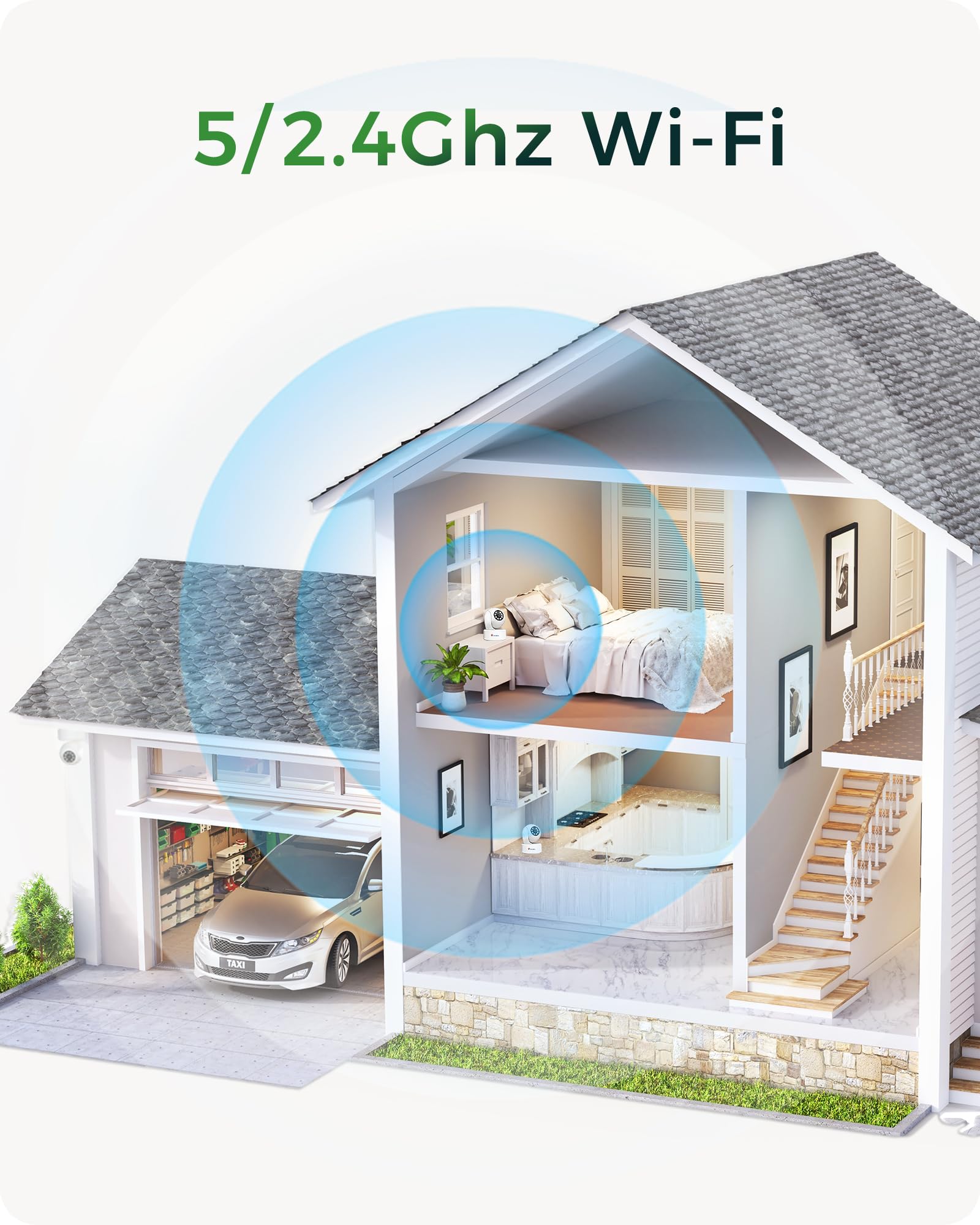
Image: Visual representation of the camera's dual-band Wi-Fi capability providing seamless coverage across a home.
4. アプリのインストールと初期設定
Download the 'Ctronics Pro' app or 'HiP2P Client' software on your mobile device (iOS/Android) or PC (Windows). Follow the in-app instructions to add your camera, connect it to your Wi-Fi network, and complete the initial setup. This typically involves scanning a QR code on the camera or entering its device ID.
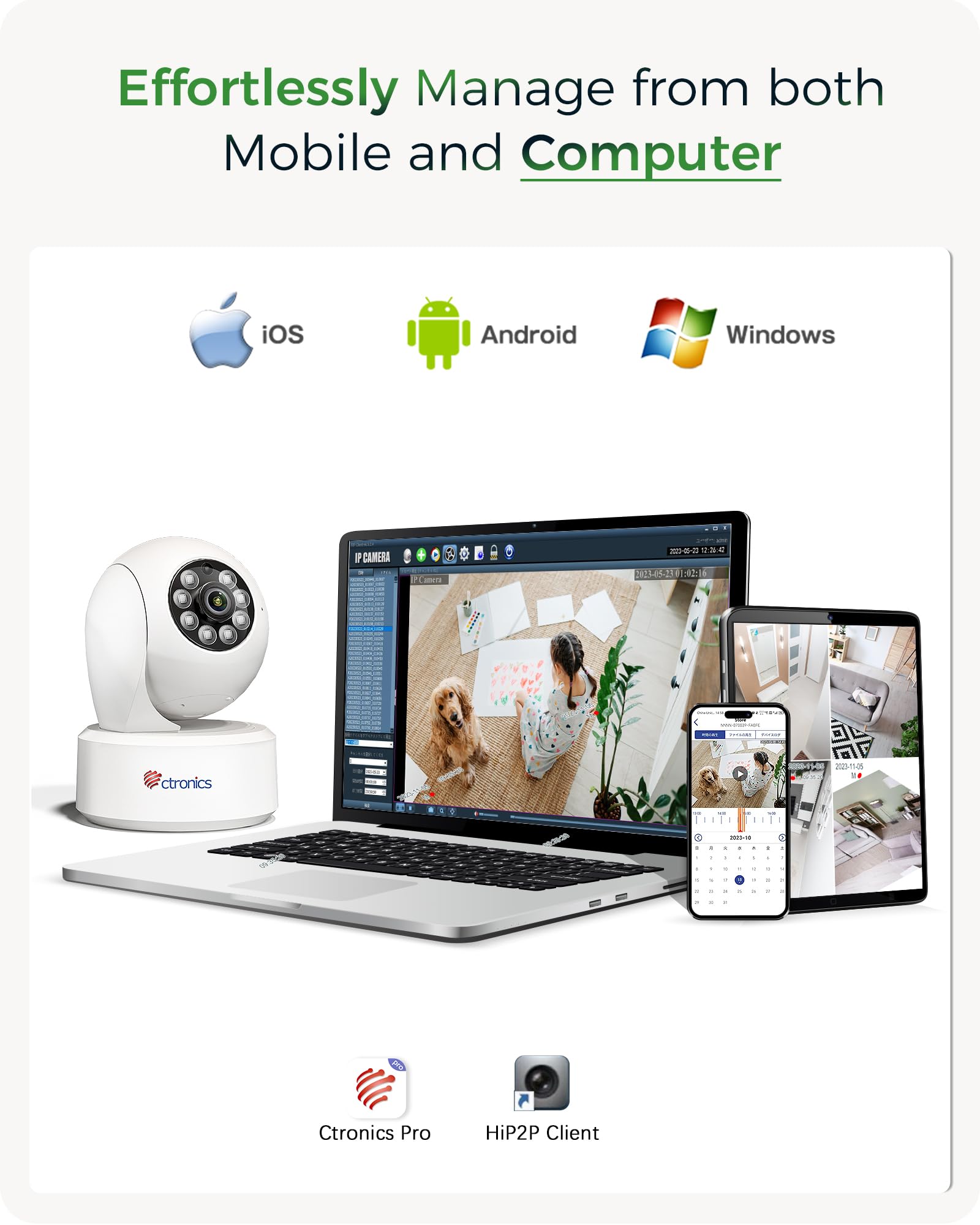
Image: The Ctronics camera can be effortlessly managed from both mobile devices and computers using the dedicated Ctronics Pro or HiP2P Client applications.
カメラの操作
1.ライブ View PTZコントロール
Access the live feed from your camera through the Ctronics app. Use the on-screen controls to pan (horizontal rotation), tilt (vertical movement up to 120 degrees), and zoom the camera lens. You can also set and recall up to 8 preset positions for quick view特定の領域を対象とします。

Image: The camera offers an expanded 120-degree tilt range and the ability to set 8 preset positions and customize detection zones for comprehensive monitoring.
2. 記録と保存
The camera supports continuous 4K recording. You have several options for storing your footage:
- TFカード: Insert a MicroSD (TF) card (up to 256GB) into the camera's slot for local storage.
- クラウドストレージ: Subscribe to Ctronics cloud service for secure, off-site storage of your recordings.
- NVR/NAS/FTP: Integrate the camera with your existing Network Video Recorder (NVR), Network Attached Storage (NAS), or FTP server using ONVIF or FTP protocols for 24/7 recording.
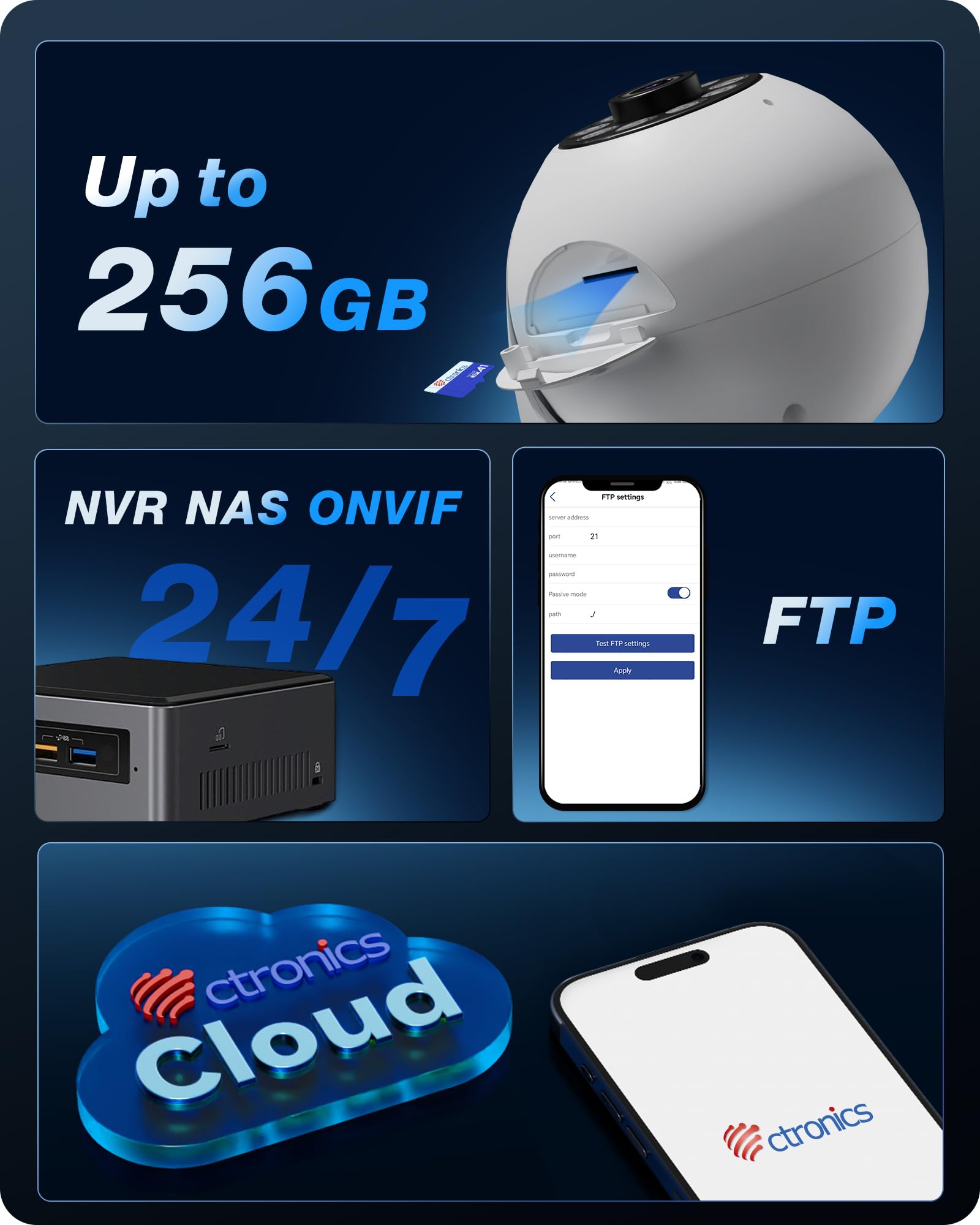
画像: 上view of the camera's versatile storage solutions, including local TF card, cloud, and integration with NVR/NAS/FTP systems.
3. Intelligent Detection and Tracking
Enable AI detection features to receive alerts for specific events:
- 人間の検出: Detects human figures and sends alerts.
- ペット検出: Identifies pets and can trigger specific actions or alerts.
- 車両検出: Recognizes vehicles within the camera's field of view.
- 自動追跡: Once a target is detected, the camera can automatically pan and tilt to follow its movement.

画像: Examples of the camera's AI-powered detection capabilities for humans, pets, and vehicles, along with its auto-tracking function.

Image: Two dogs next to the Ctronics camera, demonstrating its use for pet monitoring.

Image: A white cat next to the Ctronics camera, highlighting its ability to detect and track pets.

Image: A baby sitting next to the Ctronics camera, illustrating its suitability for baby monitoring.
4. ナイトビジョン
The camera is equipped with 8 infrared lights and a 4K UHD Starlight lens, allowing for clear vision up to 20 meters in complete darkness. The F/1.6 aperture and WDR technology further enhance image quality in challenging lighting conditions.

Image: A visual comparison demonstrating the significant clarity improvement of 8MP (4K) resolution over lower megapixel cameras, crucial for detailed night vision.
5. Custom Alarm Sounds
Through the Ctronics app, you can customize the alarm sounds. This feature can be used for security alerts or as a personalized chime to welcome guests.
メンテナンス
To ensure optimal performance and longevity of your Ctronics camera, follow these maintenance guidelines:
- クリーニング: カメラのレンズと本体は、柔らかく乾いた布で優しく拭いてください。刺激の強い化学薬品や研磨剤の使用は避けてください。
- ソフトウェアアップデート: Regularly check for firmware updates through the Ctronics app. Keeping your camera's software up-to-date ensures access to the latest features and security enhancements.
- 電源サイクル: If the camera becomes unresponsive, disconnect the power adapter for a few seconds and then reconnect it to perform a power cycle.
トラブルシューティング
If you encounter issues with your Ctronics camera, please refer to the following common solutions:
- カメラが Wi-Fi に接続していない: Ensure the camera is within range of your Wi-Fi router. Verify that you are selecting the correct Wi-Fi band (2.4 GHz or 5 GHz) and entering the correct password. Try restarting your router and the camera.
- 画質が悪い: Check if the lens is clean. Ensure there is adequate lighting in the monitored area. For night vision, confirm that the infrared lights are not obstructed.
- アプリの機能の問題: If the mobile app is not performing as expected, ensure it is updated to the latest version. For advanced settings not available in the app, you can access the camera's web インターフェイスに IP アドレスを入力して web ブラウザ。
- 録音なし: Verify that a TF card is properly inserted and formatted, or that your cloud storage subscription is active. For NVR/NAS/FTP, ensure the connection and configuration are correct.
- 誤報: Adjust the sensitivity settings for motion detection in the app. Utilize the AI detection features (human/pet/vehicle) to filter out irrelevant movements.
さらにサポートが必要な場合は、Ctronics カスタマー サポートにお問い合わせください。
技術仕様
| モデル名 | 710C-4K |
| ビデオ録画解像度 | 4K(3840x2160) |
| 有効なビデオ解像度 | 2560 (likely refers to a specific aspect or component resolution, 4K is the overall output) |
| フレームレート | 毎秒15フレーム |
| 接続技術 | Wired, Wi-Fi (2.4 GHz / 5 GHz) |
| 特集 | 4K, PTZ Technology, AI Detection (Human, Pet, Vehicle), Auto Tracking |
| 使用法 | Surveillance, 360-degree Coverage, Indoor Security, Baby Monitoring |
| 取り付けタイプ | Ceiling Mount, Tabletop, Wall Mount |
| 暗視範囲 | 20メートル |
| View角度 | 80度 |
| 傾斜範囲 | 120度 |
| 材料 | プラスチック |
| 力 | 5ボルト、5ワット |
| 寸法(長さ×幅×高さ) | 10 x 10 x 15 cm |
| 重さ | 370グラム |
| 耐水性レベル | 防水ではありません |
保証とサポート
Ctronics products are designed for reliability and performance. For any questions, technical support, or warranty claims, please contact Ctronics customer service. Details can typically be found on the Ctronics official webサイトまたは Ctronics アプリ内からアクセスできます。
顧客からの返信に記載されているとおりviews, Ctronics provides excellent support, often assisting with app functionality and web interface access for advanced settings.
Ask a question about this manual
Ask about setup, troubleshooting, compatibility, parts, safety, or missing instructions. Manuals+ will review the question and use this page’s manual context to help answer it.