
ヘッドウルフ HPad6
Headwolf HPad6 Android タブレット ユーザーマニュアル
Model: HPad6 (Item Model Number: H6) | Brand: Headwolf
1. はじめに
The Headwolf HPad6 is a high-performance Android tablet designed for a seamless user experience, whether for gaming, multitasking, or media consumption. Featuring a powerful Helio G99 octa-core processor and the latest Android 14 operating system, it offers enhanced privacy and efficiency. Its expansive 12-inch 2K display with Widevine L1 support provides stunning visuals, complemented by quad speakers for immersive audio. With a large 8800mAh battery, ample storage, and advanced connectivity options, the HPad6 is built to meet diverse digital needs.
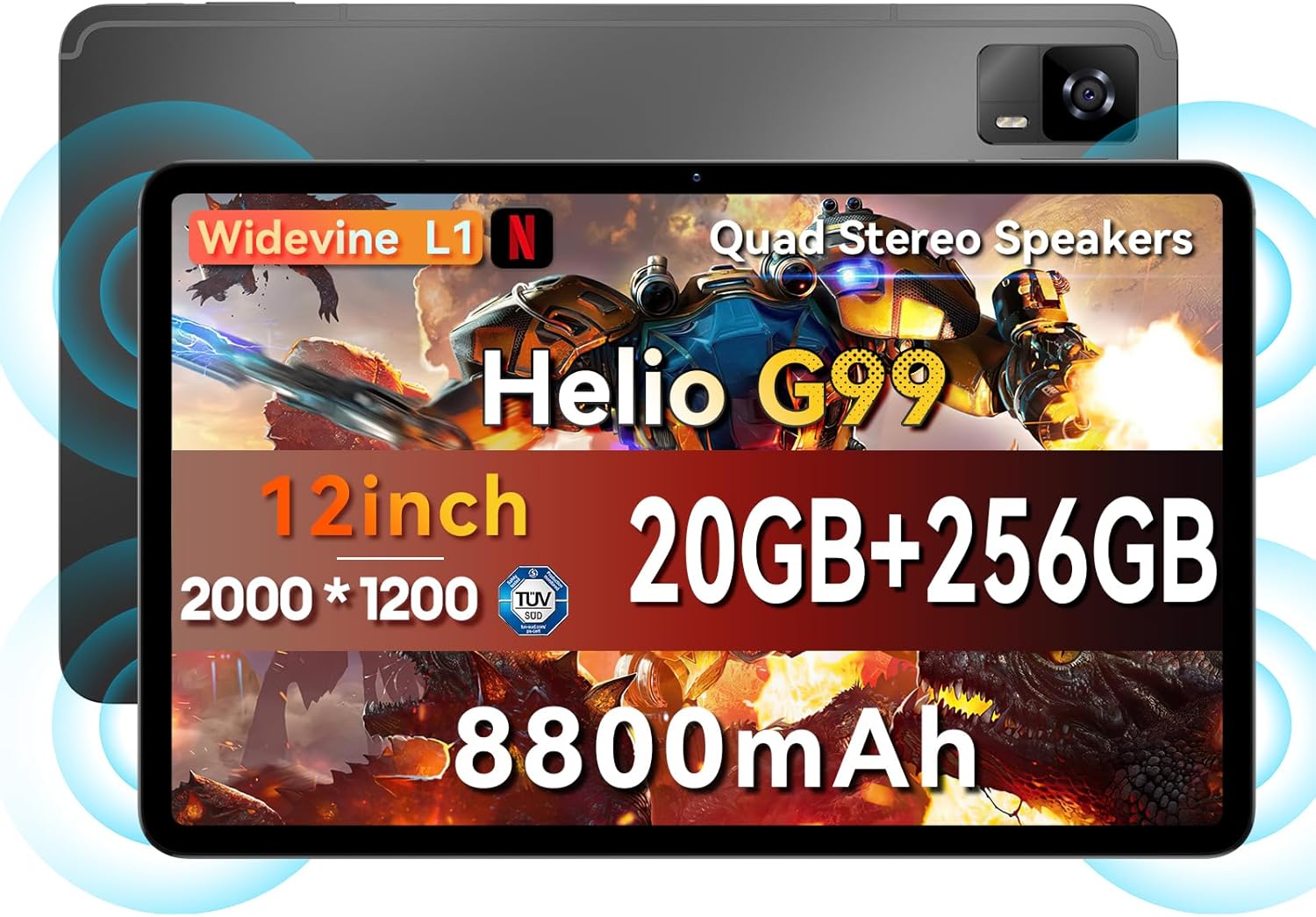
図1:以上view of the Headwolf HPad6 tablet highlighting key features like Helio G99, 12-inch 2K display, 20GB RAM + 256GB ROM, 8800mAh battery, Widevine L1, and Quad Stereo Speakers.
2. 箱の中身
Upon unboxing your Headwolf HPad6 tablet, you will find the following items:
- ヘッドウルフ HPad6 タブレット 1 台
- PD20W充電器 x 1
- タイプCケーブル x 1
- カードピン(SIM取り出しツール)×1
- ユーザーマニュアル x 1
Video 1: Official Headwolf HPad6 Unboxing. This video demonstrates the contents of the product packaging and the initial setup process.
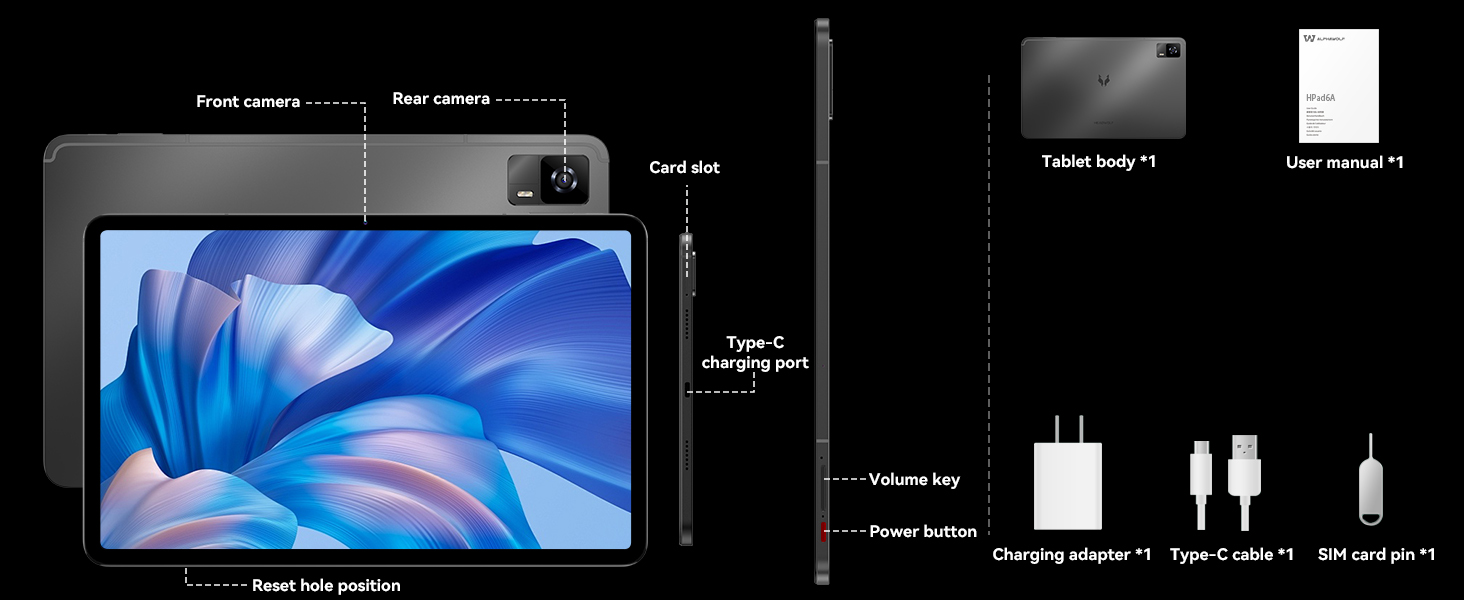
Figure 2: Diagram illustrating the tablet body, user manual, charging adapter, Type-C cable, and SIM card pin included in the box. It also highlights the front camera, rear camera, card slot, Type-C charging port, volume key, power button, and reset hole position.
3. セットアップ
3.1初期電源オン
- Press and hold the Power Button located on the side of the tablet until the Headwolf logo appears.
- 画面上の指示に従って言語と地域を選択し、Wi-Fi ネットワークに接続します。
- Google Play ストアやその他のサービスにアクセスするには、Google アカウントでログインするか、新しいアカウントを作成してください。
3.2 SIM/TFカードの挿入
The HPad6 supports dual 4G LTE Nano SIM cards and expandable storage up to 2TB via a TF card (not included).
- タブレットの側面にあるカード スロットを見つけます。
- Insert the provided Card Pin into the small hole next to the slot to eject the tray.
- Nano SIMカードまたはTFカードをトレイの指定されたスロットに挿入します。正しい向きになっていることを確認してください。
- カチッと音がするまでトレイをタブレットにゆっくりと押し戻します。
Video 2: Official Headwolf HPad6 Product Overview. This video showcases various features of the tablet, including its powerful processor, display, and connectivity options, and demonstrates its use in different scenarios.
4. タブレットの操作
4.1 パフォーマンス
The HPad6 is powered by the MTK Helio G99 octa-core processor, featuring 2 ARM Cortex-A76 cores (2.2GHz) and 6 Cortex-A55 cores. This configuration ensures smooth performance for demanding applications and multitasking. It boasts an impressive 20GB RAM (8GB physical + 12GB expansion) and 256GB ROM, providing ample speed and storage for all your needs.

Figure 3: Visual representation of the Helio G99 processor and the 20GB RAM + 256GB storage configuration, highlighting its expandability up to 2TB.
4.2 ディスプレイ
Experience an elevated visual feast with the expansive 12-inch 2K (2000x1200) display. With Widevine L1 certification, you can enjoy high-definition streaming from platforms like Netflix and YouTube. The display offers rich colors and a 1500:1 contrast ratio for a stunning viewing の経験。

Figure 4: Comparison of a 10-inch and 12-inch tablet display, emphasizing the 2K resolution, Widevine L1, 1500:1 contrast ratio, 350 Nits brightness, and 16:10 aspect ratio of the HPad6.
4.3 オーディオ
The HPad6 features quad stereo speakers with Smart Amplifier technology, delivering immersive sound for all your media. Whether you're watching movies, listening to music, or playing games, the audio quality enhances your experience.

Figure 5: Illustration of the quad box stereo speakers and their features: Loud Volume, Stereo sound, and Smart Power Amplifier。
4.4バッテリーと充電
Equipped with a massive 8800mAh lithium cobalt oxide battery, the HPad6 provides extended usage times. It supports 20W fast charging via the Type-C port, ensuring quick replenishment of power. Enjoy up to 14 hours of video playback, 18 hours of processing work, 36 hours of music playback, 16 hours of reading, and 480 hours of standby time.

Figure 6: Visualizing the 8800mAh battery capacity and 20W fast charging, along with estimated usage hours for various activities.
4.5 接続性
The tablet supports Bluetooth 5.2 and 2.4/5GHz Wi-Fi for seamless high-speed wireless connectivity. It also features dual 4G LTE Nano SIM card support, allowing for separate personal and work contacts. For navigation, it supports GPS, BDS, GALILEO, and GLONASS, ensuring accurate positioning wherever you are.
4.6 カメラ
Capture moments with the HPad6's impressive camera setup. It features an 8MP front-facing camera for clear video calls and a 16MP rear camera with autofocus for remarkable clarity in photos and videos.

Figure 7: Depiction of the 8MP front camera, 16MP rear camera, and face recognition feature for enhanced security and convenience.
4.7 マルチタスクと生産性
The HPad6 supports multi-tasking and collaboration, allowing you to display multiple app screens simultaneously. With its 12-inch borderless screen, you can watch a video on one side while taking notes on the other, significantly boosting productivity. The Android 14 system also enhances user operability with features like freezing cached apps, customizing lock screen functions, and enabling font enlargement up to 200%.

Figure 8: A user demonstrating multitasking on the Headwolf HPad6, with a keyboard connected, showing a document and images side-by-side.
5. メンテナンス
5.1 タブレットのクリーニング
- 柔らかく糸くずの出ない布を使用して、タブレットの画面と本体を清掃してください。
- 頑固な汚れには、軽くamp布に水または電子機器用のスクリーンクリーナーを含ませて拭いてください。
- 強力な化学薬品、研磨剤、エアゾールスプレーをタブレットに直接使用しないでください。
5.2ソフトウェアアップデート
最適なパフォーマンス、セキュリティ、新機能へのアクセスを確保するため、ソフトウェアアップデートを定期的に確認し、インストールしてください。 設定 > システム > システムアップデート 利用可能なアップデートを確認します。
5.3 ストレージ管理
スムーズな操作を維持するために、タブレットのストレージを定期的に管理してください。不要なデータを削除してください。 file不要なアプリをアンインストールし、大容量メディアを転送する files to external storage (TF card or cloud storage).
6。 トラブルシューティング
If you encounter issues with your Headwolf HPad6 tablet, try the following common troubleshooting steps:
- タブレットが起動しない: Ensure the battery is charged. Connect the tablet to the PD20W charger and wait a few minutes before attempting to power it on again.
- アプリがクラッシュまたはフリーズする: Close the problematic app and reopen it. If the issue persists, clear the app's cache (Settings > Apps > [App Name] > Storage & cache > Clear cache) or reinstall the app.
- パフォーマンスが遅い: Close background apps, clear cache, or restart the tablet. Consider freeing up storage space.
- Wi-Fi 接続の問題: Wi-Fiルーターとタブレットを再起動してください。ネットワークを切断して再接続してください。
- 工場出荷時設定へのリセット: As a last resort, if software issues persist, you may perform a factory reset. This will erase all data on the tablet, so ensure you back up important information first. Navigate to 設定 > システム > リセット オプション > すべてのデータを消去 (工場出荷時設定にリセット).
7. 仕様
| 特徴 | 仕様 |
|---|---|
| ブランド | ヘッドウルフ |
| モデル名 | HPad6 |
| 商品型番 | H6 |
| オペレーティング·システム | アンドロイド14 |
| 画面サイズ | 12インチ |
| 画面解像度 | 2000x1200ピクセル(2K) |
| プロセッサ | MediaTek Helio G99 Octa Core (2.2 GHz) |
| グラフィックスコプロセッサ | マリ-G57 MC2 |
| ラム | 20GB(8GB + 12GB拡張) |
| 内部ストレージ (ROM) | 256GB |
| 拡張可能なストレージ | TFカード経由で最大2TB(別売) |
| バッテリー容量 | 8800mAh |
| 急速充電 | 20W タイプC |
| リアカメラ | 16MP |
| フロントカメラ | 8MP |
| ワイヤレスタイプ | 802.11a/b/g/n/ac (2.4/5GHz WiFi) |
| ブルートゥース | 5.2 |
| セルラー接続 | Dual 4G LTE Nano SIM |
| ナビゲーション | GPS, BDS, GALILEO, GLONASS |
| アイテム重量 | 2.14ポンド(約547g) |
| 製品寸法 | 12 x 3 x 6インチ |
| 色 | グレー |
8.保証とサポート
Headwolf provides a one-year repair and replacement warranty for the HPad6 tablet. Dedicated customer service and technical support are available 24 hours a day.
If you encounter any problems with your Android 14 tablet, you can contact Headwolf support through Amazon's "Your Order - Get Help" feature. They are committed to providing a perfect solution to any issues you may face.