
導入
This manual provides essential information for the safe and efficient use of your HP 15 Professional Slim High-Performance Laptop. Please read these instructions carefully before using your device. Keep this manual for future reference.
1. 初期設定
1.1 Unboxing and Connecting Power
Carefully remove the laptop and all accessories from the packaging. Connect the provided AC adapter to the laptop's power port and then to a power outlet. It is recommended to fully charge the battery before first use.

Image: The HP 15 laptop shown from the front, with the power adapter connected to the side. This illustrates the initial connection for charging.
1.2 最初の起動とオペレーティングシステムのセットアップ
Press the power button to turn on the laptop. Follow the on-screen instructions to complete the Windows 11 Home operating system setup. This includes selecting your region, connecting to a Wi-Fi network, and creating a user account.

Image: The HP 15 laptop open, displaying the Windows 11 desktop interface, indicating successful operating system initialization.
2. ノートパソコンの操作
2.1 電源のオン/オフとスリープモード
- 電源オン: キーボードデッキにある電源ボタンを押します。
- 電源を切る: [スタート] ボタンをクリックし、[電源] をクリックして、[シャットダウン] を選択します。
- スリープモード: 蓋を閉じるか、[スタート] ボタンをクリックし、[電源] をクリックして、[スリープ] を選択します。
2.2 キーボードとタッチパッド
The laptop features a full-size island-style QWERTY keyboard and a multi-touch touchpad. Use the touchpad for navigation and gestures. Refer to Windows 11 settings for touchpad customization.
2.3 接続性
Your HP 15 laptop offers various connectivity options:
- Wi-Fi: Supports Realtek Killer Wi-Fi 6 (802.11ax) for high-speed wireless internet access.
- ブルートゥース: Integrated Bluetooth 5.3 for connecting wireless peripherals like headphones and mice.
- USB ポート:
- Two (2) USB 3.2 Gen 1.0 Type-A ports (5 Gbps signaling rate).
- One (1) USB 3.2 Gen 1.0 Type-C port (5 Gbps signaling rate, data transfer only; charging or external monitors not supported).
- HDMI: One (1) HDMI v1.4b output port for connecting to external displays.
- オーディオジャック: One (1) headphone/microphone combo port.
画像:側面 view of the HP 15 laptop, highlighting the various input/output ports for external device connectivity.
2.4 オーディオとカメラ
- オーディオ: Equipped with dual speakers for audio output and HD Audio support.
- カメラ: Features an HP True Vision 720p HD camera with integrated dual array digital microphones, suitable for video calls and online meetings.

Image: The HP 15 laptop displaying a video conference call, demonstrating the use of the integrated camera and microphone.
3. メンテナンスとケア
3.1 ノートパソコンの掃除
- 画面: 柔らかく糸くずの出ない布を軽く拭いてください。amp水またはスクリーンクリーナーで拭き取ってください。液体を画面に直接吹き付けないでください。
- キーボードとシャーシ: 柔らかく乾いた布を使用してください。頑固な汚れには、軽く湿らせた布で拭いてください。amp 開口部に湿気が入らないように布を使用できます。
- 通気口: Periodically check and gently clean the ventilation openings to prevent dust buildup, which can affect cooling.
3.2バッテリーケア
To maximize battery lifespan, avoid extreme temperatures and prolonged full discharge or full charge states. For long-term storage, charge the battery to approximately 50%.
3.3ソフトウェアアップデート
Regularly check for and install Windows updates and HP driver updates to ensure optimal performance, security, and compatibility. Access Windows Update via Settings > Windows Update.
3.4 環境への配慮
This laptop is built with recycled materials, including ocean-bound plastic. Please dispose of the device and its components responsibly at the end of its life cycle, following local regulations for electronic waste.
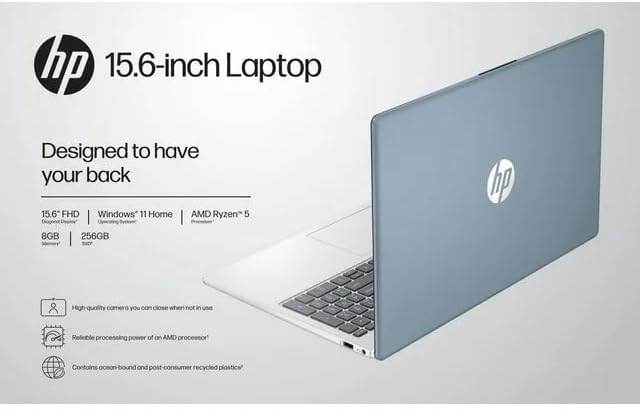
Image: The HP 15 laptop shown from the rear, illustrating its design and potential ventilation areas for maintenance.
4. 一般的な問題のトラブルシューティング
This section addresses common problems you might encounter. For more complex issues, refer to the HP support webサイト。
4.1 電源が入らない、またはノートパソコンが起動しない
- AC アダプターがラップトップと機能している電源コンセントの両方にしっかりと接続されていることを確認します。
- 別のデバイスを接続して、電源コンセントが機能していることを確認します。
- 別の電源コンセントを試してください。
- バッテリーが完全に消耗している場合は、電源を入れる前に少なくとも 30 分間充電してください。
4.2 表示の問題
- 空白の画面: Connect an external monitor via HDMI to check if the issue is with the laptop's display or the graphics output.
- 薄暗いディスプレイ: Adjust screen brightness using the function keys (usually F2/F3 or similar icons) or through Windows display settings.
- 解像度が正しくありません: Adjust the display resolution in Windows Settings > System > Display.
4.3 Wi-FiまたはBluetoothの接続の問題
- Ensure Wi-Fi and Bluetooth are enabled in Windows Settings > Network & internet or Devices > Bluetooth & devices.
- Wi-Fi の問題の場合は、ルーター/モデムを再起動してください。
- Update wireless drivers through HP Support Assistant or Device Manager.
- Forget and reconnect to the Wi-Fi network or re-pair the Bluetooth device.
4.4 Audio Not Working
- Check volume levels in Windows and ensure speakers are not muted.
- Verify that the correct audio output device is selected in Windows Sound settings.
- オーディオ ドライバーを更新します。
- Test with headphones to determine if the issue is with the internal speakers or the audio output.
5. 製品仕様
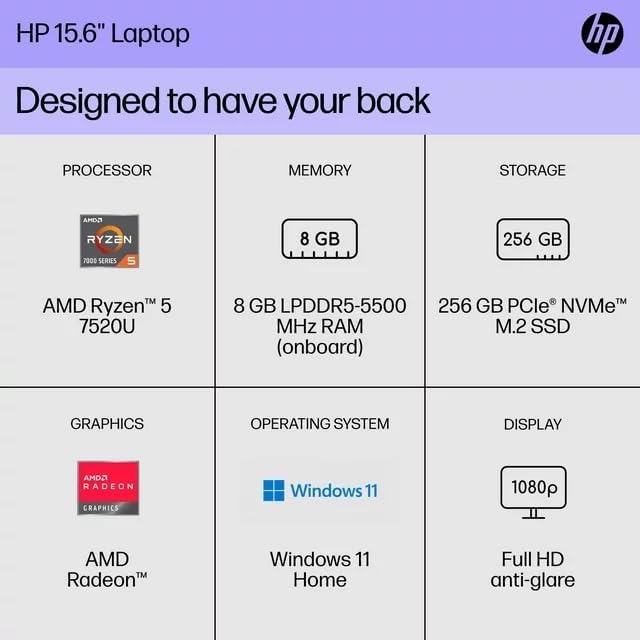
The following are the technical specifications for the HP 15 Professional Slim High-Performance Laptop (Model 15):
| 特徴 | 詳細 |
|---|---|
| モデル名 | 体力15 |
| プロセッサ | AMD Ryzen 5 7520U (up to 4.3 GHz max boost, 4 cores, 8 threads) |
| グラフィックス | AMD Radeon グラフィックス(統合) |
| メモリ(RAM) | 8GB DDR4 SDRAM |
| ストレージ | 256GB PCIe NVMe M.2 SSD |
| 画面 | 15.6-inch diagonal, Full HD (1920 x 1080), micro-edge, anti-glare, 250 nits, 45% NTSC |
| オペレーティング·システム | Windows 11 ホーム |
| ワイヤレス接続 | Realtek Killer Wi-Fi 6 (2x2), Bluetooth 5.3 |
| ポート |
|
| カメラ | デュアルアレイデジタルマイクを内蔵したHP True Vision 720p HDカメラ |
| オーディオ | Dual speakers, HD Audio |
| キーボード | Full-size island-style QWERTY keyboard |
| 電源デバイス | ACアダプター |
| 欧州連合 | 196337455771 |
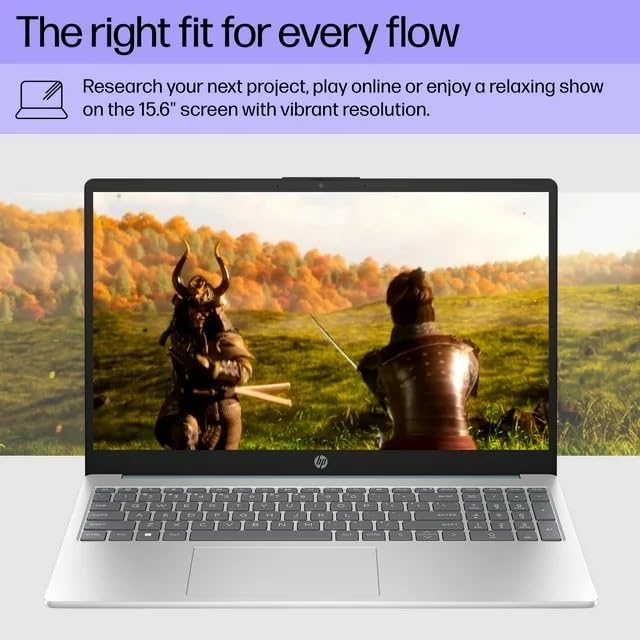
Image: A visual representation of the HP 15 laptop, complementing the detailed specifications listed.
6. 保証情報
This HP 15 laptop is a renewed product and comes with a 90日間の限定保証. This warranty covers defects in materials and workmanship under normal use. For specific terms and conditions, please refer to the warranty documentation included with your product or contact HP support.
7. カスタマーサポート
For further assistance, technical support, or to download updated drivers and software, please visit the official HP support website. You can typically find support resources by searching for "HP Support" and your specific model number (HP 15) on their webサイト。
オンラインリソース: https://support.hp.com