
1. はじめに
This manual provides detailed instructions for the installation, operation, and maintenance of your HEATH-ZENITH Push Button with Plug-in Chime. Please read this manual thoroughly before beginning installation and retain it for future reference. This product is designed to provide a reliable and convenient doorbell solution for your home.
The HEATH-ZENITH Push Button with Plug-in Chime (Model 18000154) is a wired doorbell system component. It includes a push button for outdoor installation and a plug-in chime unit for indoor use. Ensure all components are present before proceeding.
2. 安全情報
- 電気安全: Always disconnect power at the circuit breaker before installing or servicing any electrical components. Failure to do so may result in electric shock or injury.
- インストール: Ensure all wiring connections are secure and comply with local electrical codes. If you are unsure about wiring procedures, consult a qualified electrician.
- 製品の使用: This product is intended for indoor use (chime unit) and outdoor use (push button) in dry conditions. Do not expose the chime unit to moisture or extreme temperatures.
- 子供たち: 窒息の危険を防ぐため、梱包材や小さな部品は子供の手の届かないところに保管してください。
3. パッケージ内容
以下にリストされているすべてのアイテムがパッケージに含まれていることを確認してください。
- Push Button Unit
- Plug-in Chime Unit
- 取り付けネジとアンカー
- 取扱説明書(本書)
4. セットアップ
4.1 Installing the Push Button
- 場所を選択してください: Select a suitable location for the push button, typically next to your front door, at a comfortable height.
- 配線の準備: Ensure power to the existing doorbell wiring is OFF at the circuit breaker. Connect the two low-voltage wires from your existing doorbell system to the terminals on the back of the new push button. Ensure connections are tight.
- プッシュボタンの取り付け: Use the provided screws and anchors to securely mount the push button to the wall.
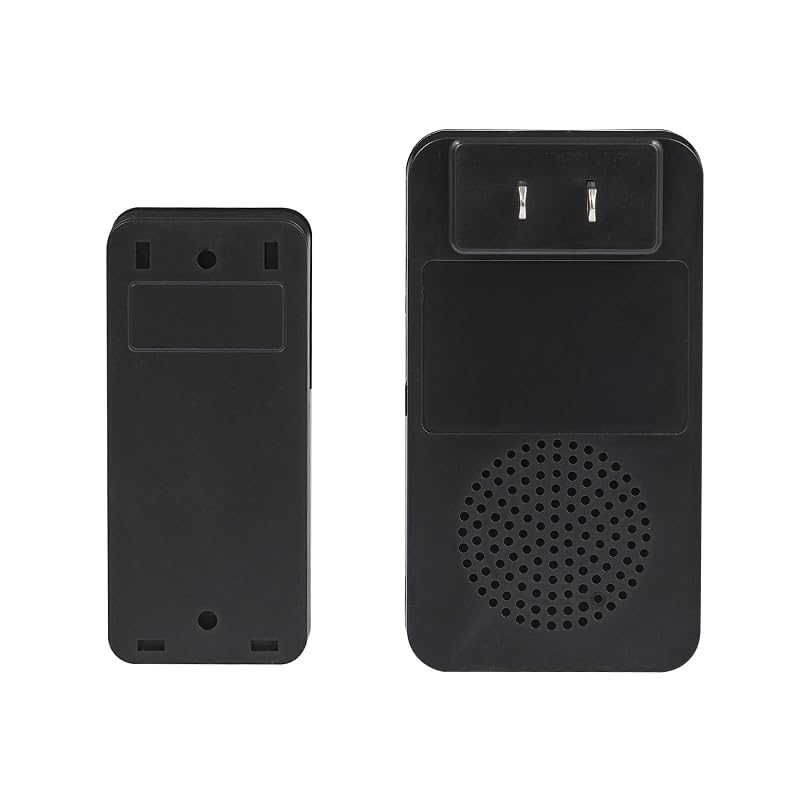
図1:例ample of a HEATH-ZENITH Push Button mounted on a wall. The image shows the button's design and typical placement near an entrance.
4.2 Installing the Plug-in Chime
- アウトレットを選択: Choose a standard 120V AC wall outlet in a central location within your home where the chime can be easily heard.
- プラグイン: Simply plug the chime unit into the selected wall outlet. The chime unit will power on.
- 電力を回復する: Once both the push button and chime are installed, restore power at the circuit breaker.
5. 操作手順
5.1 基本操作
Once installed and powered, the system is ready for use. When the push button is pressed, it completes a circuit, signaling the plug-in chime unit to sound. The chime will emit its default melody.
5.2 Adjusting Chime Melody and Volume (If Applicable)
Note: This specific model (18000154) is a basic wired push button and plug-in chime system. It typically does not feature adjustable melodies or volume controls. If your specific chime unit has these features, refer to its separate documentation for detailed instructions.
6. メンテナンス
6.1 クリーニング
To clean the push button or chime unit, wipe with a soft, dry cloth. Do not use abrasive cleaners, solvents, or spray directly onto the units, as this may damage the finish or internal components.
6.2 Battery Replacement (Push Button)
Note: The HEATH-ZENITH Push Button Model 18000154 is a wired unit and does not require batteries. If you have a wireless push button, refer to its specific instructions for battery replacement.
7。 トラブルシューティング
| 問題 | 考えられる原因 | 解決 |
|---|---|---|
| ボタンを押してもチャイムが鳴りません。 |
|
|
| チャイムが連続的にまたは不規則に鳴ります。 |
|
|
8. 仕様
- モデル: 18000154
- ブランド: HEATH-ZENITH
- タイプ: Wired Push Button with Plug-in Chime
- 電源(チャイム): 120V AC, 60Hz (Standard Wall Outlet)
- 電源(押しボタン): 低ボリュームtage (requires existing doorbell transformer, not included)
- ASIN: B0CVBKRYN2
- メーカー: HEATH-ZENITH
9. 保証とサポート
HEATH-ZENITH products are manufactured to high-quality standards. For specific warranty information, please refer to the warranty card included with your product or visit the official HEATH-ZENITH website. For technical support or assistance, please contact HEATH-ZENITH customer service through their official channels.
保証請求のために購入証明書を保管してください。