
1. はじめに
This manual provides essential information for the safe and efficient use of your Philips 32E1N3100LA monitor. Please read these instructions carefully before operating the device and retain them for future reference.
The Philips 32E1N3100LA is a 32-inch Full HD (1920x1080) monitor featuring a VA panel, 75Hz refresh rate, and 1ms MPRT response time, designed for a clear and smooth visual experience. It includes built-in speakers and supports Adaptive Sync technology.

フロント view of the Philips 32E1N3100LA monitor.
2. 安全情報
Always follow these basic safety precautions when using your monitor:
- モニターを雨や湿気にさらさないでください。
- モニターを開けないでくださいasing. 内部にはユーザーが修理できる部品はありません。
- モニターの周囲に適切な換気を確保してください。
- モニターに付属の電源アダプターのみを使用してください。
- モニターを直射日光や熱源から遠ざけてください。
- Refer to the official "Safety Information (PDF)" document for comprehensive safety guidelines.
For detailed safety instructions, please consult the official safety document: 安全情報(PDF)
3. セットアップ
3.1 開梱
Carefully remove all components from the packaging. Ensure all items listed in the packing list are present and undamaged.
3.2 スタンドの組み立て
- 傷がつかないように、モニターを柔らかくて清潔な表面の上に下向きに置いてください。
- 付属のネジを使用してスタンドネックをモニターに取り付けます。
- ベースをスタンドネックに固定します。

後方 view モニターをスタンド アセンブリに取り付けます。
3.3接続ケーブル
必要なケーブルをモニターの背面ポートに接続します。
- 電力ケーブル: 電源ケーブルをモニターの電源入力に接続し、次に接地された電源コンセントに接続します。
- ビデオケーブル: Connect an HDMI cable from your computer's video output to the monitor's HDMI input. Alternatively, use a D-Sub (VGA) cable if your system supports it.

Rear ports of the monitor for power and video connections.
3.4 ケーブル管理
Utilize the integrated cable management feature on the stand to keep your workspace tidy.
Cable management feature on the monitor stand.
4. モニターの操作
4.1 電源オン/オフ
Press the power button, usually located on the back or bottom edge of the monitor, to turn it on or off. The power LED will indicate the monitor's status.
4.2 オンスクリーンディスプレイ(OSD)メニュー
The monitor features a micro joystick control, typically located on the rear right side, for navigating the OSD menu. This allows you to adjust various settings.
4.2.1画像設定
- 輝度コントラスト: 画像の視認性を最適化するには、これらの設定を調整します。
- 色温度: Select predefined color modes or customize RGB levels.
- ローブルー モード: Reduces harmful blue light emissions for eye comfort during prolonged use.
- ちらつき防止技術: Minimizes screen flickering to reduce eye strain.

LowBlue Mode and Flicker-free technology for eye comfort.
4.2.2 オーディオ設定
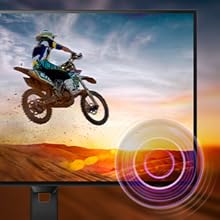
Adjust the volume of the built-in speakers through the OSD menu. An audio output jack is also available for connecting external headphones or speakers.

Monitor with built-in speakers.
4.3 Adaptive Sync (FreeSync)
This monitor supports Adaptive Sync technology, which synchronizes the display's refresh rate with your graphics card's frame rate. This helps eliminate screen tearing and stuttering for smoother gameplay and video playback. Ensure your graphics card supports FreeSync and that the feature is enabled in your graphics card settings and the monitor's OSD.

Adaptive Sync technology for smooth visuals.
5. メンテナンス
5.1 画面のクリーニング
柔らかく糸くずの出ない布で画面を優しく拭いてください。頑固な汚れには、軽くampen the cloth with a screen cleaner specifically designed for monitors. Do not spray cleaner directly onto the screen.
5.2 Cのクリーニングasing
モニターの表面を拭くときは、柔らかく乾いた布を使用してください。asing. 研磨剤入りの洗剤や溶剤の使用は避けてください。
5.3一般的なケア
- モニターやそのケーブルの上に重い物を置かないでください。
- 換気口をふさがないでください。
- 雷雨のときや長期間使用しない場合は、モニターを電源コンセントから抜いてください。
6。 トラブルシューティング
モニターに問題が発生した場合は、次の一般的な問題と解決策を参照してください。
| 問題 | 考えられる解決策 |
|---|---|
| 電源なし | Ensure the power cable is securely connected to the monitor and a working electrical outlet. Check the power adapter. |
| 画面に画像がありません | Verify the video cable (HDMI/D-Sub) is correctly connected to both the monitor and your computer. Ensure the correct input source is selected in the OSD menu. |
| 画像がぼやけたり歪んだりする | Adjust the resolution settings on your computer to match the monitor's native resolution (1920x1080). Check video cable quality and connection. |
| スピーカーから音が出ない | Check the volume settings in the OSD menu and on your computer. Ensure the audio source is correctly configured. |
| アダプティブシンクが機能しない | Confirm your graphics card supports FreeSync and that it is enabled in both your graphics card control panel and the monitor's OSD settings. |
7. 仕様
| 特徴 | 詳細 |
|---|---|
| モデル番号 | 32E1N3100LA/00 |
| 画面サイズ | 32インチ |
| パネルタイプ | VAパネル |
| 解決 | FHD 1080p (1920 x 1080) |
| アスペクト比 | 16:9 |
| リフレッシュレート | 75Hz |
| 応答時間 | 1ミリ秒(MPRT) |
| コントラスト比 | 3000:1 |
| 輝度 | 300 cd/m² |
| 接続性 | 1x HDMI 1.4, 1x D-Sub (VGA) |
| オーディオ | Built-in Speakers, Audio Out |
| アダプティブ同期 | フリーシンク |
| 消費電力 | 30.5ワット |
| 寸法(DxWxH) | 幅25cm x 奥行72cm x 高さ52cm |
| 重さ | 7キログラム |
| VESAマウント | Yes (Wall Mount Type) |
8. 保証とサポート
8.1 保証情報
This Philips monitor comes with a limited warranty. For specific terms, conditions, and duration of your warranty, please refer to the documentation included with your product or visit the official Philips support webサイト。
8.2 カスタマーサポート
For technical assistance, troubleshooting beyond this manual, or warranty claims, please contact Philips customer support. You can find contact information and additional resources on the official Philips webサイト。
Additional detailed instructions are available in the official user manual: 使用説明書(PDF)